
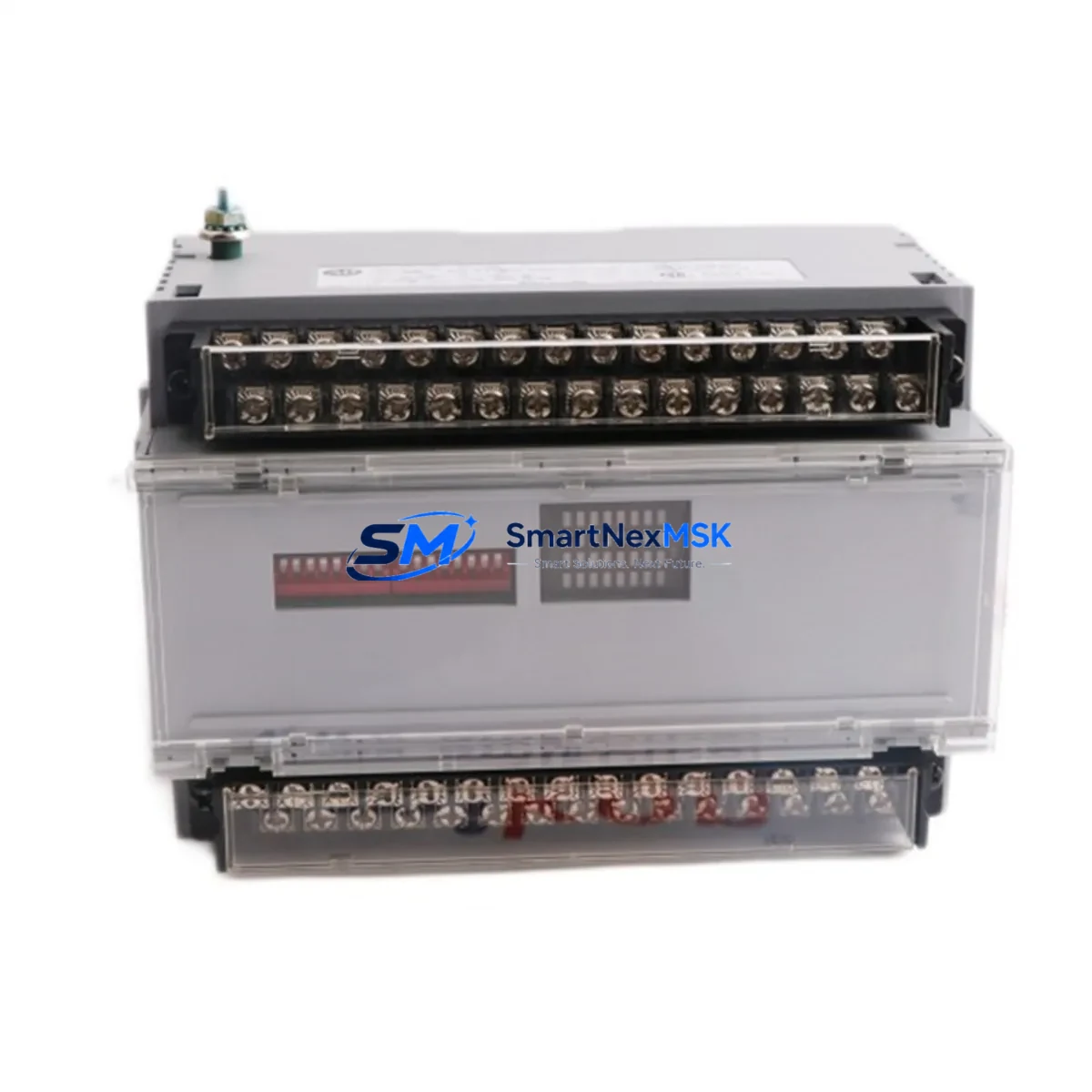
Allen-Bradley 1791-24B8 Retrofit-Ready Block I/O for 1791 Series Control Systems
The Allen-Bradley 1791-24B8 is a 24VDC discrete Block I/O module delivering 8 digital inputs and 8 digital outputs within the 1791 Series platform. As legacy 1791 Series installations reach end-of-life and OEM support is discontinued, the 1791-24B8 has become one of the most sought-after retrofit components for engineers tasked with modernizing existing control cabinets without a full system overhaul. SMARTNEXMSK maintains verified stock of the 1791-24B8 to support planned upgrades, emergency replacements, and phased migration projects across manufacturing, material handling, and process automation environments.
Whether you are replacing a failed unit on a running line, sourcing a spare for a scheduled maintenance window, or building a retrofit BOM for a multi-cabinet upgrade, the 1791-24B8 is tested, documented, and ready to ship with a 12-month warranty covering both hardware integrity and functional performance.
Upgrade Compatibility Table
| Parameter | 1791-24B8 Specification | Retrofit Notes |
|---|---|---|
| Input Voltage | 24VDC | Verify field device supply matches 24VDC nominal; check power supply module (e.g. 1606-XLP or equivalent) capacity before swap |
| I/O Configuration | 8 Inputs / 8 Outputs | Confirm existing wiring harness terminal count; re-use existing terminal block wiring where pin-out is compatible |
| Communication Interface | Remote I/O (RIO) / DeviceNet compatible | Validate scanner module (e.g. 1747-SN or 1771-ASB) rack address and node settings before installation |
| Mounting / Backplane | DIN rail or panel mount, standalone block | No backplane slot required; verify conduit entry and cable routing clearance in existing cabinet |
| Module Address | Rotary switch configurable | Record original address setting before removal; replicate on replacement unit prior to power-up |
| Program Compatibility | Compatible with SLC 500, PLC-5 ladder logic addressing | No program modification required for direct replacement; verify I/O map in RSLogix 500 or RSLogix 5 |
| HMI Integration | Tag-addressable via controller | PanelView or FactoryTalk View screens referencing I/O addresses remain valid; no screen rebuild required |
| Commissioning | Force I/O test recommended | Use RSLogix diagnostic tools to force inputs/outputs and verify field device response before returning to auto mode |
| Warranty | 12-Month Warranty — covers hardware defects and functional performance from date of shipment | |
Retrofit Planning for Existing Automation Systems
A successful 1791-24B8 retrofit begins well before the module arrives on site. Engineers working on 1791 Series-based lines typically encounter a mix of components that must be assessed as a system rather than individually. The 1791-24B8 operates as a standalone block I/O node, but its performance depends on the health and configuration of the broader control architecture.
Start by auditing the power distribution feeding the I/O block. The 24VDC supply — often sourced from a 1606-XLP series power supply or a legacy Allen-Bradley 1771-P4S — must have sufficient residual capacity to support the replacement module under full load. A degraded or undersized supply is a common root cause of intermittent faults that are incorrectly attributed to the I/O module itself.
Next, inspect the communication link. In Remote I/O architectures, the 1791-24B8 connects to a scanner such as the 1747-SN (SLC 500 platform) or the 1771-ASB adapter on a PLC-5 rack. Confirm that the RIO cable — typically Belden 9463 or equivalent — is intact, properly terminated, and that the baud rate DIP switches on both the scanner and the block I/O module are set consistently. Mismatched baud rates are a frequent commissioning error during module swaps.
For sites migrating from a PLC-5 platform toward a ControlLogix or CompactLogix architecture, the 1791-24B8 can serve as a transitional node during phased migration. A 1756-DHRIO or 1756-RIO bridge module in the ControlLogix chassis can maintain communication with legacy 1791 Series block I/O nodes while new I/O is progressively added on EtherNet/IP. This approach allows production to continue on the existing 1791-24B8 nodes while the new control platform is commissioned in parallel — a critical advantage when downtime windows are measured in hours rather than days.
Terminal wiring on the 1791-24B8 uses a removable terminal block design. During replacement, photograph the existing wiring before disconnection, label each conductor, and verify continuity after reconnection. If the original terminal block shows signs of heat damage or oxidation — common in high-cycle applications — replace it with a new terminal block assembly rather than reusing the degraded component. Wiring errors at the terminal level are the leading cause of post-replacement faults that delay return to production.
For I/O expansion requirements beyond the 8-in/8-out capacity of the 1791-24B8, consider adding a 1791-16B0 (16 outputs) or 1791-0B16 node on the same RIO drop to extend capacity without modifying the controller program structure. If the application requires analog I/O alongside discrete, a 1791-AN4 analog block I/O module can be added to the same network segment. These additions are fully compatible with the existing SLC 500 or PLC-5 I/O map structure and require only incremental address assignments in the controller configuration.
Where a full platform migration to ControlLogix is planned, the 1791-24B8 retrofit provides a stable bridge period. During this window, the 1756-L7x or 1756-L8x ControlLogix controller can be installed and programmed while the legacy 1791 Series I/O continues to operate under the original PLC-5 or SLC 500 controller. Cutover is then executed during a planned shutdown, with the new controller assuming control of both legacy and new I/O in a single commissioning event.
Downtime Control During System Migration
Minimizing unplanned downtime during a 1791-24B8 replacement requires a structured pre-swap checklist executed before the maintenance window opens. The goal is to reduce the time the control system is offline to the minimum required for physical module exchange and functional verification.
Before the maintenance window, complete the following preparation steps: download and save the current controller program from RSLogix 500 or RSLogix 5 to a secure backup location; document all I/O force tables and any active forces that may be masking field device faults; record the module address switch settings on the existing 1791-24B8; photograph terminal wiring; and confirm that the replacement unit has been bench-tested and address switches pre-set to match the original configuration.
During the swap, place the controller in Program mode before disconnecting the module. This prevents the scanner from generating fault codes that could trigger safety interlocks or alarm cascades on connected HMI systems such as PanelView Plus terminals or FactoryTalk View SE clients. Disconnect the RIO cable last and reconnect it first on the replacement unit to minimize the window during which the communication link is broken.
After reconnection, return the controller to Run mode and use the RSLogix I/O diagnostic screen to verify that the 1791-24B8 node is communicating correctly before forcing any outputs. Walk the field with a technician to confirm that all connected sensors and actuators are responding as expected. Document the completed swap in the site maintenance log, including the replacement unit serial number and the date of installation, to support the 12-month warranty claim process if required.
For sites with redundant control paths, the 1791-24B8 replacement can often be executed without a full production stop by switching control authority to the redundant path during the swap window. Confirm with the control system integrator that the redundant path has been validated and that the switchover procedure is documented before relying on this approach.
Retrofit Support FAQ
Q1: Is the 1791-24B8 a direct drop-in replacement for the original discontinued unit?
Yes. The 1791-24B8 supplied by SMARTNEXMSK is functionally equivalent to the original Allen-Bradley production unit. The module address switches, terminal block pin-out, RIO communication interface, and 24VDC power requirements are identical to the original specification. No program modifications are required for a direct replacement on an existing 1791 Series installation. Each unit undergoes functional testing prior to shipment.
Q2: What commissioning steps are required after installation?
After physical installation and terminal reconnection, set the controller to Run mode and verify node communication in the RSLogix I/O diagnostic screen. Use the force I/O function to individually test each of the 8 inputs and 8 outputs against the connected field devices. Confirm that all HMI screens referencing the affected I/O addresses are displaying correctly. The full commissioning sequence typically takes 30–60 minutes for an experienced technician on a prepared system.
Q3: Can the 1791-24B8 be used in a ControlLogix migration project?
Yes. During a phased migration from PLC-5 or SLC 500 to ControlLogix, the 1791-24B8 can continue to operate as a legacy RIO node while the new ControlLogix platform is commissioned. A 1756-DHRIO or 1756-RIO bridge module in the ControlLogix chassis maintains communication with the existing 1791 Series block I/O network. This approach allows production continuity during the migration period and defers the full I/O cutover to a planned shutdown event.
Q4: What does the 12-month warranty cover?
The 12-month warranty covers hardware defects and functional performance failures from the date of shipment. If the 1791-24B8 fails to perform to its published specification within the warranty period under normal operating conditions, SMARTNEXMSK will provide a replacement unit at no additional cost. Warranty claims require the original order reference and a description of the fault condition. Units showing evidence of incorrect installation voltage, physical damage, or unauthorized modification are excluded from warranty coverage.
© 2026 SMARTNEXMSK. All rights reserved.
Original Source: https://smartnexmsk.com
Contact: [email protected] | +86 18259474341



