
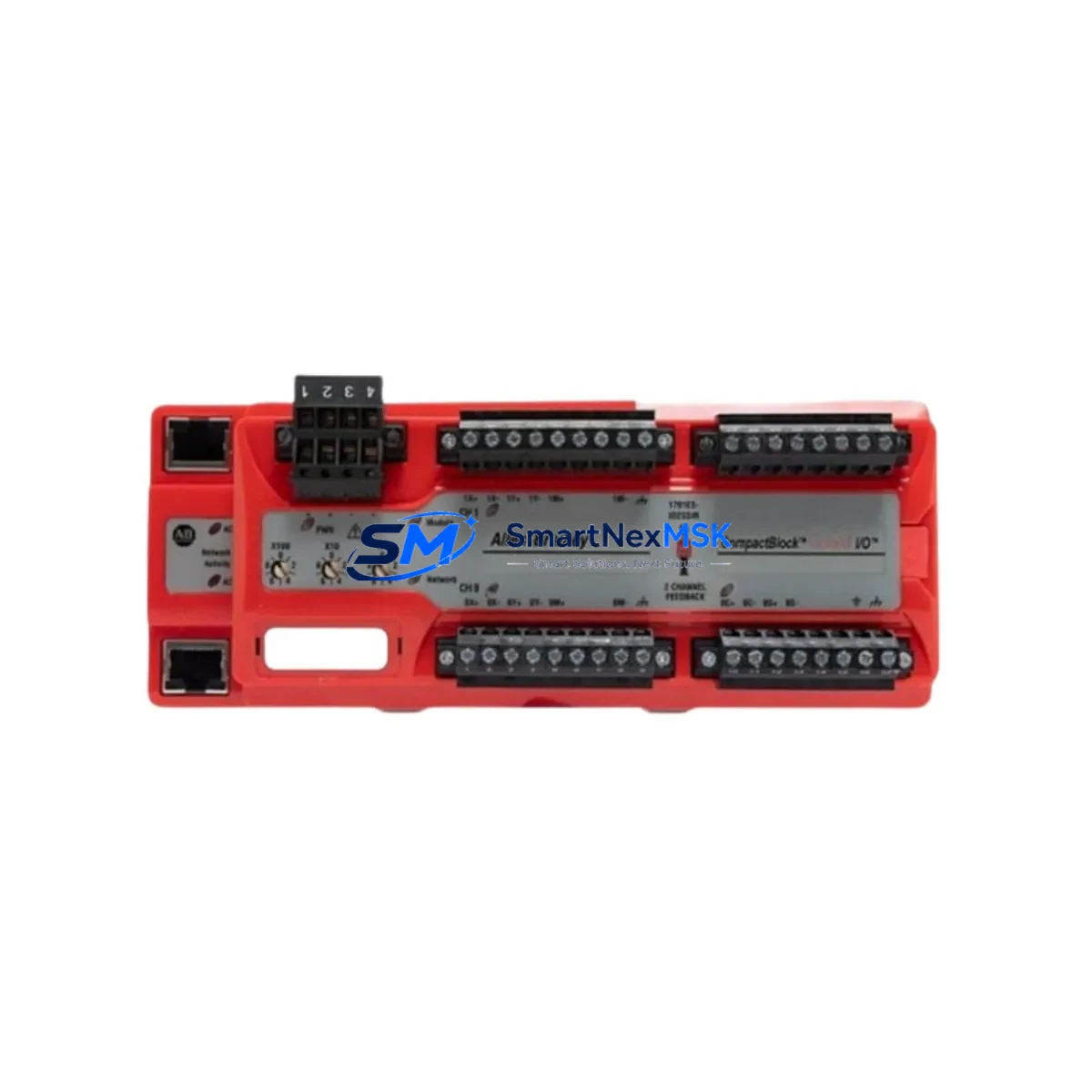
Allen-Bradley 1791ES-IB16 Maintenance-Ready Spare ArmorBlock Guard I/O
The Allen-Bradley 1791ES-IB16 is a 16-point safety digital input module from Rockwell Automation’s ArmorBlock Guard I/O series, engineered for distributed safety I/O applications in harsh industrial environments. Designed to meet SIL 2 / PLe safety integrity requirements, this module integrates directly into EtherNet/IP-based safety networks and is widely deployed across automotive assembly lines, packaging machinery, material handling systems, and process control installations. Maintaining a verified original spare of the 1791ES-IB16 in your parts inventory is a proven strategy for minimizing unplanned downtime and accelerating safety system recovery when field failures occur.
For maintenance engineers managing aging GuardLogix or CompactGuardLogix safety architectures, the 1791ES-IB16 represents a critical node in the safety I/O chain. Its 16 dual-channel safety inputs support emergency stop circuits, light curtain interfaces, safety gate interlocks, and two-hand control devices. When this module fails or degrades, the entire safety zone it governs may be forced offline, triggering a full production stop. Having a tested, ready-to-deploy replacement on the shelf is not optional — it is a core element of any responsible maintenance strategy.
This listing supplies original Allen-Bradley 1791ES-IB16 units sourced through verified industrial channels. Each unit undergoes pre-shipment functional inspection and is dispatched with full traceability documentation. A 12-month warranty is included, covering manufacturing defects and operational failures under normal industrial service conditions.
Spare Maintenance Table
| Parameter | Specification |
|---|---|
| Part Number / SKU | 1791ES-IB16 |
| Brand / Manufacturer | Allen-Bradley (Rockwell Automation) |
| Series | ArmorBlock Guard I/O |
| Module Type | 16-Point Safety Digital Input |
| Safety Rating | SIL 2 (IEC 62061), PLe / Cat. 4 (ISO 13849) |
| Communication Protocol | EtherNet/IP (CIP Safety) |
| Input Voltage | 24V DC |
| Input Points | 16 (configurable as 8 dual-channel safety pairs) |
| IP Rating | IP67 / IP69K |
| Operating Temperature | -25°C to +70°C |
| Compatibility | GuardLogix 5570 / 5580, CompactGuardLogix 5370 / 5380, Studio 5000 Logix Designer |
| Mounting | DIN rail or panel mount via ArmorBlock base |
| Certifications | UL, CE, TÜV, cULus |
| Warranty | 12 Months — Manufacturing Defects & Operational Failure |
| Condition | Original / New — Pre-shipment Tested |
| Lead Time | In Stock — Ships within 1–3 Business Days |
Maintenance Planning for Continuous Operation
When a 1791ES-IB16 safety input module is flagged for replacement during a planned shutdown or emergency callout, experienced maintenance engineers know that the module itself is rarely the only component requiring attention. A thorough inspection of the surrounding safety circuit is essential to prevent repeat failures and ensure the restored system meets its original safety integrity level.
Begin by auditing the 1791ES-IB16’s power supply circuit. The module draws 24V DC from a dedicated safety-rated power supply — commonly a 1606-XLS or equivalent Rockwell-compatible unit. Verify output voltage stability under load and check for ripple or transient spikes that may have contributed to the module fault. Alongside the power supply, inspect the 1791ES-OB8S safety output module installed in the same ArmorBlock segment; output-side faults frequently co-occur with input module degradation when a short-circuit or wiring fault is the root cause.
Next, examine the EtherNet/IP network infrastructure serving the safety zone. Check the managed switch port connected to the 1791ES-IB16 for CRC errors, port flapping, or excessive latency. If the module communicates through a 1783-BMS series stratix switch, review its diagnostic logs before re-commissioning the replacement unit. A marginal network connection can cause intermittent CIP Safety timeouts that mimic module hardware failure.
Inspect all M12 field wiring connectors on the 1791ES-IB16 input ports. Corrosion, pin back-out, or improper torque on M12 connectors is a leading cause of nuisance trips in ArmorBlock installations. Replace any connectors showing signs of moisture ingress or mechanical wear. While the cabinet is open, verify the condition of the 1791ES-IB8XOBV4 or similar hybrid I/O modules sharing the same EtherNet/IP segment — these units are subject to the same environmental stresses and should be included in the inspection cycle.
For installations where the 1791ES-IB16 interfaces with a GuardLogix 5580 safety controller (1756-L8xES), confirm that the safety task configuration and I/O connection parameters in Studio 5000 Logix Designer are correctly mapped to the replacement module’s slot address. A mismatch in the safety network number (SNN) will prevent the module from entering run mode and must be resolved before the safety function can be validated. Also verify the 1756-EN2TR EtherNet/IP communication module in the controller backplane is operating within its rated connection count — overloaded communication modules can cause safety I/O connection timeouts that are misdiagnosed as field device failures.
Finally, review the safety relay and interlock wiring downstream of the 1791ES-IB16. Safety relays such as the 440R-N23132 or MSR127RP that receive signals from this module’s output logic should be tested for contact wear and coil response time. Include a check of any signal isolators or safety barriers in the circuit, particularly in installations where intrinsically safe zones are involved. Document all findings in the maintenance record and update the spare parts list to reflect the components inspected during this intervention.
Site Replacement Workflow
Step 1 — Isolate and De-energize: Follow your site’s lockout/tagout (LOTO) procedure for the affected safety zone. Confirm zero energy state on all 24V DC circuits connected to the 1791ES-IB16 before disconnecting any M12 field connectors.
Step 2 — Document Existing Configuration: Before removing the faulty module, record the safety network number (SNN), I/O connection parameters, and node address from Studio 5000 Logix Designer. Take photographs of all M12 connector positions and cable routing for reference during reinstallation.
Step 3 — Physical Replacement: Disconnect all M12 field wiring connectors in sequence. Remove the module from its ArmorBlock mounting base. Install the replacement 1791ES-IB16, ensuring the base gasket is seated correctly to maintain IP67 integrity. Reconnect M12 connectors per the documented positions, torquing to the manufacturer’s specified value (typically 0.8 N·m for M12 connectors).
Step 4 — Commission and Configure: Power up the safety zone and connect to the GuardLogix controller via Studio 5000. Assign the correct SNN to the replacement module. Download the verified safety program and confirm the module enters run mode without faults. Verify all 16 input channels respond correctly to their associated field devices (E-stops, light curtains, gate switches).
Step 5 — Functional Safety Validation: Perform a full functional test of every safety function associated with the 1791ES-IB16 per your site’s safety validation procedure. Record test results and obtain sign-off from the responsible safety engineer before returning the machine to production. Update the maintenance log with the replacement date, module serial number, and test results.
This structured workflow minimizes total downtime, ensures system compatibility is maintained, and provides the audit trail required for safety system change management under IEC 62061 and ISO 13849.
Spare Parts Support FAQ
Q1: What is the recommended spare parts strategy for the 1791ES-IB16 in a high-availability production environment?
For critical safety zones with no redundant path, maintain a minimum of one verified spare 1791ES-IB16 on-site at all times. For facilities operating multiple ArmorBlock Guard I/O segments, a ratio of one spare per five installed modules is a practical starting point. Pair the module spare with pre-made M12 field wiring assemblies to further reduce mean time to repair (MTTR). Review your spare holding annually against the module’s observed failure rate and Rockwell Automation’s published lifecycle status.
Q2: How do I confirm compatibility between a replacement 1791ES-IB16 and my existing GuardLogix safety program?
Compatibility is confirmed at the firmware and configuration level in Studio 5000 Logix Designer. The replacement module must be assigned the same safety network number (SNN) as the original. Verify that the firmware revision of the replacement unit is equal to or higher than the revision specified in your safety program’s I/O configuration. If the firmware revision differs, use the ControlFLASH utility to update the module firmware before commissioning. No hardware modification is required for direct replacement within the same ArmorBlock base.
Q3: What pre-shipment testing is performed on 1791ES-IB16 units supplied by SMARTNEXMSK?
Each 1791ES-IB16 unit undergoes a functional inspection prior to dispatch, including power-on verification, input channel continuity checks, and communication port integrity testing. Units are packaged in anti-static protective materials with physical damage inspection completed before sealing. A 12-month warranty covering manufacturing defects and operational failures under normal industrial service conditions is included with every unit. Traceability documentation is available upon request.
Q4: Can the 1791ES-IB16 replace older ArmorBlock safety I/O modules such as the 1791DS-IB16 in an existing installation?
The 1791ES-IB16 (EtherNet/IP) and 1791DS-IB16 (DeviceNet) use different communication protocols and are not direct drop-in replacements. Migration from DeviceNet-based ArmorBlock to EtherNet/IP-based ArmorBlock Guard I/O requires a network infrastructure change and a safety program update in Studio 5000. However, for installations already running EtherNet/IP safety networks, the 1791ES-IB16 is the current-generation replacement for earlier EtherNet/IP ArmorBlock safety input modules and is fully backward-compatible at the safety function level when correctly configured.
© 2026 SMARTNEXMSK. All rights reserved.
Original Source: https://smartnexmsk.com
Contact: [email protected] | +86 18259474341



