
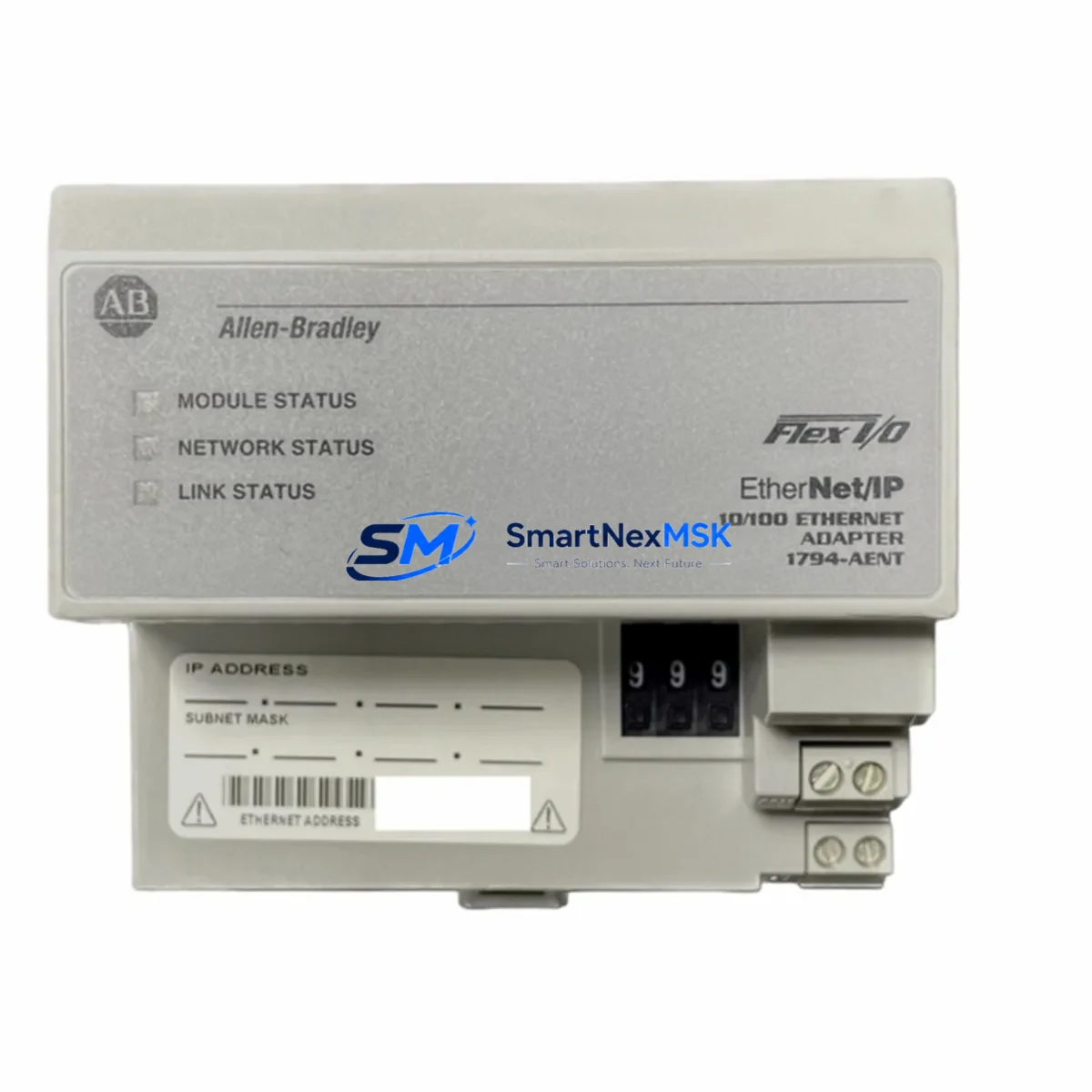
Allen-Bradley 1794-AENT Maintenance-Ready Spare for FLEX I/O Automation
The Allen-Bradley 1794-AENT is a FLEX I/O EtherNet/IP adapter module designed for seamless integration into ControlLogix and CompactLogix distributed I/O architectures. As a maintenance-ready original spare, the 1794-AENT enables maintenance engineers to execute rapid module replacement during unplanned shutdowns, minimizing production downtime and restoring system communication with minimal reconfiguration. For facilities operating legacy FLEX I/O racks across multi-drop EtherNet/IP networks, holding a verified spare of the 1794-AENT in the local parts inventory is a fundamental element of any proactive maintenance strategy.
Procurement engineers sourcing replacement adapters for aging control cabinets will find the 1794-AENT fully compatible with existing 1794 FLEX I/O terminal bases and backplane assemblies. The module communicates over standard 10/100 Mbps EtherNet/IP, supports implicit and explicit messaging, and integrates directly with Studio 5000 Logix Designer for configuration and diagnostics — eliminating the need for firmware re-engineering during a swap. Original factory-tested units ship with full parameter integrity, reducing commissioning time on the plant floor.
Spare Maintenance Table
| Parameter | Specification |
|---|---|
| SKU / Part Number | 1794-AENT |
| Brand | Allen-Bradley (Rockwell Automation) |
| Series | FLEX I/O |
| Module Type | EtherNet/IP Adapter |
| Communication Protocol | EtherNet/IP (10/100 Mbps) |
| Compatible Controllers | ControlLogix, CompactLogix, SoftLogix |
| Compatible Backplane | 1794 FLEX I/O Terminal Base |
| Power Supply Voltage | 24V DC (via backplane) |
| Operating Temperature | 0°C to 55°C |
| Enclosure Rating | IP20 (panel-mount, control cabinet) |
| Country of Origin | United States |
| Application Environment | Industrial automation, distributed I/O, process control |
| Maintenance Recommendation | Inspect RJ45 port, LED status indicators, and backplane connector annually; replace on first sign of communication fault |
| Warranty | 12 Months |
| Condition | Original, factory-tested |
| Shipping | Tested before dispatch; secure anti-static packaging |
Maintenance Planning for Continuous Operation
When replacing the 1794-AENT adapter in a FLEX I/O rack, a thorough maintenance engineer will treat the swap as an opportunity to inspect the entire I/O node and its associated control cabinet components. Begin by verifying the 24V DC power supply feeding the FLEX I/O backplane — a marginal or aging 1794-PS13 or 1794-PS3 power supply can cause intermittent adapter resets that mimic a faulty 1794-AENT, leading to unnecessary module replacement. Confirm supply voltage is within tolerance before condemning the adapter.
Next, inspect the EtherNet/IP network infrastructure at the node: check the managed switch port, patch cable integrity, and IP address configuration. A misconfigured or duplicate IP address is a common root cause of adapter communication loss in multi-node FLEX I/O installations. If the plant uses a 1783-US series unmanaged switch or a Stratix 5700 managed switch at the cabinet level, verify port settings and VLAN assignments as part of the replacement workflow.
With the adapter confirmed as the fault source, proceed to inspect adjacent FLEX I/O modules in the same rack. Digital input modules such as the 1794-IB16 and digital output modules such as the 1794-OB16 should be checked for blown fuses, damaged field wiring terminals, and LED fault indicators. Analog I/O modules — including the 1794-IE8 analog input and 1794-OE4 analog output — should be verified for signal drift or calibration errors that may have been masked by the communication fault. Terminal base wiring should be inspected for loose connections, corrosion, or insulation damage, particularly in high-vibration or high-humidity environments.
For facilities running ControlLogix systems, confirm that the 1756-EN2T or 1756-EN2TR EtherNet/IP communication module in the controller chassis is operating normally and that the I/O tree in Studio 5000 reflects the correct module path after the 1794-AENT replacement. If the system uses a 1794-AENTR redundant adapter configuration, both adapter modules should be inspected simultaneously to ensure failover integrity is maintained. Documenting the replacement in the site CMMS and updating the spare parts register with the new module serial number closes the maintenance loop and supports future lifecycle planning.
Site Replacement Workflow
The 1794-AENT is a direct replacement for earlier FLEX I/O EtherNet/IP adapters and is backward-compatible with existing 1794 terminal bases, eliminating the need for backplane or wiring modifications during a like-for-like swap. To minimize downtime, follow this field-proven sequence:
1. Pre-replacement preparation: Export the current module configuration from Studio 5000 Logix Designer. Note the IP address, subnet mask, gateway, and I/O connection parameters. Confirm the replacement 1794-AENT is the same firmware revision or higher.
2. Safe isolation: Place the controller in Program mode to inhibit I/O connections. De-energize the FLEX I/O rack power supply. Follow site LOTO (Lockout/Tagout) procedures before opening the control cabinet.
3. Module swap: Remove the faulty 1794-AENT from the terminal base. Install the replacement module, ensuring the backplane connector is fully seated. Restore power to the rack.
4. Configuration restore: Using a laptop with Studio 5000 or RSLinx Classic, assign the correct IP address to the new adapter via BOOTP/DHCP or the module’s rotary switches. Download the saved configuration and verify all I/O connections are re-established.
5. Functional verification: Return the controller to Run mode. Confirm all I/O points are communicating correctly, check for any inhibited connections, and verify process signals are within expected ranges before releasing the system to production.
This workflow supports system compatibility, reduces mean time to repair (MTTR), and ensures the replaced module is fully validated before the line resumes operation.
Spare Parts Support FAQ
Q1: Is the 1794-AENT compatible with all FLEX I/O terminal bases?
Yes. The 1794-AENT is designed to mount on any standard 1794 FLEX I/O terminal base. No backplane or wiring modifications are required for a like-for-like replacement. Compatibility extends to ControlLogix, CompactLogix, and SoftLogix controller platforms using EtherNet/IP.
Q2: What is the recommended spare parts inventory strategy for the 1794-AENT?
For facilities with three or more FLEX I/O nodes, maintaining a minimum of one 1794-AENT spare per five nodes is recommended. High-criticality lines or 24/7 operations should hold at least two units on-site. Spares should be stored in anti-static packaging in a climate-controlled environment and rotated into service on a first-in, first-out basis.
Q3: How is each unit tested before shipment?
Every 1794-AENT unit undergoes functional verification prior to dispatch, including power-on self-test, EtherNet/IP communication validation, and backplane interface inspection. Units are shipped in anti-static, shock-protected packaging with a test record. The 12-month warranty covers manufacturing defects and functional failures under normal operating conditions.
Q4: Can the 1794-AENT replace discontinued or end-of-life FLEX I/O adapter models?
Yes. The 1794-AENT is the current-generation EtherNet/IP adapter for the FLEX I/O platform and serves as the recommended replacement for older adapter variants. For systems running legacy DeviceNet or ControlNet adapters, a network migration plan may be required; our technical team can advise on compatibility and transition options prior to purchase.
© 2026 SMARTNEXMSK. All rights reserved.
Original Source: https://smartnexmsk.com
Contact: [email protected] | +86 18259474341



