
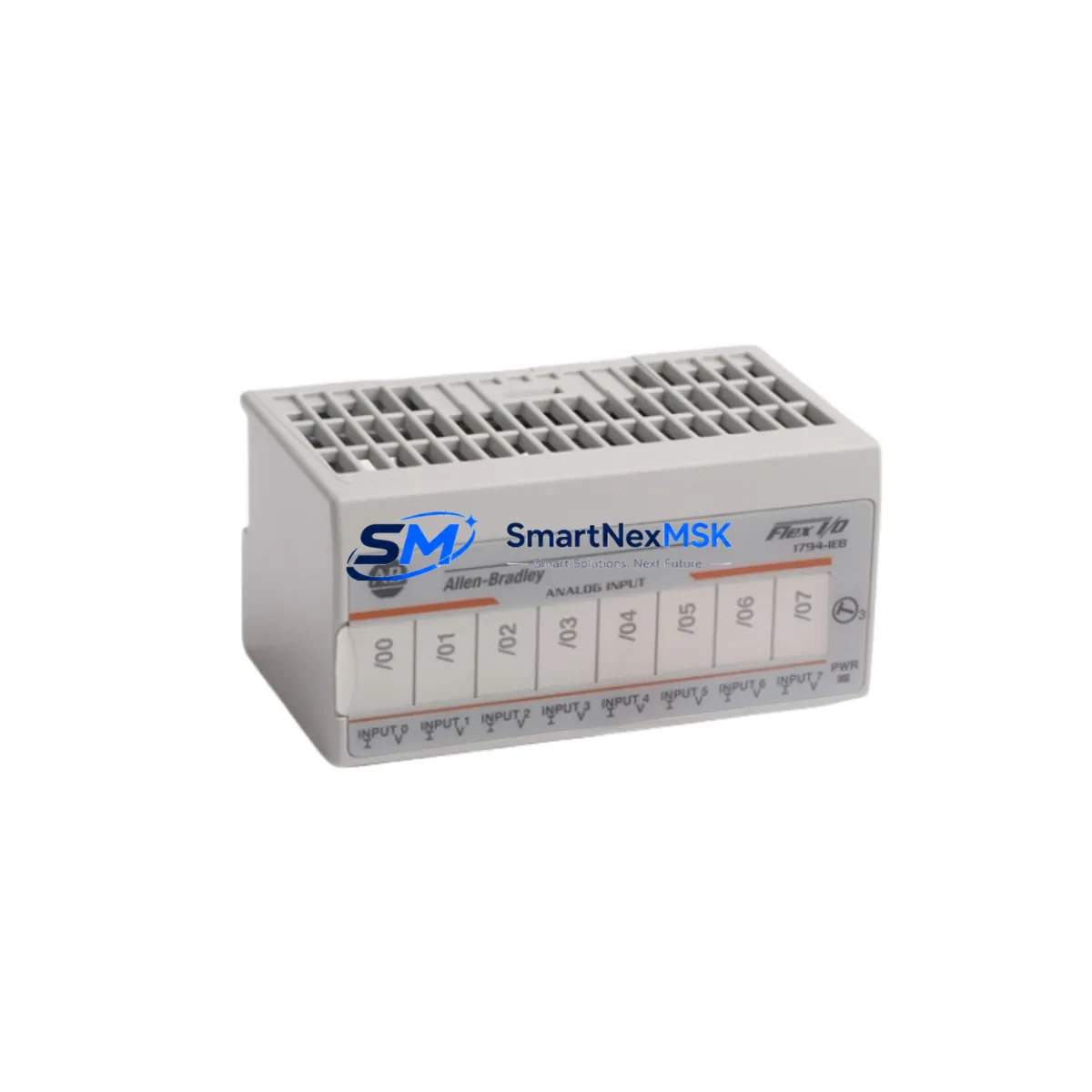
Allen-Bradley 1794-IE8/B Retrofit-Ready Analog Input for FLEX I/O Control Systems
The Allen-Bradley 1794-IE8/B is an 8-channel analog input module designed for the FLEX I/O platform, one of Rockwell Automation’s most widely deployed distributed I/O architectures in process and discrete manufacturing environments. As original production of this module has been discontinued, industrial facilities operating legacy FLEX I/O racks face increasing pressure to source verified replacement units that maintain full backward compatibility with existing control programs, terminal wiring, and communication infrastructure. SMARTNEXMSK supplies the 1794-IE8/B as a tested, retrofit-ready replacement with a 12-month warranty, supporting customers through planned upgrades, emergency breakdowns, and long-cycle maintenance windows.
The 1794-IE8/B accepts eight single-ended or four differential analog input channels, supporting 4–20 mA and 0–10 V signal ranges. It mounts directly onto the 1794-TB3 or 1794-TB3S terminal base, preserving existing field wiring without re-termination. Communication to the host controller — whether a ControlLogix 1756-L series processor, a CompactLogix 1769-L series controller, or a legacy PLC-5 via a 1794-ACN15 or 1794-ACNR15 ControlNet adapter — is handled through the FLEX I/O backplane, requiring no changes to the network topology or adapter addressing.
Upgrade Compatibility Table
| Parameter | Detail |
|---|---|
| Module SKU | 1794-IE8/B |
| Platform | Allen-Bradley FLEX I/O |
| Input Channels | 8 single-ended / 4 differential analog inputs |
| Signal Range | 4–20 mA, 0–10 V DC (software selectable per channel) |
| Terminal Base Compatibility | 1794-TB3, 1794-TB3S (existing wiring retained) |
| Backplane Interface | FLEX I/O backplane — no re-wiring required |
| Communication Adapters | 1794-ACN15 (ControlNet), 1794-ACNR15 (ControlNet Redundant), 1794-AENT (EtherNet/IP) |
| Controller Compatibility | ControlLogix 1756-L, CompactLogix 1769-L, PLC-5 via adapter |
| Module Address | Slot-based; verify rack slot assignment in RSLogix 5000 / Studio 5000 |
| Program Compatibility | Existing ladder logic and function block routines compatible without modification |
| Installation Requirement | Snap onto existing terminal base; confirm DIP switch channel configuration |
| Replacement Recommendation | Direct drop-in; verify firmware revision compatibility with adapter |
| Commissioning Focus | Channel scaling, engineering unit conversion, fault state configuration |
| Warranty | 12 months from shipment date — SMARTNEXMSK |
Retrofit Planning for Existing Automation Systems
Replacing the 1794-IE8/B in a live production environment requires a structured approach that accounts for every layer of the control architecture. Begin by auditing the FLEX I/O rack assembly: confirm the terminal base model (1794-TB3 or 1794-TB3S), verify the rack power budget supplied by the 1794-PS13 or 1794-PS1 power supply, and document the slot address assigned to the failed or end-of-life module. Slot addressing is critical — the 1794-IE8/B must occupy the same physical slot to preserve the I/O map referenced in the controller’s RSLogix 5000 or Studio 5000 project file.
On the communication side, the FLEX I/O adapter — typically a 1794-AENT for EtherNet/IP networks or a 1794-ACN15 for ControlNet installations — manages all data exchange between the module and the host ControlLogix or CompactLogix processor. No adapter reconfiguration is required when replacing a module of the same type in the same slot. However, if the retrofit involves migrating from an older ControlNet adapter to a 1794-AENT EtherNet/IP adapter, the network topology, IP addressing scheme, and controller connection parameters must be updated in the project before going live.
Field wiring connected to the 1794-TB3 terminal base remains undisturbed during module swap, which is one of the key advantages of the FLEX I/O architecture for retrofit projects. Technicians should verify signal type (current vs. voltage) and channel assignment against the original I/O configuration worksheet before powering the new module. Channel-level DIP switches on the 1794-IE8/B control input range selection; confirm these match the original module’s settings to avoid scaling errors in the controller program.
For facilities running HMI systems — such as PanelView Plus 6 or PanelView 800 terminals connected via EtherNet/IP — analog input tags mapped to the 1794-IE8/B will continue to function without HMI screen modifications, provided the tag database in FactoryTalk View Studio remains unchanged. If the retrofit is part of a broader system upgrade that includes replacing a 1794-ACN15 ControlNet adapter with a 1794-AENT, HMI communication paths must be re-validated after the network migration.
In multi-rack FLEX I/O installations, where several racks share a common ControlNet or EtherNet/IP segment, the replacement of a single 1794-IE8/B module should not affect adjacent racks or other modules. Nonetheless, best practice is to perform the swap during a scheduled maintenance window, with a full backup of the controller project, HMI application, and adapter configuration saved before any hardware is removed.
Downtime Control During System Migration
Minimizing unplanned downtime during a 1794-IE8/B replacement begins with pre-staging. Before the maintenance window opens, verify that the replacement module has been bench-tested, that the terminal base is clean and undamaged, and that the correct DIP switch configuration has been set to match the original channel assignments. A printed copy of the I/O configuration worksheet — including channel signal type, engineering unit range, and fault state values — should be on hand for the commissioning technician.
The controller program does not need to be modified for a like-for-like module swap. The existing ladder logic or function block routines referencing the 1794-IE8/B’s input tags will resume normal execution as soon as the new module is recognized by the adapter and the controller re-establishes its I/O connection. In RSLogix 5000 or Studio 5000, the module’s connection status can be monitored in real time via the I/O tree; a solid green status indicator confirms successful re-connection without requiring a controller download.
For sites where continuous process control is required, consider using the FLEX I/O hot-swap capability: the 1794-IE8/B can be removed and replaced while the rack remains powered, provided the terminal base remains seated and the adapter maintains its network connection. This eliminates the need for a full rack power-down and significantly reduces the impact on adjacent I/O modules sharing the same rack. After hot-swap insertion, allow the module a brief initialization period before verifying analog input values against field instruments to confirm correct signal scaling and channel integrity.
Retrofit Support FAQ
Q1: Is the 1794-IE8/B a direct drop-in replacement for the original module in my FLEX I/O rack?
Yes. The 1794-IE8/B mounts onto the existing 1794-TB3 or 1794-TB3S terminal base without re-wiring. The slot address, I/O map, and controller program remain unchanged. Verify the DIP switch channel configuration matches the original module before powering up.
Q2: Will my existing RSLogix 5000 or Studio 5000 program need to be modified after the replacement?
No modification is required for a like-for-like replacement in the same rack slot. The controller will automatically re-establish the I/O connection and resume normal scan cycle execution. If the retrofit involves a communication adapter change (e.g., from 1794-ACN15 to 1794-AENT), the controller project must be updated to reflect the new network path and connection parameters.
Q3: How do I verify wiring and signal compatibility before commissioning the replacement module?
Confirm the signal type (4–20 mA or 0–10 V) for each channel against the original I/O configuration worksheet. Set the DIP switches on the 1794-IE8/B accordingly. After installation, compare live analog input values in the controller’s online tag monitor against field instrument readings to validate scaling accuracy before returning the system to automatic control.
Q4: What warranty and pre-shipment testing does SMARTNEXMSK provide for the 1794-IE8/B?
Every 1794-IE8/B unit supplied by SMARTNEXMSK undergoes functional testing prior to shipment, including channel signal verification and backplane communication checks. A 12-month warranty is provided from the date of shipment, covering manufacturing defects and functional failures under normal operating conditions. Technical support for installation and commissioning is available via [email protected] or +86 18259474341.
© 2026 SMARTNEXMSK. All rights reserved.
Original Source: https://smartnexmsk.com
Contact: [email protected] | +86 18259474341



