
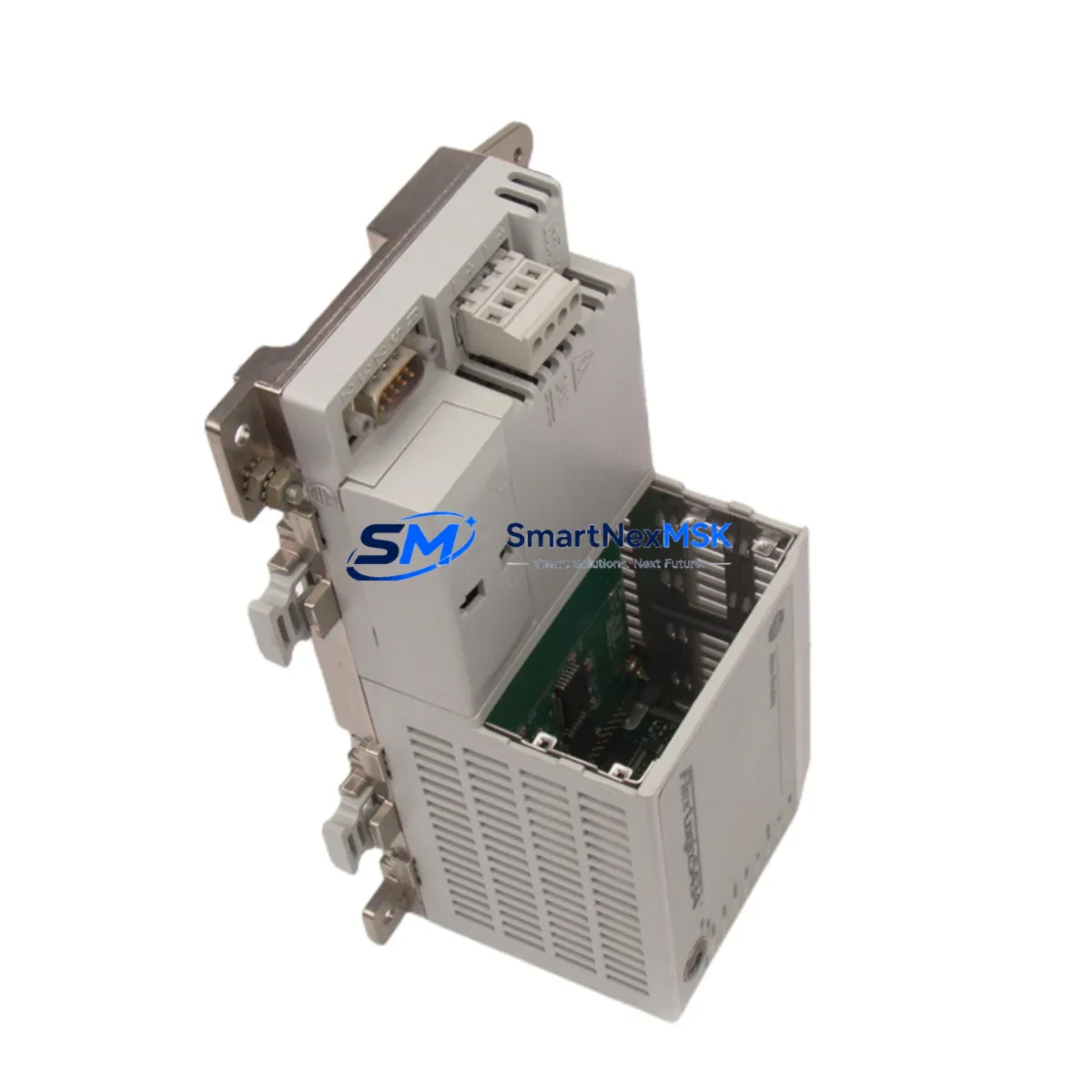
Allen-Bradley 1794-L34 Maintenance-Ready Spare for FlexLogix Automation
The Allen-Bradley 1794-L34 is a FlexLogix programmable controller designed for distributed control applications within Rockwell Automation’s FLEX I/O platform. As a compact, rack-mounted logic controller, the 1794-L34 manages local and remote I/O, executes ladder logic and function block programs, and communicates via EtherNet/IP and ControlNet networks. In industrial environments where continuous uptime is critical — from automotive assembly lines to food and beverage processing — maintaining a verified spare 1794-L34 in your parts inventory is a fundamental risk-mitigation strategy.
Unplanned downtime caused by a failed PLC controller can cost thousands of dollars per hour. The 1794-L34 is a mature platform component that may no longer be in active production, making sourcing increasingly time-sensitive. Procurement engineers and maintenance teams managing aging FlexLogix systems should treat this controller as a priority spare, particularly in facilities where the FLEX I/O architecture underpins critical process control loops.
Every 1794-L34 unit supplied by SMARTNEXMSK is sourced from verified industrial channels, inspected for physical integrity, and functionally tested prior to dispatch. Each unit ships with a 12-month warranty covering manufacturing defects and operational failure under normal industrial use conditions.
Spare Maintenance Table
| Part Number | 1794-L34 |
| Brand / Manufacturer | Allen-Bradley (Rockwell Automation) |
| Series | FlexLogix / FLEX I/O |
| Product Type | Programmable Logic Controller (PLC) |
| Processor Type | FlexLogix Controller |
| Communication Ports | EtherNet/IP, ControlNet (series-dependent) |
| I/O Compatibility | FLEX I/O adapter and module system (1794 series) |
| Programming Software | RSLogix 5000 / Studio 5000 Logix Designer |
| Power Supply Compatibility | 1794-PS13, 1794-PS3 FLEX I/O power supplies |
| Mounting | DIN rail / panel mount via FLEX I/O terminal base |
| Operating Temperature | 0°C to 60°C (32°F to 140°F) |
| Application Environment | Industrial automation, distributed control, OEM machinery |
| Condition | Original spare — inspected and functionally tested |
| Warranty | 12 Months — covers manufacturing defects and operational failure |
| Lead Time | In-stock units ship within 1–3 business days |
| Origin | United States |
Maintenance Planning for Continuous Operation
When replacing or inspecting a 1794-L34 FlexLogix controller, a disciplined maintenance engineer will not treat the controller in isolation. The 1794-L34 operates as the intelligence hub of a FLEX I/O node, and its reliable operation depends on the health of every component in the same control cabinet and I/O network segment.
Begin with the 1794-PS13 or 1794-PS3 power supply module — a degraded power supply is a leading cause of intermittent controller faults and unexpected resets. Verify output voltage stability under load before commissioning a replacement controller. Alongside the power supply, inspect the 1794-AENT or 1794-ACNR15 adapter module that bridges the controller to the EtherNet/IP or ControlNet network; a faulty adapter will prevent the replacement 1794-L34 from establishing communication with the supervisory system.
Check all 1794-series digital and analog I/O modules — including 1794-IB16, 1794-OB16, and 1794-IE8 — for blown fuses, damaged terminal bases, and degraded field wiring connections. I/O module failures are frequently misdiagnosed as controller faults; confirming I/O integrity before swapping the controller saves significant troubleshooting time. Inspect terminal base units (1794-TB3 or 1794-TB32) for corrosion, loose wiring, and mechanical damage, as these are wear items in high-vibration environments.
For systems with inter-cabinet communication, verify the integrity of ControlNet coaxial trunk cables and BNC connectors, or EtherNet/IP patch cables and managed switch port assignments. A marginal network connection will cause the replacement controller to exhibit the same fault symptoms as the failed unit. If the system includes signal isolators or loop-powered transmitters on analog input channels, confirm their output ranges are within the 1794-IE8 or equivalent module’s configured input scaling.
Where the 1794-L34 interfaces with operator stations, confirm that the PanelView or PanelView Plus HMI communication path is intact and that the HMI program references the correct controller IP address or ControlNet node number after replacement. Finally, review the 24VDC control power distribution — including fuse blocks, circuit breakers, and power distribution terminals — to ensure the replacement controller receives clean, stable supply voltage from the moment it is energized.
Maintaining a structured spare parts kit that includes the 1794-L34 controller alongside its associated power supply, adapter, and a representative set of I/O modules ensures that your maintenance team can execute a complete node restoration within a single maintenance window, minimizing production impact.
Site Replacement Workflow
Step 1 — Pre-replacement preparation: Back up the existing 1794-L34 program using RSLogix 5000 or Studio 5000 Logix Designer. Record the controller’s IP address, ControlNet node number, I/O configuration, and any motion or safety task parameters. Photograph the cabinet wiring and terminal assignments for reference.
Step 2 — Safe isolation: Follow your site’s lockout/tagout (LOTO) procedure. De-energize the FLEX I/O power supply and confirm zero-energy state before removing the controller from the terminal base.
Step 3 — Physical replacement: Remove the failed 1794-L34 from its terminal base. Seat the replacement unit firmly, ensuring the connector is fully engaged. Restore power to the power supply module.
Step 4 — Configuration restore: Using Studio 5000, download the backed-up program to the replacement controller. Verify the controller’s network identity settings match the original configuration. Confirm the EtherNet/IP or ControlNet adapter recognizes the controller and that all I/O modules report healthy status in the I/O tree.
Step 5 — Functional verification: Place the controller in Run mode and verify all I/O points respond correctly. Test critical interlocks and safety functions before returning the system to production. Document the replacement in your maintenance management system (CMMS) and update your spare parts inventory accordingly.
This workflow is applicable to both like-for-like 1794-L34 replacements and scenarios where an older firmware revision is being replaced with a current-stock unit. Firmware compatibility with existing I/O modules and HMI applications should be confirmed in Studio 5000 before going live.
Spare Parts Support FAQ
Q: Is the 1794-L34 still in production, and how long can I expect spare availability?
A: The 1794-L34 is a mature product within the Allen-Bradley FlexLogix line. While Rockwell Automation has transitioned newer installations toward the Logix 5000 platform, the 1794-L34 remains in active use across thousands of installed systems globally. SMARTNEXMSK maintains stock of verified original units to support long-term maintenance requirements. We recommend procuring at least one spare per critical FLEX I/O node to protect against extended lead times as market availability tightens.
Q: How is each unit tested before shipment?
A: Every 1794-L34 unit undergoes a pre-shipment inspection covering physical condition, connector integrity, and functional power-on verification. Units that do not meet our quality criteria are quarantined and not offered for sale. Each shipped unit is covered by a 12-month warranty from the date of delivery.
Q: Can the replacement 1794-L34 run my existing RSLogix 5000 program without modification?
A: In most cases, yes — provided the replacement unit carries the same or compatible firmware revision. SMARTNEXMSK can advise on firmware compatibility based on your existing program version. If a firmware update is required, this is performed using ControlFLASH software and the appropriate firmware kit from Rockwell Automation’s support portal.
Q: What is your lead time and shipping policy for urgent maintenance situations?
A: In-stock 1794-L34 units are dispatched within 1–3 business days. For urgent downtime recovery situations, please contact our sales team directly at [email protected] or +86 18259474341 to discuss expedited shipping options. We ship globally and can provide tracking information upon dispatch.
© 2026 SMARTNEXMSK. All rights reserved.
Original Source: https://smartnexmsk.com
Contact: [email protected] | +86 18259474341



