
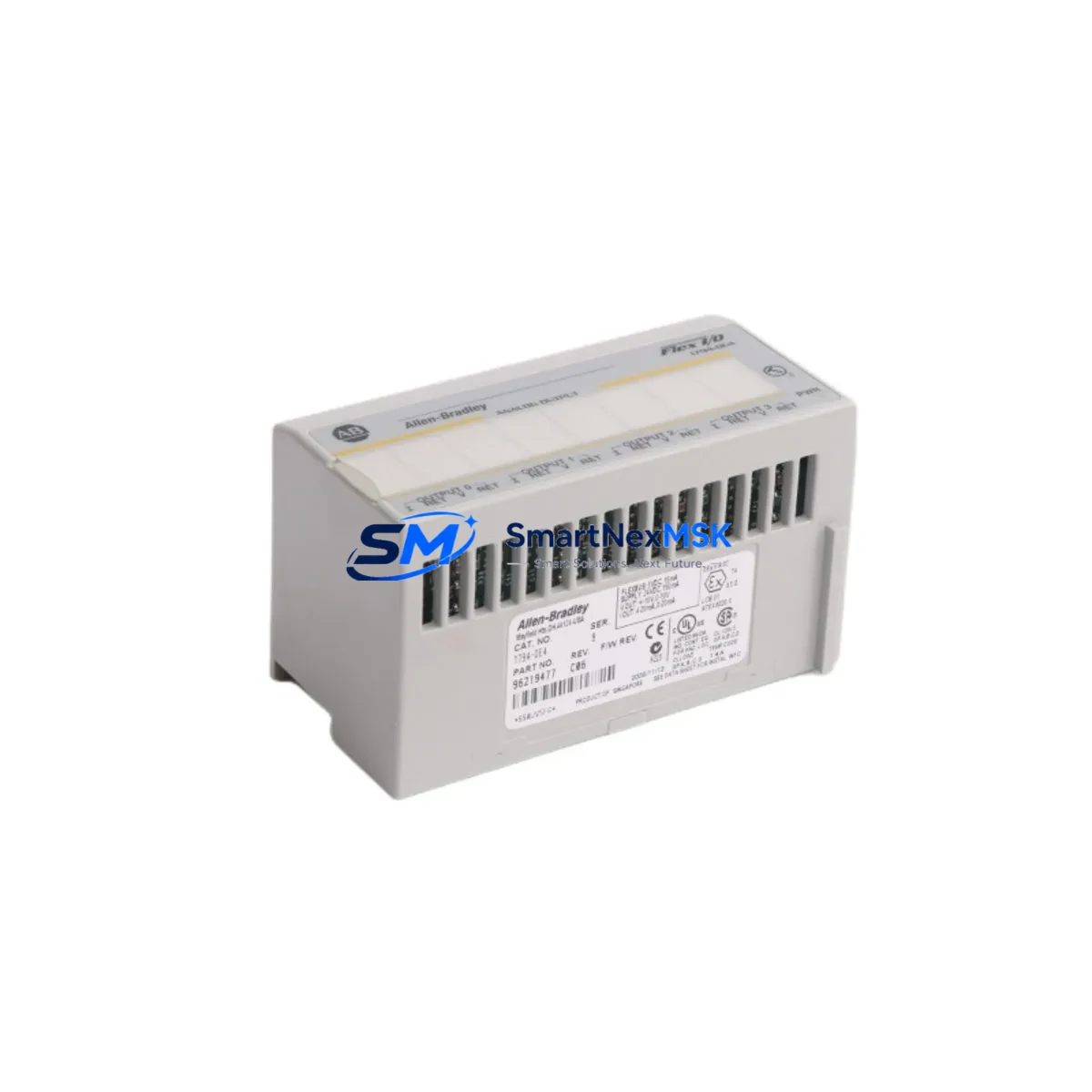
Allen-Bradley 1794-OE4 Maintenance-Ready Spare for Flex I/O Automation
The Allen-Bradley 1794-OE4 is a 4-channel analog output module designed for the Rockwell Automation Flex I/O platform. In industrial environments where continuous process control is non-negotiable, maintaining a verified spare of the 1794-OE4 on the shelf is a fundamental risk-mitigation strategy. Whether your facility operates batch processing lines, conveyor drive systems, or precision motion control loops, an unplanned failure of an analog output module can cascade into hours of unplanned downtime — directly impacting throughput, product quality, and OEE targets.
This listing provides a maintenance-ready, original-specification 1794-OE4 module, sourced for industrial replacement and spare parts inventory programs. Each unit is inspected and tested prior to dispatch, and backed by a 12-month warranty covering manufacturing defects and functional performance. Fast lead times support both planned maintenance windows and emergency breakdown recovery scenarios.
For maintenance engineers managing aging Flex I/O racks, the 1794-OE4 is a direct drop-in replacement for existing installations. No firmware reconfiguration is required when replacing a like-for-like module within the same 1794 adapter and backplane assembly. Compatibility extends across the full range of 1794 AENT, 1794-ADNX, and 1794-ACN15 adapter modules, making this spare suitable for EtherNet/IP, DeviceNet, and ControlNet-based Flex I/O architectures.
Spare Maintenance Table
| Parameter | Specification |
|---|---|
| Part Number / SKU | 1794-OE4 |
| Brand | Allen-Bradley (Rockwell Automation) |
| Series | Flex I/O (1794 Series) |
| Module Type | 4-Channel Analog Output |
| Output Signal Range | 0–10 VDC / 4–20 mA (configurable per channel) |
| Resolution | 12-bit (0–4095 counts) |
| Backplane Compatibility | 1794 Flex I/O Terminal Base Units (e.g. 1794-TB3, 1794-TB3S) |
| Adapter Compatibility | 1794-AENT, 1794-ADNX, 1794-ACN15, 1794-ASB |
| Operating Temperature | 0°C to 55°C (32°F to 131°F) |
| Storage Temperature | -40°C to 85°C |
| Relative Humidity | 5% to 95% non-condensing |
| Power Consumption | Supplied via backplane from 1794 adapter |
| Mounting | Snap-on to 1794 terminal base unit |
| Origin | USA |
| Condition | Original, tested prior to shipment |
| Warranty | 12 Months — covers manufacturing defects and functional performance |
| Maintenance Recommendation | Inspect terminal base contacts and adapter bus connector annually; verify channel calibration during planned shutdowns |
Maintenance Planning for Continuous Operation
When a 1794-OE4 analog output module is flagged during a control cabinet inspection or fault diagnostic, experienced maintenance engineers know that the module itself is rarely the only component requiring attention. A thorough site assessment during the replacement window should include inspection of the following associated components:
Begin with the 1794 terminal base unit (such as the 1794-TB3 or 1794-TB3S) — worn or corroded backplane contacts are a common root cause of intermittent analog signal faults that are incorrectly attributed to the output module. Next, verify the 1794 adapter module (1794-AENT for EtherNet/IP or 1794-ADNX for DeviceNet) for firmware currency and communication health; a degraded adapter can cause all downstream I/O modules to report faults even when the modules themselves are functional.
Check the 24 VDC field power supply feeding the Flex I/O rack — voltage sag or ripple outside tolerance will cause analog output drift and erratic process control behavior. Inspect field wiring terminals and shielded signal cables connected to the analog output channels; damaged insulation or loose terminations introduce noise that degrades 4–20 mA loop integrity. If the system includes signal isolators or loop-powered transmitters on the output circuits, verify their isolation resistance and loop compliance voltage.
For facilities running ControlLogix or CompactLogix PLCs as the upstream controller, confirm that the I/O configuration in Studio 5000 Logix Designer matches the replacement module’s channel configuration. If the rack also contains 1794-IE8 or 1794-IB16 input modules, inspect those for similar contact wear — mixed-age modules in the same rack often fail in clusters during high-temperature summer operating periods.
Finally, review the 1794 backplane power budget: adding a replacement module is an opportunity to audit total rack current draw and confirm headroom against the adapter’s rated backplane current capacity. Document all findings in your CMMS and update the spare parts BOM to include a second 1794-OE4 as a buffer stock item — single-unit sparing of analog output modules in critical process loops is a recognized gap in many maintenance programs.
Site Replacement Workflow
Step 1 — Isolation and Safety: Place the affected Flex I/O rack in a safe state. De-energize field outputs connected to the 1794-OE4 channels. Follow your site LOTO procedure before opening the control cabinet.
Step 2 — Module Removal: Disconnect field wiring from the terminal base unit. Press the module release tab and slide the 1794-OE4 off the terminal base. Do not remove the terminal base from the DIN rail — field wiring remains connected to the base, minimizing rewiring risk.
Step 3 — Inspection: Inspect the terminal base backplane connector for bent pins, corrosion, or debris. Clean with dry compressed air if required. Verify the replacement 1794-OE4 module label matches the installed module’s catalog number and series letter.
Step 4 — Installation: Align the replacement module with the terminal base and press firmly until the latch engages. Re-energize the rack and confirm the module status LED indicates normal operation (solid green).
Step 5 — Verification: From the PLC controller (ControlLogix, CompactLogix, or SoftLogix), force each analog output channel to a known engineering unit value and verify the corresponding field signal at the load device using a calibrated loop calibrator or multimeter. Confirm all four channels are within specification before returning the system to automatic control.
Step 6 — Documentation: Record the replacement in your CMMS with the module serial number, installation date, and post-replacement test results. Update your spare parts inventory to trigger reorder of a replacement buffer unit.
Spare Parts Support FAQ
Q: Is this 1794-OE4 a direct replacement for all series revisions?
A: The 1794-OE4 has been produced across multiple series revisions (Series A, B, C). In most Flex I/O installations, cross-series replacement is functionally compatible, as the I/O configuration is managed at the adapter and controller level. However, we recommend confirming the installed series letter from your existing module label and contacting our team if you require a specific series match for validated process applications.
Q: How is the module tested before shipment?
A: Each 1794-OE4 unit undergoes functional verification prior to dispatch, including backplane communication check and analog output channel signal verification across the rated output range. Units that do not meet original specification are not shipped. A test report is available upon request for critical process applications.
Q: What is covered under the 12-month warranty?
A: The 12-month warranty covers manufacturing defects and functional performance failure under normal operating conditions. It does not cover damage resulting from incorrect installation, overvoltage events, or physical mishandling. Warranty claims are processed with a replacement unit dispatched upon confirmation of the fault condition.
Q: Can you support long-term or blanket spare parts orders for Flex I/O modules?
A: Yes. We support scheduled spare parts programs for maintenance teams managing large Flex I/O installations or legacy systems approaching end-of-life. Contact our team to discuss volume pricing, reserved stock arrangements, and multi-SKU spare parts kits covering the 1794 series analog and digital I/O module range.
© 2026 SMARTNEXMSK. All rights reserved.
Original Source: https://smartnexmsk.com
Contact: [email protected] | +86 18259474341



