
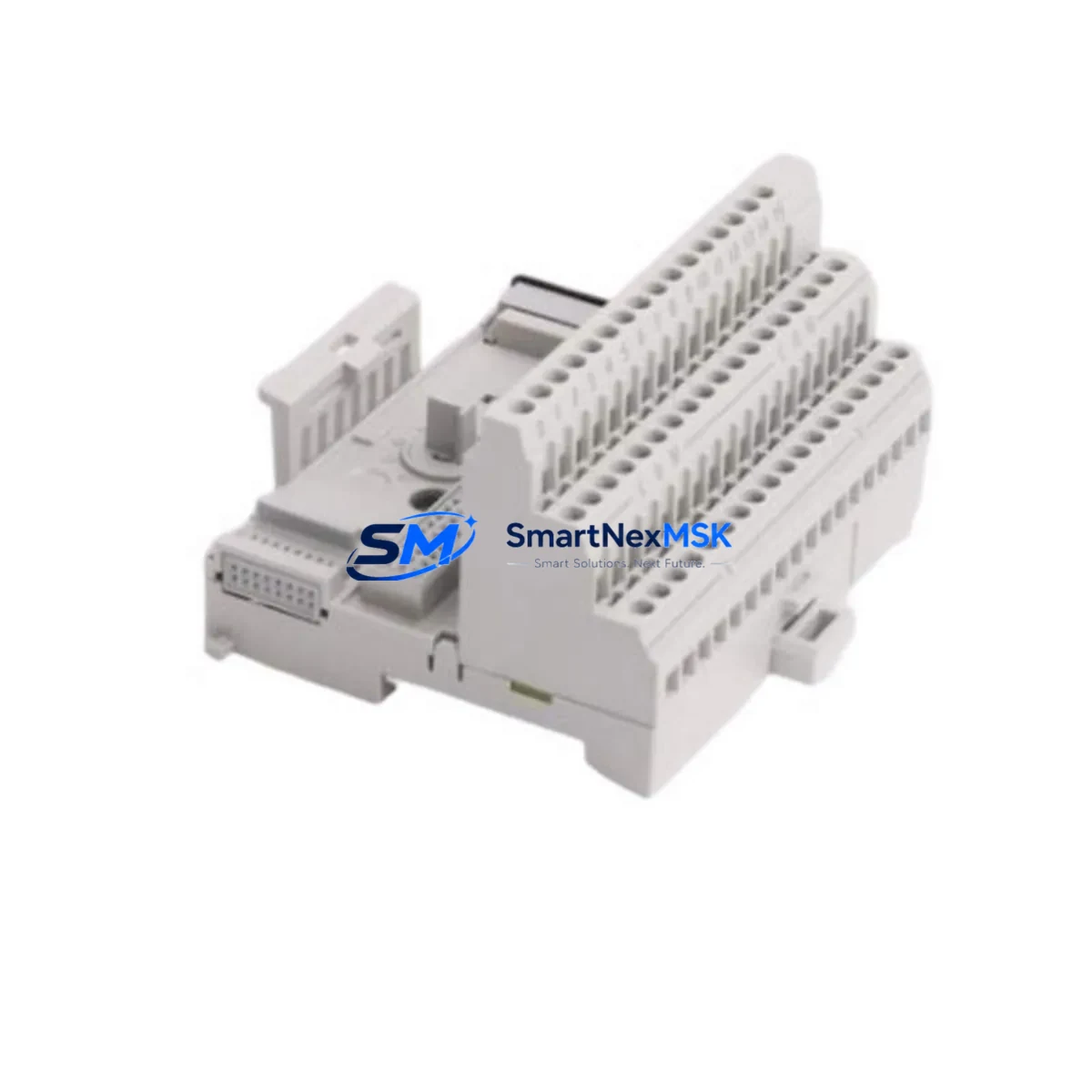
Allen-Bradley 1794-TB3 Spare for FLEX I/O Automation: Spare Replacement & Industrial Downtime Risk Control
The Allen-Bradley 1794-TB3 is a 3-wire terminal base designed for use within the Rockwell Automation FLEX I/O platform — one of the most widely deployed distributed I/O architectures in process and discrete manufacturing environments. As a maintenance-ready original spare, the 1794-TB3 enables rapid module swap-out during planned shutdowns or emergency fault recovery, minimizing control system downtime and preserving production continuity.
For maintenance engineers managing aging FLEX I/O racks, the 1794-TB3 is a foundational component. Its standardized 3-wire field wiring interface supports direct replacement of failed or degraded terminal bases without rewiring field cables — a critical advantage when working under time pressure in live production environments. Procurement engineers sourcing long-term spares for legacy 1794-series systems will find the 1794-TB3 an essential line item in any FLEX I/O spare parts kit.
Each unit supplied by SMARTNEXMSK is sourced as an original Allen-Bradley component, individually inspected, and tested prior to shipment. A 12-month warranty is included with every order, covering manufacturing defects and functional failures under normal operating conditions.
Spare Maintenance Table
| Parameter | Specification |
|---|---|
| Part Number / SKU | 1794-TB3 |
| Brand | Allen-Bradley (Rockwell Automation) |
| Series | FLEX I/O (1794 Series) |
| Product Type | PLC Terminal Base / I/O Terminal Base |
| Wiring Configuration | 3-Wire (Single-ended field wiring) |
| Compatible I/O Modules | 1794-series FLEX I/O analog and digital modules |
| Mounting | DIN rail or panel mount via FLEX I/O adapter |
| Operating Temperature | 0°C to 55°C (32°F to 131°F) |
| Storage Temperature | -40°C to 85°C |
| Enclosure Rating | IP20 (panel-mounted in control cabinet) |
| Origin | USA (Allen-Bradley / Rockwell Automation) |
| Condition | Original, New or Tested Surplus |
| Pre-shipment Testing | Yes — functional inspection before dispatch |
| Warranty | 12 Months from date of shipment |
| Typical Application | Distributed I/O in PLC/DCS control panels, process automation, machine control |
| Maintenance Recommendation | Inspect terminal base for cracked housing, loose field wiring, and oxidized contacts during scheduled PM cycles |
Maintenance Planning for Continuous Operation
When replacing a 1794-TB3 terminal base in a FLEX I/O rack, a thorough maintenance engineer will treat the swap as an opportunity to audit the surrounding control architecture. The 1794-TB3 interfaces directly with FLEX I/O I/O modules such as the 1794-IB16 (16-point 24VDC digital input) or 1794-OB16 (16-point digital output), and any degradation in the terminal base can cause intermittent I/O faults that are difficult to isolate without physical inspection.
The 1794-AENT or 1794-ACNR15 communication adapter mounted at the head of the FLEX I/O rack should be checked for firmware currency and communication health — a failing adapter can mask terminal base faults or generate false I/O errors. Inspect the 24VDC power supply feeding the FLEX I/O rack; voltage sag or ripple can cause module resets that appear as terminal base failures. A dedicated 1794-PS13 or equivalent FLEX I/O power supply should be verified for output stability.
Field wiring connected to the 1794-TB3 should be inspected for insulation integrity, correct torque on terminal screws, and absence of ground loops. Where signal isolation is required — particularly for analog I/O modules such as the 1794-IE8 (8-channel analog input) — confirm that signal isolators or loop-powered isolators upstream of the terminal base are functioning correctly, as degraded isolation can introduce noise that corrupts analog readings.
Relay output modules paired with the 1794-TB3, such as the 1794-OW8 relay output module, should have their associated relay contacts checked for wear, especially in high-cycle applications. Terminal blocks and fuse holders within the same control cabinet section should be inspected for loose connections and blown fuses. If the system includes HMI panels such as a PanelView 800 or PanelView Plus, verify that tag mappings to the affected I/O addresses remain intact after module replacement.
For older FLEX I/O installations, consider stocking the 1794-TB3S (spring-clamp variant) alongside the standard 1794-TB3 to accommodate different field wiring preferences during emergency replacements. Maintaining a minimum of two 1794-TB3 units per FLEX I/O rack in your on-site spare parts inventory is a recognized best practice for facilities operating 24/7 production schedules.
Site Replacement Workflow
Replacing a 1794-TB3 in the field follows a structured sequence to minimize downtime and avoid configuration errors:
- Isolate and de-energize the affected FLEX I/O rack section following your site LOTO (Lockout/Tagout) procedure. Confirm zero-energy state before touching field wiring.
- Document field wiring — photograph or record all wire terminations on the existing 1794-TB3 before disconnection. The 3-wire layout is straightforward, but documentation prevents errors during reinstallation.
- Remove the I/O module seated on the terminal base. The FLEX I/O module lifts off the terminal base without tools. Set it aside on an anti-static surface.
- Disconnect field wiring from the terminal base. Label each wire if not already marked.
- Slide out the 1794-TB3 from the DIN rail or panel mount. Inspect the rail and adjacent terminal bases for physical damage.
- Install the replacement 1794-TB3. Reconnect field wiring per your documentation, torquing terminal screws to specification.
- Reseat the I/O module onto the new terminal base. Confirm the module clicks into place securely.
- Re-energize and verify — check the PLC I/O status screen (via RSLogix 5000 / Studio 5000 or equivalent) to confirm all I/O points report correctly. Clear any latched faults in the controller.
- Update maintenance records — log the replacement date, part serial number, and technician ID for traceability.
This workflow is compatible with both hot-swap-capable FLEX I/O configurations and standard power-down replacements, and applies equally to legacy 1794-series racks being extended for continued service life beyond original OEM support windows.
Spare Parts Support FAQ
Q1: Is the 1794-TB3 still available as a new original part, or only as surplus?
SMARTNEXMSK supplies the 1794-TB3 in both new original and tested surplus condition, clearly indicated at the time of quotation. All units undergo pre-shipment functional inspection regardless of condition grade. If your application requires new original stock with full traceability documentation, please specify this requirement when requesting a quote.
Q2: How do I verify compatibility between the 1794-TB3 and my existing FLEX I/O modules?
The 1794-TB3 is compatible with the full range of 1794-series FLEX I/O I/O modules that use the standard 3-wire field wiring interface. Confirm your module’s catalog number against the Allen-Bradley FLEX I/O selection guide (Publication 1794-SG001). If you are unsure, provide your module catalog number to our technical team and we will confirm compatibility before shipment.
Q3: What does the 12-month warranty cover, and how is a warranty claim processed?
The 12-month warranty covers manufacturing defects and functional failures under normal operating conditions from the date of shipment. It does not cover damage resulting from incorrect installation, overvoltage, or physical mishandling. To initiate a warranty claim, contact [email protected] with your order number, a description of the fault, and photographic evidence. Replacement or refund will be processed within 5 business days of claim approval.
Q4: What is the recommended spare parts stocking strategy for a FLEX I/O system?
For facilities with critical FLEX I/O installations, we recommend maintaining a minimum of one 1794-TB3 per rack as an on-site hot spare, supplemented by at least one spare I/O module per module type in use (e.g., 1794-IB16, 1794-OB16, 1794-IE8). Communication adapters (1794-AENT or 1794-ACNR15) should also be stocked given their role as single points of failure for entire rack segments. SMARTNEXMSK offers consolidated spare parts kits for FLEX I/O systems — contact us for a customized bill of materials based on your installed base.
© 2026 SMARTNEXMSK. All rights reserved.
Original Source: https://smartnexmsk.com
Contact: [email protected] | +86 18259474341



