
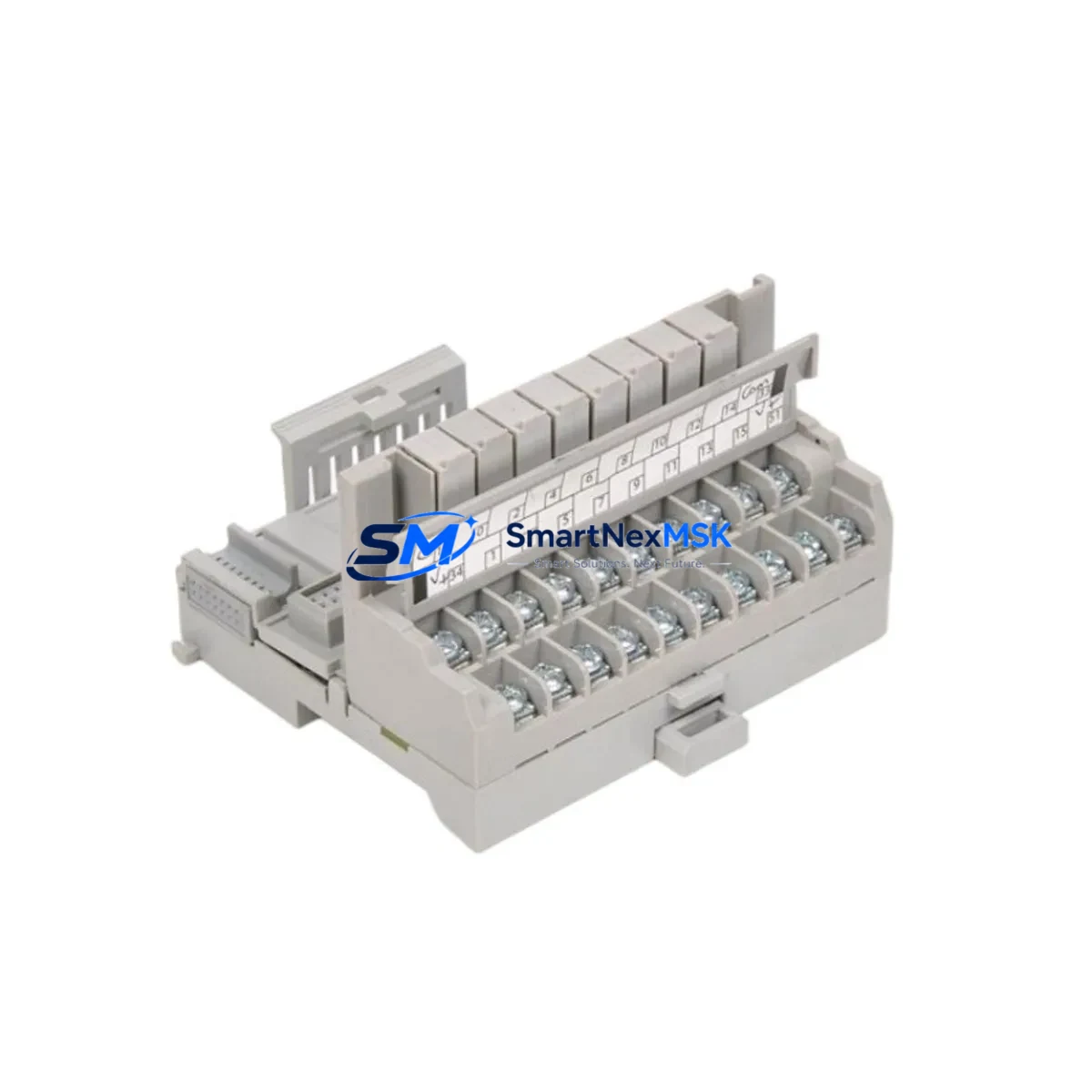
Allen-Bradley 1794-TBNF Retrofit-Ready Fused Terminal Base for FLEX I/O Control Systems
The Allen-Bradley 1794-TBNF is a fused terminal base module designed for the Rockwell Automation FLEX I/O platform, one of the most widely deployed distributed I/O architectures in industrial automation. As legacy control systems approach end-of-life and original spare parts become increasingly difficult to source, the 1794-TBNF has become a critical retrofit component for engineers managing aging production lines, control cabinet upgrades, and distributed I/O expansions across process and discrete manufacturing environments.
This unit provides a 20-terminal, fused wiring interface that accepts standard FLEX I/O modules including analog input, analog output, digital input, and digital output types. The integrated fusing architecture protects field wiring and connected devices from overcurrent conditions, making it especially valuable in retrofit scenarios where existing field wiring may not have been designed to current protection standards. The terminal base mounts directly onto standard DIN rail and connects to the FLEX I/O adapter via the backplane bus, maintaining full compatibility with the 1794-ADN DeviceNet adapter, the 1794-AENT EtherNet/IP adapter, and the 1794-ACN ControlNet adapter.
Upgrade Compatibility Table
| Parameter | 1794-TBNF Specification | Retrofit Notes |
|---|---|---|
| Terminal Base Type | Fused, 20-terminal | Verify field wiring gauge matches terminal rating before installation |
| Module Compatibility | All 1794-series FLEX I/O modules | Compatible with 1794-IB16, 1794-OB16, 1794-IE8, 1794-OE4 and similar |
| Backplane Interface | FLEX I/O backplane bus connector | Daisy-chain compatible; verify bus termination on last node |
| Adapter Compatibility | 1794-ADN, 1794-AENT, 1794-ACN, 1794-ASB | Confirm adapter firmware revision supports all connected module types |
| Communication Protocols | DeviceNet, EtherNet/IP, ControlNet (via adapter) | Protocol migration from DeviceNet to EtherNet/IP requires adapter swap only; terminal base unchanged |
| DIN Rail Mounting | Standard 35mm DIN rail | Direct drop-in replacement for existing 1794-TB3 or 1794-TBN positions |
| Power Supply Requirement | 24VDC field power via terminal block | Verify 1794-PS13 or equivalent power supply capacity before adding nodes |
| Installation Requirement | Module insertion with power off recommended | Hot-swap capability depends on adapter model and firmware; confirm before live insertion |
| Warranty | 12-Month Warranty | Covers manufacturing defects; includes pre-shipment functional verification |
Retrofit Planning for Existing Automation Systems
When integrating the 1794-TBNF into an existing FLEX I/O installation, the retrofit process typically begins with a full audit of the current rack configuration. Engineers should document the existing module slot assignments, verify the 1794-PS13 power supply capacity against the total current draw of all installed modules, and confirm that the backplane bus termination plug is correctly positioned at the final node in the chain. In many legacy installations, the original terminal bases are unfused 1794-TB3 or 1794-TBN variants; replacing these with the 1794-TBNF introduces field-side fusing without requiring any changes to the I/O module itself or the adapter configuration.
For systems using the 1794-ADN DeviceNet adapter, the node address and baud rate settings stored in the adapter are preserved during a terminal base swap, provided the I/O module is not removed from the adapter during the process. In EtherNet/IP installations using the 1794-AENT adapter, the IP address assignment and RSLogix 5000 or Studio 5000 I/O tree configuration remain intact. Engineers migrating from ControlNet-based systems using the 1794-ACN adapter should verify that the ControlNet network schedule is updated in RSNetWorx for ControlNet if any module type changes are made during the retrofit.
In control cabinet upgrade projects, the 1794-TBNF is frequently installed alongside the 1794-OB16 digital output module for solenoid valve control, the 1794-IE8 analog input module for 4–20mA transmitter signals, and the 1794-OE4 analog output module for control valve positioners. Where I/O expansion is required, additional 1794-TBNF bases can be added to the existing DIN rail segment, provided the power supply budget and backplane node count limits of the adapter are not exceeded. For installations requiring a programming connection to the host controller, the 1756-CP3 or 1747-CP3 programming cable may be used to access the ControlLogix or SLC 500 processor upstream of the FLEX I/O network.
HMI integration should also be reviewed during retrofit planning. If the system uses a PanelView Plus 6 or PanelView Plus 7 terminal connected via EtherNet/IP, the tag database in FactoryTalk View ME should be verified against the updated I/O module addresses after any slot reassignment. In older installations using a PanelView 550 or PanelView 900 connected via DH-485 or DeviceNet, the screen logic referencing specific I/O addresses may require revision if module positions change during the retrofit.
Downtime Control During System Migration
Minimizing unplanned downtime is the primary concern in any FLEX I/O retrofit involving the 1794-TBNF. The recommended approach is to pre-stage the replacement terminal base with the target I/O module already seated and verified on a bench test fixture before the scheduled maintenance window. This allows the field team to confirm module recognition, LED status, and basic I/O response before the unit is installed in the live panel.
Where the production schedule permits only a brief maintenance window, the original PLC program logic should be exported and archived from the ControlLogix or CompactLogix processor using Studio 5000 Logix Designer before any hardware changes are made. This protects the control program in the event of an unexpected communication fault during the swap. For systems running on a SLC 500 platform with FLEX I/O connected via the 1747-SN Remote I/O Scanner, the program should be saved using RSLogix 500 and the scanner configuration documented prior to the retrofit.
After installation, the commissioning sequence should include a forced I/O test of each channel on the new 1794-TBNF to confirm correct field wiring continuity, followed by a live run test under normal operating conditions. Communication link integrity between the FLEX I/O adapter and the host controller should be verified in the RSLinx Classic or FactoryTalk Linx diagnostics view before returning the system to automatic mode. All test results, wiring changes, and module serial numbers should be recorded in the site maintenance log to support future audits and warranty claims.
Retrofit Support FAQ
Q: Is the 1794-TBNF a direct drop-in replacement for the 1794-TB3 or 1794-TBN?
A: Yes. The 1794-TBNF occupies the same DIN rail footprint and uses the same backplane bus connector as the unfused 1794-TB3 and 1794-TBN terminal bases. The primary difference is the addition of field-side fusing on the 1794-TBNF. No changes to the I/O module, adapter configuration, or PLC program are required when substituting the 1794-TBNF for an unfused base of the same terminal count.
Q: What wiring and terminal compatibility checks are required before installation?
A: Verify that the field wiring gauge is compatible with the terminal block torque specification listed in the 1794-TBNF installation instructions. Confirm that the fuse rating selected for the terminal base matches the current requirements of the connected field devices. Inspect existing terminal ferrules and ensure that wire insulation is intact before re-terminating into the new base.
Q: How is compatibility with the host PLC and communication adapter verified?
A: The 1794-TBNF is compatible with all current FLEX I/O adapters including the 1794-ADN, 1794-AENT, 1794-ACN, and 1794-ASB. Compatibility with the host controller — whether a ControlLogix 1756 chassis, a CompactLogix 1769 system, or a legacy SLC 500 — is determined by the adapter type, not the terminal base. Confirm the adapter firmware revision is current using the Rockwell Automation Product Compatibility and Download Center (PCDC) before commissioning.
Q: What does the 12-month warranty cover, and what pre-shipment testing is performed?
A: Every 1794-TBNF unit is functionally verified prior to shipment, including backplane connector integrity and terminal block continuity checks. The 12-month warranty covers manufacturing defects in materials and workmanship from the date of shipment. Units that exhibit failure under normal operating conditions within the warranty period are eligible for replacement or repair. Contact our technical support team with the unit serial number and a description of the fault condition to initiate a warranty claim.
© 2026 SMARTNEXMSK. All rights reserved.
Original Source: https://smartnexmsk.com
Contact: [email protected] | +86 18259474341



