
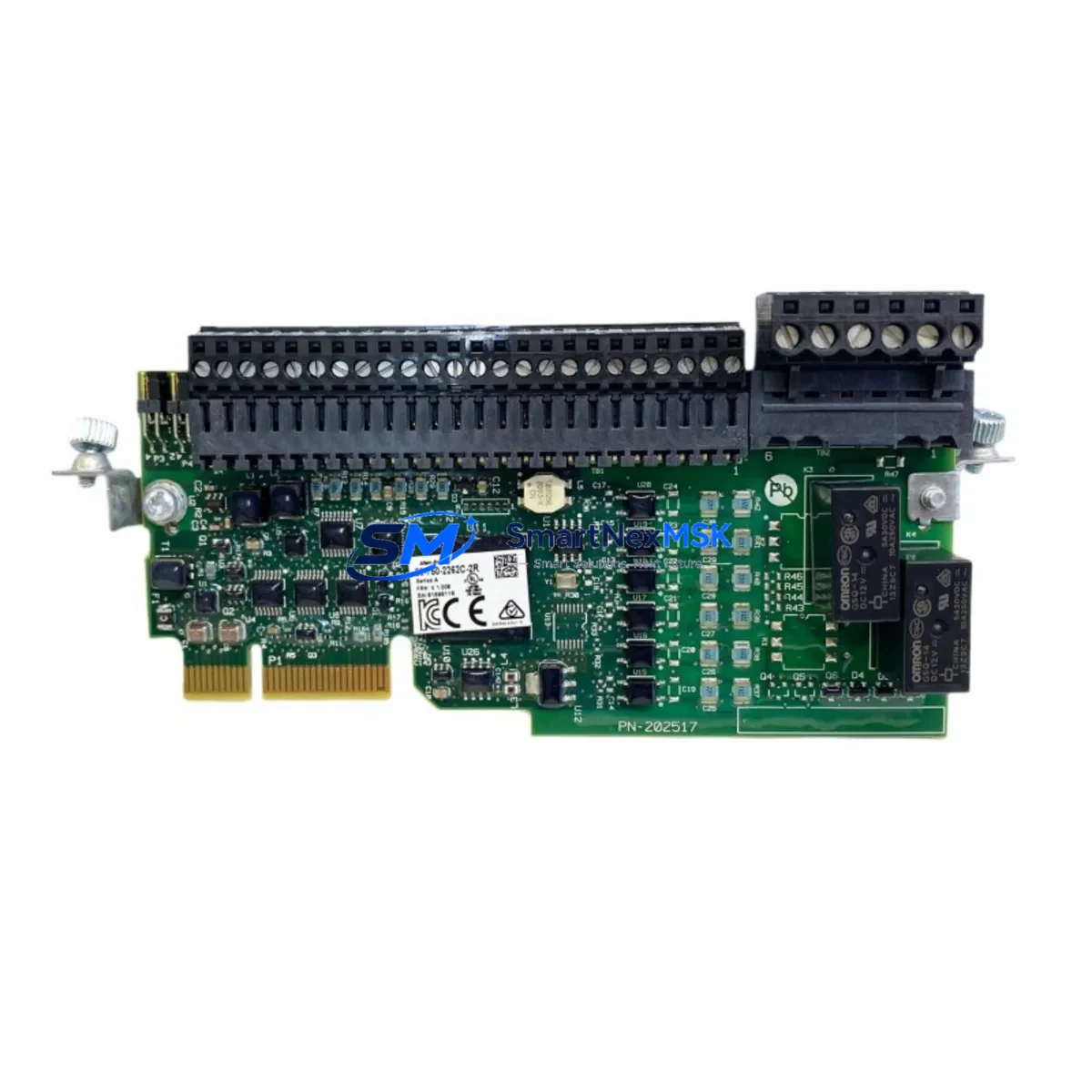
Allen-Bradley 20-750-2262C-2R Retrofit-Ready I/O for PowerFlex 750 Control Systems
The Allen-Bradley 20-750-2262C-2R is a Digital I/O Option Module engineered for the PowerFlex 750 Series drive platform — one of Rockwell Automation’s most widely deployed variable frequency drive families in continuous manufacturing, material handling, HVAC, and process control environments. As legacy drive configurations age and original option modules reach end-of-life or become difficult to source, the 20-750-2262C-2R provides a verified, drop-in compatible replacement that preserves existing wiring, backplane addressing, and drive logic without requiring a full system overhaul.
This module slots directly into the option bay of PowerFlex 750 Series drives, including the PowerFlex 753 and PowerFlex 755 platforms. It provides configurable digital inputs and relay outputs that integrate with the drive’s internal logic, enabling local control interlocking, fault signaling, run/stop command routing, and external device feedback — all critical functions in retrofit scenarios where the original control architecture must be preserved while hardware is refreshed.
When planning a retrofit or upgrade involving the 20-750-2262C-2R, engineers must verify several key compatibility parameters before installation. The drive’s option bay slot assignment must match the module’s expected position, as the PowerFlex 750 firmware uses slot-based parameter addressing. Terminal wiring from the existing 20-750-2262C-2R or its predecessor must be mapped against the replacement module’s I/O terminal block layout — typically a removable screw-terminal connector that simplifies field swap without re-terminating field cables. Power draw from the drive’s internal option bus should be confirmed against the module’s specified consumption to avoid overloading the drive’s auxiliary supply, particularly in multi-option-bay configurations where a 20-750-PBUS1 power bus module or similar accessory may already be installed.
Upgrade Compatibility Table
| Parameter | Details |
|---|---|
| SKU / Part Number | 20-750-2262C-2R |
| Compatible Platform | PowerFlex 750 Series (PowerFlex 753, PowerFlex 755) |
| Module Type | Digital I/O Option Module |
| Installation Interface | PowerFlex 750 Option Bay (Backplane Slot) |
| Digital Inputs | Configurable digital inputs (24V DC compatible) |
| Relay Outputs | 2 relay outputs for external device control / fault signaling |
| Terminal Connection | Removable screw-terminal block (field-wiring preserved on swap) |
| Firmware Compatibility | Compatible with standard PowerFlex 750 Series firmware revisions |
| Replacement Recommendation | Direct drop-in for legacy 20-750-2262C-2R installations |
| Commissioning Notes | Verify slot address, re-confirm parameter group assignments post-installation |
| Country of Origin | United States |
| Warranty | 12-Month Warranty — covered from date of shipment |
Retrofit Planning for Existing Automation Systems
A successful retrofit involving the 20-750-2262C-2R requires a structured approach that accounts for both hardware compatibility and software continuity. In most PowerFlex 750 installations, the drive is integrated into a broader control architecture managed by a ControlLogix L7x or CompactLogix L3x processor communicating over EtherNet/IP via a 20-750-ENETR dual-port EtherNet/IP option module installed in an adjacent bay. Before swapping the I/O module, the integrator should export the current drive parameter file using Studio 5000 Logix Designer or Connected Components Workbench to preserve all configured parameter values, including the digital I/O assignments mapped to the 20-750-2262C-2R’s slot.
In control cabinets where the PowerFlex 750 drive is mounted alongside a 1756 ControlLogix chassis with a 1756-EN2T EtherNet/IP communication module, the drive’s Add-On Profile (AOP) in the PLC program references the option module’s slot position and I/O data structure. After installing the replacement 20-750-2262C-2R, the integrator must confirm that the module’s parameter group numbers align with those referenced in the existing ladder logic or function block routines — particularly any rung conditions tied to digital input status bits or relay output commands.
For sites where the PowerFlex 750 is controlled via a PanelView Plus 7 HMI, screen objects linked to drive status tags — such as run feedback, fault codes, and digital output states — should be validated post-swap to ensure the tag mapping remains intact. If the original module was configured with custom parameter values (e.g., input debounce timing, output hold-off delays), these must be re-entered manually or restored from the saved parameter file, as option module replacement resets module-level parameters to factory defaults.
In multi-drive panels where several PowerFlex 755 units share a common 20-750-DNET1 DeviceNet option module or a 20-750-PBUS1 power bus accessory, the retrofit sequence should be planned drive-by-drive to avoid disrupting adjacent drives still in service. A 1747-UIC USB-to-DH485 interface converter or direct USB programming cable may be used for local parameter backup before the swap, providing an additional safety net independent of the network-connected programming workstation.
Downtime Control During System Migration
Minimizing unplanned downtime is the primary concern in any live production environment where a PowerFlex 750 drive is part of a critical process loop. For the 20-750-2262C-2R replacement, the physical swap itself is straightforward — the module is secured by a single retention latch and the removable terminal block preserves field wiring continuity — but the surrounding commissioning steps require careful sequencing to avoid extended outages.
The recommended approach is to pre-configure the replacement module offline where possible. Using a spare PowerFlex 755 drive or a drive emulator in the engineering office, the module can be installed and its parameters set to match the production configuration before it reaches the field. This reduces on-site commissioning time to verification and functional testing rather than full configuration from scratch.
Once installed in the production drive, the commissioning sequence should follow a defined checklist: confirm slot recognition in the drive’s option module status display, verify digital input wiring continuity with a multimeter before energizing, perform a controlled test of each relay output under safe conditions, and confirm that the PLC’s drive AOP reflects the correct I/O data before returning the drive to automatic mode. For sites with a 1756-RM2 redundancy module in the ControlLogix system, the switchover behavior during the commissioning window should be reviewed to ensure the redundant controller does not initiate an unintended failover during the drive restart sequence.
Maintaining a documented retrofit log — including the original module’s serial number, firmware revision, parameter backup file, and the replacement module’s test results — supports both quality assurance and future maintenance planning. SMARTNEXMSK provides pre-shipment functional testing on all 20-750-2262C-2R units, with a 12-month warranty covering defects in materials and workmanship from the date of shipment, supporting long-term supply continuity for ongoing retrofit programs.
Retrofit Support FAQ
Q1: Is the 20-750-2262C-2R a direct drop-in replacement for the original module in a PowerFlex 755 drive?
Yes. The 20-750-2262C-2R is designed as a direct replacement for existing installations in PowerFlex 750 Series drives. The removable terminal block preserves field wiring, and the backplane interface is compatible with standard PowerFlex 750 option bay slots. Post-installation, verify slot address assignment and restore any custom parameter values from your saved parameter backup file.
Q2: What pre-shipment testing is performed on each unit?
Every 20-750-2262C-2R unit shipped by SMARTNEXMSK undergoes functional verification prior to dispatch, including digital I/O continuity checks and relay output operation confirmation. Units are packaged in anti-static protective packaging to prevent ESD damage during transit. A 12-month warranty is included from the date of shipment.
Q3: Can this module be used in a PowerFlex 753 as well as a PowerFlex 755?
Yes. The 20-750-2262C-2R is compatible with both the PowerFlex 753 and PowerFlex 755 platforms within the PowerFlex 750 Series. Confirm the target drive’s firmware revision and option bay slot availability before installation. Consult the drive’s option module compatibility list in the PowerFlex 750 Series Option Module Installation Instructions (Rockwell publication 750-IN001) for full revision compatibility details.
Q4: What is the lead time and long-term supply availability?
SMARTNEXMSK maintains stock of the 20-750-2262C-2R to support both immediate replacement needs and planned retrofit programs. For customers managing multi-site upgrade schedules, we can discuss blanket order arrangements to secure supply across extended project timelines. Contact our team at [email protected] or +86 18259474341 to confirm current stock levels and lead times.
© 2026 SMARTNEXMSK. All rights reserved.
Original Source: https://smartnexmsk.com
Contact: [email protected] | +86 18259474341



