
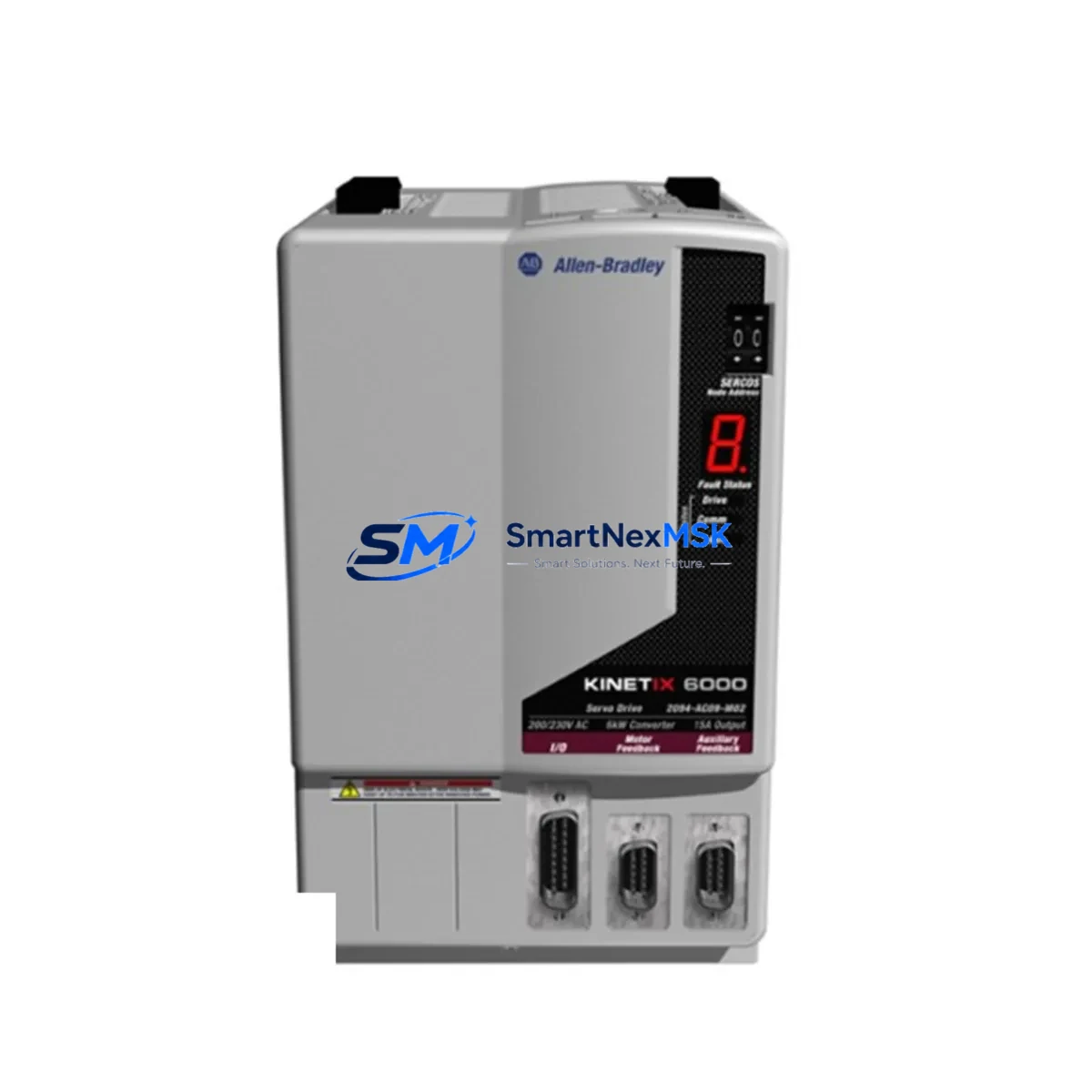
Allen-Bradley 2094-AC09-M02 Retrofit-Ready IAM for Kinetix 6000 Control Systems
The Allen-Bradley 2094-AC09-M02 is an Integrated Axis Module (IAM) designed for the Kinetix 6000 multi-axis servo drive platform. As legacy motion control systems reach end-of-life or face discontinued spare parts availability, the 2094-AC09-M02 remains one of the most sought-after retrofit and replacement components for production lines originally built around Rockwell Automation’s Kinetix 6000 architecture. Whether you are replacing a failed unit, upgrading an aging control cabinet, or migrating from an earlier Kinetix 2000 or Ultra 3000 servo system, this IAM provides the power conversion, bus regulation, and axis control functions required to restore or modernize your motion network with minimal disruption.
The 2094-AC09-M02 is rated for 9A continuous output current and is compatible with the 2094-series power rail and axis module backplane. It integrates directly with the Sercos III or analog command interface depending on your existing motion bus configuration, and it communicates natively with ControlLogix and CompactLogix controllers via the 1756-M08SE or 1756-M16SE Sercos interface modules. When retrofitting, engineers must verify that the existing 2094-XL75S-C1 or 2094-XL75S-C3 power rail can accommodate the new IAM’s slot position and that the DC bus capacitance is correctly matched to the total axis load.
Upgrade Compatibility Table
| Parameter | 2094-AC09-M02 Specification | Retrofit Notes |
|---|---|---|
| Continuous Output Current | 9A RMS | Verify motor nameplate current does not exceed module rating |
| Input Voltage | 195–264V AC, 3-phase | Confirm upstream transformer tap and panel voltage |
| Backplane Interface | 2094-series power rail | Compatible with 2094-XL75S-C1 and 2094-XL75S-C3 rails |
| Motion Bus | Sercos III / Analog | Match to existing 1756-M08SE or 1756-M16SE interface card |
| Controller Compatibility | ControlLogix, CompactLogix | Requires Studio 5000 v20+ for full parameter mapping |
| Feedback Interface | Hiperface / EnDat / Incremental | Confirm encoder cable pinout against 2090-series feedback cable |
| Installation Format | Slot-mount on 2094 power rail | No additional mounting hardware required if rail is retained |
| Communication Protocol | Sercos III (fiber optic ring) | Inspect fiber connectors and replace if yellowed or cracked |
| Replacement Path | Replaces 2094-AC09-M01, 2094-AC09-M02-S | Confirm firmware revision compatibility in Motion Analyzer |
| Warranty | 12-Month Warranty | Covered from date of shipment; includes functional test certificate |
Retrofit Planning for Existing Automation Systems
Successful integration of the 2094-AC09-M02 into an existing Kinetix 6000 system begins well before the module arrives on site. The retrofit planning phase should include a full audit of the control cabinet, starting with the 2094-XL75S-C1 power rail slot assignments and the current draw budget across all installed axis modules. If the cabinet also houses a 2094-BC01-M02-S Bulletin 2094 Converter Module, its DC bus output capacity must be recalculated to confirm it can support the replacement IAM alongside any retained 2094-AM02 or 2094-AM03 Axis Modules already on the rail.
Terminal wiring is a critical checkpoint. The 2094-AC09-M02 uses the same motor power connector pinout as earlier Kinetix 6000 IAMs, but engineers should cross-reference the 2090-XXNFMF-Sxx feedback cable assembly to confirm shield termination and drain wire routing have not been modified during previous maintenance. If the system was originally commissioned with a 1326AB-series motor, verify that the feedback device type is correctly configured in the axis properties within Studio 5000 Logix Designer before energizing the drive.
For sites migrating from a Kinetix 2000 or an older Ultra 3000 digital servo drive, the motion task structure in the ControlLogix program will require revision. The 1756-L71 or 1756-L73 controller’s motion group must be updated to reflect the new axis tag assignments, and any MAPC, MAAT, or MAS instructions referencing the old axis object must be remapped. The 1756-M08SE Sercos interface module’s node address settings should also be confirmed against the fiber ring topology before the first test run.
HMI screens built on FactoryTalk View SE or ME that display axis status, fault codes, or position feedback will need tag binding updates if the axis name or controller slot has changed during the retrofit. Coordinate with the HMI programmer to update all affected displays before the commissioning window to avoid extended downtime caused by display errors during startup.
Downtime Control During System Migration
Minimizing production downtime during a Kinetix 6000 IAM replacement requires a structured pre-outage preparation protocol. Before the scheduled maintenance window, export the full controller program from the 1756-L7x or 1756-L8x ControlLogix processor using Studio 5000 and store a verified backup on an offline engineering workstation. Additionally, use the Drive Executive or Logix Designer drive configuration tool to export all axis parameter sets from the existing 2094-AC09-M02 or the module it is replacing, so that parameter restoration after the swap is a file-load operation rather than a manual re-entry process.
During the outage, follow a defined sequence: de-energize the 2094-BC01-M02-S converter, discharge the DC bus using the bus discharge resistor procedure outlined in the Kinetix 6000 installation manual, remove the failed IAM from the power rail, seat the replacement 2094-AC09-M02, and restore power in stages. Confirm that the Sercos ring re-establishes communication with all nodes before issuing any motion commands. The 1756-M08SE interface module’s ring status LED should show solid green before the controller is switched to Run mode.
If the production process cannot tolerate a full stop, consider a hot-standby strategy using a spare 2094-series rail pre-loaded with a tested 2094-AC09-M02 and pre-configured axis parameters. This approach allows the replacement rail to be swapped in as a complete assembly, reducing the in-cabinet work time to cable reconnection and a brief communications verification sequence. Combined with pre-tested 2090-series feedback cables and a pre-loaded Studio 5000 program, this method has been used to achieve sub-two-hour changeovers on high-availability lines.
Retrofit Support FAQ
Q1: Is the 2094-AC09-M02 a direct drop-in replacement for the 2094-AC09-M01?
A: In most cases, yes. The M02 revision introduced updated gate driver firmware and improved thermal management compared to the M01. The mechanical form factor, power rail connector, and motor output terminals are identical. However, you should verify that your Studio 5000 project is using a catalog number that supports the M02 revision level, and update the drive firmware to the latest compatible version using ControlFLASH or ControlFLASH Plus before commissioning.
Q2: What wiring checks are required before powering up the replacement module?
A: Confirm that the motor power cable (typically a 2090-XXNFMF-Sxx assembly) is correctly seated and that the shield is terminated at the drive end only. Verify the feedback cable connector is fully latched and that the encoder type selected in the axis properties matches the physical device. Check that the 24V DC control power supply feeding the 2094-series rail is within the 19.2–26.4V DC tolerance range. Inspect the Sercos fiber optic cables for physical damage and confirm the transmit/receive orientation is correct at both the IAM and the 1756-M08SE interface card.
Q3: How do I verify compatibility between the 2094-AC09-M02 and my existing ControlLogix program?
A: Open the Studio 5000 project and navigate to the axis properties for the affected drive. Confirm the catalog number matches 2094-AC09-M02 and that the firmware revision listed in the project is available for download via ControlFLASH. Run the Motion Analyzer tool to validate that the motor-drive pairing is within the continuous and peak torque envelope. If the project was originally created with an older version of Studio 5000, perform an offline upgrade and review any migration warnings before going online with the controller.
Q4: What does the 12-month warranty cover, and how is it validated?
A: Every 2094-AC09-M02 unit shipped by SMARTNEXMSK is covered by a 12-month warranty from the date of shipment. Each unit undergoes a functional test prior to dispatch, and a test certificate is included with the shipment documentation. The warranty covers manufacturing defects and functional failures under normal operating conditions. Units that show evidence of incorrect installation, overvoltage events, or physical damage caused by mishandling are evaluated on a case-by-case basis. To initiate a warranty claim, contact our technical support team with the order number and a description of the observed fault.
© 2026 SMARTNEXMSK. All rights reserved.
Original Source: https://smartnexmsk.com
Contact: [email protected] | +86 18259474341



