
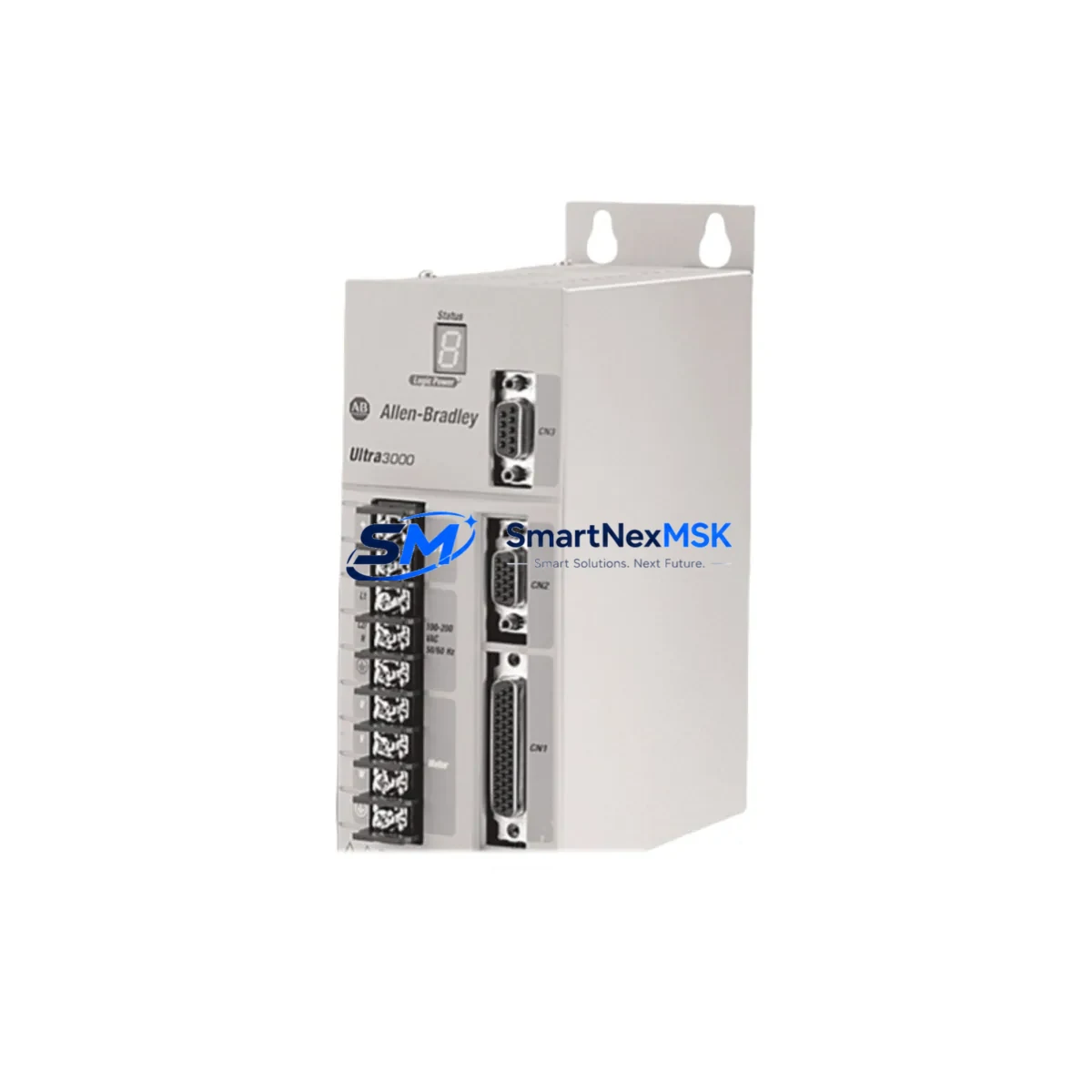
Allen-Bradley 2098-DSD-020-SE Maintenance-Ready Spare for Ultra3000 Automation
The Allen-Bradley 2098-DSD-020-SE is a 20A Digital Servo Drive from the Ultra3000 series, designed for high-performance motion control in industrial automation environments. As a maintenance-ready original spare, this unit supports rapid field replacement, minimizing unplanned downtime and restoring production continuity in servo-driven axes across packaging, assembly, material handling, and process control systems.
Sourced as an original Allen-Bradley component, the 2098-DSD-020-SE integrates Safe Torque Off (STO) functionality compliant with IEC 61508 SIL 2, making it suitable for safety-rated motion applications. Its compatibility with the Ultra3000 drive family ensures seamless parameter migration when replacing a failed unit, reducing commissioning time during emergency maintenance windows.
For maintenance engineers managing aging Kinetix or Ultra3000-based control systems, stocking the 2098-DSD-020-SE as a critical spare is a proven strategy for lifecycle extension. The drive supports RS-232 and RS-485 serial communication for parameter upload/download via DriveExplorer or UltraWare software, enabling pre-configuration before installation to further compress replacement time on the shop floor.
Spare Maintenance Table
| Parameter | Specification |
|---|---|
| Part Number | 2098-DSD-020-SE |
| Series | Ultra3000 Digital Servo Drive |
| Brand | Allen-Bradley (Rockwell Automation) |
| Continuous Output Current | 20A RMS |
| Input Voltage | 195–264 VAC, 3-phase, 50/60 Hz |
| Safety Function | Safe Torque Off (STO), IEC 61508 SIL 2 |
| Communication | RS-232 / RS-485 Serial |
| Feedback Support | Incremental Encoder, Absolute Encoder (SSI) |
| Compatibility | Ultra3000 Series, MP-Series & TL-Series Servo Motors |
| Mounting | Panel Mount, DIN Rail compatible |
| Operating Temperature | 0°C to 50°C (32°F to 122°F) |
| Protection Rating | IP20 |
| Application Environment | Industrial control panels, servo motion axes, packaging lines |
| Condition | Original, New / Refurbished-Tested |
| Warranty | 12 Months |
| Shipping | Worldwide, tested before dispatch |
Maintenance Planning for Continuous Operation
When replacing the 2098-DSD-020-SE in a live production environment, a structured inspection of the surrounding electrical circuit is essential to prevent repeat failures and ensure long-term system stability. Maintenance engineers should begin by verifying the 24 VDC control power supply feeding the drive’s logic board — a degraded or undersized power supply is a common root cause of servo drive faults that are misdiagnosed as drive failures.
Inspect the motor power cable and feedback cable connecting the drive to the MP-Series or TL-Series servo motor. Damaged shielding, loose connectors, or incorrect cable routing near high-voltage conductors can introduce encoder noise that triggers drive faults. The 2090-XXNPMP-S motor power cable and 2090-XXNFMF-Sxx feedback cable are the standard mating cables for this drive family and should be checked for continuity and insulation integrity.
The STO (Safe Torque Off) wiring circuit should be verified against the original panel drawing. Incorrect STO input wiring — particularly missing jumpers or open safety relay contacts — will prevent the drive from enabling. Check the safety relay module (such as a Guardmaster 440R series) and its associated wiring to the STO terminals on the 2098-DSD-020-SE.
For systems using a ControlLogix or CompactLogix PLC as the motion controller, confirm that the 1756-M02AE or equivalent motion module is communicating correctly over the backplane. A drive replacement may require re-homing the axis and verifying the axis configuration in Studio 5000 Logix Designer. Inspect the 1756-A7 or 1756-A13 chassis backplane connectors for oxidation or mechanical damage if communication faults persist after drive replacement.
Terminal blocks and I/O wiring at the drive’s digital input/output connector should be inspected for loose terminations. The enable input, fault output, and home switch signals are particularly critical. If the control cabinet includes a 1492-IFM series interface module for I/O marshalling, verify that signal wiring to the drive’s I/O connector is intact and correctly labeled per the panel BOM.
For facilities running multiple servo axes, it is advisable to maintain at least one 2098-DSD-020-SE as a hot spare alongside related consumables: spare fuses for the drive’s internal DC bus protection, a replacement 2098-DSD-HV030 or adjacent current-rated drive for cross-compatibility testing, and a spare set of motor feedback connectors. Documenting the drive’s parameter file via UltraWare before any planned maintenance window ensures that a replacement unit can be configured and online within minutes rather than hours.
Site Replacement Workflow
Step 1 — Isolation & Lockout/Tagout: De-energize the control cabinet following site LOTO procedures. Confirm absence of voltage on the AC input terminals and DC bus capacitor discharge (typically 5 minutes after power-off for this drive class).
Step 2 — Parameter Backup: If the existing drive is still partially functional, connect via RS-232 and use UltraWare or DriveExplorer to export the axis parameter file (.udr). Store this file on a maintenance laptop or USB drive for immediate use during recommissioning.
Step 3 — Physical Removal: Disconnect motor power, feedback, STO, and I/O connectors. Label all connectors before removal. Unmount the drive from the panel using the four mounting screws. Note the drive’s catalog label for warranty and traceability records.
Step 4 — Replacement Installation: Mount the 2098-DSD-020-SE replacement unit. Reconnect all connectors in reverse order. Verify STO jumper or safety relay wiring is correctly reinstated before energizing.
Step 5 — Parameter Restore & Commissioning: Power up the control cabinet. Connect via RS-232 and load the saved parameter file into the replacement drive. Perform a controlled jog test at low speed to verify encoder feedback direction, current limits, and fault-free operation before returning the axis to automatic mode.
Step 6 — System Handover: Document the replacement in the maintenance log, update the spare parts inventory, and confirm with the production supervisor that the axis is operating within normal parameters. This workflow typically achieves full axis restoration within 2–4 hours, significantly reducing unplanned downtime costs.
Spare Parts Support FAQ
Q1: Is the 2098-DSD-020-SE compatible with my existing Ultra3000 system without hardware modification?
Yes. The 2098-DSD-020-SE is a direct form-fit-function replacement within the Ultra3000 drive family. Provided the motor power rating, feedback type, and STO wiring match the original installation, no hardware modification is required. Parameter files from the original drive can be loaded directly into the replacement unit via UltraWare.
Q2: What is the warranty coverage and how is it validated?
All units supplied by SMARTNEXMSK carry a 12-month warranty from the date of shipment. Each unit undergoes functional testing prior to dispatch, and a test report is available upon request. Warranty claims are processed via [email protected] with reference to the original order number and shipment documentation.
Q3: How should I manage spare parts inventory for a multi-axis Ultra3000 system?
For systems with 4 or more servo axes using the same drive current rating, we recommend maintaining a minimum of one spare 2098-DSD-020-SE per 4 axes. For critical single-axis applications (e.g., press feeders, robotic welders), a dedicated hot spare is advisable. Pairing the drive spare with pre-configured parameter files and a spare set of motor feedback cables ensures the fastest possible recovery time.
Q4: Can SMARTNEXMSK support long-term supply for discontinued or end-of-life Allen-Bradley drives?
Yes. SMARTNEXMSK specializes in long-term supply of industrial automation spare parts, including discontinued Rockwell Automation / Allen-Bradley products. We maintain stock of Ultra3000 series drives and related components to support legacy system lifecycle extension. Contact [email protected] or +86 18259474341 for availability and volume pricing.
© 2026 SMARTNEXMSK. All rights reserved.
Original Source: https://smartnexmsk.com
Contact: [email protected] | +86 18259474341



