
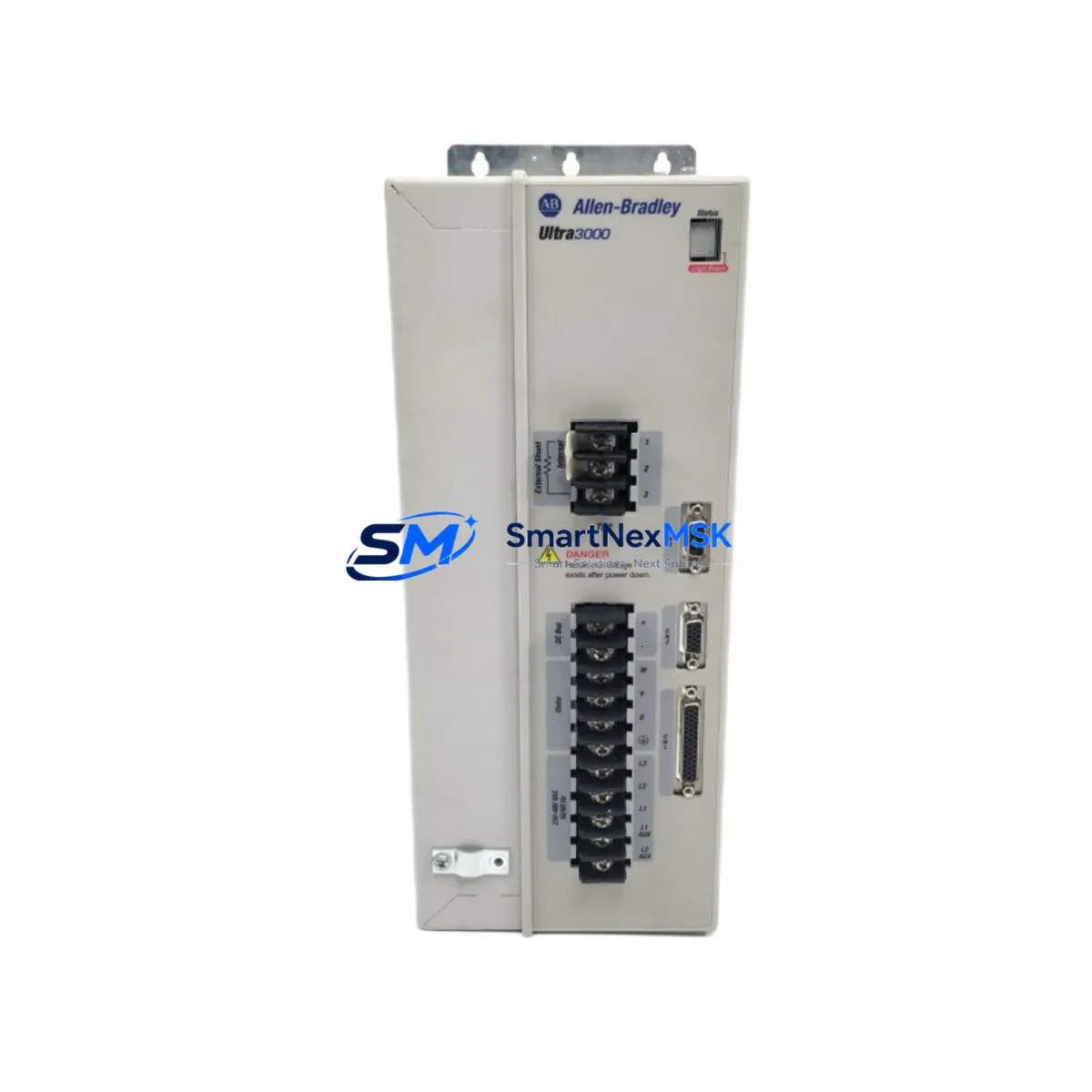
Allen-Bradley 2098-DSD-HV030-SE Maintenance-Ready Spare for Ultra 3000 Automation
The Allen-Bradley 2098-DSD-HV030-SE is a 30-amp high-voltage SERCOS digital servo drive from the Ultra 3000 series, designed for precision motion control in demanding industrial automation environments. As a maintenance-ready spare, this unit is sourced, inspected, and dispatched to support rapid fault recovery, planned overhaul cycles, and long-term system continuity for facilities running Rockwell Automation motion architectures.
For maintenance engineers managing servo-driven axes on packaging lines, CNC machining centers, press feeders, or material handling systems, unplanned servo drive failure is one of the highest-impact downtime events. Holding a verified 2098-DSD-HV030-SE spare on-site eliminates the critical path delay between fault detection and axis restoration. Each unit shipped by SMARTNEXMSK undergoes functional verification and is backed by a 12-month warranty, ensuring confidence at the point of installation.
Spare Maintenance Table
| Parameter | Specification |
|---|---|
| Part Number | 2098-DSD-HV030-SE |
| Brand | Allen-Bradley (Rockwell Automation) |
| Series | Ultra 3000 Digital Servo Drive |
| Drive Type | SERCOS Digital Servo Drive |
| Continuous Output Current | 30A (High Voltage) |
| Input Voltage | 230–460 VAC, 3-Phase |
| Communication Interface | SERCOS fiber-optic ring |
| Compatible Controllers | ControlLogix, CompactLogix, 1756-M02AE, 1756-M08SE |
| Feedback Support | Encoder, resolver, SFD (Smart Feedback Device) |
| Mounting | Panel mount, DIN rail compatible enclosure |
| Operating Temperature | 0°C to 50°C (32°F to 122°F) |
| Protection Rating | IP20 |
| Application Environment | Industrial automation, motion control, servo axis replacement |
| Condition | Original spare, tested before shipment |
| Warranty | 12 Months |
| Origin | USA |
Maintenance Planning for Continuous Operation
When a 2098-DSD-HV030-SE fails or is scheduled for replacement during a planned shutdown, experienced maintenance engineers know that the servo drive is rarely the only component requiring attention. A thorough inspection of the surrounding electrical circuit and control cabinet is essential to prevent repeat failures and ensure a clean return to service.
Begin with the servo motor and feedback cable: inspect the motor power cable for insulation damage, verify the encoder or resolver feedback cable integrity, and confirm the SFD connector is seated correctly. A degraded feedback signal is a common root cause of drive faults that can destroy a replacement unit if not addressed. Next, check the 24VDC control power supply feeding the drive’s logic section — an unstable or undersized supply will cause intermittent faults even with a new drive installed.
Inspect the SERCOS fiber-optic cables connecting the drive to the motion controller module (such as the 1756-M02AE or 1756-M08SE SERCOS interface card). Fiber connectors are sensitive to contamination and bending radius violations; clean and re-seat both TX and RX connectors before commissioning the replacement drive. If the system uses a 1756-L6x or 1756-L7x ControlLogix processor with a motion task, verify that the axis configuration in Studio 5000 matches the replacement drive’s firmware revision and axis parameters.
At the power distribution level, check the input fuses and circuit breaker upstream of the drive. A nuisance trip or blown fuse is often a symptom of a drive fault rather than the cause, but it must be confirmed before energizing the replacement. Inspect the AC line filter and DC bus capacitors if accessible — on high-cycle applications, bus capacitor degradation can stress the drive’s internal rectifier. For multi-axis cabinets, also verify the shunt resistor or regenerative braking module is functional, as a failed braking circuit will cause bus overvoltage faults on the new drive during deceleration.
If the cabinet includes a 1756-EN2T or 1756-EN3TR EtherNet/IP communication module for remote monitoring, confirm network connectivity and I/O tag mapping are intact after the drive swap. For systems using PanelView Plus HMI terminals, verify that any drive status tags displayed on operator screens are updating correctly post-replacement. Finally, review the terminal block wiring on the drive’s I/O connector — enable input, fault output, and home switch signals should all be verified with a multimeter before enabling the axis.
Site Replacement Workflow
Replacing the 2098-DSD-HV030-SE on-site follows a structured sequence to minimize downtime and avoid commissioning errors. First, de-energize the cabinet and follow LOTO (Lockout/Tagout) procedures. Allow the DC bus to discharge fully — verify with a voltmeter before touching any internal connections. Document the existing drive’s parameter settings using DriveExplorer or Studio 5000 before removal; if the drive is non-responsive, retrieve the axis configuration from the controller’s project file.
Remove the fiber-optic cables, motor power connector, feedback connector, and I/O terminal block. Mount the replacement 2098-DSD-HV030-SE in the same panel position, reconnect all cables in reverse order, and restore control power. Use Studio 5000 to download the axis configuration to the new drive, then perform a motor test (no-load) to verify feedback polarity and commutation. Run a tuning procedure if the motor or load characteristics have changed. The Ultra 3000 series supports direct parameter transfer via the SERCOS interface, significantly reducing recommissioning time compared to analog drive replacements.
This workflow is compatible with legacy Ultra 3000 installations and supports the transition from older 2098-DSD-HV030 (non-SE) variants, maintaining full mechanical and electrical footprint compatibility while adding SERCOS interface capability where previously absent.
Spare Parts Support FAQ
Q1: Is the 2098-DSD-HV030-SE compatible with my existing Ultra 3000 motor and cabling?
Yes. The 2098-DSD-HV030-SE is a direct replacement within the Ultra 3000 SERCOS drive family. It supports Allen-Bradley MPL, MPM, and MPF series servo motors with SFD or encoder feedback. Verify motor nameplate current rating does not exceed 30A continuous. Existing motor power and feedback cables are reusable if undamaged.
Q2: What pre-shipment testing does SMARTNEXMSK perform on this spare?
Each 2098-DSD-HV030-SE unit is functionally tested for power-up, communication initialization, and fault-free operation under controlled conditions before dispatch. Units are shipped with protective packaging to prevent transit damage. A 12-month warranty covers defects in materials and workmanship from the date of receipt.
Q3: How should I manage spare inventory for a multi-axis Ultra 3000 system?
For systems with 4 or more Ultra 3000 axes, maintaining at least one 2098-DSD-HV030-SE spare on-site is recommended. For mixed-current installations, also stock the appropriate lower-current variants (e.g., 2098-DSD-HV020-SE or 2098-DSD-HV010-SE) to cover all axis ratings. Rotate spares on a 3–5 year cycle to prevent capacitor aging in stored units.
Q4: Can this drive replace a non-SE (non-SERCOS) 2098-DSD-HV030 unit?
The 2098-DSD-HV030-SE adds a SERCOS fiber-optic interface not present on the base 2098-DSD-HV030. Physical dimensions and power ratings are identical, making it a drop-in mechanical replacement. However, the controller must support SERCOS communication (e.g., 1756-M02AE module) and the axis must be reconfigured in Studio 5000 to use the SERCOS interface. Consult your system integrator if upgrading from a non-SE variant.
© 2026 SMARTNEXMSK. All rights reserved.
Original Source: https://smartnexmsk.com
Contact: [email protected] | +86 18259474341



