
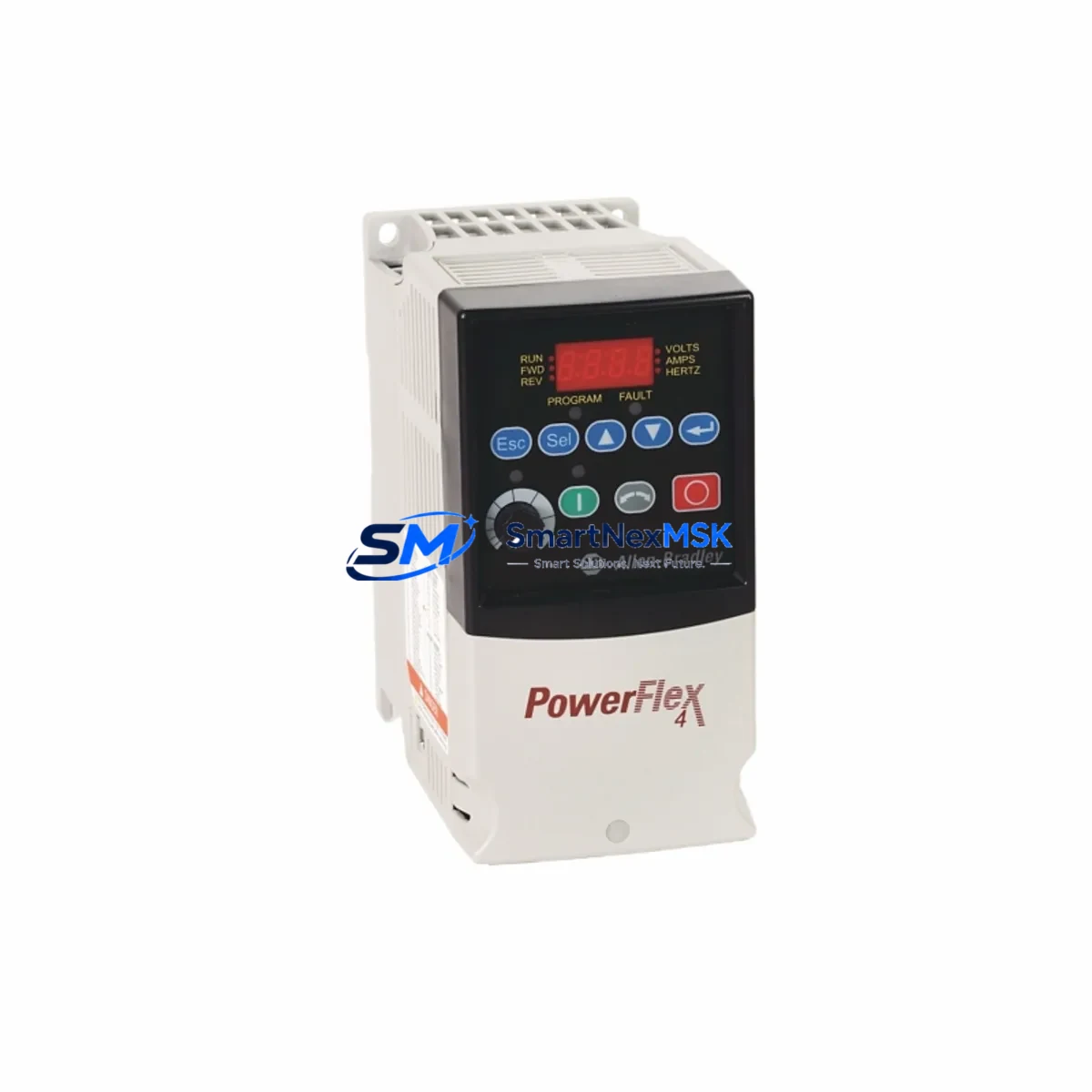
Allen-Bradley 22A-B8P0N104 Retrofit-Ready VFD for PowerFlex 4 Control Systems
The Allen-Bradley 22A-B8P0N104 is a 240V AC, 1.5 kW (2 HP) Variable Frequency Drive from the PowerFlex 4 series — one of Rockwell Automation’s most widely deployed compact drive platforms in light industrial and process automation environments. As legacy PowerFlex 4 installations age and original spare parts become increasingly difficult to source, the 22A-B8P0N104 serves as a direct retrofit-ready replacement for discontinued or end-of-life units operating in the same voltage class and power range. This listing is specifically targeted at engineers and procurement teams managing aging control systems who require a verified, tested, and immediately shippable replacement with a 12-month warranty.
Whether you are upgrading a standalone conveyor drive, replacing a failed unit in a multi-drive panel, or modernizing a legacy production line, the 22A-B8P0N104 is engineered to slot into existing PowerFlex 4 installations with minimal rewiring. Its compact footprint, standard DIN rail or panel-mount compatibility, and support for both keypad and remote reference control make it a practical choice for retrofit projects where downtime must be minimized and engineering change orders kept to a minimum.
Upgrade Compatibility Table
| Parameter | Details |
|---|---|
| SKU / Part Number | 22A-B8P0N104 |
| Series | Allen-Bradley PowerFlex 4 |
| Input Voltage | 200–240V AC, Single-Phase or Three-Phase |
| Output Power | 1.5 kW / 2 HP |
| Output Current | 8.0 A (240V) |
| Control Interface | Integral keypad (22-HIM-A3 compatible) or remote reference via analog/digital I/O |
| Communication | DSI (Drive Serial Interface) port; compatible with 22-COMM-D (DeviceNet), 22-COMM-E (EtherNet/IP), 22-COMM-P (PROFIBUS DP) adapters |
| Mounting | Panel mount; IP20 enclosure rating |
| Replacement Compatibility | Direct replacement for 22A-B8P0N103 and other end-of-life PowerFlex 4 variants in the same voltage/power class |
| Commissioning Notes | Parameter backup recommended via 22-HIM-C2S or DriveExplorer before swap; verify P036 (Motor NP Volts), P039 (Motor NP Hz), P042 (Motor OL Current) |
| Warranty | 12 Months from date of shipment |
Retrofit Planning for Existing Automation Systems
Successful retrofit of the 22A-B8P0N104 into an existing PowerFlex 4 installation begins with a thorough audit of the control cabinet. Before removing the failed or obsolete drive, engineers should document all terminal wiring on TB1 (power terminals) and TB2 (control terminals), including the analog reference input (0–10V or 4–20mA), digital input assignments (DI1–DI3 for Run Forward, Run Reverse, and Speed Reference Select), and any relay output wiring on the R1A/R1B/R1C terminals used for fault indication or motor contactor control.
If the existing installation uses a 22-COMM-D DeviceNet adapter or a 22-COMM-E EtherNet/IP adapter mounted on the DSI port, these communication modules are fully compatible with the 22A-B8P0N104 and can be transferred directly from the old drive to the new unit. This is particularly important in systems where the drive is integrated into a ControlLogix or CompactLogix PLC network via an EtherNet/IP scanner — the drive’s node address and I/O mapping in the PLC program (typically configured in Studio 5000 Logix Designer) will remain valid as long as the replacement drive is configured with identical DSI adapter settings and drive parameters.
For installations that include a 22-HIM-A3 or 22-HIM-C2S remote HMI panel, the operator interface will reconnect automatically once the replacement drive is powered and the DSI link is re-established. If the original drive’s parameters were not backed up, the commissioning engineer will need to re-enter motor nameplate data and application-specific parameters manually. It is strongly recommended to use DriveExplorer or DriveExecutive software connected via a 1203-USB or 22-SCM-232 serial cable to upload a full parameter file before the swap and restore it to the new unit after installation.
In multi-drive panels where the 22A-B8P0N104 shares a common 24VDC control power supply — such as a 1606-XLP or similar Rockwell power supply module — verify that the control power rail can support the inrush current of the replacement drive during startup. Similarly, if the drive is mounted in a 1492-FB or similar terminal block assembly, confirm that the existing wiring gauge and terminal torque specifications match the 22A-B8P0N104’s TB1 requirements (typically 0.5–2.5 mm² for control wiring and up to 4 mm² for power terminals).
For systems that previously used a 22A-B8P0N103 (the prior catalog revision), the 22A-B8P0N104 is a direct form-fit-function replacement. No mechanical modifications to the panel cutout or DIN rail spacing are required. The firmware revision on the 22A-B8P0N104 may differ from the original unit; review the release notes for any parameter number changes between firmware versions, particularly if the system uses a PLC-based parameter write (MSG instruction) for dynamic speed reference or fault reset commands.
Downtime Control During System Migration
Minimizing unplanned downtime during a PowerFlex 4 drive replacement requires a structured pre-swap checklist and a clear rollback plan. The recommended approach is to perform a hot-standby preparation: configure and pre-test the replacement 22A-B8P0N104 on a bench setup using the same motor nameplate parameters and I/O wiring scheme as the installed unit before the scheduled maintenance window. This allows the actual panel swap to be completed in under 30 minutes in most cases.
During the swap, the PLC controlling the drive — whether a MicroLogix 1100, CompactLogix L2x, or ControlLogix L7x — should be placed in Program mode to prevent inadvertent drive start commands while the wiring is disconnected. If the system uses a hardwired safety relay or safety PLC (such as a GuardLogix or SmartGuard 600) for E-stop and STO (Safe Torque Off) functions, verify that the safety circuit remains intact and that the STO input on the new drive is correctly wired before re-enabling the safety system.
After the physical installation, perform a no-load motor rotation test at low speed (5–10 Hz) to confirm correct phase rotation and motor direction before reconnecting the mechanical load. Log all commissioning steps and parameter settings in the site’s maintenance management system (CMMS) to support future audits and warranty claims. All units shipped by SMARTNEXMSK are pre-tested under load conditions prior to dispatch, reducing the risk of DOA failures and shortening on-site commissioning time.
Retrofit Support FAQ
Q1: Is the 22A-B8P0N104 a direct replacement for the 22A-B8P0N103?
Yes. The 22A-B8P0N104 is the current catalog revision of the 22A-B8P0N103 and is a direct form-fit-function replacement. Electrical ratings, terminal layout, and DSI communication port are identical. A parameter backup and restore is recommended to preserve application-specific settings.
Q2: Can I reuse my existing 22-COMM-E EtherNet/IP adapter with the replacement drive?
Yes. The 22-COMM-E adapter is compatible with the 22A-B8P0N104’s DSI port. Transfer the adapter from the old drive to the new unit, restore the drive parameters, and verify the EtherNet/IP node address and I/O configuration in your ControlLogix or CompactLogix project before going online.
Q3: What wiring checks are required before powering up the replacement drive?
Verify input power phase connections (L1, L2/N, L3 on TB1), motor output connections (T1, T2, T3), control terminal wiring (analog reference, digital inputs, relay outputs on TB2), and the DSI communication cable if a remote HIM or network adapter is used. Confirm that the ground conductor is properly terminated and that the input fusing or circuit breaker rating matches the drive’s input current specification.
Q4: What does the 12-month warranty cover?
All 22A-B8P0N104 units supplied by SMARTNEXMSK carry a 12-month warranty from the date of shipment, covering manufacturing defects and component failures under normal operating conditions. Each unit undergoes pre-shipment functional testing including power-on, parameter load, and output voltage verification. Warranty claims are supported by our technical team at [email protected]. Units damaged by incorrect wiring, overvoltage, or environmental conditions outside the drive’s rated specifications are not covered under warranty.
© 2026 SMARTNEXMSK. All rights reserved.
Original Source: https://smartnexmsk.com
Contact: [email protected] | +86 18259474341



