
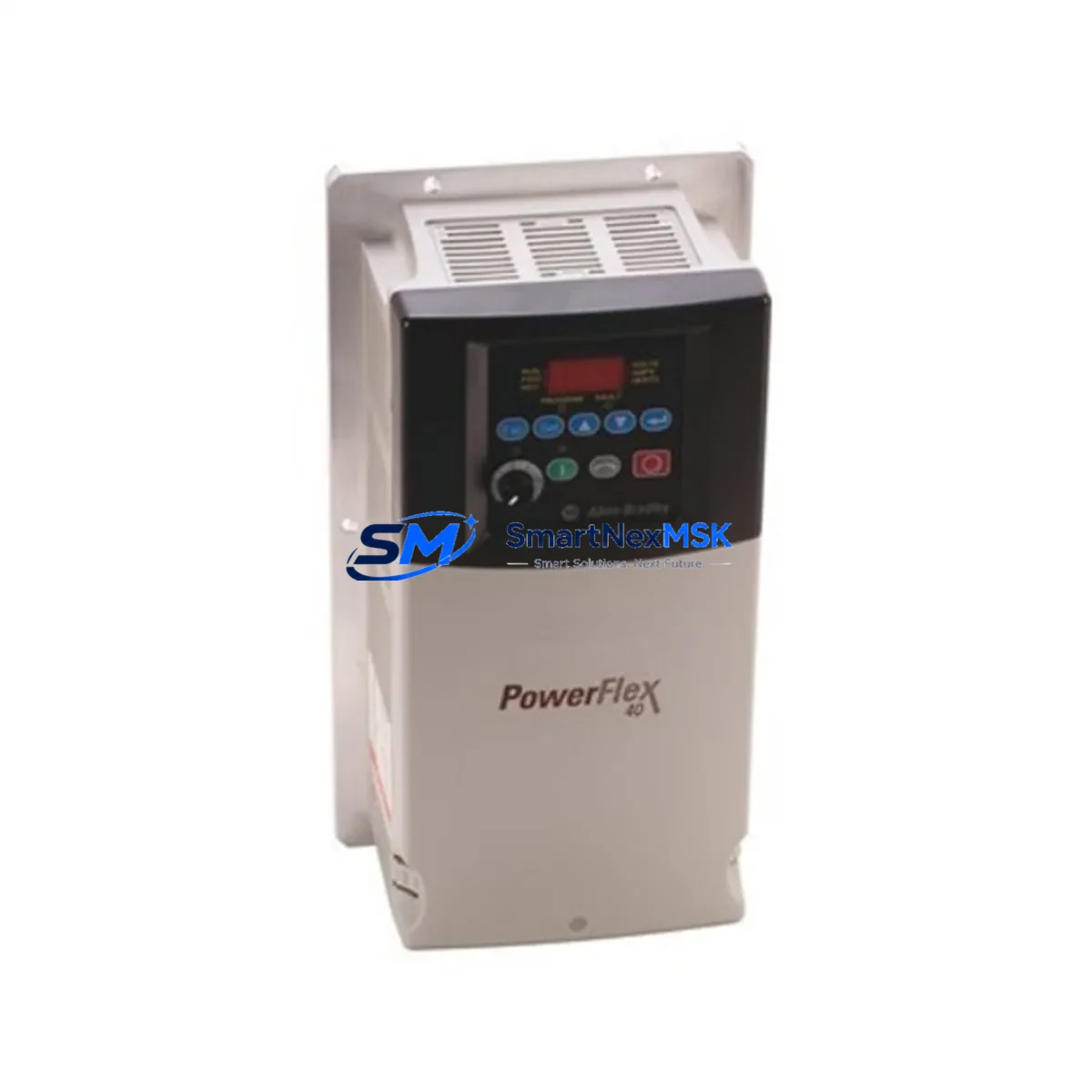
Allen-Bradley 22B-D017N104 Retrofit-Ready VFD for PowerFlex 40 Control Systems
The Allen-Bradley 22B-D017N104 is a 7.5 HP / 5.5 kW, 480V AC, three-phase PowerFlex 40 Variable Frequency Drive designed for retrofit-ready deployment in legacy and active industrial automation environments. As a direct replacement for discontinued or end-of-life PowerFlex 40 units, this drive is widely specified by system integrators, maintenance engineers, and OEM rebuild teams seeking a drop-in upgrade path that preserves existing panel layouts, terminal wiring, and PLC program logic.
Upgrade Compatibility Table
| Parameter | Details |
|---|---|
| Replaced Model | Allen-Bradley 22B-D017N104 (PowerFlex 40 Series) |
| Power Rating | 7.5 HP / 5.5 kW, 480V AC, 3-Phase Input |
| Output Current | 17A continuous |
| Control Interface | DSI (Drive Serial Interface) compatible |
| Communication Options | DeviceNet, Modbus RTU, EtherNet/IP (via adapter) |
| Mounting | Panel mount, DIN rail adaptable |
| Terminal Compatibility | Direct terminal-for-terminal replacement on standard PowerFlex 40 wiring |
| PLC Program Compatibility | Compatible with ControlLogix, CompactLogix, MicroLogix 1100/1400 via DSI or network adapter |
| Commissioning Notes | Verify P036 (Motor NP Volts), P039 (Accel Time), P040 (Decel Time) on first power-up |
| Warranty | 12 Months from date of shipment |
Retrofit Planning for Existing Automation Systems
Successful retrofit of the 22B-D017N104 into an existing control cabinet begins with a thorough audit of the current installation. Engineers should confirm that the incoming power supply — typically a 480V, 3-phase feed — meets the drive’s input voltage tolerance (±10%) and that the upstream circuit breaker or fused disconnect is rated appropriately for the 17A output current. The existing terminal block layout on the PowerFlex 40 is preserved in this replacement, meaning L1, L2, L3 input terminals and T1, T2, T3 motor output terminals map directly without rewiring.
For systems using a 22-COMM-D DeviceNet communication adapter or a 22-COMM-E EtherNet/IP adapter, the adapter module mounts to the drive’s DSI port identically to the previous unit. Node address settings stored in the adapter’s non-volatile memory should be documented before removal and re-entered during commissioning. If the system uses a 22-HIM-A3 or 22-HIM-C2S Human Interface Module for local parameter access, these HIM units are fully compatible and can be transferred directly to the replacement drive.
In multi-drive panels where the 22B-D017N104 operates alongside other PowerFlex 40 variants — such as the 22B-D024N104 (11 kW) or 22B-D030N104 (15 kW) — the replacement drive must be assigned the correct drive address within the DSI daisy-chain or network segment. Verify that the 1769-SDN Scanner Module or 1756-DNB DeviceNet Scanner in the ControlLogix or CompactLogix rack reflects the correct node mapping before going live.
For legacy systems still running on a MicroLogix 1100 or MicroLogix 1400 controller communicating via Modbus RTU over RS-485, confirm that the drive’s P036–P043 parameter group is configured to match the original unit’s motor nameplate data. A 22-RJ45CBL-C20 programming cable connected to a laptop running DriveExecutive or Connected Components Workbench (CCW) allows parameter upload from the old drive and download to the new unit, minimizing manual re-entry errors. Where a 1203-USB converter is used for DSI-to-USB communication, ensure the driver version is compatible with the host PC’s operating system before the maintenance window begins.
Panels incorporating a 1606-XLP power supply for 24VDC control circuit power should be verified for adequate current capacity when the new drive’s control board and communication adapter are energized simultaneously. A 700-HLT1Z24 or equivalent relay output module used for run/fault signal routing should be tested for correct logic state after drive replacement, as parameter A051 (Relay Out 1 Sel) may need to be re-confirmed against the original configuration.
Downtime Control During System Migration
Minimizing unplanned downtime during a PowerFlex 40 drive swap requires a structured pre-outage preparation protocol. Before the maintenance window, upload all drive parameters using DriveExecutive or CCW and save the file with a revision-stamped filename. Photograph or document the existing terminal wiring, particularly any analog input signals on terminals 13–15 (0–10V or 4–20mA speed reference) and any digital input assignments on terminals 1–8 that control Start, Stop, Direction, and Fault Reset functions.
During the swap, the mechanical installation of the 22B-D017N104 into the existing panel cutout is direct — the PowerFlex 40 frame B footprint is unchanged. Reconnect power and motor terminals first, then control wiring, then the communication adapter. On first power-up, navigate to parameter P036 and confirm motor nameplate voltage, then verify P038 (Motor NP Amps) and P039/P040 acceleration and deceleration ramp times match the documented values. Issue a test run at low speed (10–15 Hz) before returning the drive to full production speed reference.
For systems where the drive is embedded in a larger SCADA or DCS architecture — such as a Rockwell FactoryTalk View SE supervisory layer — confirm that the HMI faceplate for the affected drive reflects correct status tags (Running, Faulted, Speed Feedback) after the replacement. Tag mapping is typically preserved when the drive node address and network configuration are restored correctly, eliminating the need for HMI screen modifications.
Retrofit Support FAQ
Q1: Is the 22B-D017N104 a direct drop-in replacement for an existing PowerFlex 40 of the same catalog number?
Yes. The 22B-D017N104 is a catalog-for-catalog replacement. Terminal layout, mounting dimensions, and DSI communication port are identical to the original unit. Parameter restoration via DriveExecutive or CCW ensures full functional equivalence without PLC program changes.
Q2: What commissioning steps are required after installation?
After mechanical and electrical installation, restore saved parameters via CCW or DriveExecutive. Verify P036 (Motor NP Volts), P038 (Motor NP Amps), P039 (Accel Time 1), and P040 (Decel Time 1). Confirm digital input assignments (A051–A055) and analog input scaling (A069–A072) match the original configuration. Perform a no-load test run before reconnecting the driven load.
Q3: Does the replacement unit carry a warranty?
Yes. All units supplied by SMARTNEXMSK carry a 12-month warranty from the date of shipment, covering manufacturing defects and functional failures under normal operating conditions. Pre-shipment functional testing is performed on every unit.
Q4: Can this drive be used as a replacement in systems originally using a different PowerFlex 40 catalog number with the same power rating?
In most cases, yes — provided the input voltage, output current rating, and frame size match. Differences in catalog suffix (e.g., N104 vs. N114) may indicate enclosure type or filter configuration variations. Confirm the full catalog number against the application’s environmental and EMC requirements before installation.
© 2026 SMARTNEXMSK. All rights reserved.
Original Source: https://smartnexmsk.com
Contact: [email protected] | +86 18259474341



