
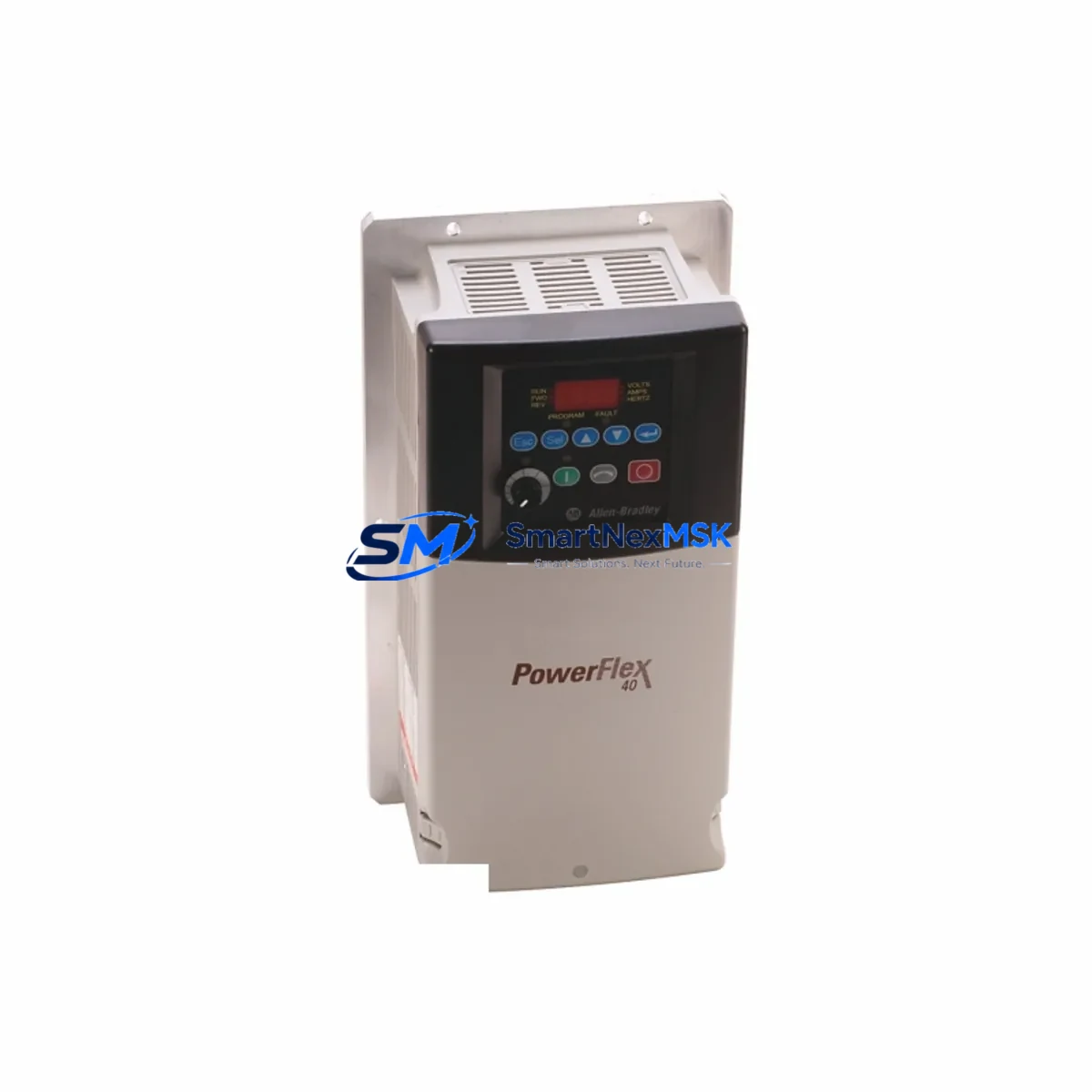
Allen-Bradley 22B-D024N104 Retrofit-Ready VFD for PowerFlex 40 Control Systems
The Allen-Bradley 22B-D024N104 is a PowerFlex 40 series AC variable frequency drive rated at 11 kW (15 HP), 480V three-phase input, 24A output current. Designed for demanding industrial motion control environments, this drive is a proven retrofit solution for aging or discontinued automation systems where downtime risk and spare-parts scarcity are primary concerns. SMARTNEXMSK maintains verified stock of the 22B-D024N104 with full functional testing, 12-month warranty coverage, and rapid global dispatch to support emergency replacement and planned upgrade projects alike.
Whether you are replacing a failed unit on an active production line, upgrading a legacy control cabinet, or migrating from an older Bulletin 1305 or 1336 PLUS II drive platform, the 22B-D024N104 integrates directly into existing PowerFlex 40 mounting positions without mechanical modification. The drive retains the standard 22-HIM-A3 or 22-HIM-C2S Human Interface Module connector, allowing operators to transfer parameter sets from a previously programmed HIM or upload configurations via RSLogix 5000 / Studio 5000 using a 1203-USB or 22-SCM-232 serial converter cable.
Upgrade Compatibility Table
| Parameter | Detail |
|---|---|
| SKU / Part Number | 22B-D024N104 |
| Series | PowerFlex 40 |
| Power Rating | 11 kW / 15 HP |
| Input Voltage | 480V AC, 3-Phase, 50/60 Hz |
| Output Current | 24 A |
| Enclosure | IP20 / NEMA Type 1 (open) |
| Control Interface | 22-HIM-A3 / 22-HIM-C2S HIM compatible |
| Communication Options | EtherNet/IP (22-COMM-E), DeviceNet (22-COMM-D), Modbus RTU (22-COMM-M) |
| Replaces / Compatible With | 22B-D024N104, Bulletin 1305, 1336 PLUS II (with wiring adaptation) |
| Mounting | DIN rail or panel mount; same footprint as PowerFlex 40 family |
| Programming Tool | Studio 5000 / RSLogix 5000, Connected Components Workbench (CCW) |
| Commissioning Interface | 1203-USB, 22-SCM-232 serial cable |
| Retrofit Wiring Adaptation | Terminal block layout matches PowerFlex 40 standard; verify TB1 power terminals and TB2 control wiring |
| Warranty | 12 Months — covers functional failure under normal operating conditions |
Retrofit Planning for Existing Automation Systems
A successful retrofit of the 22B-D024N104 into an existing control cabinet begins with a thorough pre-installation audit. Engineers should first confirm that the upstream power supply — typically a 480V three-phase feed protected by a suitable MCP (Motor Circuit Protector) or fused disconnect — can sustain the drive’s 24A continuous output demand plus any inrush margin. The 22B-D024N104 draws approximately 18.4A at full load on the input side; verify that existing cable sizing and breaker ratings accommodate this without derating.
Terminal block wiring is the most common source of commissioning delays during a PowerFlex 40 swap. The TB1 block handles L1, L2, L3 (input) and T1, T2, T3 (motor output), while TB2 carries the 24VDC control logic, digital inputs (DI1–DI6), analog inputs (AI1, AI2), relay outputs (R1, R2), and the STO (Safe Torque Off) circuit if enabled. When migrating from a Bulletin 1336 PLUS II, the control wiring pinout differs significantly — a terminal-by-terminal mapping document should be prepared before any live work begins.
For systems using a 22-COMM-E EtherNet/IP communication adapter, the IP address, subnet mask, and gateway settings stored in the previous drive’s adapter must be re-entered or cloned via the network configuration tool. If the plant network uses a ControlLogix L7x or CompactLogix L3x controller with an existing Add-On Profile (AOP) for the PowerFlex 40, the replacement drive will be recognized automatically once the adapter is configured with the correct node address. DeviceNet installations using a 22-COMM-D adapter require MAC ID reassignment and network re-scan via RSNetWorx for DeviceNet.
Backplane and rack considerations apply when the 22B-D024N104 is installed alongside a 1756 ControlLogix chassis or a 1769 CompactLogix system. Ensure that the 1756-PA75 or 1756-PB75 power supply in the ControlLogix rack has sufficient capacity to support any additional 1756-EN2T EtherNet/IP bridge modules added during the upgrade. For CompactLogix systems, the 1769-ECR end cap must be repositioned if the I/O bank is extended with additional 1769-IQ16 digital input or 1769-OB16 digital output modules as part of the same modernization project.
HMI screen updates are frequently overlooked during drive replacements. If the plant uses a PanelView Plus 7 or PanelView 800 terminal connected to the drive via EtherNet/IP, verify that the FactoryTalk View ME application references the correct drive tag addresses. Parameter numbers in the PowerFlex 40 are consistent across the 22B family, so existing HMI faceplates built for a prior 22B-D017N104 or 22B-D030N104 unit will function without modification — only the IP address binding in the FactoryTalk View project may need updating.
Downtime Control During System Migration
Minimizing production downtime during a 22B-D024N104 replacement requires a structured pre-staging approach. Before the maintenance window opens, upload the full parameter set from the existing drive using a 22-HIM-A3 HIM or via the DriveExecutive / DriveObserver software connected through a 1203-USB cable. Store the parameter file on a laptop and verify it against the original commissioning sheet. This backup ensures that if the replacement drive requires parameter restoration, the process takes minutes rather than hours.
During the physical swap, label all control wiring at TB2 before disconnection. Use a terminal labeling system that maps each wire to its function (e.g., “DI1 – Run Forward”, “AI1 – Speed Reference 4–20mA”) rather than relying on wire color alone. Reconnect power terminals at TB1 first, then control wiring at TB2, and finally the communication adapter. Power up the drive without enabling the motor output — navigate to Parameter 36 (Start Source) and Parameter 38 (Speed Reference) to confirm the control source matches the plant configuration before issuing a run command.
For critical continuous-process applications where even a brief stop is unacceptable, consider a parallel commissioning strategy: mount the replacement 22B-D024N104 on a temporary panel adjacent to the existing drive, pre-configure all parameters, and perform a hot-cutover by transferring the motor leads during a scheduled micro-stop. This approach keeps the original drive live until the last possible moment and allows immediate rollback if an issue is detected during the cutover sequence.
Retrofit Support FAQ
Q1: Is the 22B-D024N104 a direct drop-in replacement for an existing PowerFlex 40 of the same rating?
Yes. The 22B-D024N104 shares the same physical footprint, terminal block layout, and HIM interface as all PowerFlex 40 drives in the 22B family. No mechanical modification is required. Parameter settings from the original drive can be transferred directly using a 22-HIM-A3 HIM or via DriveExecutive software.
Q2: Can this drive replace a Bulletin 1336 PLUS II or 1305 drive in an older control cabinet?
Yes, with wiring adaptation. The PowerFlex 40 uses a different terminal block layout and control logic voltage (24VDC) compared to the 1336 PLUS II (typically 115VAC control). A terminal mapping document and possible relay interface module (such as a 700-HLT1Z24 interposing relay) may be required. SMARTNEXMSK can provide application guidance for cross-series retrofit projects.
Q3: What communication protocols does the 22B-D024N104 support, and are existing network configurations preserved?
The drive supports EtherNet/IP, DeviceNet, Modbus RTU, and PROFIBUS DP via plug-in communication adapters (22-COMM-E, 22-COMM-D, 22-COMM-M, 22-COMM-P). Network configuration — including IP address, node ID, and baud rate — is stored in the communication adapter, not the drive itself. When replacing only the drive base unit, the adapter and its settings can be transferred to the new unit without reconfiguration.
Q4: What does the 12-month warranty cover, and is pre-shipment testing performed?
Every 22B-D024N104 unit shipped by SMARTNEXMSK undergoes functional power-on verification prior to dispatch. The 12-month warranty covers manufacturing defects and functional failure under normal operating conditions from the date of receipt. It does not cover damage resulting from incorrect installation, overvoltage events, or operation outside the drive’s rated specifications. Warranty claims are processed with a replacement-first policy to minimize customer downtime.
© 2026 SMARTNEXMSK. All rights reserved.
Original Source: https://smartnexmsk.com
Contact: [email protected] | +86 18259474341



