
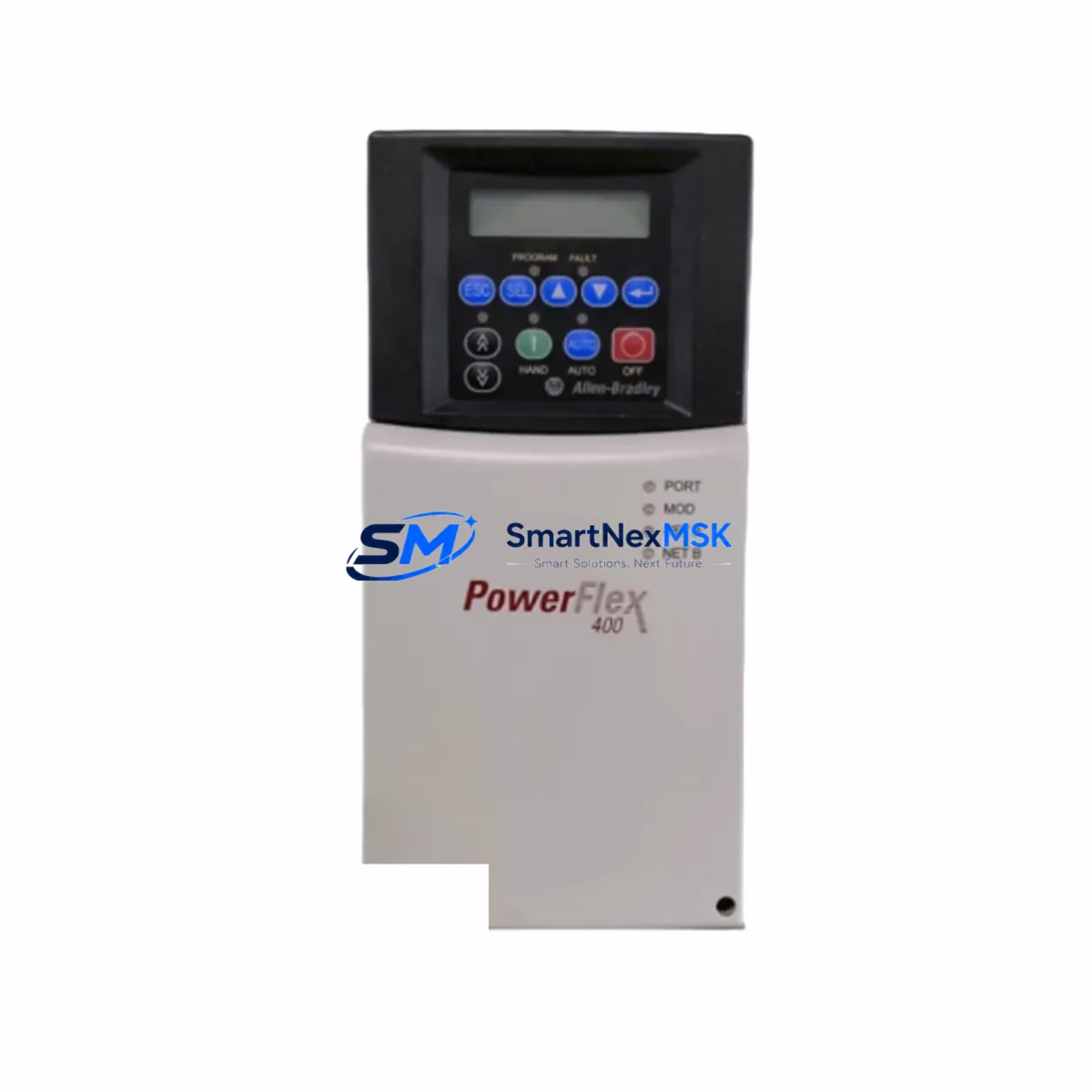
Allen-Bradley 22C-D022N103 Retrofit-Ready VFD for PowerFlex 400 Control Systems
The Allen-Bradley 22C-D022N103 is a 22kW (30HP), 480V AC, three-phase variable frequency drive from the PowerFlex 400 series, purpose-built for demanding industrial motor control applications in HVAC, pump, fan, and conveyor systems. As legacy automation infrastructure reaches end-of-life or requires capacity expansion, the 22C-D022N103 has become a proven retrofit solution for facilities operating older PowerFlex 4 (22A series), PowerFlex 40 (22B series), and first-generation PowerFlex 400 (22C series) drives. Whether you are executing a planned system modernization or responding to an unplanned drive failure, this unit delivers a specification-matched replacement that minimizes engineering rework, reduces commissioning time, and protects the investment in existing control software and field wiring.
SMARTNEXMSK maintains verified stock of the 22C-D022N103 with full functional testing completed prior to shipment, backed by a 12-month warranty covering hardware defects and operational failures under normal industrial use conditions.
Upgrade Compatibility Table
| Parameter | 22C-D022N103 Specification | Retrofit Notes |
|---|---|---|
| Power Rating | 22kW / 30HP | Verify motor nameplate FLA before replacement |
| Input Voltage | 480V AC, 3-Phase | Confirm panel supply voltage and phase balance |
| Output Frequency | 0–500 Hz | Match to existing motor speed range requirements |
| Frame Size | Frame D | Check enclosure cutout and panel mount dimensions |
| Control Interface | DSI / RS-485 (Modbus RTU) | Compatible with 22-HIM-A3 / 22-HIM-C2S HMI panels |
| I/O | 6 DI, 2 AO, 2 AI, 2 Relay DO | Remap terminal assignments if replacing 22B series drives |
| Communication Option | DeviceNet / EtherNet/IP via 22-COMM-E adapter | Retain existing node address; verify EDS file version |
| Backplane / Rack | Standalone (no rack required) | No backplane address configuration needed |
| Replacement Compatibility | PowerFlex 4, 40, 400 (22A / 22B / 22C series) | Parameter migration via DriveExecutive or Studio 5000 AOP |
| Warranty | 12 Months | Covers hardware defects under normal operating conditions |
Retrofit Planning for Existing Automation Systems
Successful integration of the 22C-D022N103 into an existing control cabinet begins with a thorough pre-replacement audit. Engineers should back up the existing drive’s parameter file using DriveExecutive software or the 22-HIM-A3 handheld programming terminal before powering down the panel. This backup preserves acceleration and deceleration ramps, PID setpoints, fault response configurations, and custom I/O logic that may have been tuned over years of field operation — data that cannot be recovered once the original drive is removed.
Terminal wiring compatibility is the next priority. The 22C-D022N103 uses the standard PowerFlex 400 terminal block layout, but facilities replacing a 22B-D030N104 (PowerFlex 40, 30HP) or a legacy 22A-D030N104 (PowerFlex 4, 30HP) must carefully remap digital input assignments, particularly for Run Forward, Run Reverse, and Fault Reset signals. Analog input scaling — whether 0–10V or 4–20mA — should be verified against the upstream PLC analog output module, commonly an Allen-Bradley 1756-OF8 ControlLogix card or a 1769-OF4 CompactLogix output module, to ensure speed reference signals are correctly interpreted by the replacement drive.
For systems using DeviceNet communication, the 22-COMM-D adapter must be retained or replaced with a compatible unit. Node address switches on the adapter should be set to match the original drive’s network address to avoid disrupting the DeviceNet scanner table in the ControlLogix or CompactLogix controller. If the facility is migrating from DeviceNet to EtherNet/IP as part of a broader network modernization, the 22-COMM-E adapter provides a direct upgrade path, and the drive’s Add-On Profile (AOP) can be imported into Studio 5000 Logix Designer for seamless tag-based control integration without rewriting existing ladder logic.
Control power supply capacity in the cabinet must be verified before installation. The 22C-D022N103 draws inrush current during initialization; ensure the 1606-XLP or equivalent 24VDC control power supply has sufficient headroom for the drive’s control board and any connected 22-HIM-C2S remote HMI panel. The main circuit breaker or fused disconnect should be rated per NEC and applicable local electrical codes for a 22kW drive load. If the retrofit is part of a larger Motor Control Center (MCC) upgrade involving Allen-Bradley SMC-3 soft starters or legacy 1336 PLUS II drives, the panel layout and bus bar ratings should be reviewed to accommodate the new drive’s physical dimensions and heat dissipation profile.
I/O expansion requirements should also be assessed at this stage. If the modernized system requires additional digital or analog I/O beyond what the 22C-D022N103 provides natively, a 1769-IQ16 or 1769-OB16 CompactLogix I/O module can be added to the existing rack to handle auxiliary interlocks, status signals, or process feedback without modifying the drive’s internal wiring.
Downtime Control During System Migration
Minimizing production downtime during a drive replacement requires a structured pre-staged cutover protocol. Begin by scheduling the replacement during a planned maintenance window and pre-loading the 22C-D022N103 with the backed-up parameter file via the 22-HIM-A3 or DriveExecutive before the cutover begins. This allows the replacement drive to be powered up and verified on the bench — confirming parameter integrity, I/O response, and communication link — before it enters the live panel.
During the physical swap, label all terminal connections before disconnecting the old drive. Reconnect terminals in sequence: power wiring first (L1/L2/L3 input, T1/T2/T3 motor output), then control wiring (digital inputs, analog inputs, relay outputs), and finally the communication adapter. After installation, perform a no-load test by running the motor uncoupled from the mechanical load where possible. Verify output frequency, direction of rotation, and fault-free operation before reconnecting the driven load.
For systems with PID control loops — common in HVAC fan and pump applications — re-tune the proportional and integral gains after the drive is under load, as the new drive’s internal filter settings may differ slightly from the replaced unit. Original PLC logic in the ControlLogix or CompactLogix controller does not require modification if the drive’s network address and I/O mapping are preserved. HMI screens built in FactoryTalk View SE or ME referencing drive tags will continue to function without modification, provided the communication adapter type and node address remain unchanged. This approach protects the investment in existing control software and eliminates the risk of introducing new logic errors during the migration window.
Retrofit Support FAQ
Q1: Is the 22C-D022N103 a direct drop-in replacement for the 22B-D030N104 PowerFlex 40?
A: The 22C-D022N103 (PowerFlex 400) and 22B-D030N104 (PowerFlex 40) share similar power ratings but differ in frame size, terminal layout, and communication options. A direct drop-in is not guaranteed — terminal remapping and parameter re-entry are typically required. Review the wiring diagrams of both units and confirm I/O assignments before proceeding with the swap.
Q2: What commissioning steps are required after installing the 22C-D022N103?
A: After physical installation and wiring, restore the parameter file from backup, enter motor nameplate data (NP volts, amps, Hz, RPM), run an autotune procedure if motor cable length exceeds 50 meters, and verify all digital and analog I/O signals from the upstream PLC before enabling the drive for production operation.
Q3: Does the unit ship with the communication adapter installed?
A: The base 22C-D022N103 ships without a communication adapter. If your system uses DeviceNet or EtherNet/IP, the appropriate 22-COMM-D or 22-COMM-E adapter must be ordered separately and installed in the drive’s option port prior to commissioning. Confirm the adapter firmware version is compatible with your network scanner configuration.
Q4: What does the 12-month warranty cover, and is pre-shipment testing included?
A: The 12-month warranty covers hardware defects and operational failures under normal industrial operating conditions from the date of shipment. It does not cover damage resulting from incorrect installation, overvoltage events, or operation outside the drive’s rated specifications. All units undergo functional testing prior to dispatch, and test documentation is available upon request.
© 2026 SMARTNEXMSK. All rights reserved.
Original Source: https://smartnexmsk.com
Contact: [email protected] | +86 18259474341



