
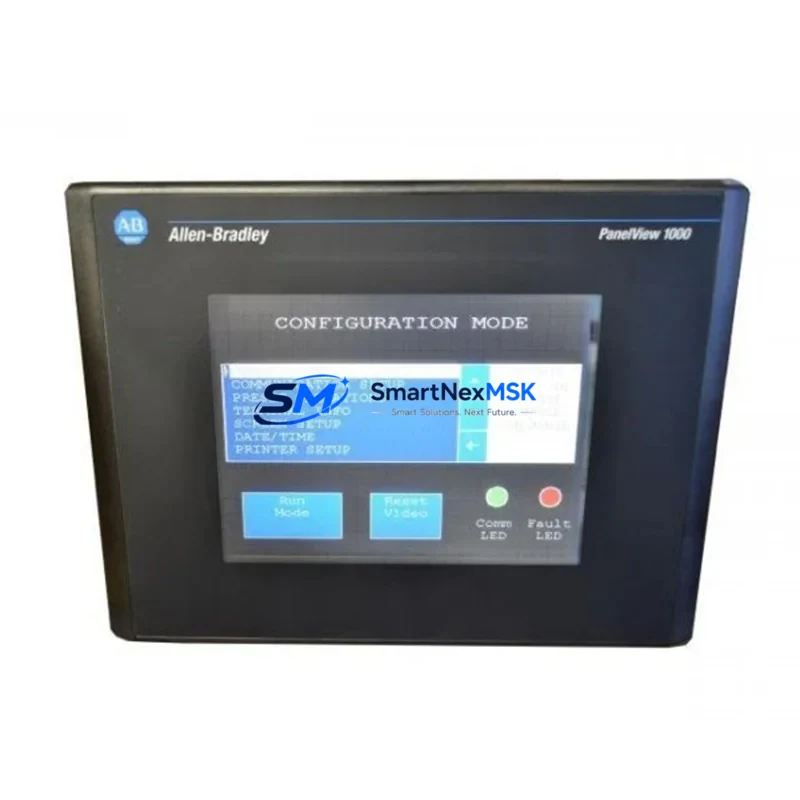
Allen-Bradley 2711-B6C1 Spare for PanelView 600 Automation: Downtime Recovery & Spare Parts Replacement
The Allen-Bradley 2711-B6C1 is a 6-inch monochrome keypad HMI terminal from the PanelView 600 series, designed for operator interface applications in SLC 500, MicroLogix, and PLC-5 control architectures. In industrial maintenance environments where panel-level visibility is critical, a failed or degraded HMI terminal can halt production lines, disable alarm acknowledgment, and prevent operators from executing manual overrides. Stocking a verified replacement unit of the 2711-B6C1 is a fundamental element of any serious spare parts strategy for facilities running legacy Rockwell Automation control systems.
This unit is sourced as an original Allen-Bradley component, inspected and function-tested prior to shipment. It is supplied with a 12-month warranty covering operational defects, giving maintenance engineers and procurement teams confidence in both quality and long-term supply continuity. Whether you are managing a planned shutdown, responding to an unplanned fault, or building out a critical spare inventory for aging control cabinets, the 2711-B6C1 is a direct-fit replacement that minimizes configuration time and restores operator interface capability without system redesign.
Spare Maintenance Table
| Parameter | Specification |
|---|---|
| Part Number / SKU | 2711-B6C1 |
| Series | PanelView 600 |
| Brand | Allen-Bradley (Rockwell Automation) |
| Display Type | 6-inch Monochrome LCD |
| Interface Type | Keypad (non-touch) |
| Communication Port | DH-485 / RS-232 |
| Compatible Controllers | SLC 500, MicroLogix 1000/1100/1500, PLC-5 |
| Supply Voltage | 24V DC |
| Operating Temperature | 0°C to 55°C |
| Protection Rating | NEMA 4/4X, 12, 13 (front panel) |
| Mounting | Panel cutout, rear-mount |
| Application Environment | Industrial control cabinets, machine panels, process skids |
| Condition | Original spare, function-tested before shipment |
| Warranty | 12 Months |
| Origin | United States (Allen-Bradley / Rockwell Automation) |
Maintenance Planning for Continuous Operation
When a 2711-B6C1 HMI terminal is identified as a fault point during routine control cabinet inspection or an unplanned shutdown event, experienced maintenance engineers know that the HMI is rarely the only component that requires attention. A systematic inspection of the surrounding electrical circuit and communication chain is essential to prevent repeat failures and ensure a clean return to service.
Begin by verifying the 24V DC power supply feeding the HMI terminal — units such as the Allen-Bradley 1606-XLP or equivalent 24V DC panel power supplies should be checked for output voltage stability and ripple. A degraded power supply is a common root cause of HMI display faults and communication dropouts. Inspect the associated terminal blocks and wiring harness for corrosion, loose connections, or insulation damage, particularly in high-vibration or high-humidity environments.
The DH-485 or RS-232 communication cable connecting the 2711-B6C1 to the SLC 500 CPU — such as the 1747-L553 or 1747-L543 — should be tested for continuity and shielding integrity. Communication faults between the HMI and the PLC processor are frequently misdiagnosed as HMI hardware failures. If the facility uses a 1747-AIC Advanced Interface Converter or a 1761-NET-AIC for network bridging, these components should also be inspected and replaced if showing signs of wear.
For control cabinets running SLC 500 I/O racks, take the opportunity during HMI replacement to inspect the 1746-series digital input and output modules for blown fuses, failed output transistors, or indicator LED anomalies. Modules such as the 1746-IB16 (DC input) and 1746-OB16 (DC output) are common wear items in high-cycle applications. Similarly, relay output modules like the 1746-OW16 should be checked for contact wear if they are switching inductive loads.
If the system includes a 1747-SN Scanner Module for remote I/O communication, verify that the remote I/O cable and termination resistors are intact. Remote I/O faults can cause the HMI to display communication errors that are incorrectly attributed to the terminal itself. Reviewing the SLC 500 processor fault log via RSLogix 500 before replacing the HMI will help isolate whether the fault is terminal-side or network-side.
For facilities managing older PanelView 600 installations alongside newer control infrastructure, maintaining a documented spare parts list that includes the 2711-B6C1, associated communication cables (2711-NC13, 2711-NC14), and a backup memory module (2711-NM11) is strongly recommended. This approach supports rapid swap-out during planned maintenance windows and reduces mean time to repair (MTTR) during unplanned outages.
Site Replacement Workflow
Replacing the 2711-B6C1 in the field is a straightforward process when the correct spare is on hand. Begin by documenting the existing HMI configuration — if the unit is still partially functional, use the PanelView terminal’s built-in configuration menu or RSView32 / FactoryTalk View ME to export the application file to a memory card or PC. This step is critical for preserving operator screen layouts, alarm setpoints, and communication parameters.
Power down the control cabinet following your site’s lockout/tagout (LOTO) procedure. Disconnect the communication cable and 24V DC power connector from the rear of the existing 2711-B6C1. Remove the four panel-mount screws and extract the terminal from the cutout. Install the replacement unit, reconnect power and communication cables, and restore power. The PanelView 600 will boot and prompt for application loading if no memory card is present — load the previously saved application file to restore full operator interface functionality.
Verify communication with the SLC 500 or MicroLogix controller by confirming that the HMI status indicator shows an active connection and that operator screens are displaying live process data. Conduct a functional test of all operator pushbuttons and navigation keys before returning the system to production. Log the replacement in your maintenance management system (CMMS) with the date, unit serial number, and fault description to support future lifecycle planning.
For facilities transitioning away from legacy PanelView 600 hardware, the 2711-B6C1 provides a cost-effective bridge solution that extends system life without requiring a full HMI platform migration. This is particularly valuable in multi-line facilities where a phased modernization approach is preferred over a single large capital project.
Spare Parts Support FAQ
Q1: Is the 2711-B6C1 a direct replacement for other PanelView 600 variants?
The 2711-B6C1 is the keypad-only, monochrome, DH-485/RS-232 variant of the PanelView 600 series. It is not a direct drop-in for touch-screen variants (e.g., 2711-T6C1) or color display variants. Compatibility should be confirmed against the existing panel cutout dimensions, communication protocol, and controller type before ordering. Our team can assist with cross-reference verification prior to shipment.
Q2: How is the unit tested before shipment?
Each 2711-B6C1 unit undergoes a functional power-on test to verify display operation, keypad response, and communication port integrity. Units that do not pass functional testing are not shipped. A 12-month warranty is provided from the date of shipment, covering defects in materials and workmanship under normal operating conditions.
Q3: What is the recommended spare parts inventory strategy for PanelView 600 HMI terminals?
For facilities with three or more PanelView 600 terminals in service, maintaining at least one spare 2711-B6C1 unit on-site is recommended. Given that this product line is in the mature/end-of-life phase of its lifecycle, sourcing and stocking spares proactively is strongly advised. Procurement engineers should also consider stocking associated communication cables and a backup memory module to support rapid field replacement without waiting for additional parts.
Q4: Can the 2711-B6C1 be used with MicroLogix controllers?
Yes. The 2711-B6C1 supports DH-485 communication, which is natively supported by MicroLogix 1000, 1100, and 1500 controllers. Configuration is performed using RSView32 or FactoryTalk View ME software. Ensure that the communication parameters (baud rate, node address) in the HMI application match the controller network settings to establish a successful connection.
© 2026 SMARTNEXMSK. All rights reserved.
Original Source: https://smartnexmsk.com
Contact: [email protected] | +86 18259474341



