
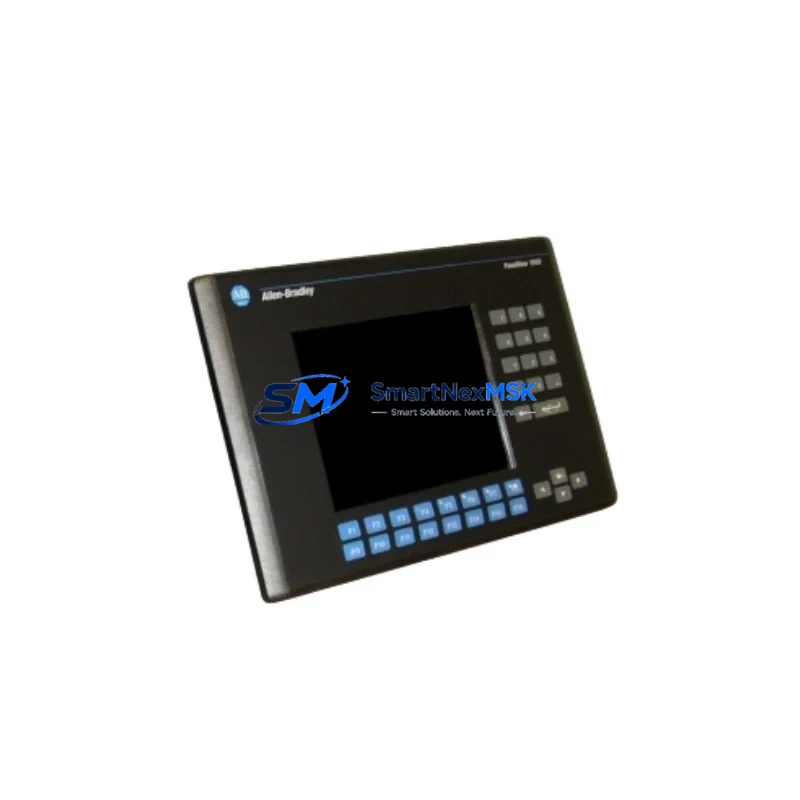
Allen-Bradley 2711-B6C10 Retrofit-Ready HMI for PanelView 600 Control Systems
The Allen-Bradley 2711-B6C10 is a 6-inch monochrome keypad HMI terminal from the PanelView 600 series, designed for operator interface applications in legacy Rockwell Automation control environments. As original 2711-B6C10 units reach end-of-life and spare parts become increasingly scarce, this retrofit-ready replacement provides a verified drop-in solution for facilities running aging SLC 500, MicroLogix 1000, MicroLogix 1500, or PLC-5 based control architectures. Whether you are managing a planned upgrade cycle or responding to an unplanned terminal failure, the 2711-B6C10 supports continuity of operations with minimal reprogramming and zero panel cutout modification.
Each unit supplied by SMARTNEXMSK is sourced from verified industrial channels, functionally tested prior to dispatch, and covered by a 12-month warranty. Our inventory is maintained to support urgent replacement scenarios, with same-day processing available for in-stock orders.
Upgrade Compatibility Table
| Parameter | 2711-B6C10 Specification | Retrofit Notes |
|---|---|---|
| Display Type | 6″ STN Monochrome LCD | Direct panel cutout match for existing PanelView 600 installations |
| Interface Type | Keypad (no touchscreen) | Compatible with existing operator workflow; no retraining required |
| Communication Port | DH-485 / RS-232 | Verify cable pinout against existing 1747-CP3 or 1761-CBL-PM02 cables |
| Power Supply | 24VDC | Confirm panel PSU capacity; typical draw is under 15W |
| Backplane / Rack | Standalone (no backplane) | Panel-mount unit; no rack slot required |
| Programming Software | PanelBuilder 1400e / PanelBuilder32 | Existing .PBA or .PBD application files are directly transferable |
| HMI Screen Migration | Full screen library reuse | No screen redesign needed if source application was built for PanelView 600 |
| Replacement Path | 2711-B6C10 → 2711-B6C10 (direct) or 2711P-B6C20D (upgrade) | PanelView Plus 600 upgrade requires PanelBuilder 1400e to FactoryTalk View ME conversion |
| Commissioning | Download via 1747-CP3 serial cable | Verify node address and baud rate match original configuration |
| Warranty | 12 Months — covers functional failure under normal operating conditions | |
Retrofit Planning for Existing Automation Systems
Successful integration of the 2711-B6C10 into an existing control system requires a structured pre-installation review. Begin by auditing the control cabinet layout to confirm the panel cutout dimensions (approximately 192mm × 138mm) and verify that the existing DIN rail or panel-mount hardware is intact. The terminal connects to the controller network via DH-485 using a standard 1747-CP3 programming cable or a dedicated HMI communication cable; confirm that the cable is undamaged and that the RS-232 port on the controller — typically an SLC 5/03, SLC 5/04, or MicroLogix 1500 — is correctly configured for the expected baud rate (typically 19,200 bps) and node address.
Power supply verification is a critical step that is frequently overlooked during emergency replacements. The 2711-B6C10 draws 24VDC from the panel power supply, and in cabinets where a 1606-XLP or 1606-XLS series power supply is already loaded with I/O modules such as the 1746-IB16 or 1746-OB16, available headroom must be confirmed before adding the terminal load. Overloaded supplies are a common cause of intermittent HMI faults in retrofitted panels.
For facilities running a distributed I/O architecture with 1747-SDN DeviceNet Scanner modules or 1756-DNB ControlLogix DeviceNet Bridge modules, the HMI node address must be assigned outside the scanner’s node range to prevent address conflicts. In mixed-protocol environments where the control system also includes a 1761-NET-ENI Ethernet interface or a 1747-AENTR EtherNet/IP adapter, the HMI communication path should be validated independently to ensure that DH-485 traffic does not interfere with the Ethernet segment.
Before powering up the replacement terminal, transfer the existing PanelBuilder application file from the original unit (if recoverable) or from the engineering backup. If the original application file is unavailable, SMARTNEXMSK can assist with application reconstruction based on the controller program logic and I/O tag list. Once the application is loaded, verify all alarm pages, setpoint entry screens, and trend displays against the original HMI specification before returning the system to production.
Downtime Control During System Migration
Minimizing unplanned downtime during an HMI replacement is a primary concern for maintenance teams operating continuous or semi-continuous production lines. The 2711-B6C10 replacement process is designed to be completed within a single planned maintenance window, typically two to four hours, when the engineering team has prepared the application file and communication parameters in advance.
The recommended sequence is: (1) back up the existing PanelBuilder application file and controller program from the SLC 500 or MicroLogix controller using RSLogix 500 before removing the original terminal; (2) document all DH-485 node addresses, baud rate settings, and cable routing; (3) install the replacement 2711-B6C10 and restore power; (4) download the application file via the 1747-CP3 cable; (5) verify communication with the controller and confirm all I/O status displays are reading correctly; (6) perform a functional walkthrough of all operator screens before releasing the system to production operators.
For facilities where the HMI is the sole operator interface for a critical process, consider staging a temporary bypass using a laptop running RSLogix 500 in online monitoring mode to maintain visibility of controller status during the terminal swap. This approach preserves control continuity and allows the maintenance team to respond to process alarms via the programming software while the replacement terminal is being commissioned. The original program logic in the SLC 500 or MicroLogix controller is not affected by the HMI replacement and continues to execute normally throughout the process.
Retrofit Support FAQ
Q: Is the 2711-B6C10 a direct drop-in replacement for my existing PanelView 600 terminal?
A: Yes. The 2711-B6C10 uses the same panel cutout dimensions, 24VDC power input, and DH-485 communication interface as the original PanelView 600 keypad terminals. Your existing PanelBuilder application file can be downloaded directly to the replacement unit without modification, provided it was developed for the PanelView 600 platform.
Q: What communication cable do I need to download the application to the 2711-B6C10?
A: The standard download cable is the 1747-CP3 (RS-232 to DH-485 converter). Ensure your programming PC has an available RS-232 port or use a USB-to-RS-232 adapter. PanelBuilder 1400e or PanelBuilder32 software is required on the programming PC. Contact our technical team if you need assistance sourcing the cable.
Q: How do I verify compatibility between the 2711-B6C10 and my SLC 500 controller before installation?
A: Confirm that your SLC 5/03 or SLC 5/04 controller has an available DH-485 port (Channel 0) and that the baud rate is set to match the HMI configuration (default 19,200 bps). Check the controller’s node address list to assign a unique node to the HMI. If your system uses a 1747-AIC Advanced Interface Converter for multi-drop DH-485 networks, verify that the HMI node is included in the AIC’s port configuration.
Q: What does the 12-month warranty cover, and what is the process for a warranty claim?
A: The 12-month warranty covers functional failure of the 2711-B6C10 unit under normal industrial operating conditions, including display failure, keypad malfunction, and communication port failure. It does not cover physical damage caused by incorrect installation, overvoltage, or environmental exposure beyond the unit’s rated specifications. To initiate a warranty claim, contact SMARTNEXMSK with your order number and a description of the fault. Replacement units are dispatched within 3 business days of claim approval.
© 2026 SMARTNEXMSK. All rights reserved.
Original Source: https://smartnexmsk.com
Contact: [email protected] | +86 18259474341



