
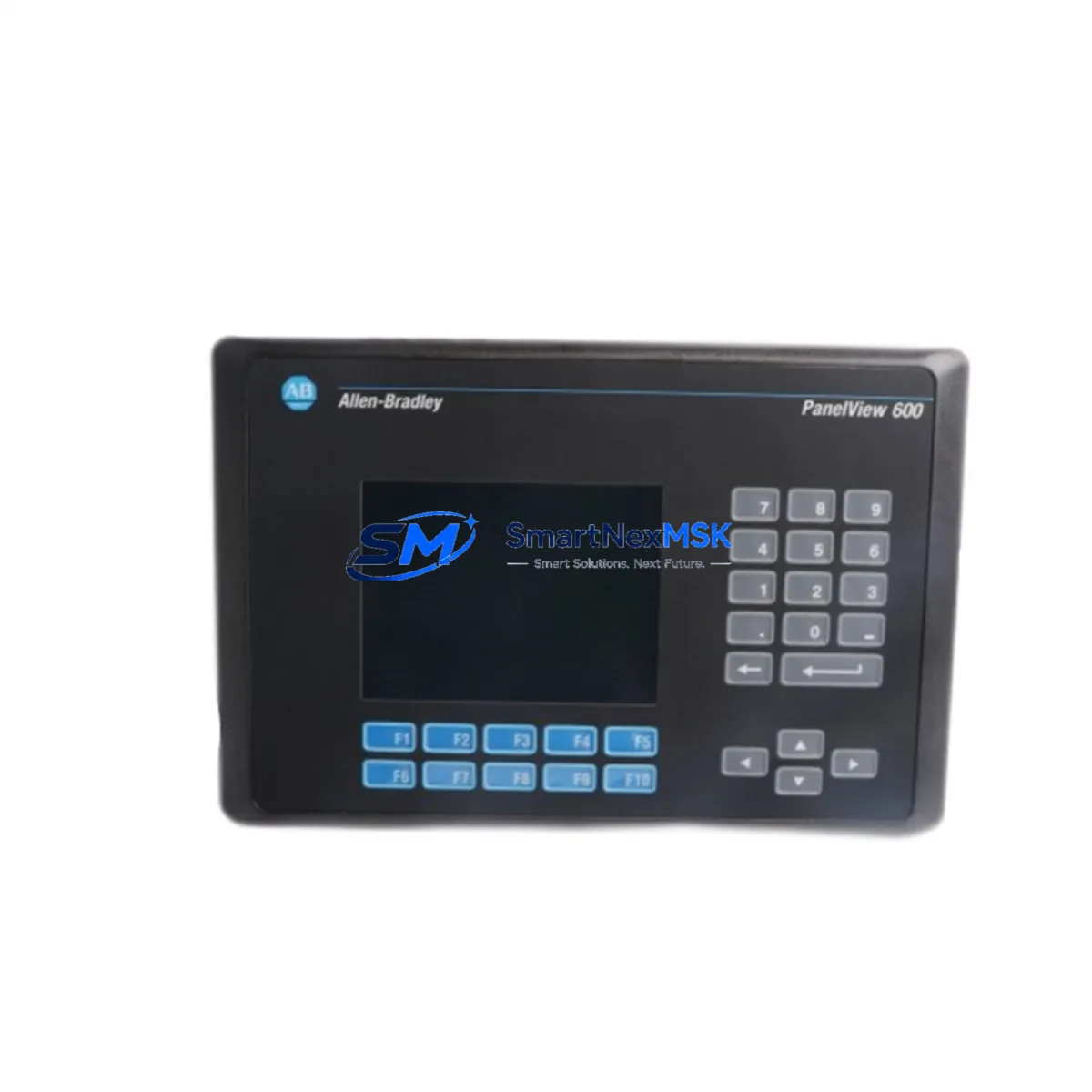
Allen-Bradley 2711-B6C2 Maintenance-Ready Spare PanelView 600: Spare Replacement & Industrial Downtime Risk Control
The Allen-Bradley 2711-B6C2 is a PanelView 600 series HMI operator terminal manufactured by Rockwell Automation, designed for demanding industrial control environments. With a 6-inch monochrome touchscreen and keypad interface, AC power input, and native compatibility with ControlLogix, SLC 500, and MicroLogix controller families via DH-485 and RS-232 communication links, the 2711-B6C2 remains a critical operator interface in legacy and mid-life automation systems across manufacturing, utilities, and process industries.
Maintaining an on-hand spare of the 2711-B6C2 is a proven strategy for reducing unplanned downtime. When this terminal fails — whether due to display degradation, keypad wear, power supply fault, or communication loss — production lines can halt within minutes. A pre-tested, warehouse-ready replacement unit eliminates the lead time risk associated with sourcing obsolete or long-cycle HMI components. Our 2711-B6C2 units are individually inspected, function-tested, and shipped with a 12-month warranty to support your maintenance and procurement teams with confidence.
Spare Maintenance Table
| Parameter | Specification |
|---|---|
| Part Number / SKU | 2711-B6C2 |
| Series | PanelView 600 |
| Brand / Manufacturer | Allen-Bradley (Rockwell Automation) |
| Display Size | 6-inch monochrome |
| Interface Type | Touchscreen + Keypad |
| Power Input | AC (120/240 VAC) |
| Communication Ports | DH-485, RS-232 |
| Compatible Controllers | ControlLogix, SLC 500, MicroLogix |
| Network Protocol | DH-485, DF1 |
| Operating Temperature | 0°C to 55°C (32°F to 131°F) |
| Enclosure Rating | NEMA 4/4X (panel front) |
| Origin | USA |
| Product Condition | Original, tested before shipment |
| Warranty | 12 Months |
| Maintenance Recommendation | Replace every 7–10 years or upon display/keypad failure; inspect power supply and communication wiring annually |
Maintenance Planning for Continuous Operation
When a 2711-B6C2 PanelView 600 terminal is flagged for replacement during a planned shutdown or emergency callout, experienced maintenance engineers know that the HMI is rarely the only component requiring attention. A thorough control cabinet inspection at the time of HMI replacement significantly reduces the risk of repeat failures and secondary downtime events.
Start by verifying the 24 VDC power supply feeding the control panel — units such as the Allen-Bradley 1606-XLP series or equivalent switch-mode power supplies should be checked for output voltage stability and ripple. A degraded power supply is a common root cause of HMI communication faults and display anomalies. Inspect the 1747-SIC DH-485 interface converter or the 1761-NET-AIC Advanced Interface Converter if the 2711-B6C2 is networked to an SLC 500 processor; connector corrosion and cable fatigue at the DB-9 or RJ45 terminations are frequent failure points.
Review the condition of the SLC 500 processor module (such as the 1747-L543 or 1747-L553) and its associated 1746-series I/O modules — digital input cards, analog output cards, and relay output modules should be inspected for blown fuses, worn relay contacts, and loose terminal block connections. If the system uses a 1747-SDN DeviceNet Scanner or 1747-KE RS-232/DH-485 Interface Module, verify firmware compatibility with the replacement HMI application file.
For panels operating in high-vibration or high-humidity environments, inspect terminal blocks and DIN rail assemblies for loosened conductors and oxidized contacts. Check signal isolators on analog loops — particularly on 4–20 mA process signals feeding the SLC analog input cards — as signal drift can cause erratic HMI display readings that are often misdiagnosed as HMI hardware faults. Surge protection devices on incoming AC lines and fuse holders on the 24 VDC distribution rail should also be tested and replaced if showing signs of thermal stress.
If the facility is planning a broader system refresh, consider stocking a 2711-B6C1 (DC-powered variant) or a 2711P-T6C20D PanelView Plus 600 as a forward-compatible upgrade path, while maintaining the 2711-B6C2 as the immediate drop-in replacement for existing panel cutouts and application files.
Site Replacement Workflow
Step 1 — Pre-replacement verification: Before removing the existing 2711-B6C2, back up the HMI application file using RSView32 or PanelBuilder 32 software via the RS-232 programming port. Confirm the replacement unit’s firmware revision matches or is compatible with the existing application. Document the current communication settings: node address, baud rate, and DF1/DH-485 protocol configuration.
Step 2 — Safe isolation: De-energize the panel following your site LOTO (Lockout/Tagout) procedure. Disconnect the AC power connector, communication cables, and any discrete I/O wiring connected to the HMI. Label all connectors before removal to prevent miswiring during reinstallation.
Step 3 — Physical installation: The 2711-B6C2 mounts into a standard panel cutout. Install the replacement unit, secure the mounting clamps evenly to maintain the NEMA 4/4X seal, and reconnect all cables in the documented order. Restore AC power and verify the power LED illuminates correctly.
Step 4 — Application restore and commissioning: Download the backed-up application file to the replacement terminal. Verify all screen navigation, setpoint entry, alarm displays, and communication status indicators function as expected. Confirm DH-485 node communication with the SLC 500 or MicroLogix processor using RSLinx Classic or equivalent diagnostic tools.
Step 5 — Return to service: Log the replacement in your maintenance management system (CMMS), update the spare parts inventory, and order a replacement 2711-B6C2 to restore your on-hand buffer stock. Total replacement time for a prepared maintenance team is typically 1–3 hours, minimizing production impact.
Spare Parts Support FAQ
Q1: Is the 2711-B6C2 still available as a new original unit, or is it only available as refurbished stock?
The 2711-B6C2 has been discontinued by Rockwell Automation as a new production item. Units available through specialist industrial spare parts suppliers like SMARTNEXMSK are sourced from original production stock or professionally tested surplus inventory. Each unit undergoes functional testing prior to shipment and is covered by a 12-month warranty, providing equivalent reliability assurance for maintenance and procurement teams.
Q2: How do I confirm compatibility between the 2711-B6C2 and my existing SLC 500 or MicroLogix application?
Compatibility depends on three factors: the HMI firmware revision, the PanelBuilder 32 application file version, and the communication protocol configuration (DH-485 node address and baud rate). Before ordering, provide your existing unit’s catalog number suffix and firmware label if visible. Our technical team can assist with compatibility verification. As a general rule, any 2711-B6C2 unit running PanelView firmware 3.x or later is compatible with standard PanelBuilder 32 application files targeting the PanelView 600 platform.
Q3: What is included in the 12-month warranty, and what does the pre-shipment testing cover?
Every 2711-B6C2 unit is tested for: AC power-up and display initialization, touchscreen and keypad input response, RS-232 and DH-485 communication port functionality, and application file download/upload via PanelBuilder 32. The 12-month warranty covers hardware defects and functional failures under normal operating conditions. Units that fail within the warranty period are replaced or refunded. Warranty does not cover damage resulting from incorrect installation, overvoltage events, or physical impact.
Q4: What is the recommended spare parts stocking strategy for facilities running multiple PanelView 600 terminals?
For facilities with 3 or more PanelView 600 terminals in service, maintaining a minimum of one 2711-B6C2 spare per 5 installed units is a widely adopted maintenance benchmark. For critical production lines where HMI failure would cause immediate line stoppage, a 1:1 or 1:2 spare ratio is recommended. Pair your HMI spare stock with a backup of the current application file stored offline, and schedule annual inspection of communication cables, power connectors, and display condition to extend the service life of installed units.
© 2026 SMARTNEXMSK. All rights reserved.
Original Source: https://smartnexmsk.com
Contact: [email protected] | +86 18259474341



