
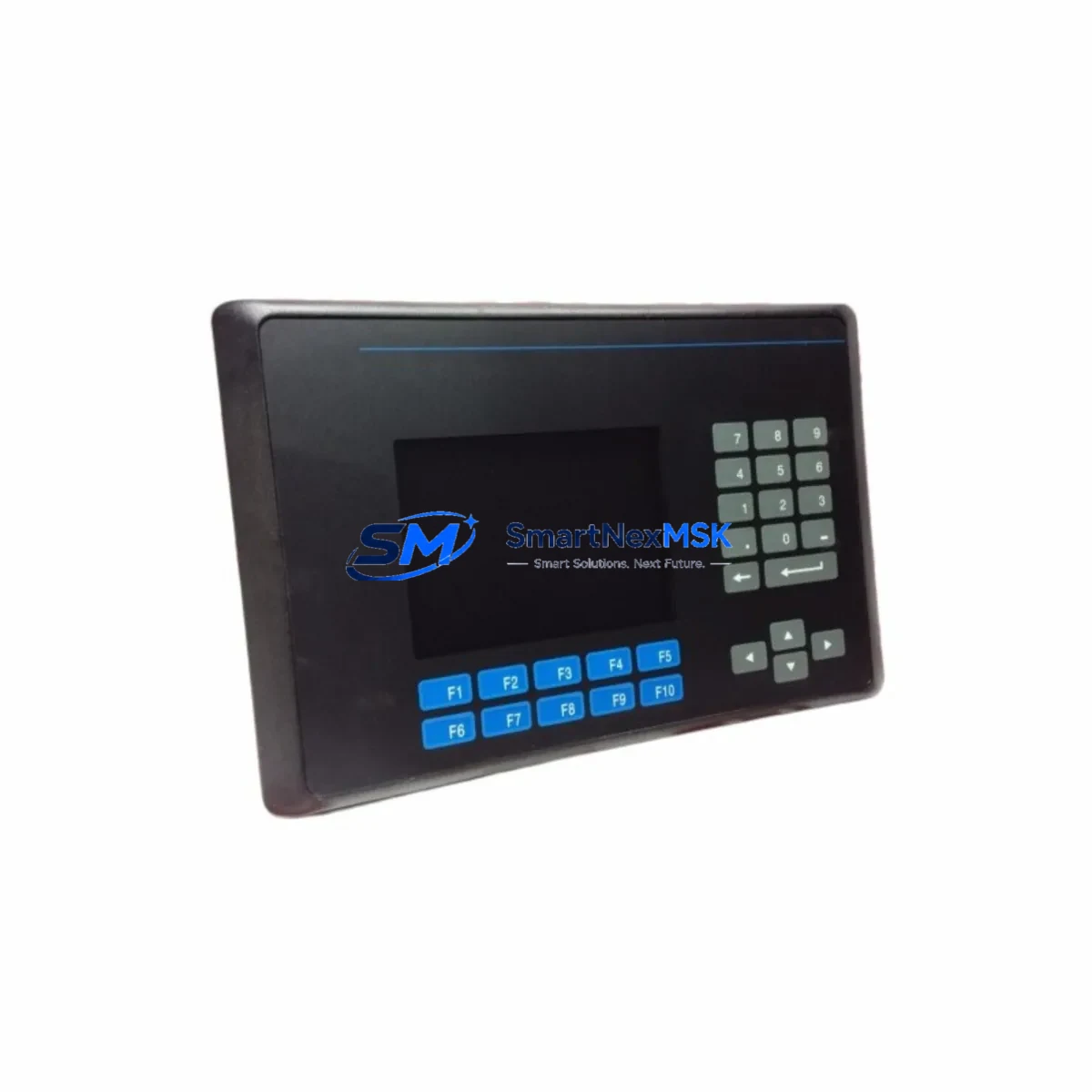
Allen-Bradley 2711-K6C1 Retrofit-Ready HMI for PanelView 600 Control Systems
The Allen-Bradley 2711-K6C1 is a 6-inch color keypad/touchscreen HMI operator terminal from the PanelView 600 series, manufactured by Rockwell Automation. As the PanelView 600 line has reached end-of-life status, sourcing a verified, tested replacement unit has become a critical priority for plant engineers managing legacy control panels, retrofit projects, and unplanned downtime events. SMARTNEXMSK maintains ready stock of the 2711-K6C1 to support immediate dispatch for production-critical applications.
This unit is fully compatible with Allen-Bradley SLC 500, MicroLogix 1000, MicroLogix 1100, and PLC-5 controller platforms via DH-485 and RS-232 communication links. It supports the original PanelView 600 application files created in PanelBuilder 32 software, allowing engineers to reload existing screen logic without reprogramming. Each unit shipped by SMARTNEXMSK undergoes pre-shipment functional testing covering power-on verification, display integrity, keypad response, and communication port continuity.
Whether you are replacing a failed terminal on an active production line, upgrading a control cabinet as part of a broader modernization initiative, or building a spare-parts inventory for aging automation infrastructure, the 2711-K6C1 provides a direct, low-disruption path to restoring operator interface functionality.
Upgrade Compatibility Table
| Parameter | Details |
|---|---|
| SKU / Part Number | 2711-K6C1 |
| Series | PanelView 600 |
| Display Size | 6-inch Color STN LCD |
| Interface Type | Keypad + Touchscreen |
| Communication Ports | DH-485, RS-232 (DF1) |
| Compatible Controllers | SLC 500, MicroLogix 1000/1100, PLC-5 |
| Programming Software | PanelBuilder 32 (existing files compatible) |
| Power Supply | 24 VDC (verify existing cabinet PSU capacity) |
| Mounting | Panel cutout mount — same footprint as original 2711-K6C1 |
| Replacement Recommendation | Direct drop-in for failed or end-of-life 2711-K6C1 units |
| Commissioning Note | Reload .pba application file via serial transfer cable; verify node address and baud rate match original configuration |
| Warranty | 12-Month Warranty — covers hardware defects and communication port failures |
Retrofit Planning for Existing Automation Systems
A successful 2711-K6C1 retrofit begins well before the replacement unit arrives on site. Engineers should pull the existing panel drawings to confirm the 24 VDC power supply rail has sufficient capacity to support the terminal alongside other panel loads — particularly if the control cabinet also houses a 1746-P4 power supply module feeding an SLC 500 rack with mixed digital and analog I/O cards such as the 1746-IB16 input module and 1746-OB16 output module.
Terminal block wiring for the communication port should be documented before removal. The DH-485 network uses a shielded twisted-pair cable, and the node address of the original 2711-K6C1 must be recorded and replicated on the replacement unit. If the system uses a 1747-AIC Advanced Interface Converter to bridge the SLC 500 processor’s DH-485 port to the HMI network, verify that the AIC termination resistor settings remain unchanged during the swap.
For cabinets that also include a 1747-SDN DeviceNet Scanner or a 1747-KE RS-232/DH-485 Interface Module, confirm that the communication scan list and node assignments are not disrupted by the HMI replacement. In multi-rack configurations using a 1746-A13 chassis backplane, the slot addressing for I/O modules must be verified against the PanelBuilder 32 tag database to ensure all screen objects continue to reference the correct data table addresses after the terminal is swapped.
If the retrofit is part of a broader control system upgrade that includes migrating from a PLC-5 platform to a ControlLogix 5580 controller, the HMI application will require conversion using FactoryTalk View ME software. In this scenario, the 2711-K6C1 may serve as an interim operator interface while the new ControlLogix rack — populated with 1756-IB16 digital input modules and 1756-OF8 analog output modules — is commissioned in parallel. A 1761-CBL-PM02 programming cable or equivalent USB-to-serial adapter is typically required for transferring the PanelBuilder 32 application file to the replacement terminal during commissioning.
Downtime Control During System Migration
Minimizing production downtime during an HMI replacement requires a structured changeover sequence. Before powering down the control panel, capture a full backup of the existing PanelBuilder 32 application file (.pba) from the original 2711-K6C1 using the terminal’s memory transfer function or a direct serial connection. If the original terminal has already failed and the file cannot be retrieved from the unit, check whether a backup copy exists on the engineering workstation or in the site’s document management system.
Once the replacement 2711-K6C1 is mounted and wired, restore power to the panel and verify the DH-485 communication link is established before loading the application file. Confirm that all operator screen pages display correctly, that alarm indicators respond to simulated fault conditions, and that setpoint entry fields write correctly to the SLC 500 data table. This end-to-end verification sequence typically takes 30 to 90 minutes for a single-terminal replacement on a well-documented system.
For sites where continuous process control is required, consider staging the replacement during a scheduled maintenance window or shift changeover. If a hot-standby arrangement is not feasible, pre-configure the replacement terminal off-line using a bench power supply and a laptop running PanelBuilder 32 before the scheduled outage begins. This preparation step can reduce the live changeover window to under 20 minutes, protecting production continuity and reducing the risk of extended unplanned downtime.
Retrofit Support FAQ
Q: Is the 2711-K6C1 a direct replacement for my existing PanelView 600 terminal?
A: Yes. The 2711-K6C1 uses the same panel cutout dimensions, 24 VDC power input, and DH-485/RS-232 communication ports as the original unit. Your existing PanelBuilder 32 application file (.pba) can be loaded directly onto the replacement terminal without modification, provided the controller platform and data table structure remain unchanged.
Q: What commissioning steps are required after installing the replacement unit?
A: After mounting and wiring, set the DH-485 node address to match the original terminal configuration, verify baud rate settings, and transfer the application file via serial cable. Power on the SLC 500 or MicroLogix controller and confirm communication is established. Cycle through all operator screens and test alarm and setpoint functions before returning the system to production.
Q: Can the 2711-K6C1 communicate with a ControlLogix or CompactLogix controller?
A: The 2711-K6C1 natively supports DH-485 and RS-232 DF1 protocols, which are not directly compatible with ControlLogix or CompactLogix Ethernet/IP architectures. For migration to a ControlLogix platform, a newer PanelView Plus or PanelView 800 terminal running FactoryTalk View ME is recommended. The 2711-K6C1 is best suited for maintaining existing SLC 500, MicroLogix, and PLC-5 based systems.
Q: What does the 12-month warranty cover?
A: The 12-month warranty covers hardware defects including display failures, keypad malfunctions, communication port faults, and power input failures under normal operating conditions. Each unit is functionally tested prior to shipment. Warranty claims are supported directly by SMARTNEXMSK — contact [email protected] or +86 18259474341 for assistance.
© 2026 SMARTNEXMSK. All rights reserved.
Original Source: https://smartnexmsk.com
Contact: [email protected] | +86 18259474341



