
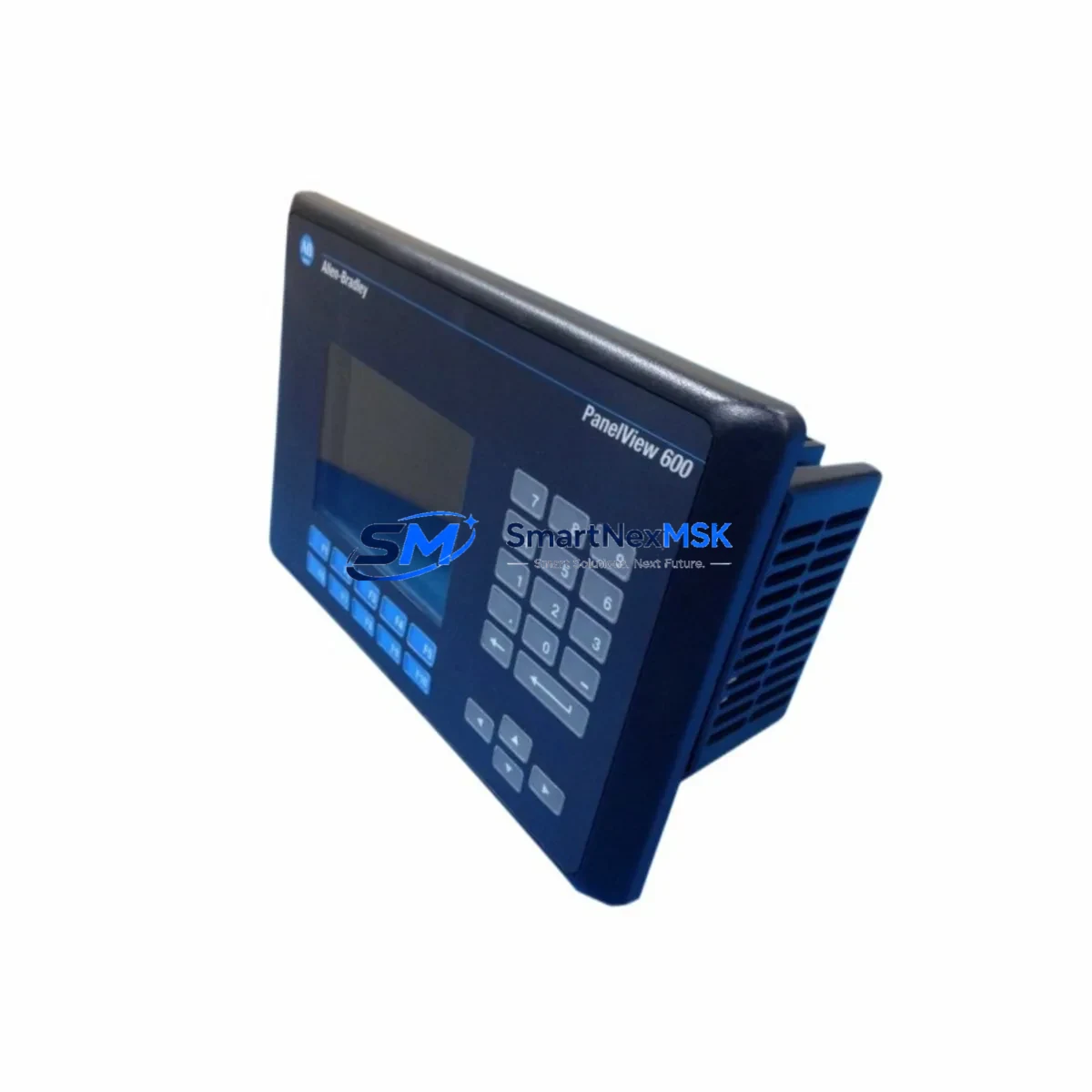
Allen-Bradley 2711-K6C9L1 Maintenance-Ready Spare PanelView 600: Spare Replacement & Industrial Downtime Risk Control
The Allen-Bradley 2711-K6C9L1 is a Color Keypad HMI Terminal from the PanelView 600 series, widely deployed across discrete manufacturing, process control, and machine automation environments. As a maintenance-ready spare, this unit is sourced, inspected, and dispatched to support rapid on-site replacement — minimizing unplanned downtime and keeping production lines operational. Whether you are managing a planned shutdown, responding to an emergency fault, or building out your critical spare inventory, the 2711-K6C9L1 delivers the compatibility, reliability, and traceability that maintenance and procurement engineers demand.
Industrial facilities running legacy Allen-Bradley PanelView 600 systems face increasing pressure as original equipment reaches end-of-life. Sourcing a verified replacement unit — one that has been tested, correctly configured, and shipped with full documentation — is the difference between a two-hour recovery and a two-day production loss. SMARTNEXMSK stocks the 2711-K6C9L1 as a long-term supply item, ensuring availability for both emergency callouts and scheduled maintenance cycles.
Spare Maintenance Table
| Parameter | Specification |
|---|---|
| Part Number / SKU | 2711-K6C9L1 |
| Brand | Allen-Bradley (Rockwell Automation) |
| Series | PanelView 600 |
| Display Type | Color Keypad HMI Terminal |
| Screen Size | 6-inch STN Color LCD |
| Input Method | Keypad (Function Keys + Numeric) |
| Communication | DH-485 / RS-232 (DF1 Protocol) |
| Power Supply | 24 VDC / 120–240 VAC (model-dependent) |
| Operating Temperature | 0°C to 55°C |
| Protection Rating | NEMA 4/4X, 12, 13 (front panel) |
| Compatibility | SLC 500, MicroLogix, PLC-5 series via DH-485/DF1 |
| Software | PanelBuilder 1400e / RSView ME (legacy) |
| Origin | USA |
| Condition | Original Spare — Inspected & Tested |
| Warranty | 12 Months from shipment date |
| Shipping | Tested before dispatch; ESD-safe packaging |
| Lead Time | In-stock items ship within 1–3 business days |
Maintenance Planning for Continuous Operation
When a 2711-K6C9L1 HMI terminal fails or is flagged during a control cabinet inspection, the replacement process rarely ends with the HMI alone. Experienced maintenance engineers know that a failed or degraded HMI is often a symptom of broader electrical stress in the control loop. Before returning the system to service, a thorough inspection of the surrounding components is essential.
Start with the 24 VDC power supply feeding the HMI — units such as the Allen-Bradley 1606-XLP series or equivalent industrial DIN-rail PSUs should be checked for output voltage stability and ripple. A marginal power supply is a common root cause of HMI display faults and communication dropouts. Next, inspect the DH-485 communication cable and termination resistors; degraded shielding or loose terminal connections on the 1747-AIC Advanced Interface Converter can cause intermittent communication loss that mimics HMI hardware failure.
For systems where the 2711-K6C9L1 interfaces with an SLC 500 controller (such as the 1747-L543 or 1747-L553 CPU), verify the processor’s DH-485 port integrity and confirm that the application program is intact after any power interruption. If the control cabinet also houses 1746-series I/O modules — including digital input cards (1746-IB16), digital output cards (1746-OB16), or analog modules (1746-NI4) — these should be visually inspected for indicator faults and tested under load before sign-off.
Communication integrity between the HMI and PLC depends on the health of the entire network segment. Check RS-232 serial cables, DB9 connectors, and any 1747-PIC Personal Interface Converter in the loop. Where relay output modules or 1492-series terminal blocks are present in the same cabinet, inspect for signs of overheating, arc damage, or loose wiring that could introduce noise into the communication bus. If the installation includes a signal isolator between the HMI power rail and field devices, verify isolation resistance and output signal levels.
For aging systems where the 2711-K6C9L1 is part of a broader life-extension strategy, consider stocking companion spares: a backup 1747-L40B SLC 5/04 processor, a set of 1746-P4 power supply modules, and at least one spare 1746-A10 chassis will significantly reduce mean time to repair across the entire control system. Proactive spare inventory planning — aligned with your facility’s planned maintenance intervals — is the most cost-effective way to extend the operational life of legacy PanelView 600 installations.
Site Replacement Workflow
Replacing a 2711-K6C9L1 on-site is a straightforward process when the correct spare is available and pre-verified. Begin by documenting the existing HMI configuration: note the application file name, terminal type setting, node address, and communication parameters (baud rate, parity, stop bits). If the original unit is still partially functional, use PanelBuilder 1400e to upload and save the application file before removal.
Power down the control cabinet following your site’s lockout/tagout (LOTO) procedure. Disconnect the communication cable and power connector from the rear of the 2711-K6C9L1, then remove the unit from the panel cutout. Install the replacement unit, reconnect power and communication, and restore power. On first boot, verify the terminal type and node address match the original configuration, then download the saved application file. Confirm all screen navigation, data display, and operator input functions before returning the system to production.
The 2711-K6C9L1 is a direct form-fit-function replacement for other PanelView 600 color keypad variants within the same communication protocol family. When migrating from a failed unit with a different suffix (e.g., 2711-K6C8 or 2711-K6C5), confirm that the communication type and power input voltage match before installation. SMARTNEXMSK provides pre-shipment configuration support and technical documentation to ensure compatibility is confirmed before the unit leaves our facility — reducing the risk of a second callout and further downtime.
Spare Parts Support FAQ
Q1: What is the warranty coverage for the 2711-K6C9L1 spare unit?
All 2711-K6C9L1 units supplied by SMARTNEXMSK carry a 12-month warranty from the date of shipment. Each unit undergoes functional testing and inspection prior to dispatch. In the event of a warranty claim, we provide rapid replacement or repair support to minimize impact on your operations.
Q2: How do I confirm compatibility before ordering?
Compatibility is determined by three factors: communication protocol (DH-485 or RS-232/DF1), power supply voltage (24 VDC or AC), and the PLC/controller series in use (SLC 500, MicroLogix, or PLC-5). Share your existing part number, controller model, and communication setup with our technical team at [email protected] and we will confirm compatibility before order confirmation.
Q3: Can this unit replace end-of-life PanelView 600 models no longer available from the OEM?
Yes. The 2711-K6C9L1 is sourced from verified supply channels and is available as a long-term spare for facilities that cannot or choose not to migrate to newer HMI platforms. We maintain ongoing stock and can support multi-unit orders for spare parts programs and planned maintenance shutdowns.
Q4: What pre-shipment testing is performed on each unit?
Each unit is powered on, display function is verified, keypad inputs are tested, and communication port integrity is checked prior to packaging. Units are shipped in ESD-safe, anti-static packaging with appropriate cushioning for international freight. A test report is available upon request for quality-critical procurement processes.
© 2026 SMARTNEXMSK. All rights reserved.
Original Source: https://smartnexmsk.com
Contact: [email protected] | +86 18259474341



