
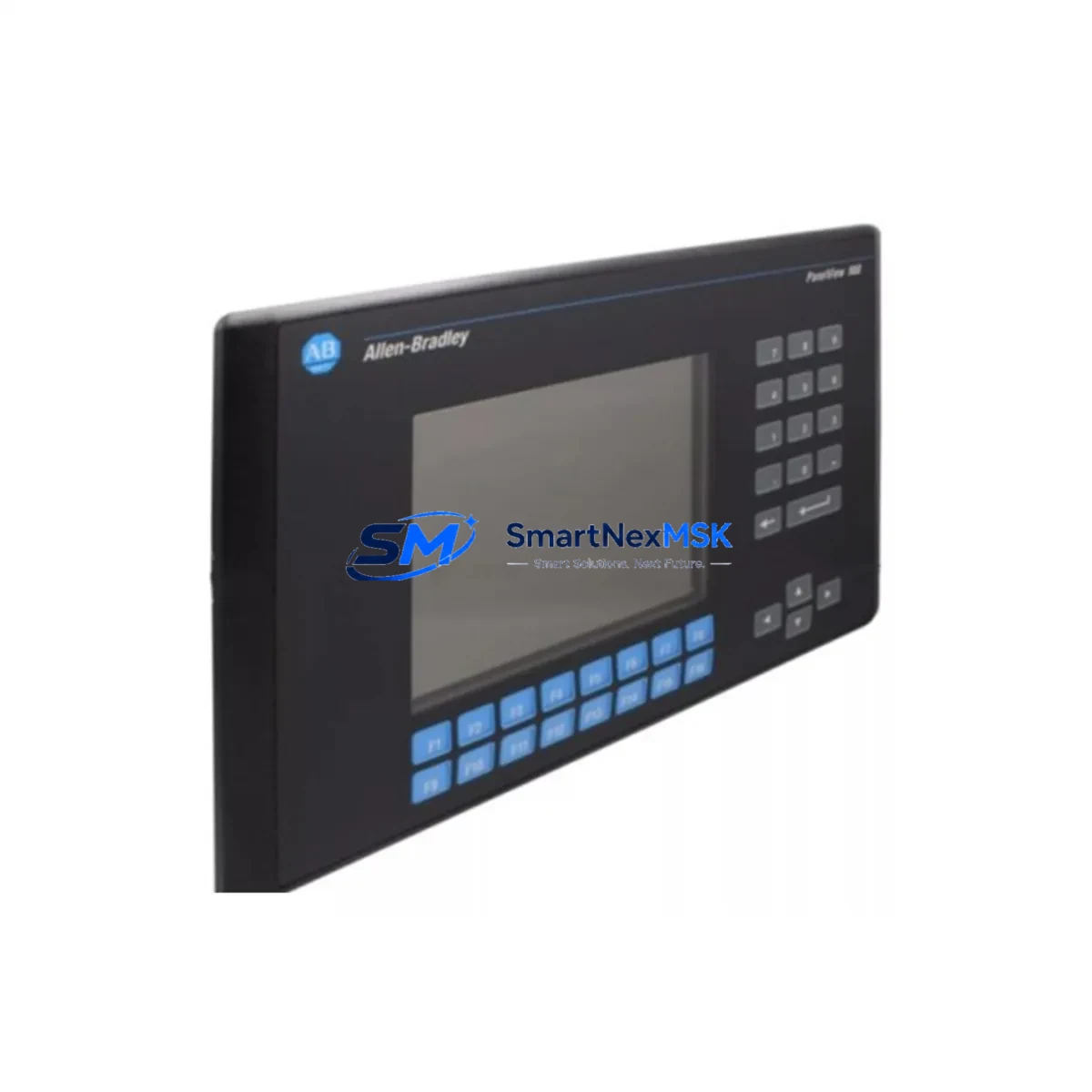
Allen-Bradley 2711-K9C1 Retrofit-Ready HMI for PanelView Standard Control Systems
The Allen-Bradley 2711-K9C1 is a 9-inch color keypad HMI terminal from the PanelView Standard series, designed for seamless integration into legacy and modernized Allen-Bradley control architectures. As a retrofit-ready replacement unit, the 2711-K9C1 addresses the growing demand for compatible, in-stock alternatives to discontinued or end-of-life operator interface panels across manufacturing, process control, and discrete automation environments. Whether you are recovering a failed panel on an active production line or executing a planned control cabinet upgrade, the 2711-K9C1 delivers the display resolution, keypad layout, and communication interface your existing application requires — without forcing a full system redesign.
This unit communicates natively over DH-485 and RS-232 serial links, making it directly compatible with SLC 500 series controllers, PLC-5 family processors, and MicroLogix 1000/1100/1400 platforms. Facilities running legacy Rockwell Automation architectures will find the 2711-K9C1 a reliable drop-in candidate, provided terminal wiring, power supply ratings, and panel cutout dimensions are verified against the original installation drawings prior to commissioning.
Upgrade Compatibility Table
| Parameter | 2711-K9C1 Specification | Retrofit Notes |
|---|---|---|
| Display Size | 9-inch Color STN LCD | Verify panel cutout: 246 × 185 mm |
| Input Method | Function Keypad (32 keys) | Matches original PanelView Standard keypad layout |
| Communication Port | DH-485 / RS-232 | Compatible with SLC 500, PLC-5, MicroLogix via 1747-PIC or direct RS-232 |
| Power Supply | 24 VDC / 120–240 VAC | Confirm existing PSU output; 24 VDC variant preferred for cabinet upgrades |
| Programming Software | PanelBuilder 32 (v3.83+) | Existing .pba application files are directly transferable |
| Backplane / Rack | Stand-alone (no rack required) | Mounts directly to panel door; no SLC rack slot consumed |
| Protocol Migration | DH-485 native | No protocol converter required for SLC 500 DH-485 networks |
| Replacement Candidates | 2711-K9C3, 2711-K9C5, 2711-B9C1 | Verify firmware revision and application compatibility before swap |
| Commissioning Tool | 1747-PIC / 1761-CBL-PM02 | Required for application download via RS-232 to DH-485 bridge |
| Warranty | 12-Month Warranty | Covered from date of shipment; includes functional verification test |
Retrofit Planning for Existing Automation Systems
Successful integration of the 2711-K9C1 into an existing control system begins well before the unit arrives on site. Retrofit engineers should start by auditing the current control cabinet layout, documenting the existing terminal block wiring on the operator panel’s communication and power terminals. The 2711-K9C1 uses a standard DB-9 RS-232 port and a 3-pin DH-485 connector; both must be matched against the existing cable harness before the old panel is removed.
Power supply capacity is a critical checkpoint. The 2711-K9C1 draws up to 30 W at 24 VDC. If the cabinet’s 1606-XLP power supply or equivalent is already loaded near capacity by the SLC 5/04 processor, 1746-IB16 digital input modules, 1746-OB16 output modules, and any 1746-NI4 analog input cards, a load calculation must be performed to confirm headroom. Undersized power supplies are a leading cause of intermittent HMI faults after retrofit.
For facilities running a DH-485 network segment that also includes a 1747-SN Scanner Node or a 1747-AIC Advanced Interface Converter, the 2711-K9C1 must be assigned a unique node address (typically node 1 for the HMI) using the on-screen configuration menu before the network is energized. Duplicate node addresses will cause communication faults across the entire DH-485 segment, affecting not only the HMI but also any 1747-SDN DeviceNet Scanner or 1747-KE DH-485 to DH+ Gateway on the same link.
Application file transfer is performed using PanelBuilder 32 software via a 1761-CBL-PM02 programming cable connected to the HMI’s RS-232 port. If the original .pba project file is unavailable, the application can sometimes be uploaded from the old panel before removal — provided the panel still powers on. Retaining the original application eliminates the need to rebuild HMI screens, alarm setpoints, and tag database mappings from scratch, which is especially valuable in facilities where the original PanelBuilder project files were not archived.
Where the retrofit also involves migrating from an older SLC 5/03 to a newer CompactLogix L3x platform, a protocol bridge such as the 1761-NET-AIC or a third-party DH-485 to EtherNet/IP gateway will be required, since CompactLogix controllers do not natively support DH-485. In these cases, the 2711-K9C1 may serve as an interim HMI during the transition period while a longer-term migration to a PanelView Plus 7 or PanelView 800 is planned.
Downtime Control During System Migration
Minimizing unplanned downtime during an HMI swap is the primary concern for maintenance teams operating continuous or semi-continuous production lines. The recommended approach is to pre-configure the replacement 2711-K9C1 off-line before the scheduled maintenance window. This means loading the application file, setting the node address, configuring the communication parameters, and performing a bench-level power-on test — all before the unit is installed in the cabinet.
During the swap window, the sequence should follow a defined lockout/tagout procedure: isolate the panel power, disconnect the communication cable and power terminals from the old unit, remove it from the panel cutout, install the 2711-K9C1, reconnect terminals in the documented order (power first, then communication), and restore power. A pre-tested unit with a verified application file typically achieves first-communication within minutes of power restoration, keeping the maintenance window to under one hour for a straightforward like-for-like replacement.
To protect the original PLC program logic during the HMI swap, the SLC 500 or MicroLogix controller should remain in RUN mode throughout the panel replacement if process safety permits. The controller’s ladder logic continues to execute independently of the HMI, meaning outputs, timers, and counters are unaffected by the HMI being offline. This approach preserves control continuity and avoids the risk of an unintended program download overwriting the production program in the controller’s memory.
For sites where the HMI is the only operator interface for critical setpoint adjustments, a temporary laptop running RSLinx Classic and RSLogix 500 can serve as a backup interface during the swap window, allowing operators to monitor and adjust controller data files directly until the new HMI is confirmed online.
Retrofit Support FAQ
Q1: Is the 2711-K9C1 a direct drop-in replacement for the 2711-K9C3 or 2711-B9C1?
The 2711-K9C1 shares the same 9-inch display size and PanelView Standard form factor as the 2711-K9C3 and 2711-B9C1, but there are differences in power input options and keypad configurations between catalog numbers. Always verify the power supply variant (24 VDC vs. 120/240 VAC) and confirm the existing application file is compatible with the target catalog number before committing to the swap. Our technical team can assist with cross-reference verification prior to shipment.
Q2: Can the existing PanelBuilder 32 application file be used without modification?
In most cases, yes. PanelBuilder 32 application files (.pba) created for one PanelView Standard 9-inch terminal are generally portable across compatible catalog numbers within the same series. However, if the original application was built for a monochrome terminal and the replacement is a color unit (or vice versa), screen color attributes may require adjustment. A test download to the replacement unit in a bench environment before site installation is strongly recommended.
Q3: What communication cable is required for application download?
Application download to the 2711-K9C1 requires a 1761-CBL-PM02 cable (RS-232 straight-through, DB-9 to mini-DIN 8) connected between the programming PC’s COM port and the HMI’s RS-232 port, with PanelBuilder 32 software installed. USB-to-serial adapters are supported but must use a chipset compatible with the RS-232 driver (FTDI-based adapters are generally reliable).
Q4: What does the 12-month warranty cover, and is pre-shipment testing performed?
Every 2711-K9C1 unit is functionally tested prior to shipment, including power-on verification, display check, keypad response, and communication port continuity. The 12-month warranty covers hardware defects and functional failures under normal operating conditions from the date of shipment. Units that fail within the warranty period are repaired or replaced at no charge. Warranty claims are processed within 5 business days of unit receipt.
© 2026 SMARTNEXMSK. All rights reserved.
Original Source: https://smartnexmsk.com
Contact: [email protected] | +86 18259474341



