
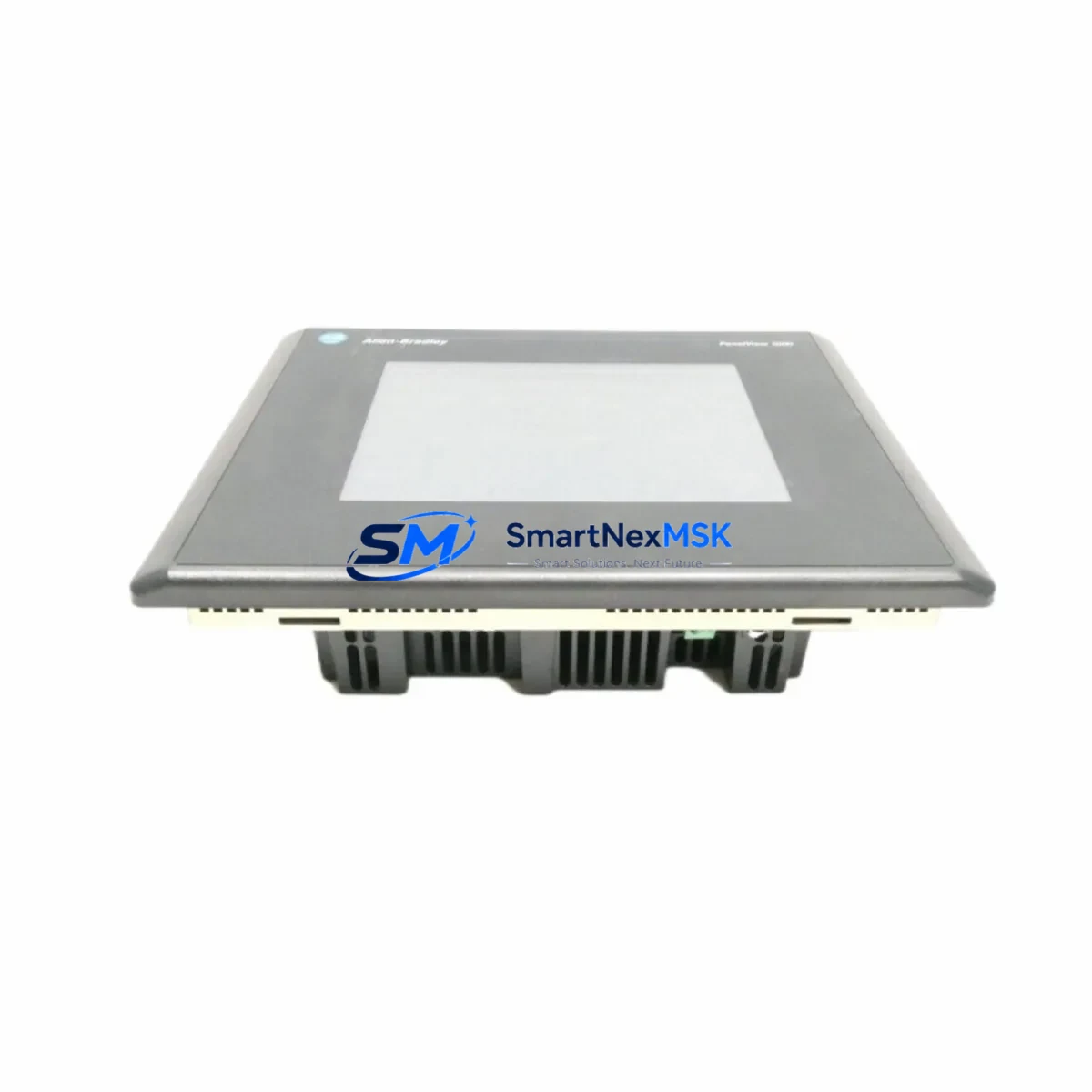
Allen-Bradley 2711-T10C20L1 Retrofit-Ready HMI for PanelView 1000 Control Systems
The Allen-Bradley 2711-T10C20L1 is a 10.4-inch color touch HMI terminal from the PanelView 1000 series, designed for operator interface applications in industrial control systems. As the original PanelView 1000 platform approaches end-of-life and spare parts become increasingly scarce, the 2711-T10C20L1 remains one of the most sought-after retrofit and replacement units for facilities running legacy Rockwell Automation control architectures. Whether you are managing a planned upgrade or responding to an unplanned failure, sourcing a verified, tested 2711-T10C20L1 is the fastest path to restoring production continuity without a full system redesign.
This unit supports Data Highway Plus (DH+) and DH-485 communication protocols, making it directly compatible with legacy SLC 500 controllers, MicroLogix 1500 systems, and PLC-5 platforms still operating in the field. The 2711-T10C20L1 connects via the standard 1747-PIC or 1761-CBL-PM02 programming cable interface, and its terminal block wiring layout is consistent with earlier PanelView 550 and PanelView 600 installations, reducing re-wiring time during panel retrofits. Before installation, engineers should verify the 24 VDC power supply capacity at the control cabinet — the 2711-T10C20L1 draws approximately 1.5 A at full backlight, and aging 1606-XLP power supplies in legacy cabinets may require replacement or supplemental capacity.
Upgrade Compatibility Table
| Parameter | Details |
|---|---|
| SKU / Part Number | 2711-T10C20L1 |
| Series | PanelView 1000 |
| Display | 10.4″ Color TFT Touch Screen |
| Communication Protocols | DH+, DH-485, RS-232 |
| Compatible Controllers | SLC 500, PLC-5, MicroLogix 1500 |
| Power Supply | 24 VDC, ~1.5 A |
| Mounting | Panel cutout, NEMA 4/4X front face |
| Programming Software | PanelBuilder 1400e / RSView ME (for migration) |
| Replacement Path | PanelView Plus 1000 (2711P-T10C4D8) for full migration |
| Commissioning Note | Verify node address, baud rate, and DH+ token rotation before go-live |
| Warranty | 12 Months — covers hardware defects, DOA replacement, and functional verification |
Retrofit Planning for Existing Automation Systems
Successful integration of the 2711-T10C20L1 into an existing control system requires a structured pre-installation review. Begin by auditing the backplane configuration of the SLC 500 rack — confirm that the 1746-A10 or 1746-A13 chassis has available slots if any 1746-NI4 analog input modules or 1746-OB16 digital output modules need to be relocated to accommodate updated I/O mapping. If the legacy system uses a 1747-SN Scanner Module for remote I/O, verify that the DH+ node address assigned to the 2711-T10C20L1 does not conflict with existing scanner or adapter node assignments.
For facilities running a mixed communication environment — for example, where a 1785-L40B PLC-5 controller handles upstream supervisory logic while SLC 500 units manage local I/O — the 2711-T10C20L1 can be configured to communicate with either platform using its DH+ port, provided the baud rate (typically 57.6 Kbps) is consistent across the network segment. If the control cabinet also houses a 1756-DHRIO ControlLogix bridge module for DH+ to EtherNet/IP translation, the HMI node address must be registered in the bridge’s routing table before commissioning.
Panel wiring for the 2711-T10C20L1 follows the same terminal layout as earlier PanelView 600 and PanelView 900 units, which simplifies in-place swaps. However, if the original unit used a 1761-CBL-HM02 cable for DH-485 connectivity and the replacement is being configured for DH+, the cable and port adapter must be changed accordingly. Always label and photograph existing wiring before disconnection, and retain the original PanelBuilder 1400e application file (.pba) as a backup before any screen migration work begins. If the application is being migrated to a PanelView Plus 1000 (2711P-T10C4D8) as part of a longer-term upgrade, the PanelView Migration Tool within FactoryTalk View ME Studio can convert most screen logic, though custom ActiveX objects and legacy alarm configurations will require manual review.
Downtime Control During System Migration
Minimizing unplanned downtime during an HMI replacement is the primary concern for maintenance teams working on live production lines. For the 2711-T10C20L1, the recommended approach is a staged swap: pre-configure and bench-test the replacement unit off-line using a 1747-UIC USB-to-DH+ adapter and a laptop running RSLinx Classic, confirming that all screen navigation, tag bindings, and alarm setpoints match the original application before the unit reaches the floor.
During the physical swap, the control program in the SLC 500 processor — typically stored on a 1747-M13 memory module — should not be disturbed. The processor can remain in RUN mode during the HMI disconnection and reconnection, as the DH+ network will simply report a lost node until the new terminal comes online. Once the 2711-T10C20L1 is powered and the DH+ cable is connected, confirm the node address via the terminal’s configuration menu, then verify communication status in RSLinx Classic before releasing the line. This approach typically limits visible operator downtime to under 15 minutes for a like-for-like swap.
For facilities where the HMI failure has already caused a production stop, SMARTNEXMSK maintains in-stock inventory of the 2711-T10C20L1 with same-day dispatch capability. Each unit undergoes functional power-on testing and communication verification prior to shipment, and is covered by a 12-month warranty against hardware defects and early failure.
Retrofit Support FAQ
Q: Is the 2711-T10C20L1 a direct drop-in replacement for other PanelView 1000 models such as the 2711-T10G20L1?
A: The 2711-T10C20L1 (color touch) and 2711-T10G20L1 (grayscale touch) share the same mechanical footprint and DH+ communication interface, making physical installation interchangeable. However, the application file (.pba) created for a grayscale terminal will display correctly on the color unit without modification, while color-specific screen elements created on the 2711-T10C20L1 may not render correctly on a grayscale replacement. Confirm the application file version before substituting models.
Q: What wiring changes are required when replacing a failed 2711-T10C20L1 in a DH-485 network?
A: If the original installation used DH-485 (via the RS-232 port with a 1761-CBL-HM02 adapter), no wiring changes are required for a like-for-like replacement. If you are upgrading the communication link to DH+ simultaneously, replace the cable with a 1770-CD shielded twisted-pair segment and update the port configuration in the terminal’s setup menu. Verify that the DH-485 network termination resistors (120 Ω) are correctly placed at both ends of the segment if DH-485 is retained.
Q: Does the replacement unit come pre-loaded with the original application, and how is the application transferred?
A: Replacement units are shipped without a pre-loaded application. The application must be transferred from a backup .pba file using PanelBuilder 1400e software and a 1747-PIC or 1747-UIC interface cable connected to the terminal’s DH+ port. If no backup exists, the application can sometimes be uploaded from the original unit if it is still partially functional. SMARTNEXMSK recommends maintaining an off-site backup of all HMI application files as part of standard maintenance practice.
Q: What does the 12-month warranty cover, and what is the process for a warranty claim?
A: The 12-month warranty covers hardware defects, failure under normal operating conditions, and dead-on-arrival (DOA) units. It does not cover damage from incorrect wiring, overvoltage, physical impact, or unauthorized repair. To initiate a warranty claim, contact SMARTNEXMSK with the order reference number and a description of the fault. DOA claims are prioritized for same-day replacement dispatch where stock permits. All warranty units are tested and verified before return shipment.
© 2026 SMARTNEXMSK. All rights reserved.
Original Source: https://smartnexmsk.com
Contact: [email protected] | +86 18259474341



