
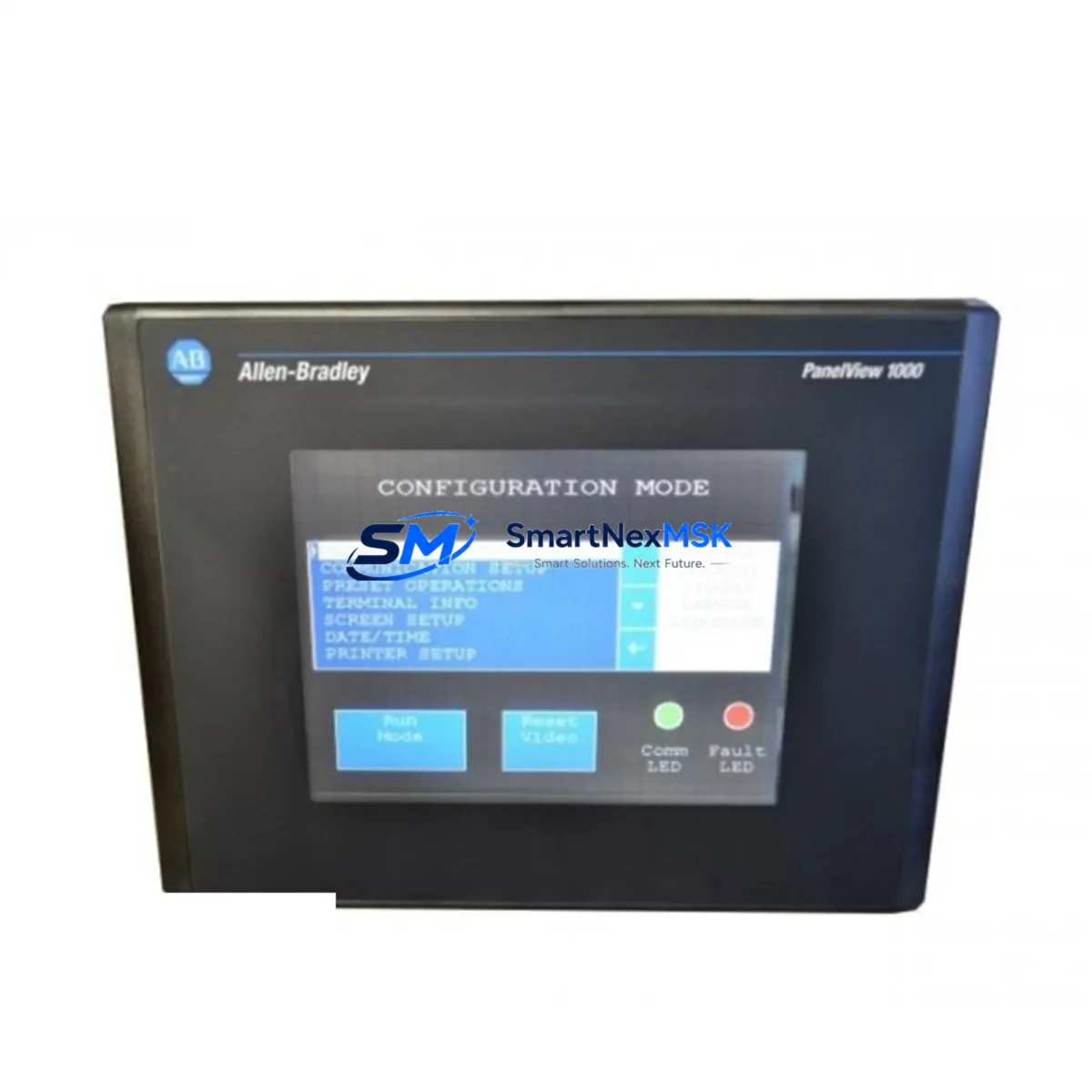
Allen-Bradley 2711-T10C8 Retrofit-Ready HMI for PanelView 1000 Control Systems
The Allen-Bradley 2711-T10C8 is a 10.4-inch color touch-screen HMI terminal from the PanelView 1000 series, designed for seamless integration into legacy Allen-Bradley control architectures. As original PanelView 1000 units reach end-of-life and spare parts become increasingly scarce, the 2711-T10C8 remains one of the most sought-after retrofit and replacement components for facilities running SLC 500, MicroLogix, and PLC-5 based control systems. SMARTNEXMSK maintains verified stock of the 2711-T10C8 with full functional testing, 12-month warranty coverage, and same-week global shipping capability.
Whether you are managing a planned upgrade cycle or responding to an unplanned HMI failure on a production line, the 2711-T10C8 provides a direct hardware path to restore operator interface functionality without requiring immediate controller replacement or full system redesign. Its compatibility with RS-232 and DH-485 communication protocols makes it a practical choice for facilities that are not yet ready to migrate to the newer PanelView Plus or PanelView 800 platforms.
Upgrade Compatibility Table
| Parameter | 2711-T10C8 Specification | Retrofit Notes |
|---|---|---|
| Display | 10.4″ Color TFT Touch Screen | Direct panel cutout match for most PanelView 1000 enclosures |
| Communication Ports | RS-232, DH-485 | Compatible with SLC 500, MicroLogix 1000/1100/1500, PLC-5 via DF1 or DH-485 |
| Power Supply | 24 VDC / 120–240 VAC (model dependent) | Verify existing power rail capacity; 1606-XLP power supplies are commonly paired |
| Application Transfer | PanelBuilder 32 / RSView ME | Existing .pba files can be reloaded via serial or CF card; verify tag database alignment |
| Mounting | Panel-mount, NEMA 4/4X front face | Gasket seal must be inspected and replaced if reusing existing cutout |
| Replacement Path | Replaces 2711-T10C8L1, 2711-T10C8L2, 2711-T10C8X | Confirm firmware revision compatibility with connected controller |
| Commissioning | Terminal block wiring, node address setting, comms test | DH-485 node address must not conflict with existing network devices |
| Warranty | 12-Month Warranty — covers hardware defects, functional failure, and DOA replacement | |
Retrofit Planning for Existing Automation Systems
A successful 2711-T10C8 retrofit begins well before the unit arrives on-site. Engineers should start by auditing the existing control cabinet layout, identifying the current HMI mounting position, and confirming that the panel cutout dimensions match the 2711-T10C8 bezel footprint. In most PanelView 1000 installations, the cutout is standardized, but enclosures that have been modified over the years may require minor rework.
Power supply verification is a critical pre-installation step. Many aging control cabinets rely on 1606-XLP series or 1606-XLS series power supplies that may be operating near capacity after years of incremental I/O expansion. Before installing the 2711-T10C8, measure the available DC headroom on the 24 VDC rail and confirm that the supply can handle the HMI’s inrush current without triggering undervoltage faults on the SLC 500 or MicroLogix 1500 controller rack.
Terminal block wiring should be documented before disconnecting the old unit. Photograph or sketch the existing RS-232 or DH-485 cable routing, noting shield grounding points and cable routing through the cabinet. The 2711-T10C8 uses a standard DB-9 or terminal strip interface depending on the communication option installed. If the existing cable is a 1761-CBL-PM02 or 1747-CP3 programming cable, confirm it is in good condition before reuse, as degraded cables are a common source of intermittent communication faults after HMI replacement.
For facilities running DH-485 networks with multiple nodes — such as a combination of SLC 5/03 or SLC 5/04 processors, 1747-AIC link couplers, and remote I/O adapters — the replacement HMI must be assigned a unique node address that does not conflict with existing devices. This is configured through the HMI’s setup screens before the application is loaded. Failure to set the correct node address is one of the most common commissioning errors during PanelView 1000 replacements.
Application file transfer is typically performed via a CompactFlash card or a direct serial connection using PanelBuilder 32 software. If the original application file is unavailable, SMARTNEXMSK recommends requesting a backup from the OEM or the original system integrator before proceeding. In cases where the application must be rebuilt, the tag database should be cross-referenced against the SLC 500 or MicroLogix data file structure to ensure all integer, binary, and timer tags are correctly mapped.
For systems that include 1734 POINT I/O modules, 1756 ControlLogix I/O chassis, or 1769 CompactLogix expansion racks communicating through an Ethernet/IP or DeviceNet bridge, the HMI replacement does not affect the I/O network directly. However, if the HMI was previously configured to display real-time I/O status from these modules, the tag addresses must be verified after the application is reloaded. Similarly, if the control system includes a 1785-L40B PLC-5 processor communicating over DH+, a 1761-NET-AIC or KF3 module may be required to bridge the DH-485 HMI to the DH+ backbone.
Before closing the control cabinet, perform a full I/O scan, verify all alarm setpoints are correctly displayed, and confirm that any recipe or parameter screens are functioning as expected. If the system includes a 1747-L553 SLC 5/05 with Ethernet connectivity, verify that the HMI’s Ethernet-based data logging or historian connection — if applicable — is re-established after the swap.
Downtime Control During System Migration
Minimizing production downtime during a PanelView 1000 HMI replacement requires a structured pre-outage preparation process. The most effective approach is to complete all software preparation — application file backup, tag verification, and communication parameter documentation — during normal production hours, so that the physical swap can be executed within a single planned maintenance window.
Before the outage begins, confirm that the replacement 2711-T10C8 has been bench-tested with the application file loaded and communications verified against a test controller or simulator. SMARTNEXMSK ships all units with a pre-shipment functional test report, which confirms display operation, touch calibration, and communication port integrity. This eliminates the risk of discovering a hardware fault during a live maintenance window.
During the swap, the controller — whether a SLC 500, MicroLogix 1100, or PLC-5 — should remain in RUN mode where process safety permits, with the program logic continuing to execute independently of the HMI. Most Allen-Bradley controllers maintain their last output states during HMI disconnection, so the physical process can often continue running in a supervised manual mode while the HMI is replaced. This is particularly important in continuous process applications where a full shutdown would require extended restart procedures.
After the new 2711-T10C8 is mounted and wired, restore communications and verify that all screen navigation, setpoint entry, and alarm acknowledgment functions are operating correctly before returning the system to full automatic control. Document the completed replacement in the facility’s maintenance log, including the serial number of the replaced unit, the firmware version of the new HMI, and the date of commissioning. This record supports future warranty claims and simplifies the next planned maintenance cycle.
Retrofit Support FAQ
Q: Is the 2711-T10C8 a direct drop-in replacement for the 2711-T10C8L1 and 2711-T10C8L2?
A: In most cases, yes. The 2711-T10C8, 2711-T10C8L1, and 2711-T10C8L2 share the same panel cutout dimensions and communication interfaces. The primary difference is the power supply input voltage. Confirm the power specification of your existing unit before ordering to ensure compatibility with your cabinet’s power rail.
Q: Can I reuse my existing PanelBuilder 32 application file on the replacement unit?
A: Yes. PanelBuilder 32 application files (.pba) are transferable between units of the same model family. Transfer the file via CompactFlash card or serial connection. After loading, verify all tag addresses against the connected controller’s data file to confirm correct mapping, particularly if the controller firmware has been updated since the original application was created.
Q: What communication cables are required for DH-485 connection to a SLC 500 system?
A: The standard cable for DH-485 connection between a PanelView 1000 and a SLC 500 processor is the 1747-CP3 or an equivalent shielded twisted-pair cable terminated to the HMI’s DH-485 port. Ensure the shield is grounded at one end only to prevent ground loop interference. The 1747-AIC link coupler may be required if the HMI is connecting to a multi-drop DH-485 network.
Q: What does the 12-month warranty cover, and how is a warranty claim processed?
A: The 12-month warranty covers all hardware defects, functional failures, and DOA (dead on arrival) units. If a fault is identified within the warranty period, contact SMARTNEXMSK at [email protected] or +86 18259474341 with the unit serial number and a description of the fault. Replacement units are dispatched within 3 business days of fault confirmation. All units are shipped with a pre-shipment test report as baseline documentation for warranty reference.
© 2026 SMARTNEXMSK. All rights reserved.
Original Source: https://smartnexmsk.com
Contact: [email protected] | +86 18259474341



