
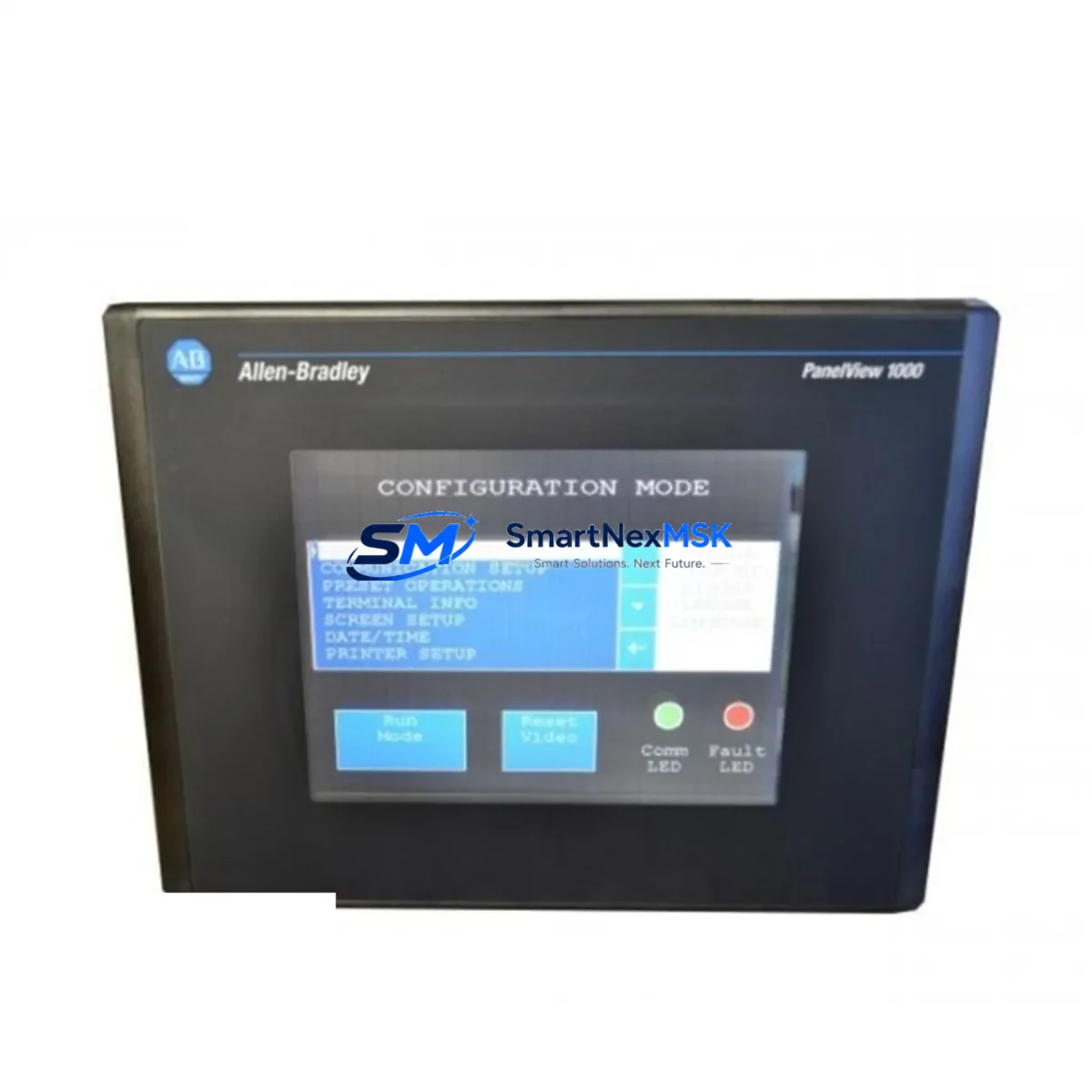
Allen-Bradley 2711-T10C8X Maintenance-Ready Spare PanelView 1000
The Allen-Bradley 2711-T10C8X is a 10-inch color touch-screen HMI terminal from the PanelView 1000 series, designed for demanding industrial automation environments. As a critical operator interface in Rockwell Automation control architectures, this unit serves as the primary visualization and command layer between maintenance personnel and the underlying PLC or DCS control system. When this terminal fails or degrades, production lines halt — making a verified, ready-to-deploy spare unit an essential element of any serious maintenance strategy.
SMARTNEXMSK supplies the 2711-T10C8X as an original, fully tested spare part with a 12-month warranty, pre-shipment functional verification, and documented compatibility confirmation. Each unit is inspected for display integrity, touch calibration, communication port function, and power input stability before dispatch. Our inventory is maintained to support both planned maintenance cycles and emergency replacement scenarios, with fast international logistics to minimize your downtime exposure.
Spare Maintenance Table
| Parameter | Specification |
|---|---|
| Part Number / SKU | 2711-T10C8X |
| Brand / Manufacturer | Allen-Bradley (Rockwell Automation) |
| Series | PanelView 1000 |
| Display Type | 10-inch Color TFT Touch Screen |
| Input Voltage | 24 VDC |
| Communication Interface | DH-485 / RS-232 / DH+ |
| Compatible PLC Platforms | SLC 500, MicroLogix, PLC-5 series |
| Operating Temperature | 0°C to 55°C |
| Protection Rating | NEMA 4/4X, IP65 (front panel) |
| Memory | 512 KB application memory |
| Origin | USA |
| Condition | Original, Pre-tested |
| Warranty | 12 Months |
| Shipping | Worldwide, insured, with tracking |
| Compatibility Verification | Confirmed against Rockwell catalog prior to dispatch |
| Maintenance Recommendation | Replace every 8–12 years or upon display degradation / communication fault |
Maintenance Planning for Continuous Operation
The 2711-T10C8X does not operate in isolation. In a typical Rockwell Automation control cabinet, this HMI terminal interfaces directly with SLC 500 or PLC-5 processors via DH-485 or DH+ communication networks. When planning a replacement or scheduled maintenance inspection, maintenance engineers should simultaneously evaluate the condition of several adjacent components to prevent secondary failures after the HMI is restored.
Begin with the 24 VDC power supply module feeding the terminal — voltage ripple or under-voltage conditions are a leading cause of premature HMI failure and display degradation. Inspect the 1747-L553 SLC 5/05 processor or equivalent CPU module for firmware currency and battery backup status, as an outdated processor may fail to re-establish communication with a replacement HMI. Check all 1747-SDN DeviceNet Scanner or 1747-KE DH-485/RS-232 interface modules for communication integrity — a faulty interface card will prevent the new terminal from going online.
On the I/O side, inspect 1746-IB16 digital input modules and 1746-OB16 digital output modules for contact wear, blown fuses, or wiring corrosion, particularly in high-cycle or high-humidity environments. Relay output modules such as the 1746-OW16 should be checked for contact resistance and arc erosion. Terminal blocks and 1492-series wiring duct and terminal strips adjacent to the HMI power and signal wiring should be inspected for loose connections that could cause intermittent faults after reinstallation.
For systems using remote I/O or DeviceNet, verify the integrity of the 1747-SN Remote I/O Scanner and associated drop cables. Signal isolators protecting analog inputs — particularly in environments with variable-frequency drives or high-EMI machinery — should be tested for drift. If the control cabinet includes a 1769-L32E CompactLogix or similar newer processor as part of a hybrid upgrade, confirm that the communication bridge configuration remains intact after HMI replacement. Maintaining a documented spare parts list that includes the HMI terminal, its power supply, communication cables, and at least one I/O module per rack significantly reduces mean time to repair (MTTR) during unplanned outages.
Site Replacement Workflow
Replacing the 2711-T10C8X on-site is a structured process that, when executed correctly, can restore operator visibility within 30–60 minutes of parts arrival. Begin by downloading and archiving the existing application file from the terminal using RSView32 or PanelBuilder32 software before powering down — this preserves all screen configurations, tag mappings, and alarm setpoints. If the existing terminal is non-functional and the application file cannot be retrieved, SMARTNEXMSK recommends maintaining a backup copy of all HMI application files on a dedicated maintenance laptop or network share as standard practice.
Power down the control cabinet following your site lockout/tagout (LOTO) procedure. Disconnect the communication cable (DH-485 or DH+), the 24 VDC power leads, and the ground connection. Remove the failed unit from the panel cutout. Install the replacement 2711-T10C8X, reconnect all wiring in reverse order, and restore power. Upload the archived application file via the serial programming port. Perform a touch-screen calibration sequence and verify all configured tags are communicating correctly with the PLC processor before returning the system to production.
For aging systems where the PanelView 1000 series is approaching end-of-support, the 2711-T10C8X remains the most cost-effective path to system continuity without requiring a full HMI platform migration. Stocking one verified spare unit per production line eliminates the risk of extended lead times during critical outages and supports a predictive maintenance posture rather than a reactive one.
Spare Parts Support FAQ
Q1: Is the 2711-T10C8X still available as a new original spare, and what is the warranty coverage?
Yes. SMARTNEXMSK maintains stock of original 2711-T10C8X units sourced through authorized industrial channels. Each unit ships with a 12-month warranty covering manufacturing defects and functional failures under normal operating conditions. Pre-shipment testing includes power-on verification, display function, touch calibration, and communication port integrity checks.
Q2: How do I confirm compatibility before ordering?
Provide your existing PLC model (e.g., SLC 5/04, SLC 5/05, PLC-5/40), communication network type (DH-485, DH+, or RS-232), and current PanelBuilder application version. Our technical team will cross-reference against Rockwell Automation compatibility matrices and confirm suitability before shipment. We do not dispatch units without compatibility verification for critical automation applications.
Q3: What is the recommended spare parts inventory strategy for PanelView 1000 installations?
For facilities with three or more PanelView 1000 terminals, we recommend maintaining at least one 2711-T10C8X spare on-site. For single-terminal critical lines, a consignment or rapid-dispatch arrangement with a verified supplier like SMARTNEXMSK provides equivalent protection without tying up capital in shelf stock. Pair the HMI spare with a backup power supply module and a set of communication cables to ensure a complete replacement kit is available at all times.
Q4: Can the 2711-T10C8X replace other PanelView 1000 models, and what are the substitution limits?
The 2711-T10C8X is specific to the 10-inch color touch-screen configuration within the PanelView 1000 family. It is not a direct drop-in replacement for keypad-only or monochrome variants. Application files created for other screen sizes or input types will require modification in PanelBuilder32 before loading onto this terminal. Contact our technical team for guidance on cross-model substitution scenarios before proceeding with installation.
© 2026 SMARTNEXMSK. All rights reserved.
Original Source: https://smartnexmsk.com
Contact: [email protected] | +86 18259474341



