
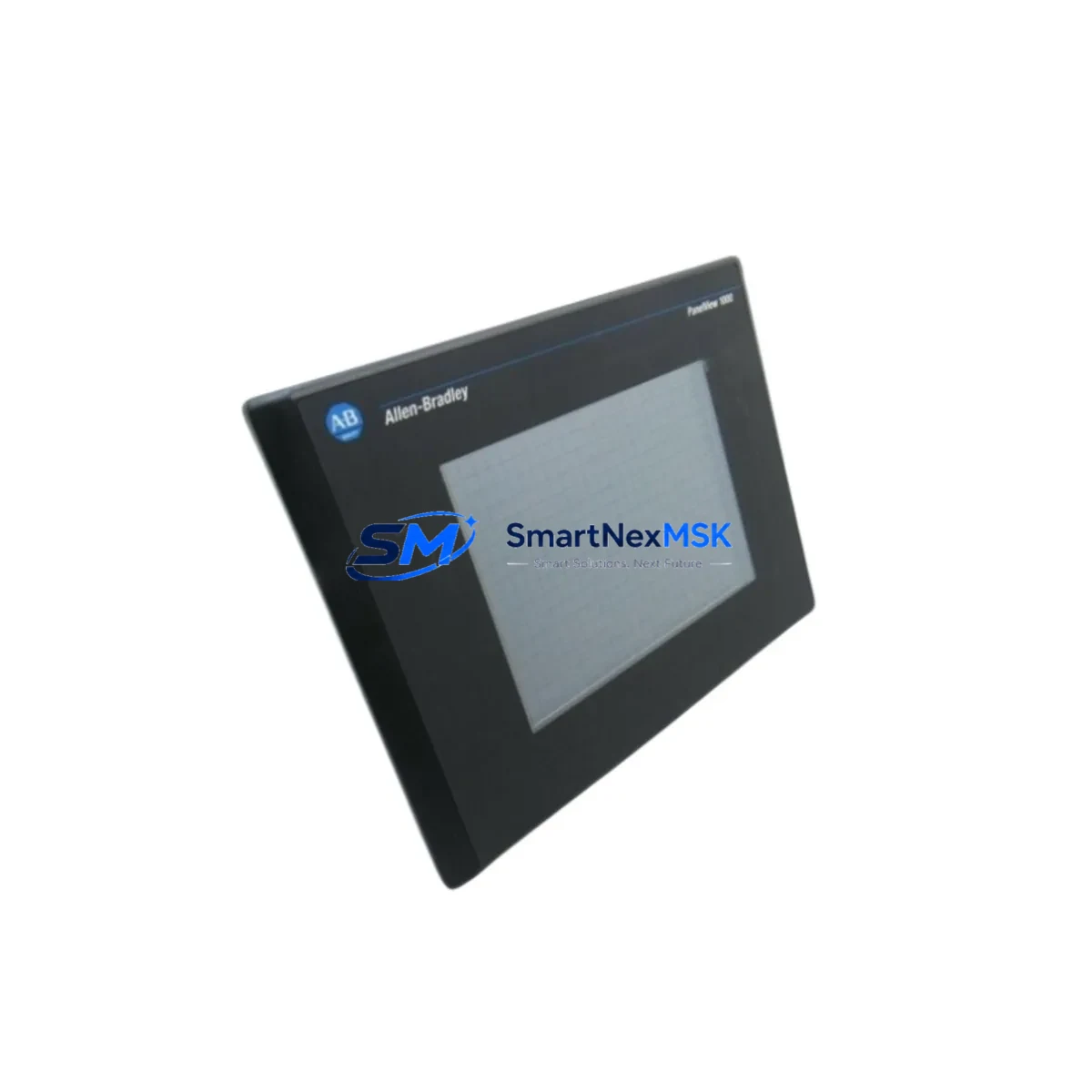
Allen-Bradley 2711-T10G9 Spare for PanelView 550 Automation
The Allen-Bradley 2711-T10G9 is a PanelView 550 touch-screen HMI terminal widely deployed across discrete manufacturing, process control, and material handling systems. As a maintenance-ready original spare, the 2711-T10G9 is a critical component for any facility running legacy Rockwell Automation control architectures. Unplanned HMI failure is one of the most disruptive events in a production environment — operators lose visibility, alarms go unacknowledged, and process adjustments become impossible without a functioning interface. Stocking a verified replacement unit of the 2711-T10G9 is a fundamental element of any serious downtime-reduction strategy.
From a maintenance engineering perspective, the 2711-T10G9 interfaces directly with Allen-Bradley PLC platforms including the SLC 500 and MicroLogix series via DH-485 or RS-232 communication links. Its 5.5-inch touch display and keypad input make it suitable for operator control panels in environments where space is constrained and rugged performance is required. When this terminal fails — whether due to touchscreen degradation, backlight failure, or communication faults — the replacement process must be executed quickly and correctly to restore production continuity.
Spare Maintenance Table
| Parameter | Specification |
|---|---|
| SKU / Part Number | 2711-T10G9 |
| Series | PanelView 550 |
| Brand | Allen-Bradley (Rockwell Automation) |
| Product Type | HMI Terminal (Touch + Keypad) |
| Display Size | 5.5-inch STN Color |
| Communication | DH-485 / RS-232 |
| Input Voltage | 24 VDC |
| Compatible PLC | SLC 500, MicroLogix 1000/1100/1500 |
| Operating Temperature | 0°C to 55°C |
| Protection Rating | NEMA 4/4X (front panel) |
| Installation | Panel cutout mount, rear terminal block wiring |
| Origin | USA |
| Condition | Original, tested before shipment |
| Warranty | 12 Months |
Maintenance Planning for Continuous Operation
When scheduling a replacement of the 2711-T10G9, maintenance engineers should treat the event as an opportunity for a broader control cabinet inspection. The HMI terminal does not operate in isolation — its reliability depends on the health of surrounding components in the same electrical circuit and communication network.
Begin by verifying the 24 VDC power supply feeding the terminal. A failing or undersized power supply — such as a 1606-XLP or equivalent Allen-Bradley power supply module — can cause intermittent HMI resets and communication dropouts that are often misdiagnosed as HMI hardware failure. Inspect the power supply output voltage under load before condemning the 2711-T10G9 itself.
Next, check the DH-485 communication cable and connectors. The 1747-C13 or 1747-C20 cables commonly used in SLC 500 networks are subject to connector wear and shield degradation over time. A damaged communication cable will prevent the replacement HMI from establishing a link with the PLC, causing unnecessary delays during commissioning. Similarly, inspect the 1747-AIC Advanced Interface Converter if one is present in the network topology — this device bridges RS-232 and DH-485 and is a common point of failure in aging installations.
On the PLC side, confirm that the SLC 500 processor — such as the 1747-L532 or 1747-L543 — is operating normally and that the DH-485 port is not reporting communication faults. If the system includes a 1746-BAS BASIC module or any specialty I/O cards, verify their status as well, since a faulted I/O module can cause the PLC to halt communications with all connected devices including the HMI.
For facilities running MicroLogix 1100 or MicroLogix 1500 controllers, check the embedded RS-232 port configuration and ensure the baud rate and node address settings match those programmed in the replacement 2711-T10G9. Configuration mismatches are the leading cause of failed HMI commissioning after a swap. Keep a printed or digital copy of the original terminal configuration — including screen files transferred via RSView or PanelBuilder 32 software — so that the replacement unit can be programmed before it reaches the production floor.
Also inspect the panel’s terminal blocks and wiring harness at the rear of the HMI mounting cutout. Loose or corroded terminals on the 24 VDC input or communication lines will cause erratic behavior in the new unit. If the installation is more than 10 years old, consider replacing the terminal block connectors as part of the planned maintenance activity. A 1492-J series terminal block or equivalent is a low-cost insurance measure that prevents repeat failures.
Finally, if the control cabinet includes a 2711-NM14 or 2711-NM15 memory module, verify that the application program stored on the module is current and compatible with the replacement terminal’s firmware version. Outdated memory modules are a frequent source of startup errors after HMI replacement in long-running PanelView 550 installations.
Site Replacement Workflow
Step 1 — Pre-Replacement Preparation: Before removing the failed 2711-T10G9, document the existing wiring configuration with photographs. Note the DH-485 node address, baud rate, and any custom keypad or touch cell assignments. Download the application file from the memory module or from the engineering workstation running PanelBuilder 32 if available.
Step 2 — Power Isolation: Isolate 24 VDC power to the HMI terminal using the appropriate circuit breaker or fused disconnect. Verify zero voltage at the terminal block before proceeding. Do not rely on the PLC program to de-energize the HMI — always use a physical isolation point.
Step 3 — Physical Removal: Release the panel mounting clamps from the rear of the 2711-T10G9 and carefully withdraw the unit from the panel cutout. Disconnect the communication cable and power leads, labeling each connector for reference during reinstallation.
Step 4 — Replacement Unit Configuration: Program the replacement 2711-T10G9 with the saved application file using PanelBuilder 32 or transfer the program from the 2711-NM14 memory module. Verify node address and communication settings match the original configuration before installation.
Step 5 — Installation and Commissioning: Insert the replacement unit into the panel cutout, reconnect all wiring per the documented configuration, and restore 24 VDC power. Confirm that the HMI establishes communication with the PLC within 30 seconds of power-up. Test all operator screens, alarm displays, and control functions before returning the system to production.
Step 6 — Documentation Update: Record the replacement in the maintenance log, including the date, technician name, serial number of the replaced unit, and any observations about the failure mode. Update the spare parts inventory to trigger reorder of a replacement 2711-T10G9 unit to maintain buffer stock.
Spare Parts Support FAQ
Q: Is the 2711-T10G9 still available as a new original spare?
A: Yes. We stock original Allen-Bradley 2711-T10G9 units sourced from authorized supply chains. Each unit is tested before shipment and covered by a 12-month warranty. Despite the PanelView 550 series being a mature product line, we maintain long-term supply capability to support facilities that cannot justify a full HMI upgrade.
Q: Can the 2711-T10G9 be used as a direct replacement for other PanelView 550 models?
A: The 2711-T10G9 is a specific configuration within the PanelView 550 family featuring touch and keypad input with DH-485/RS-232 communication. It is not a universal drop-in replacement for all PanelView 550 variants — models differ by communication protocol (DH-485, DH+, DF1), input type (touch-only, keypad-only, or combination), and display color. Always verify the exact catalog number before ordering to ensure compatibility with your existing panel cutout dimensions and PLC communication port.
Q: What testing is performed before shipment?
A: Every 2711-T10G9 unit undergoes power-on functional testing, display verification, touchscreen calibration check, and communication port continuity testing prior to dispatch. Units that do not pass all test criteria are not shipped. A test report is available upon request for critical applications.
Q: What is covered under the 12-month warranty?
A: The 12-month warranty covers manufacturing defects, component failures under normal operating conditions, and communication port failures. It does not cover damage resulting from incorrect installation, overvoltage, physical impact, or use outside the specified environmental ratings. Warranty claims are processed with a replacement-first policy to minimize your downtime.
© 2026 SMARTNEXMSK. All rights reserved.
Original Source: https://smartnexmsk.com
Contact: [email protected] | +86 18259474341



