
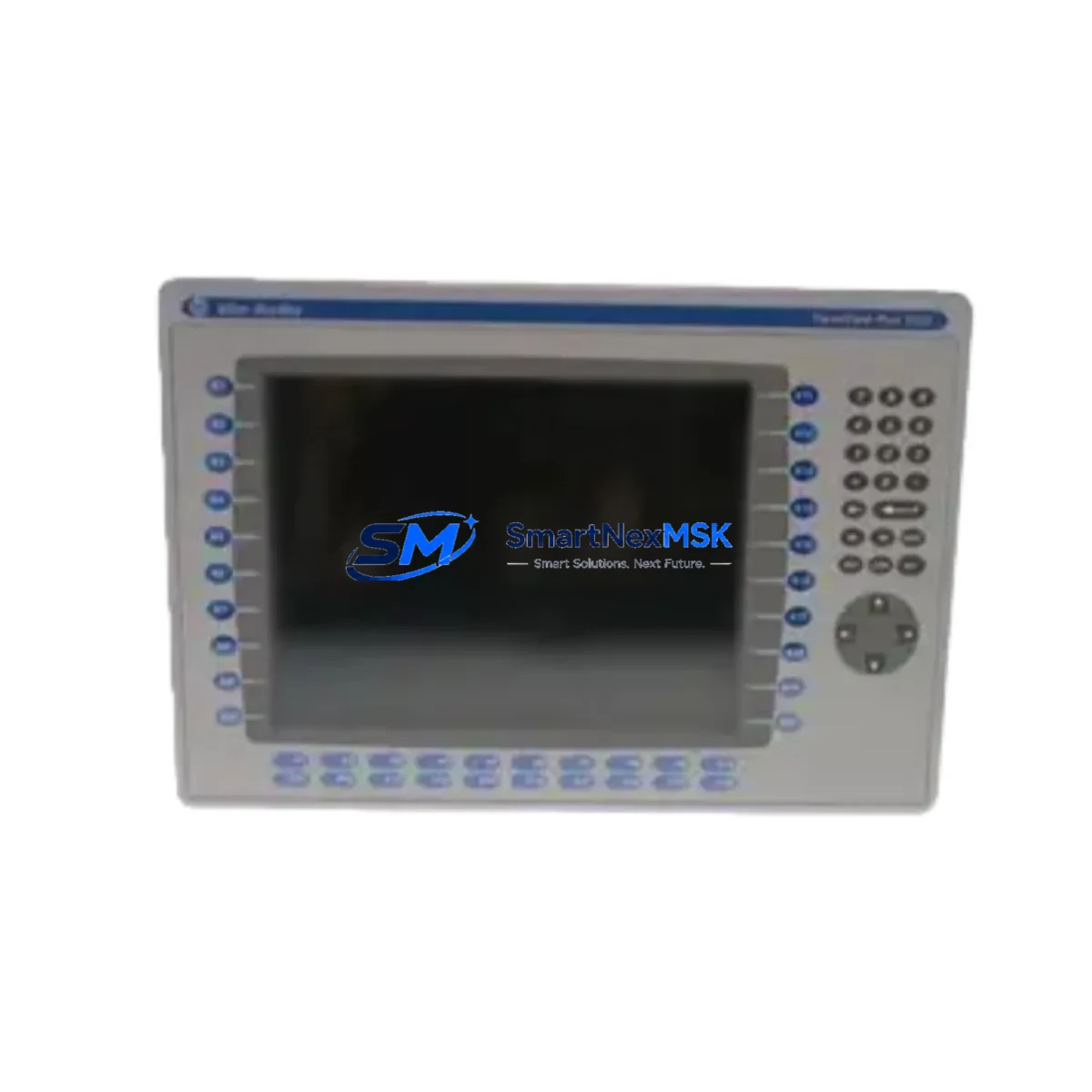
Allen-Bradley 2711P-K12C4A8 Retrofit-Ready HMI for PanelView Plus Control Systems
The Allen-Bradley 2711P-K12C4A8 is a 12.1-inch color touch-screen HMI terminal from the PanelView Plus 1250 series, designed for seamless integration into existing Rockwell Automation control architectures. As legacy PanelView 1000e and PanelView Plus 1000 installations reach end-of-life, the 2711P-K12C4A8 provides a validated retrofit path that preserves existing panel cutouts, terminal wiring, and FactoryTalk View ME application logic with minimal re-engineering effort.
This unit communicates natively over EtherNet/IP, enabling direct connectivity to ControlLogix L6x/L7x/L8x controllers, CompactLogix L3x/L4x platforms, and MicroLogix 1400 networks without gateway hardware. The integrated 24 VDC power input and standard DIN-rail or panel-mount footprint allow engineers to reuse existing control cabinet layouts, reducing retrofit labor and downtime exposure on active production lines.
Upgrade Compatibility Table
| Parameter | Legacy Unit (2711P-K10C4D8 / PV+ 1000) | 2711P-K12C4A8 (PanelView Plus 1250) |
|---|---|---|
| Display Size | 10.4″ Color TFT | 12.1″ Color TFT |
| Touch Technology | Resistive | Resistive (analog) |
| Communication | EtherNet/IP, DH-485 | EtherNet/IP (dual-port) |
| Power Supply | 24 VDC | 24 VDC (compatible) |
| Panel Cutout | Requires adapter plate | Standard 12.1″ cutout |
| FactoryTalk View ME | v5.x – v8.x | v6.x – v14.x (backward compatible) |
| USB Programming Port | Not available on all variants | USB Type-A (host + device) |
| Commissioning Tool | RSLinx Classic | RSLinx Classic / Studio 5000 |
| Replacement Recommendation | Direct retrofit with panel cutout adapter; application transfer via FactoryTalk View ME Studio | |
| Warranty | — | 12-Month Warranty Included |
Retrofit Planning for Existing Automation Systems
Successful integration of the 2711P-K12C4A8 into a legacy control system begins with a structured pre-retrofit audit. Engineers should document the existing panel cutout dimensions and verify whether a 2711P-RVFSS2 replacement bezel or adapter frame is required to bridge the size difference between the outgoing 10.4″ terminal and the new 12.1″ display. Terminal block wiring — typically 24 VDC power, chassis ground, and Ethernet RJ-45 — should be mapped against the new unit’s rear connector layout before any physical swap is initiated.
On the communication side, the 2711P-K12C4A8 supports dual-port EtherNet/IP, which allows engineers to maintain a linear device-level ring topology without introducing an unmanaged switch. If the legacy system relied on a 1761-NET-AIC Advanced Interface Converter for DH-485 bridging, that link must be re-evaluated: the new terminal does not natively support DH-485, so a 1761-NET-ENI Serial-to-EtherNet/IP module may be required to maintain communication with any remaining MicroLogix 1000 or SLC 500 nodes on the same network segment.
Backplane and rack considerations are equally important when the HMI is co-located with a 1756 ControlLogix chassis. Verify that the 1756-A7 or 1756-A13 rack has sufficient slot capacity and that the 1756-PA75 or 1756-PB75 power supply can sustain the additional current draw introduced by any new 1756-EN2T EtherNet/IP bridge modules added during the upgrade. I/O expansion using 1756-IB16 digital input or 1756-OB16E digital output modules should be addressed in the same project phase to avoid a second planned outage.
The FactoryTalk View ME application residing on the outgoing terminal should be exported as a .MER runtime file and archived before removal. The application can then be opened in FactoryTalk View ME Studio, retargeted to the 2711P-K12C4A8 display resolution (1024 × 768), and re-validated for any graphic objects that reference deprecated ActiveX controls. HMI screen layouts, alarm configurations, and tag database mappings typically transfer without modification when both units share the same FactoryTalk View ME version family. A 1747-UIC USB-to-DH+ interface cable or a standard USB programming cable is sufficient for initial terminal configuration and application download.
Where the retrofit scope extends to the controller tier, engineers frequently pair the 2711P-K12C4A8 with a 1769-L33ER CompactLogix controller or a 1756-L73 ControlLogix processor, both of which support the Studio 5000 Logix Designer environment and provide the tag-based data model that FactoryTalk View ME consumes natively. Coordinating the HMI retrofit with a simultaneous firmware update on these controllers — and verifying that the 1783-US5T unmanaged switch or 1783-BMS10CGP managed switch firmware is current — eliminates a common source of intermittent communication faults during post-retrofit commissioning.
Downtime Control During System Migration
Minimizing production downtime during an HMI retrofit requires a parallel preparation strategy. All configuration work — application retargeting, tag verification, and screen resolution adjustment — should be completed and validated on a bench unit or simulation environment before the scheduled maintenance window opens. Using FactoryTalk View ME Studio’s offline emulation mode, technicians can execute a full functional walkthrough of every HMI screen, alarm acknowledgment sequence, and trend display without connecting to live plant I/O.
During the physical swap, the existing 24 VDC supply should remain energized and the controller program should be left in Run mode where process safety permits. The outgoing terminal can be disconnected from the Ethernet segment, the new 2711P-K12C4A8 mounted and wired, and the pre-validated .MER file downloaded via USB in under 15 minutes under normal conditions. IP address assignment — whether static or DHCP-reserved — should be confirmed against the plant network documentation before the new terminal is brought online to avoid address conflicts with other devices on the EtherNet/IP segment.
Post-swap verification should include a structured checklist: confirm all HMI screens navigate correctly, all analog and digital tags display live values, alarm setpoints match the pre-retrofit baseline, and any historian or SCADA data links (such as FactoryTalk Historian SE or Ignition SCADA tags) are re-established. Each unit shipped by SMARTNEXMSK undergoes a pre-shipment functional test covering power-on, display calibration, communication link establishment, and application load verification, reducing on-site commissioning risk and protecting the 12-month warranty coverage from day one of installation.
Retrofit Support FAQ
Q1: Is the 2711P-K12C4A8 a direct drop-in replacement for the 2711P-K10C4D8?
The 2711P-K12C4A8 is functionally compatible but requires a panel cutout adapter (2711P-RVFSS2 or equivalent) due to the larger 12.1″ display. Power wiring (24 VDC), Ethernet connectivity, and FactoryTalk View ME application files transfer without modification in most installations.
Q2: Can I reuse my existing FactoryTalk View ME application without rebuilding screens?
Yes. Export the .MER file from the outgoing terminal, open it in FactoryTalk View ME Studio, retarget the display resolution to 1024 × 768, and download to the new unit. Minor graphic scaling adjustments may be needed for custom bitmap objects, but tag bindings, alarm configurations, and navigation logic are preserved.
Q3: What commissioning steps are required after installation?
Assign a static IP address or confirm DHCP reservation, verify EtherNet/IP communication to the target controller (ControlLogix or CompactLogix), download the validated .MER application file, perform a full screen navigation test, and confirm all I/O tags display live process values. Total commissioning time is typically 30–60 minutes for a prepared technician.
Q4: What does the 12-month warranty cover?
The 12-month warranty covers manufacturing defects, display failures, communication port faults, and power supply anomalies under normal operating conditions. Each unit is pre-tested prior to shipment. Warranty claims are processed directly through SMARTNEXMSK with advance replacement options available to minimize production impact.
© 2026 SMARTNEXMSK. All rights reserved.
Original Source: https://smartnexmsk.com
Contact: [email protected] | +86 18259474341



