
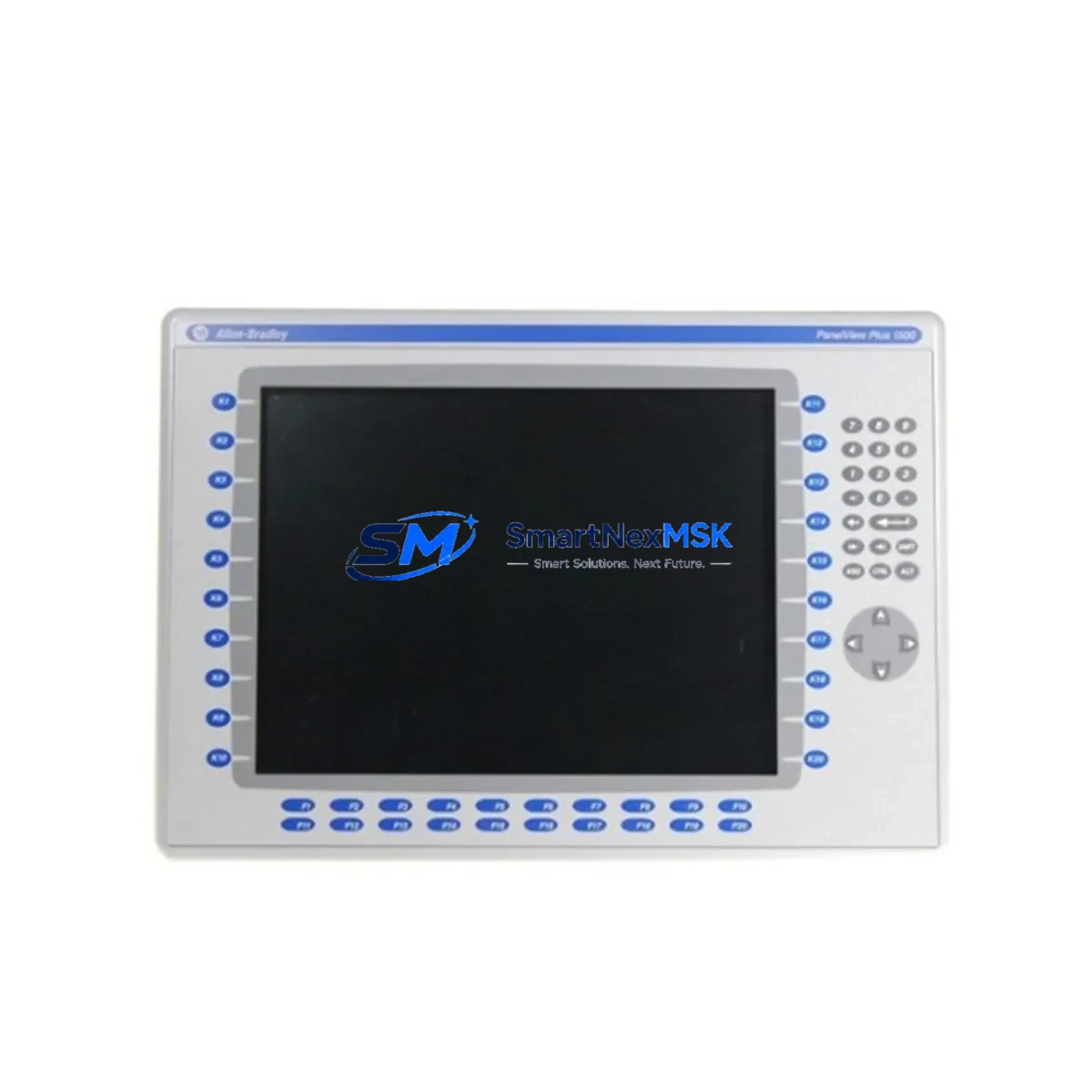
Allen-Bradley 2711P-K15C4A8 Spare PanelView Plus 6 HMI: Minimizing Downtime in Industrial Control Systems
The Allen-Bradley 2711P-K15C4A8 is a 15-inch keypad-equipped HMI terminal from the PanelView Plus 6 series, widely deployed across manufacturing, process control, and discrete automation environments. As a maintenance-ready original spare, this unit is pre-tested, serialized, and shipped with a 12-month warranty — enabling rapid replacement and immediate restoration of operator interface functionality in critical production lines.
For maintenance engineers managing aging ControlLogix or CompactLogix-based control systems, the 2711P-K15C4A8 represents a high-priority spare. HMI failures are among the most disruptive events in a control cabinet: operators lose visibility into process variables, alarm acknowledgment becomes impossible, and manual overrides may be required — all of which extend unplanned downtime. Stocking a verified replacement unit eliminates the lead-time risk associated with sourcing HMI terminals on an emergency basis.
Procurement engineers should note that the PanelView Plus 6 platform has reached its mature lifecycle phase. Sourcing original spares from authorized channels with documented testing and warranty coverage is essential for maintaining system integrity and avoiding compatibility issues introduced by counterfeit or refurbished units.
Spare Maintenance Table
| Parameter | Specification |
|---|---|
| Part Number | 2711P-K15C4A8 |
| Brand | Allen-Bradley (Rockwell Automation) |
| Series | PanelView Plus 6 |
| Display Size | 15 inches |
| Interface Type | Keypad (non-touch) |
| Display Type | Color TFT LCD |
| Communication | EtherNet/IP, DH-485, DF1 |
| Compatibility | ControlLogix, CompactLogix, MicroLogix, SLC 500, PLC-5 |
| Operating Voltage | 24V DC / 100–240V AC (model-dependent) |
| Operating Temperature | 0°C to 55°C |
| Protection Rating | NEMA 4/4X, IP65 (front panel) |
| Memory | 512 MB Flash Application Memory |
| Software | FactoryTalk View ME |
| Origin | United States |
| Condition | Original, New / Surplus |
| Pre-shipment Testing | Power-on, communication, display, keypad function verified |
| Warranty | 12 Months |
| Typical Application | Operator interface for PLC/DCS-based automation systems |
| Maintenance Recommendation | Inspect backlight, keypad membrane, and EtherNet/IP connection annually |
Maintenance Planning for Continuous Operation
When replacing the 2711P-K15C4A8 in a live control cabinet, a thorough inspection of the surrounding electrical environment is essential to prevent repeat failures and ensure system stability. Begin by verifying the 24V DC power supply feeding the HMI — units such as the Allen-Bradley 1606-XLP or equivalent SELV-rated power supply should be checked for output voltage stability and ripple. A degraded power supply is a common root cause of HMI resets and communication dropouts that are often misattributed to the terminal itself.
Inspect the EtherNet/IP network infrastructure: check the managed switch port assignment, verify cable integrity on the Cat5e/Cat6 runs between the HMI and the ControlLogix backplane (such as the 1756-EN2T or 1756-EN3TR Ethernet bridge modules), and confirm IP address configuration has not drifted. For legacy installations using DH-485 or DF1 serial communication, inspect the 1747-PIC or 1761-NET-AIC interface converters for corrosion or loose terminal connections.
Review the I/O modules in the associated ControlLogix or CompactLogix chassis — particularly any 1756-IB16 digital input modules or 1756-OB16E digital output modules that feed status signals displayed on the HMI screen. A faulty I/O module can cause misleading alarm states that complicate fault diagnosis. Similarly, inspect any 1756-IF8 analog input modules connected to process sensors, as signal drift can trigger nuisance alarms visible on the operator terminal.
For control cabinets with relay logic interfacing to the PLC, check the 700-series or 700-HLT relay modules for contact wear, particularly on high-cycle outputs. Terminal blocks — such as Allen-Bradley 1492-series or Phoenix Contact PTFIX distribution blocks — should be inspected for loose connections that can introduce ground loops or signal noise affecting HMI display accuracy.
If the installation includes a redundant communication path or a SCADA integration layer, verify that the FactoryTalk View ME application version on the replacement 2711P-K15C4A8 matches the project file version archived in your maintenance management system. Version mismatches between the HMI runtime and the application file are a frequent cause of post-replacement commissioning delays. Maintain a current backup of the .MER application file and document the firmware revision of the outgoing unit before removal.
For facilities operating legacy systems beyond their published product lifecycle, the 2711P-K15C4A8 spare supports an extended service window without requiring a full HMI platform migration. Pairing this unit with a documented spare parts list — including a backup 1756-L73 or 1756-L75 ControlLogix processor, a spare 1756-PA75 power supply module, and a replacement 1756-A13 backplane — provides a comprehensive downtime recovery kit for the control system as a whole.
Site Replacement Workflow
Before removing the failed 2711P-K15C4A8, document the existing network configuration: IP address, subnet mask, gateway, and the FactoryTalk View ME project name and revision. Power down the HMI using the correct isolation procedure — do not disconnect the EtherNet/IP cable under power if the network switch is unmanaged, as this can cause broadcast storms on small plant networks.
Mount the replacement unit in the existing panel cutout — the PanelView Plus 6 15″ keypad form factor is consistent across the 2711P-K15Cxx series, so no mechanical modification is required when replacing within the same sub-series. Reconnect the DC power connector and EtherNet/IP cable, then power on and verify the boot sequence completes without error codes.
Load the archived .MER application file via USB or network transfer using FactoryTalk View ME Station. Confirm communication with the ControlLogix controller by verifying tag browse functionality and checking that all I/O status indicators on the HMI match the physical state of the process. Perform a full keypad function test — all function keys, navigation keys, and numeric entry — before returning the system to operator control.
Log the replacement in your CMMS with the serial number of the removed unit, the replacement unit serial number, firmware version, and date of installation. This record supports warranty claims and provides traceability for future maintenance audits. The 12-month warranty on this unit begins from the date of shipment and covers manufacturing defects under normal operating conditions.
Spare Parts Support FAQ
Q: Is the 2711P-K15C4A8 compatible with my existing FactoryTalk View ME application?
A: Yes, provided the FactoryTalk View ME runtime version on the replacement unit is compatible with your .MER project file. We recommend confirming the firmware revision before shipment. If your application was developed on an older runtime version, a firmware downgrade or application re-compilation may be required — our technical team can advise based on your project version.
Q: How is the unit tested before shipment?
A: Each 2711P-K15C4A8 unit undergoes power-on verification, display function test, keypad response test, and EtherNet/IP communication initialization check prior to packaging. A test report is available upon request. Units are shipped in anti-static packaging with protective foam inserts to prevent transit damage.
Q: What is the recommended spare parts stocking strategy for PanelView Plus 6 installations?
A: For facilities with three or more PanelView Plus 6 terminals, we recommend maintaining at least one cold-standby unit per screen size variant. Given the mature lifecycle status of the PanelView Plus 6 platform, proactive stocking reduces exposure to extended lead times as market availability tightens. Pairing the HMI spare with a backup EtherNet/IP communication module and a spare DC power supply provides a complete operator station recovery kit.
Q: What does the 12-month warranty cover?
A: The 12-month warranty covers manufacturing defects, component failures under normal operating conditions, and DOA (dead-on-arrival) units. It does not cover damage resulting from incorrect installation voltage, physical impact, liquid ingress beyond the IP65 front panel rating, or unauthorized modification. Warranty claims are processed within 5 business days of receipt of the returned unit.
© 2026 SMARTNEXMSK. All rights reserved.
Original Source: https://smartnexmsk.com
Contact: [email protected] | +86 18259474341



