
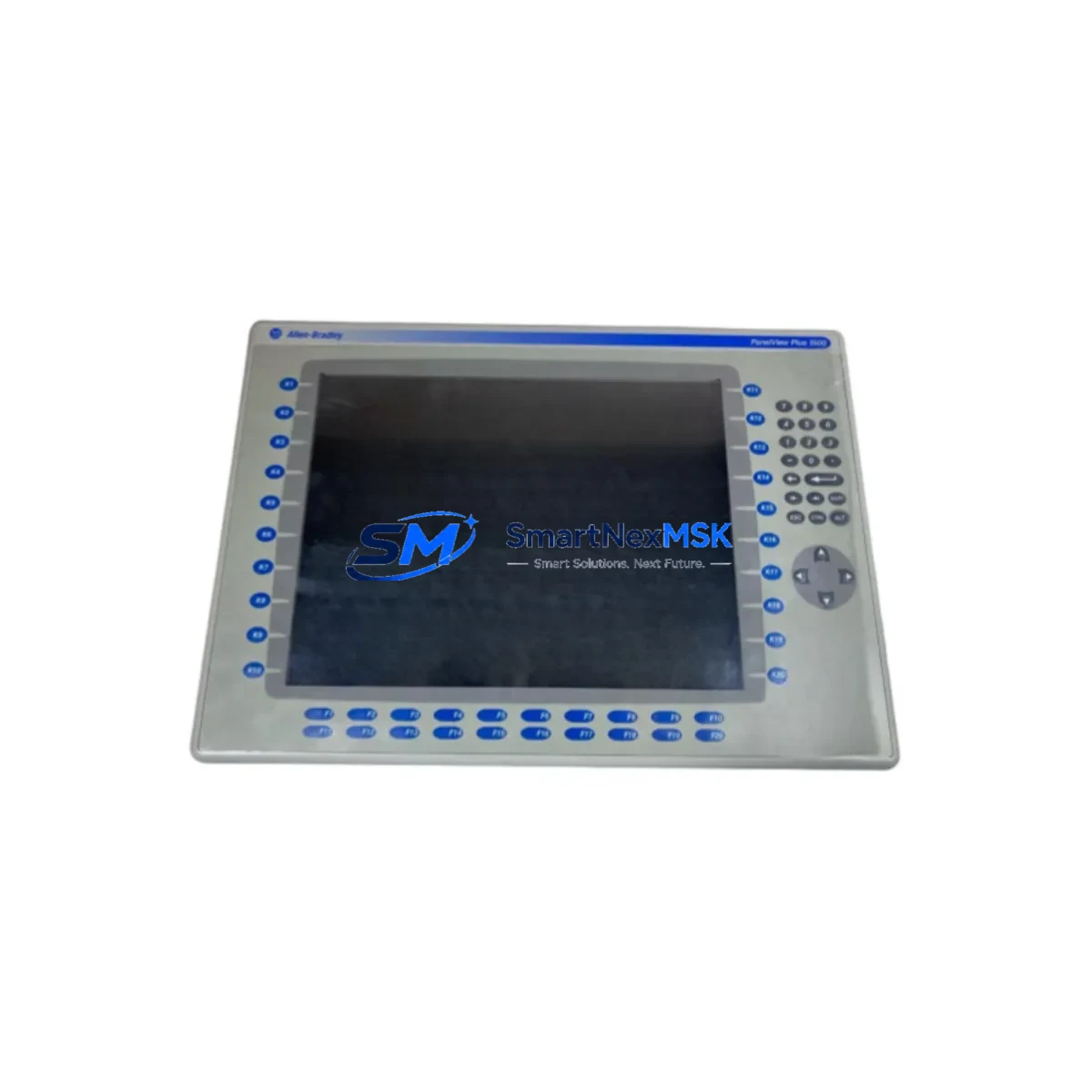
Allen-Bradley 2711P-K15C4D2 Retrofit-Ready HMI for PanelView Plus 6 Control Systems
The Allen-Bradley 2711P-K15C4D2 is a 15-inch keypad HMI terminal from the PanelView Plus 6 series, designed for demanding industrial environments where legacy operator interface panels are reaching end-of-life or have been discontinued. This unit serves as a direct retrofit replacement for aging PanelView Plus and PanelView Plus CE terminals, enabling plant engineers and system integrators to modernize control cabinet interfaces without redesigning the underlying control architecture. Whether you are managing a scheduled upgrade or responding to an unplanned failure, the 2711P-K15C4D2 provides a reliable, specification-matched solution backed by a 12-month warranty and pre-shipment functional testing.
Upgrade Compatibility Table
| Parameter | Details |
|---|---|
| Replaces / Compatible With | 2711P-K15C4B, 2711P-K15C4A, 2711P-T15C4D2, PanelView Plus CE 1500 |
| Display Size | 15-inch color TFT LCD with keypad input |
| Communication Ports | EtherNet/IP (RJ-45), RS-232, USB Host & Device |
| Backplane / Rack Interface | Stand-alone; no backplane required |
| Power Supply Requirement | 24 VDC nominal (18–32 VDC operating range) |
| Terminal Block / Wiring | Standard 4-pin power connector; same pinout as prior PanelView Plus 6 models |
| Software / Runtime | FactoryTalk View ME v6.0 and above; application files (.MER) directly transferable |
| Module Address / Node | Configured via FactoryTalk Linx or RSLinx Classic; no hardware DIP switch required |
| Installation Requirement | Panel cutout 381 × 292 mm; NEMA 4/4X, IP65 front face |
| Commissioning Focus | IP address assignment, .MER file load, tag path verification, alarm configuration |
| Warranty | 12 months from shipment date; includes pre-shipment functional test report |
Retrofit Planning for Existing Automation Systems
Successful integration of the 2711P-K15C4D2 into an existing production line requires a structured approach that accounts for every layer of the control system. Before removing the legacy panel, engineers should document the existing IP address scheme, verify that the ControlLogix or CompactLogix controller — such as a 1756-L73 or 1769-L33ER — retains the original program and tag database, and confirm that the EtherNet/IP network switch port assignments remain unchanged.
Power supply capacity is a critical checkpoint. The 2711P-K15C4D2 draws up to 30 W at 24 VDC. If the existing 1606-XLP power supply or equivalent is already loaded near capacity due to other panel devices, a capacity audit is mandatory before installation. Terminal block wiring follows the same 4-pin layout as earlier PanelView Plus 6 models, so no rewiring of the power harness is typically required when replacing a 2711P-K15C4B or 2711P-K15C4A.
For sites running DeviceNet or ControlNet alongside EtherNet/IP, the 2711P-K15C4D2 communicates exclusively over EtherNet/IP. If the legacy HMI was connected via a 1784-U2DHP USB-to-DH+ adapter or a 1761-NET-AIC protocol converter, those communication links must be re-evaluated and migrated to an Ethernet path before commissioning the replacement terminal. In mixed-protocol cabinets, a 1783-US5T or similar managed switch is recommended to segment HMI traffic from controller-to-controller messaging.
I/O expansion modules such as the 1769-IQ16 digital input or 1769-OB16 digital output cards connected to a CompactLogix rack do not require reconfiguration when only the HMI is being replaced, provided the controller program and tag structure remain intact. However, if the retrofit is part of a broader upgrade that includes adding 1756-EN2T EtherNet/IP communication modules or replacing a legacy 1747-SLC 5/05 controller with a modern CompactLogix platform, the HMI application file must be updated to reflect new tag paths and controller shortcut names in FactoryTalk View ME.
All units are pre-tested against functional checklists covering display calibration, keypad response, communication link establishment, and alarm acknowledgment before shipment. Stock is maintained for immediate dispatch, supporting both planned maintenance windows and emergency replacement scenarios.
Downtime Control During System Migration
Minimizing production downtime during an HMI swap requires preparation that begins well before the maintenance window opens. The existing .MER application file should be exported from the legacy 2711P-K15C4B or equivalent terminal using FactoryTalk View ME Studio and stored on a USB drive or network share. This file transfers directly to the 2711P-K15C4D2 without modification in the majority of retrofit scenarios, preserving all screen layouts, tag bindings, alarm setpoints, and trend configurations.
Before powering down the legacy panel, record the terminal’s IP address, subnet mask, default gateway, and FactoryTalk Directory server path. After mounting the replacement unit and restoring power from the 24 VDC supply, assign the same network parameters using the terminal’s configuration menu. Load the .MER file via USB or over the network, select the correct controller shortcut, and verify communication with the ControlLogix or CompactLogix processor. In most cases, the HMI is operational within 20 to 40 minutes of physical installation, keeping unplanned downtime to a minimum.
For sites where continuous monitoring is critical, a temporary laptop running FactoryTalk View ME can serve as a bridge display during the physical swap, maintaining operator visibility of process values and alarm states throughout the transition. Once the 2711P-K15C4D2 is confirmed online and all HMI screens are verified against the original layout, the temporary workstation can be disconnected and the programming cable — such as a 1761-CBL-PM02 or USB-to-serial adapter — removed from the panel.
Retrofit Support FAQ
Q: Is the 2711P-K15C4D2 a direct drop-in replacement for the 2711P-K15C4B?
A: Yes. The 2711P-K15C4D2 uses the same panel cutout dimensions, 24 VDC power connector pinout, and EtherNet/IP communication interface as the 2711P-K15C4B. The existing .MER application file is compatible without modification in standard retrofit scenarios.
Q: Do I need to reconfigure the controller program when replacing only the HMI?
A: No controller program changes are required if the tag database and controller shortcut names remain unchanged. Only the HMI terminal’s IP address and FactoryTalk Directory path need to be configured on the replacement unit.
Q: What wiring changes are needed during installation?
A: Wiring changes are typically limited to transferring the existing 4-pin power connector and EtherNet/IP patch cable from the old terminal to the new unit. No additional terminal block rewiring is required for a like-for-like replacement.
Q: What does the 12-month warranty cover, and is a test report included?
A: The 12-month warranty covers hardware defects and functional failures under normal operating conditions. Every unit ships with a pre-shipment functional test report confirming display, keypad, communication, and power input verification. Warranty claims are processed directly through SMARTNEXMSK with a target response time of one business day.
© 2026 SMARTNEXMSK. All rights reserved.
Original Source: https://smartnexmsk.com
Contact: [email protected] | +86 18259474341



