
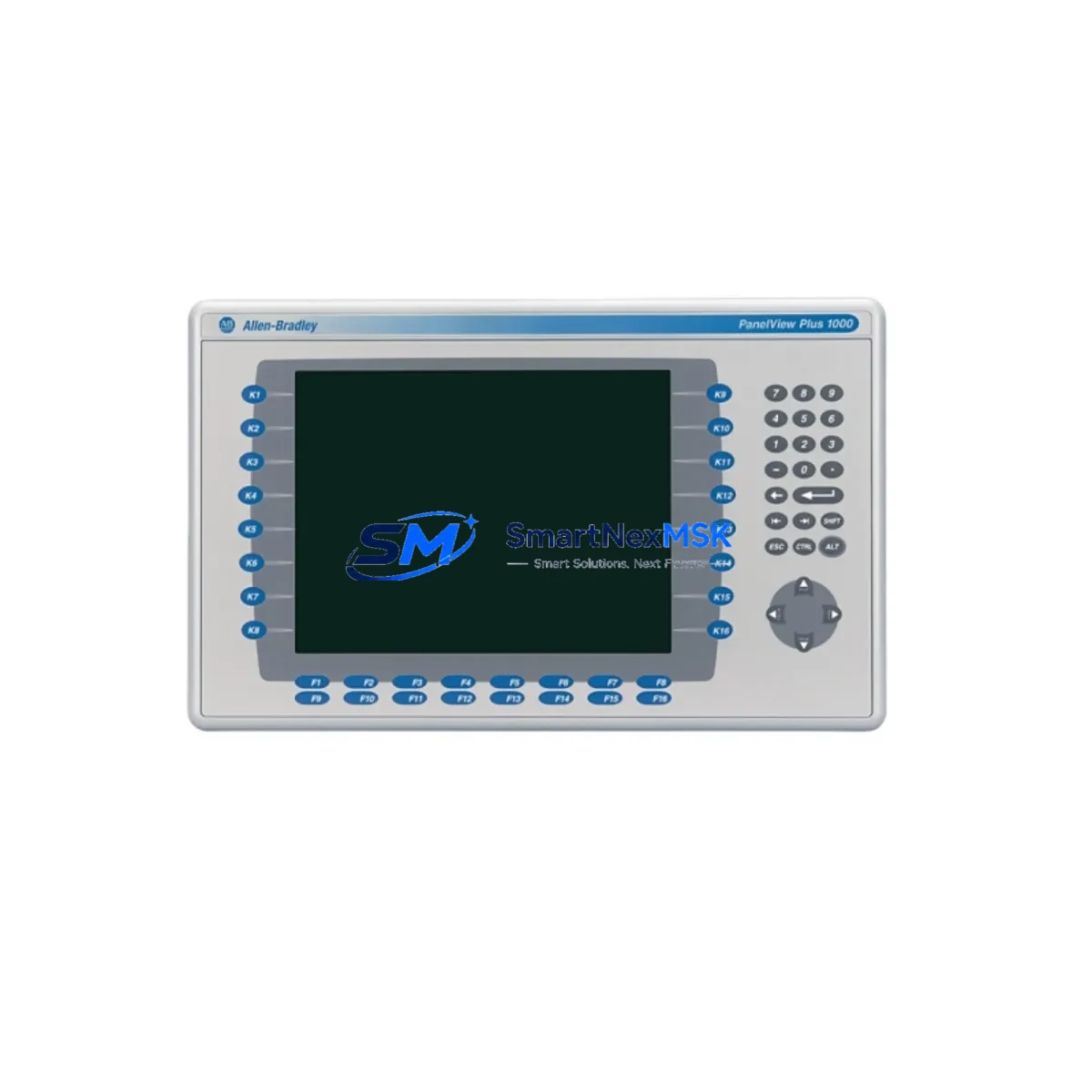
Allen-Bradley 2711P-RDB10C/B Spare PanelView Plus 7 Automation
The Allen-Bradley 2711P-RDB10C/B is a 10.4-inch color display module designed for the PanelView Plus 7 series of operator interface terminals. As a maintenance-ready original spare, this unit is sourced, inspected, and tested to support rapid replacement in production environments where HMI downtime directly impacts line availability. Whether you are managing a planned shutdown, responding to an unplanned fault, or building out a critical spare inventory for aging Rockwell Automation control systems, the 2711P-RDB10C/B provides a direct, drop-in replacement path with no firmware reconfiguration required when matched to the correct terminal base.
Industrial maintenance teams operating PanelView Plus 7 terminals across packaging lines, conveyor systems, press controls, and process skids understand that display module failures are among the most disruptive HMI faults — operators lose visibility into process status, alarm acknowledgment becomes impossible, and manual intervention is required to hold production. Stocking the 2711P-RDB10C/B as a shelf spare eliminates the lead time risk associated with sourcing this module reactively. Our units are tested before shipment, covered by a 12-month warranty, and dispatched with full documentation to support your incoming inspection process.
For procurement engineers managing MRO budgets and spare parts lists for Rockwell-based control architectures, the 2711P-RDB10C/B is a high-priority line item. PanelView Plus 7 terminals are widely deployed across Series A and Series B hardware generations, and display module degradation — including backlight failure, touch calibration drift, and contrast loss — is a predictable failure mode in high-cycle or high-ambient-temperature installations. Proactive replacement during scheduled maintenance windows, rather than reactive sourcing after failure, is the recommended strategy for minimizing unplanned downtime costs.
Spare Maintenance Table
| Parameter | Specification |
|---|---|
| Part Number | 2711P-RDB10C/B |
| Brand | Allen-Bradley (Rockwell Automation) |
| Series | PanelView Plus 7 |
| Product Type | HMI Color Display Module |
| Display Size | 10.4 inch |
| Display Type | Color TFT LCD with Touchscreen |
| Revision | Series B (/B) |
| Compatible Terminal Base | 2711P-T10C Series (PanelView Plus 7) |
| Operating Voltage | 24V DC (supplied via terminal base) |
| Operating Temperature | 0°C to 55°C |
| Ingress Protection | IP65 (front face, panel-mounted) |
| Communication Interface | Via terminal base (EtherNet/IP, USB) |
| Origin | United States |
| Condition | Original, New or Tested Surplus |
| Warranty | 12 Months |
| Pre-shipment Testing | Yes — power-on and display function verified |
| Typical Application | Machine HMI, Process Visualization, SCADA Interface Panel |
| Maintenance Recommendation | Replace at first sign of backlight dimming, touch drift, or display artifact |
Maintenance Planning for Continuous Operation
When replacing the 2711P-RDB10C/B display module during a maintenance window or emergency callout, a thorough inspection of the surrounding control cabinet components is essential to prevent repeat failures and confirm system integrity. Maintenance engineers should begin by verifying the 24V DC power supply feeding the PanelView Plus 7 terminal base — a marginal or noisy supply is a common root cause of premature display module degradation. Units such as the Allen-Bradley 2711P-RP8D logic module (if installed in a split-architecture terminal) should be checked for firmware currency and communication health before the new display module is seated.
Inspect the EtherNet/IP communication cable and RJ45 connector at the terminal base rear port. Cable damage, bent pins, or loose locking clips can cause intermittent communication faults that manifest as HMI freezes or blank screens — symptoms often misattributed to display module failure. If the terminal is connected to a CompactLogix or ControlLogix PLC (such as the 1769-L33ER or 1756-L71), verify that the controller’s EtherNet/IP connection to the HMI is healthy and that the MSG instruction or produced/consumed tag configuration has not been disrupted.
For cabinets housing the PanelView Plus 7 alongside other Rockwell components, this is also an appropriate time to inspect 1492-J terminal blocks and associated wiring for signs of heat stress, loose ferrules, or insulation cracking. Check any 1606-XLP power supply modules for output voltage stability under load. If the control cabinet includes a 1783-US5T or similar EtherNet/IP unmanaged switch, verify port link status and replace if any ports show intermittent connectivity. Signal isolators or 855T stack lights wired to the PLC I/O and monitored via the HMI should also be functionally tested to confirm the replacement display module is receiving accurate process data from the field.
Where the PanelView Plus 7 is used in a safety-adjacent application, confirm that any 440C-CR30 safety relay or GuardLogix safety controller outputs displayed on the HMI are correctly mapped and that safety function visualization is restored after the display swap. Document the replacement in your CMMS with the new module serial number, installation date, and post-replacement test results to support future maintenance planning and warranty tracking.
Site Replacement Workflow
The 2711P-RDB10C/B is designed for field replacement without specialized tooling. To minimize downtime during a site swap, follow this sequence:
1. Isolate and de-energize the panel per your site LOTO procedure. Confirm 24V DC supply to the terminal base is off before handling the display module.
2. Release the display module from the terminal base by disengaging the retention latches on the rear of the unit. The module slides forward and separates cleanly from the base assembly.
3. Inspect the terminal base connector for debris, corrosion, or bent pins before installing the replacement module. Clean with dry compressed air if required.
4. Seat the new 2711P-RDB10C/B firmly until the retention latches engage. Re-energize the panel and confirm the display initializes correctly, showing the correct application screen and communication status.
5. Perform a functional check: verify touchscreen response across all active screen zones, confirm alarm banner operation, and validate that all PLC data tags are updating correctly on the display. Log the replacement and update your spare parts inventory accordingly.
This workflow supports a target replacement time of under 30 minutes for a trained maintenance technician, making the 2711P-RDB10C/B one of the most maintainable components in the PanelView Plus 7 platform. Keeping one unit on the shelf eliminates the primary risk factor — sourcing delay — from your downtime equation.
Spare Parts Support FAQ
Q: Is the 2711P-RDB10C/B compatible with both Series A and Series B PanelView Plus 7 terminal bases?
A: The /B revision display module is designed for Series B terminal bases. Compatibility with Series A bases should be verified against your specific terminal base part number before installation. Contact our technical team with your terminal base SKU for confirmation prior to ordering.
Q: What testing is performed before shipment?
A: Each 2711P-RDB10C/B unit undergoes power-on verification and display function testing — including backlight, touch response, and pixel integrity checks — before dispatch. A test report is available upon request for incoming inspection purposes.
Q: What does the 12-month warranty cover?
A: The warranty covers manufacturing defects and functional failures under normal operating conditions for 12 months from the date of shipment. Units that fail within the warranty period are replaced or refunded. The warranty does not cover damage resulting from incorrect installation, overvoltage, or physical impact.
Q: Can you support long-term or blanket orders for this spare part?
A: Yes. We support scheduled release orders, blanket purchase agreements, and consignment stocking arrangements for MRO customers managing multi-site Rockwell Automation installations. Contact our sales team to discuss volume pricing and delivery scheduling.
© 2026 SMARTNEXMSK. All rights reserved.
Original Source: https://smartnexmsk.com
Contact: [email protected] | +86 18259474341



