
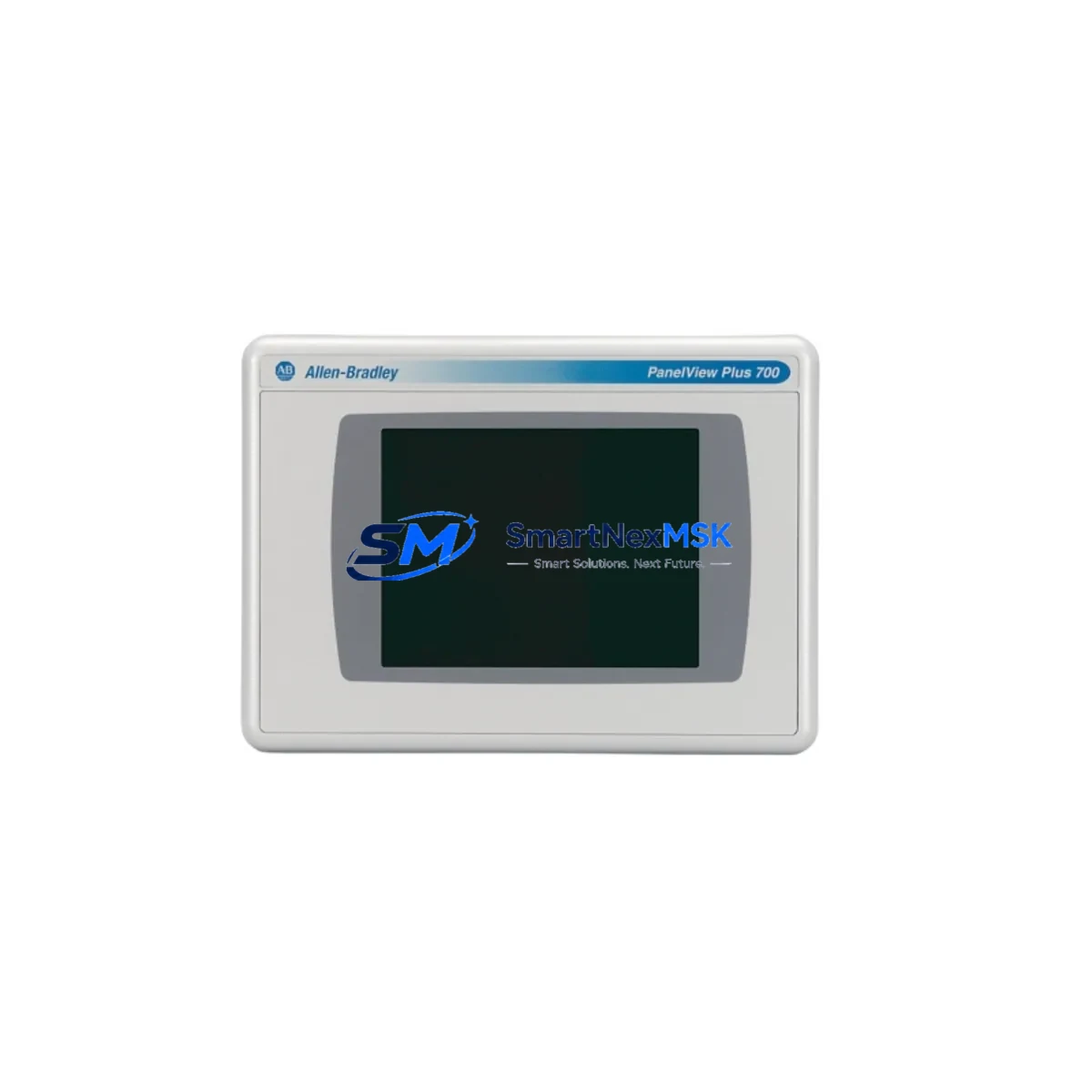
Allen-Bradley 2711P-RDT7C Spare for PanelView Plus Automation: Spare Parts Replacement & Industrial Downtime Risk Control
The Allen-Bradley 2711P-RDT7C is a 7-inch SVGA color TFT touch display module designed for the PanelView Plus 700 series HMI platform. As a maintenance-ready original spare, it is engineered to deliver direct drop-in replacement capability for aging or failed display assemblies in Rockwell Automation control environments. Whether you are managing a scheduled shutdown, responding to an unplanned fault, or building a proactive spare parts inventory for a critical production line, the 2711P-RDT7C provides the compatibility, reliability, and verified performance that maintenance and procurement engineers demand.
Industrial HMI failures are among the most disruptive events in a control system lifecycle. A failed display module can halt an entire production cell, trigger cascading alarms across a DCS or PLC network, and result in costly unplanned downtime. Stocking the 2711P-RDT7C as a certified spare eliminates the lead-time risk associated with sourcing replacement HMI components during an emergency. Each unit shipped by SMARTNEXMSK is individually tested, inspected, and covered by a 12-month warranty, ensuring that your replacement part performs to original factory specification from the moment it arrives on site.
Spare Maintenance Table
| Parameter | Specification |
|---|---|
| Part Number | 2711P-RDT7C |
| Brand | Allen-Bradley (Rockwell Automation) |
| Series | PanelView Plus 700 |
| Display Type | 7-inch SVGA Color TFT Touch Screen |
| Resolution | 800 × 600 (SVGA) |
| Touch Technology | Resistive Touch Panel |
| Compatibility | PanelView Plus 700 / PanelView Plus 6 700 terminals |
| Mounting | Panel-mount, direct replacement for OEM display assembly |
| Operating Temperature | 0°C to 55°C (32°F to 131°F) |
| Storage Temperature | -20°C to 70°C (-4°F to 158°F) |
| Application Environment | Industrial control panels, SCADA stations, machine HMI enclosures |
| Maintenance Recommendation | Inspect touch calibration and backlight integrity every 12 months; replace proactively at first sign of display degradation |
| Warranty | 12 Months — Tested & Verified Before Shipment |
| Origin | USA (Allen-Bradley / Rockwell Automation) |
| Condition | Original Spare — New or Refurbished-to-Spec |
Maintenance Planning for Continuous Operation
When replacing the 2711P-RDT7C display module during a planned or emergency maintenance event, a thorough inspection of the surrounding control system components is essential to prevent repeat failures and ensure full system restoration. Maintenance engineers should begin by verifying the integrity of the 2711P-RN6 or 2711P-RN15S communication module installed in the PanelView Plus terminal, as network faults or corrupted EtherNet/IP configurations are a common root cause of HMI display errors that are misdiagnosed as hardware failures.
The 24VDC power supply feeding the HMI terminal — often a 1606-XLP or equivalent Allen-Bradley power supply module — should be load-tested and output voltage verified within ±1% tolerance before the replacement display is energized. A marginal power supply that caused the original display failure will damage the replacement unit if left uncorrected. Inspect the terminal block wiring and DIN rail connections for signs of thermal stress, loose ferrules, or corrosion, particularly in high-vibration or high-humidity environments.
For systems where the PanelView Plus 700 is integrated with a ControlLogix or CompactLogix PLC — such as a 1756-L71 or 1769-L33ER processor — confirm that the RSLinx or Studio 5000 communication path is fully restored after the display swap. I/O modules connected to the same backplane, including 1756-IB16 digital input cards or 1756-OB16 digital output cards, should be verified for correct status indication on the replacement HMI screen before returning the system to production.
If the control cabinet houses relay output modules such as the 1756-OW16I or safety relay assemblies, inspect their coil voltage and contact continuity as part of the post-replacement commissioning checklist. Signal isolators and loop-powered transmitters connected to analog I/O modules — for example, 1756-IF16 or 1769-IF4 — should be confirmed operational, as display faults sometimes mask underlying analog signal anomalies. Terminal blocks, fuse holders, and surge protection devices within the same enclosure should also be inspected and replaced if showing signs of wear, ensuring the restored HMI operates in a clean electrical environment.
For older PanelView Plus installations approaching end-of-life, consider stocking the 2711P-B7C4D8 or 2711P-T7C4D8 as a complete terminal spare alongside the 2711P-RDT7C display module. This dual-spare strategy significantly reduces mean time to repair (MTTR) for aging systems where both the display and the terminal logic board may be at risk of simultaneous failure.
Site Replacement Workflow
Step 1 — Isolation and Lockout: De-energize the control panel following site LOTO procedures. Confirm zero-energy state at the HMI terminal power input before opening the enclosure.
Step 2 — Display Removal: Disconnect the display ribbon cable and touch panel connector from the 2711P-RDT7C assembly. Note the cable routing and connector orientation for reinstallation reference. Remove the four mounting screws securing the display bezel to the terminal chassis.
Step 3 — Compatibility Verification: Confirm the replacement 2711P-RDT7C part number matches the original label on the removed unit. Verify firmware compatibility with the installed PanelView Plus application version using FactoryTalk View ME software before installation.
Step 4 — Installation: Seat the replacement display module, reconnect ribbon and touch panel cables, and secure the bezel. Restore power and observe the boot sequence. Perform touch screen calibration via the terminal configuration menu.
Step 5 — Functional Verification: Navigate all HMI screens, confirm alarm display, trend views, and operator control functions. Verify EtherNet/IP communication status with the connected PLC. Log the replacement event in the site maintenance management system (CMMS) and update the spare parts inventory record.
This workflow is designed to minimize downtime to under two hours for a trained maintenance technician, restoring full HMI functionality without requiring PLC program changes or network reconfiguration in standard replacement scenarios.
Spare Parts Support FAQ
Q1: Is the 2711P-RDT7C compatible with both PanelView Plus 700 and PanelView Plus 6 700 terminals?
Yes. The 2711P-RDT7C display module is compatible with both the original PanelView Plus 700 series and the PanelView Plus 6 700 series terminals. Always verify the terminal catalog number on the existing unit before ordering to confirm the correct display assembly variant is selected.
Q2: What testing is performed before shipment?
Every 2711P-RDT7C unit shipped by SMARTNEXMSK undergoes power-on functional testing, display uniformity inspection, touch panel calibration verification, and connector integrity checks. A test report is available upon request. All units are covered by a 12-month warranty from the date of shipment.
Q3: How should I manage long-term spare parts inventory for aging PanelView Plus systems?
For systems with more than five years of service life remaining, we recommend maintaining a minimum of one 2711P-RDT7C display spare per three installed terminals. For critical production lines with no redundancy, a one-to-one spare ratio is advisable. Combine with a complete terminal spare (2711P-B7C4D8 or equivalent) for maximum resilience against multi-component failures.
Q4: Can the replacement display be installed without re-programming the PanelView Plus terminal?
Yes. The 2711P-RDT7C is a hardware display assembly replacement only and does not affect the application program stored on the terminal’s internal memory or CompactFlash card. No FactoryTalk View ME re-download is required in standard replacement scenarios, provided the terminal logic board and memory are intact.
© 2026 SMARTNEXMSK. All rights reserved.
Original Source: https://smartnexmsk.com
Contact: [email protected] | +86 18259474341



