
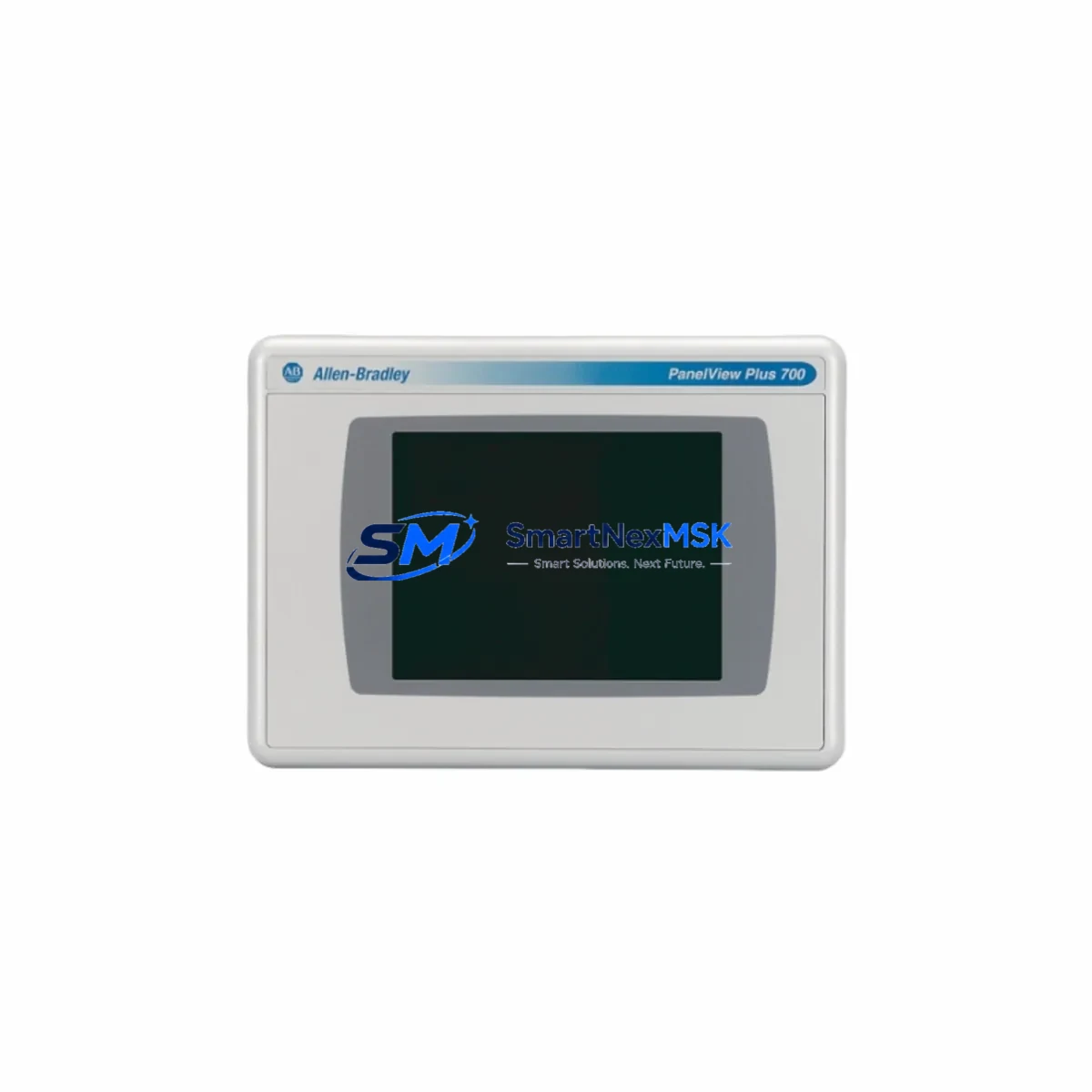
Allen-Bradley 2711P-RDT7CM Spare for PanelView Plus 6 Automation: Spare Replacement & Industrial Downtime Risk Control
The Allen-Bradley 2711P-RDT7CM is a 7-inch marine-grade display module for the PanelView Plus 6 series, engineered for demanding industrial environments where operator interface reliability is non-negotiable. As a maintenance-ready original spare, this unit supports rapid swap-out during unplanned downtime events, scheduled shutdowns, and long-term system life extension programs. Whether you are managing a coastal processing facility, an offshore platform, or a marine vessel control system, maintaining a verified stock of the 2711P-RDT7CM in your spare parts inventory is a proven strategy for minimizing mean time to repair (MTTR) and protecting continuous production.
Maintenance engineers and procurement teams working with Rockwell Automation ControlLogix, CompactLogix, or MicroLogix-based control architectures frequently identify the HMI display module as a single point of failure in the operator interface layer. The 2711P-RDT7CM, with its marine-rated enclosure and resistive touch technology, is particularly critical in environments subject to humidity, salt air, and vibration. Sourcing a pre-tested, original replacement unit from a reliable supplier ensures that when a display failure occurs, your team can restore operator visibility within the same maintenance window — without waiting weeks for factory lead times.
Spare Maintenance Table
| Parameter | Specification |
|---|---|
| Part Number / SKU | 2711P-RDT7CM |
| Brand | Allen-Bradley (Rockwell Automation) |
| Series | PanelView Plus 6 |
| Display Size | 7 inch (177.8 mm) diagonal |
| Display Type | Color TFT LCD, Resistive Touch |
| Rating | Marine Grade (NEMA 4X / IP66 front panel) |
| Input Voltage | 24V DC nominal |
| Communication Interface | EtherNet/IP, DH-485, DF1 |
| Operating Temperature | 0°C to 55°C (32°F to 131°F) |
| Compatibility | PanelView Plus 6 700–1500 series; ControlLogix, CompactLogix, MicroLogix |
| Installation | Panel cutout mount; standard PanelView Plus 6 footprint |
| Application Environment | Marine, offshore, coastal processing, food & beverage, water treatment |
| Maintenance Recommendation | Inspect touch calibration, backlight hours, and connector integrity every 12 months |
| Condition | Original, factory-tested, pre-shipment inspection completed |
| Warranty | 12 Months |
Maintenance Planning for Continuous Operation
When a 2711P-RDT7CM display module is flagged for replacement during a control cabinet inspection or after a fault event, experienced maintenance engineers know that the HMI is rarely the only component that requires attention. A thorough site assessment should include the following associated components to prevent repeat failures and ensure the control system returns to full operational status:
Begin with the 24V DC power supply module feeding the PanelView Plus 6 terminal — verify output voltage stability and check for ripple that could cause display resets or communication dropouts. Inspect the Ethernet communication cable and managed switch port connected to the HMI; a degraded Cat5e/Cat6 cable or a faulty switch port is a common root cause of intermittent HMI disconnection that is often misdiagnosed as a display hardware failure.
Check the 2711P-RN15S or 2711P-RN6 communication card seated in the PanelView Plus 6 chassis — these network interface modules are subject to connector wear and should be reseated or replaced as part of any major HMI maintenance event. If the system uses a 1756-EN2T or 1756-EN3TR EtherNet/IP communication module in the ControlLogix backplane, verify its firmware version and connection status to the HMI application.
For systems with legacy serial communication, inspect the DF1 or DH-485 serial cable and associated 1747-PIC or 1761-CBL-PM02 programming cables for insulation damage, particularly in marine environments where cable flexing and salt exposure accelerate degradation. Review the terminal block wiring on the I/O modules connected to the same control cabinet — loose terminals on 1756-IB16 digital input modules or 1756-OB16E digital output modules can generate spurious alarms that appear on the HMI and are sometimes incorrectly attributed to display faults.
If the PanelView Plus 6 application references analog process values, verify the calibration and signal integrity of any 1756-IF8 or 1756-IF16 analog input modules in the rack. Signal drift on these modules can cause HMI trend displays to show erratic data, prompting unnecessary display replacement. Finally, check the UPS or battery backup unit supplying the control cabinet — an aging UPS that fails to hold voltage during a power transient is a leading cause of HMI corruption events that damage the display module’s internal flash memory.
Site Replacement Workflow
Replacing the 2711P-RDT7CM in the field follows a structured process designed to minimize downtime and ensure system compatibility is maintained from the first power-on after installation:
Step 1 — Pre-Replacement Verification: Confirm the replacement unit’s catalog number matches the installed module exactly. The 2711P-RDT7CM is the marine-grade variant; substituting a standard 2711P-RDT7C (non-marine) in a marine-rated enclosure will void the panel’s IP rating and may not meet site safety requirements. Verify the firmware version of the replacement unit is compatible with the existing FactoryTalk View ME application — firmware mismatches between the display module and the application file are a common cause of post-replacement communication failures.
Step 2 — Application Backup: Before removing the failed unit, use FactoryTalk View Studio or the ME Transfer Utility to create a backup of the current application file stored on the HMI’s internal memory or CompactFlash card. This backup is essential if the replacement unit requires a fresh application load.
Step 3 — Physical Swap: Disconnect power, remove the panel cutout mounting hardware, and carefully disconnect the DC power connector and communication cables. Install the replacement 2711P-RDT7CM, reconnect all cables, and restore power. The marine-grade gasket should be inspected and replaced if compressed or damaged.
Step 4 — Application Restore and Commissioning: Load the backed-up application file onto the replacement unit, verify all screen navigation, alarm displays, and communication tags are functioning correctly, and perform a touch screen calibration. Document the replacement in the site maintenance log with the new unit’s serial number and installation date.
This workflow applies equally to planned maintenance replacements and emergency swap-outs, and is designed to keep total downtime under two hours for a prepared maintenance team with the spare unit on hand.
Spare Parts Support FAQ
Q1: What is the expected service life of the 2711P-RDT7CM, and when should I plan for replacement?
The PanelView Plus 6 display module is rated for a minimum of 50,000 hours of backlight operation under normal conditions. In marine environments with elevated humidity and temperature cycling, proactive replacement at 40,000–45,000 hours or at the first sign of backlight dimming, touch calibration drift, or communication instability is recommended. Maintaining one spare unit per control cabinet cluster is standard practice for facilities with zero-tolerance downtime requirements.
Q2: Is the 2711P-RDT7CM compatible with older PanelView Plus 6 applications, and do I need to update firmware before installation?
The 2711P-RDT7CM is backward compatible with PanelView Plus 6 applications developed in FactoryTalk View ME versions 6.0 and later. Firmware updates are recommended but not always required — the replacement unit should be tested with the existing application file in a controlled environment before site installation. If the application was developed on a significantly older firmware version, consult the Rockwell Automation firmware compatibility matrix before proceeding.
Q3: What pre-shipment testing is performed on this spare unit, and what does the 12-month warranty cover?
Every 2711P-RDT7CM unit is powered on, subjected to a full display and touch function test, and inspected for connector integrity and physical condition before shipment. The 12-month warranty covers hardware defects and functional failures under normal operating conditions. Units that fail within the warranty period are replaced or repaired at no additional cost. Warranty claims require the original order reference and a brief description of the failure mode.
Q4: Can I source long-term supply of the 2711P-RDT7CM for a multi-year maintenance contract?
Yes. We support long-term spare parts supply agreements for facilities managing aging Rockwell Automation PanelView Plus 6 installations. Blanket orders, scheduled delivery programs, and reserved stock arrangements are available for procurement teams managing multi-site or multi-year maintenance contracts. Contact our sales team to discuss volume pricing and supply continuity options for your specific maintenance program.
© 2026 SMARTNEXMSK. All rights reserved.
Original Source: https://smartnexmsk.com
Contact: [email protected] | +86 18259474341



