
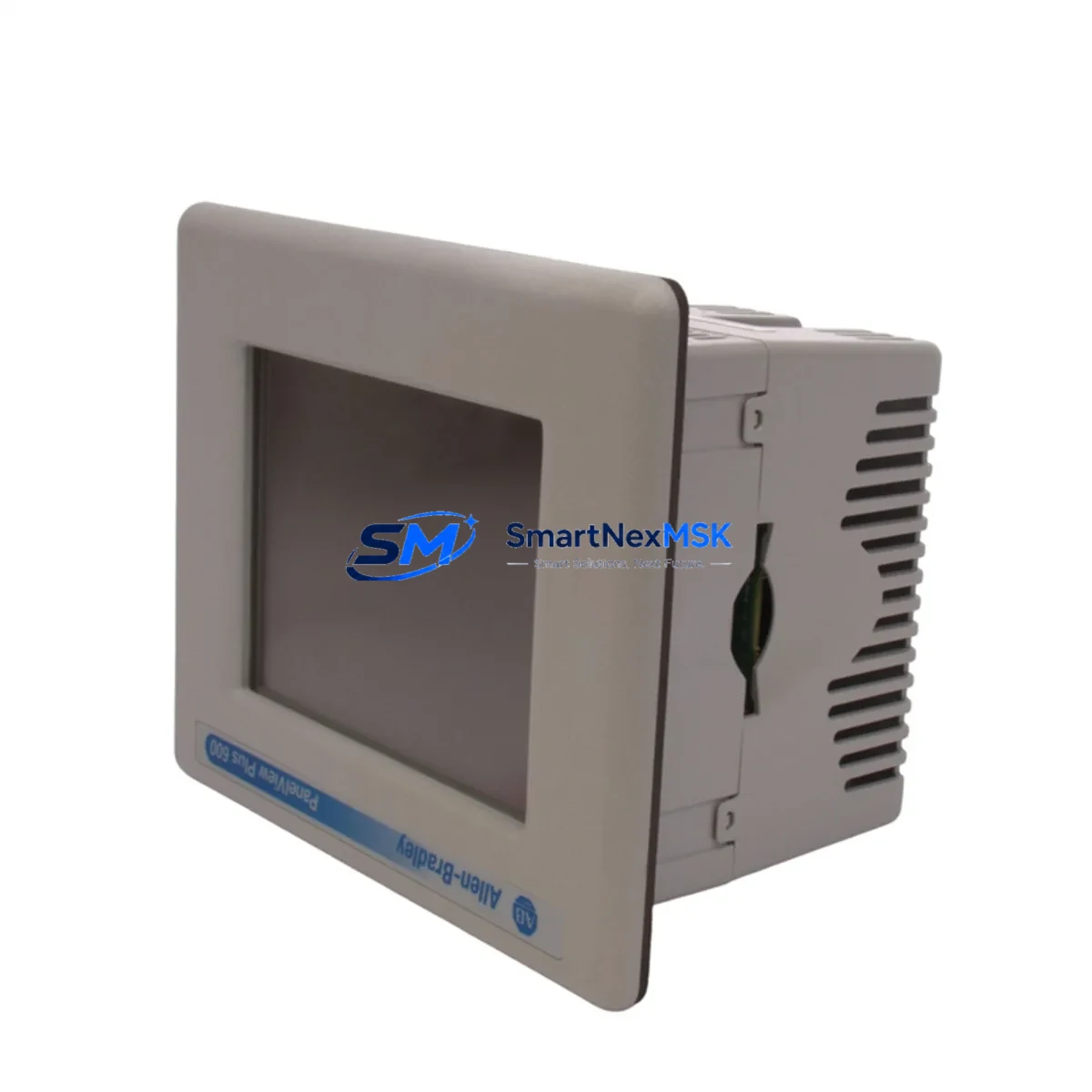
Allen-Bradley 2711P-RN10C Spare for PanelView Plus Automation
The Allen-Bradley 2711P-RN10C is a DeviceNet plug-in communication module designed for the PanelView Plus HMI family. In industrial automation environments where unplanned downtime translates directly into production loss, maintaining a verified, ready-to-install spare of the 2711P-RN10C is a fundamental element of any responsible maintenance strategy. This module enables the PanelView Plus terminal to communicate over a DeviceNet network, bridging operator interface panels with PLCs, drives, and field devices across the control architecture.
At SMARTNEXMSK, every 2711P-RN10C unit is sourced from authorized supply channels, inspected prior to dispatch, and shipped with a 12-month warranty. Our inventory is maintained specifically to support maintenance engineers and procurement teams who require fast, reliable access to original spare parts — without the lead times associated with OEM direct orders.
Spare Maintenance Table
| Parameter | Specification / Detail |
|---|---|
| Part Number / SKU | 2711P-RN10C |
| Brand | Allen-Bradley (Rockwell Automation) |
| Series | PanelView Plus |
| Module Type | DeviceNet Plug-In Communication Module |
| Network Protocol | DeviceNet (CAN-based, IEC 62026-3) |
| Compatible Terminals | PanelView Plus 6, PanelView Plus 7 (plug-in slot compatible) |
| Data Rate | 125 kbps / 250 kbps / 500 kbps (auto-detect) |
| Connector Type | 5-pin open-style DeviceNet connector |
| Power Supply | Supplied via PanelView Plus backplane (no external power required) |
| Operating Temperature | 0°C to 55°C (32°F to 131°F) |
| Storage Temperature | -40°C to 85°C |
| Humidity | 5% to 95% non-condensing |
| Mounting | Plug-in module slot on rear of PanelView Plus terminal |
| Origin | United States |
| Warranty | 12 Months — Tested before dispatch |
| Application Environment | Industrial control panels, HMI stations, DeviceNet field networks |
| Maintenance Recommendation | Inspect connector pins and seating annually; replace if DeviceNet communication faults persist after cable and node diagnostics |
Maintenance Planning for Continuous Operation
When a PanelView Plus terminal loses DeviceNet communication, the fault is rarely isolated to the 2711P-RN10C module alone. A disciplined maintenance engineer will treat the module replacement as the starting point of a broader inspection, not the conclusion. Before returning the HMI station to service, the following components and subsystems should be verified as part of the same maintenance event.
Begin with the DeviceNet trunk cable and drop cables connected to the affected node. Damaged insulation, loose termination resistors (120 Ω at each end of the trunk), or corroded pin contacts are common root causes of intermittent communication faults that are incorrectly attributed to the plug-in module. Verify network termination and measure bus voltage (nominally 24 VDC on the DeviceNet power rail) before re-energizing.
Inspect the 24 VDC power supply module feeding the control panel. Voltage sag or ripple on the DC bus can cause the PanelView Plus terminal to generate spurious communication errors. If the panel uses a 1606-XLP power supply or equivalent, check output voltage under load and review any fault history logged in the terminal’s diagnostics screen.
Review the DeviceNet scanner card installed in the associated ControlLogix or CompactLogix PLC — typically a 1756-DNB or 1769-SDN module. Confirm that the node address configured on the 2711P-RN10C matches the scanner’s expected device table, and that no duplicate node addresses exist on the network segment. A node address conflict will prevent the replacement module from communicating even after a physically successful installation.
Check the PanelView Plus terminal firmware version. Certain firmware revisions have known compatibility constraints with specific plug-in module hardware revisions. If the terminal is running firmware older than the module’s supported baseline, a firmware update via FactoryTalk View ME Station may be required before the 2711P-RN10C will enumerate correctly.
For panels that also carry 1734 POINT I/O adapters or 1756 ControlLogix I/O modules on the same DeviceNet segment, verify that those nodes are still communicating correctly after the module swap. A replacement module that is not properly terminated or addressed can introduce bus reflections that degrade communication quality for all nodes on the segment.
If the control cabinet includes signal isolators between the DeviceNet trunk and field instruments, inspect the isolator power rails and verify that isolation barriers have not degraded — particularly in high-humidity or high-vibration environments. Similarly, check any surge protection devices installed on the DeviceNet cable entry points, as these components have finite clamping life and may require replacement after a surge event that triggered the original communication fault.
Finally, review the terminal block connections on the DeviceNet connector body. Loose or oxidized terminations at the 5-pin connector are a frequent cause of intermittent faults in older installations. Re-torque all connections to the manufacturer’s specified torque value and apply contact protection spray if the environment is corrosive.
Site Replacement Workflow
The 2711P-RN10C is a plug-in module, which means field replacement does not require the PanelView Plus terminal to be removed from the panel door or enclosure. The replacement procedure is straightforward, but must be executed with the terminal powered down to avoid damaging the module’s interface circuitry.
Step 1 — Document current configuration. Before removing the existing module, record the node address setting (configured via rotary switches or software, depending on terminal revision) and the DeviceNet network parameters displayed in the terminal’s communication settings menu. Photograph the connector wiring if labels are absent or illegible.
Step 2 — De-energize and isolate. Follow your site’s lockout/tagout procedure. Disconnect the DeviceNet cable from the module connector. Remove the module from the plug-in slot by releasing the retention latch and pulling the module straight out.
Step 3 — Install the replacement 2711P-RN10C. Align the module with the slot guide rails and press firmly until the retention latch engages. Reconnect the DeviceNet cable, ensuring correct pin orientation (V+, CAN_H, Shield, CAN_L, V−).
Step 4 — Configure and verify. Set the node address to match the documented value. Re-energize the terminal and navigate to the communication diagnostics screen. Confirm that the DeviceNet network status indicator shows a healthy connection and that the scanner’s device table reflects the module as online.
Step 5 — Functional test. Execute a full I/O scan cycle and verify that all operator interface elements linked to DeviceNet tags are updating correctly. Log the replacement in your maintenance management system with the date, technician ID, and new module serial number.
This workflow minimizes downtime to under 30 minutes for a prepared maintenance team and eliminates the need for a controls engineer to be on-site for a straightforward module swap.
Spare Parts Support FAQ
Q1: Is the 2711P-RN10C compatible with both PanelView Plus 6 and PanelView Plus 7 terminals?
The 2711P-RN10C is designed for the PanelView Plus plug-in module slot and is compatible with PanelView Plus 6 terminals. Compatibility with PanelView Plus 7 depends on the specific catalog suffix and hardware revision of the terminal. We recommend confirming the terminal’s catalog number before ordering. Our technical team can assist with compatibility verification prior to dispatch.
Q2: How do you verify the module before shipment?
Each 2711P-RN10C unit undergoes a pre-shipment inspection covering physical condition, connector pin integrity, and where test equipment permits, functional communication verification. Units that do not pass inspection are not dispatched. All units are covered by a 12-month warranty from the date of delivery.
Q3: What is your recommended spare parts stocking strategy for DeviceNet HMI communication modules?
For facilities operating multiple PanelView Plus terminals on DeviceNet networks, we recommend maintaining a minimum of one 2711P-RN10C per five terminals as a cold spare. For critical production lines where HMI downtime directly halts output, a hot spare staged in the control room is advisable. Given that this module is a legacy component in Rockwell Automation’s portfolio, securing buffer stock now mitigates the risk of extended lead times as OEM availability decreases.
Q4: Can the 2711P-RN10C replace older DeviceNet communication modules from the PanelView Plus family?
The 2711P-RN10C is the current catalog number for the DeviceNet plug-in module in the PanelView Plus line and is the direct replacement for earlier revisions of the same module type. If you are replacing a module from an older PanelView Plus terminal with a different catalog suffix, contact our team with the full terminal catalog number to confirm cross-compatibility before installation.
—
© 2026 SMARTNEXMSK. All rights reserved.
Original Source: https://smartnexmsk.com
Contact: [email protected] | +86 18259474341



