
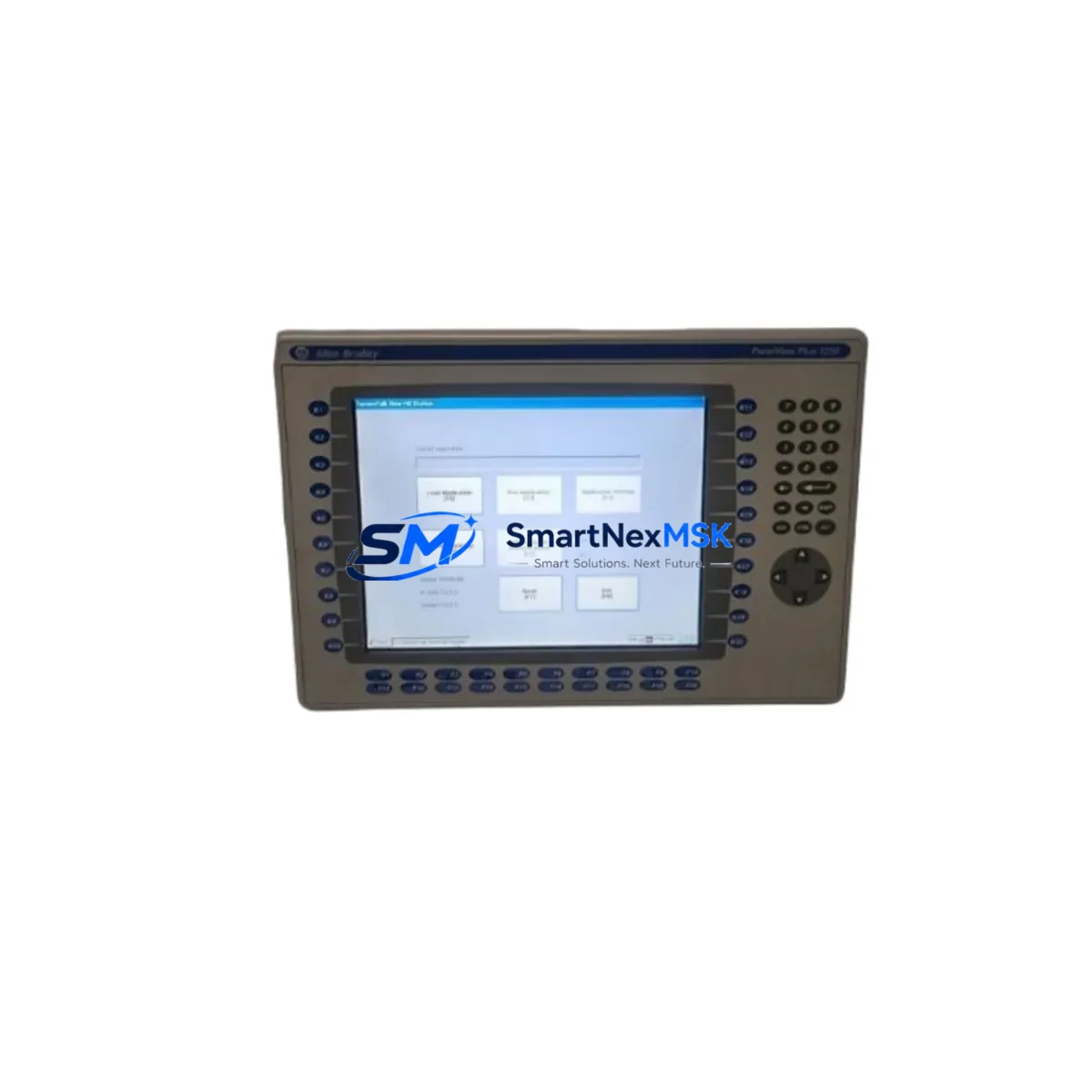
Allen-Bradley 2711P-RN15S Maintenance-Ready Spare for PanelView Plus Automation
The Allen-Bradley 2711P-RN15S is an original ControlNet communication module designed for the PanelView Plus 2711P series HMI platform. In industrial automation environments — from discrete manufacturing lines to process control cabinets — this module serves as the critical communication bridge between the operator interface and the ControlNet network backbone. When this component fails or degrades, the entire HMI-to-controller communication path is interrupted, leading to unplanned downtime, loss of process visibility, and potential safety risks. Stocking the 2711P-RN15S as a verified spare is a fundamental element of any proactive maintenance strategy for Rockwell Automation-based control systems.
This listing provides an original, tested 2711P-RN15S spare unit, sourced for compatibility with the full 2711P PanelView Plus family. Each unit undergoes functional verification prior to shipment and is backed by a 12-month warranty, ensuring your maintenance team can deploy it with confidence during both planned shutdowns and emergency recovery scenarios.
Spare Maintenance Table
| Parameter | Specification |
|---|---|
| SKU / Part Number | 2711P-RN15S |
| Brand | Allen-Bradley (Rockwell Automation) |
| Series | PanelView Plus 2711P |
| Module Type | ControlNet Communication Module |
| Network Protocol | ControlNet (IEC 61158) |
| Compatible HMI Platform | PanelView Plus 6, PanelView Plus 7 (2711P series) |
| Installation Method | Rear-mount plug-in module, tool-free release |
| Operating Temperature | 0°C to 55°C (32°F to 131°F) |
| Storage Temperature | -40°C to 85°C |
| Power Supply | Supplied via PanelView Plus backplane |
| Origin | USA (Original Rockwell Automation manufacture) |
| Condition | Original spare, functionally tested |
| Warranty | 12 Months from date of shipment |
| Maintenance Recommendation | Inspect connector pins and seating annually; replace if ControlNet fault codes appear on HMI diagnostics |
| Application Environment | Industrial control panels, SCADA HMI stations, DCS operator workstations |
Maintenance Planning for Continuous Operation
Replacing the 2711P-RN15S in the field is rarely an isolated task. Maintenance engineers and procurement teams should treat this module replacement as an opportunity to audit the surrounding control cabinet components and verify system-wide integrity before returning the HMI to service.
Begin with the ControlNet coaxial cable and BNC tap connectors — degraded cable terminations are a leading cause of intermittent ControlNet faults that are often misdiagnosed as module failures. Inspect the 2711P-RN15S backplane connector on the PanelView Plus chassis for bent pins or oxidation. If the HMI is powered by a dedicated 24VDC power supply module (such as the 2711P-RSACDIN or equivalent DIN-rail PSU), verify output voltage stability under load, as voltage sag can cause communication resets that mimic module faults.
For systems where the PanelView Plus communicates upstream to a ControlLogix or CompactLogix PLC (e.g., 1756-CN2 or 1769-SDN ControlNet scanner cards), confirm that the network node address of the replacement 2711P-RN15S matches the original configuration stored in RSLinx or Studio 5000. A node address mismatch will prevent the HMI from re-establishing communication even after a physically successful module swap.
During the same maintenance window, inspect the 2711P series terminal block and I/O wiring harness for insulation wear, especially in high-vibration environments. Check any signal isolators in the analog input loop feeding the HMI display for drift or calibration errors. If the control cabinet includes Ethernet/IP communication modules (such as the 2711P-RN6 or 2711P-RN15S companion modules), verify their firmware versions are compatible with the current FactoryTalk View ME application version running on the PanelView Plus.
For older 2711P installations approaching end-of-life, consider stocking companion spares including the 2711P-T10C21D8S display assembly, 2711P-RP8 runtime processor module, and 2711P-B10C22D9P compact flash memory card to support rapid full-unit recovery without waiting for extended lead times. Relay output modules and terminal block assemblies in the same cabinet should also be inspected for contact wear, particularly if the system has been in continuous operation for more than five years.
Site Replacement Workflow
Step 1 — Pre-replacement verification: Before removing the existing 2711P-RN15S, document the current ControlNet node address, network topology map, and any active fault codes displayed on the PanelView Plus diagnostics screen. Export the current HMI application backup from FactoryTalk View ME if not already archived.
Step 2 — Safe de-energization: Follow site LOTO (Lockout/Tagout) procedures. The 2711P-RN15S is a hot-swap capable module on supported firmware versions, but site safety protocols take precedence. Disconnect the ControlNet coaxial tap before removing the module to avoid network disruption to other nodes.
Step 3 — Module removal and inspection: Release the module latch and slide the 2711P-RN15S out of the rear slot. Inspect the backplane connector for damage. Clean the slot with compressed air if contamination is present.
Step 4 — Replacement installation: Insert the new 2711P-RN15S spare unit, ensuring full seating until the latch clicks. Reconnect the ControlNet coaxial tap. Power up the PanelView Plus and verify the module status LED indicates normal operation (solid green).
Step 5 — Communication verification: Confirm the HMI re-establishes ControlNet communication with the upstream PLC or DCS controller. Verify all HMI screens display live process data. Run a short functional test cycle before returning the system to production.
This workflow minimizes downtime to under 30 minutes for a trained maintenance technician, provided the replacement spare is pre-staged and the HMI application backup is current. Maintaining one 2711P-RN15S unit in your on-site spare parts inventory eliminates the risk of extended production halts caused by module procurement lead times.
Spare Parts Support FAQ
Q1: Is this 2711P-RN15S compatible with both PanelView Plus 6 and PanelView Plus 7 terminals?
Yes. The 2711P-RN15S is compatible with the full 2711P PanelView Plus family, including PanelView Plus 6 (700–1500 series) and PanelView Plus 7 Standard terminals. Always verify the rear slot configuration of your specific terminal model before installation, as some compact 2711P variants use a different module bay layout.
Q2: How is each unit tested before shipment?
Every 2711P-RN15S spare undergoes functional power-on testing and ControlNet communication verification prior to packaging. Units that fail any test parameter are quarantined and not shipped. A test report is available upon request for critical maintenance applications.
Q3: What does the 12-month warranty cover?
The 12-month warranty covers manufacturing defects and functional failures under normal operating conditions from the date of shipment. It does not cover damage caused by incorrect installation, overvoltage events, or physical mishandling. Warranty claims are processed with priority to minimize your system downtime.
Q4: Can I use this spare to replace an older 2711P-RN15S that has been discontinued by Rockwell Automation?
Yes. This listing specifically addresses the aftermarket and MRO (Maintenance, Repair & Operations) demand for 2711P-RN15S units that are no longer available through standard Rockwell Automation distribution channels. The spare is functionally equivalent to the original and supports long-term system life extension for installed 2711P PanelView Plus platforms without requiring a full HMI upgrade.
© 2026 SMARTNEXMSK. All rights reserved.
Original Source: https://smartnexmsk.com
Contact: [email protected] | +86 18259474341



