
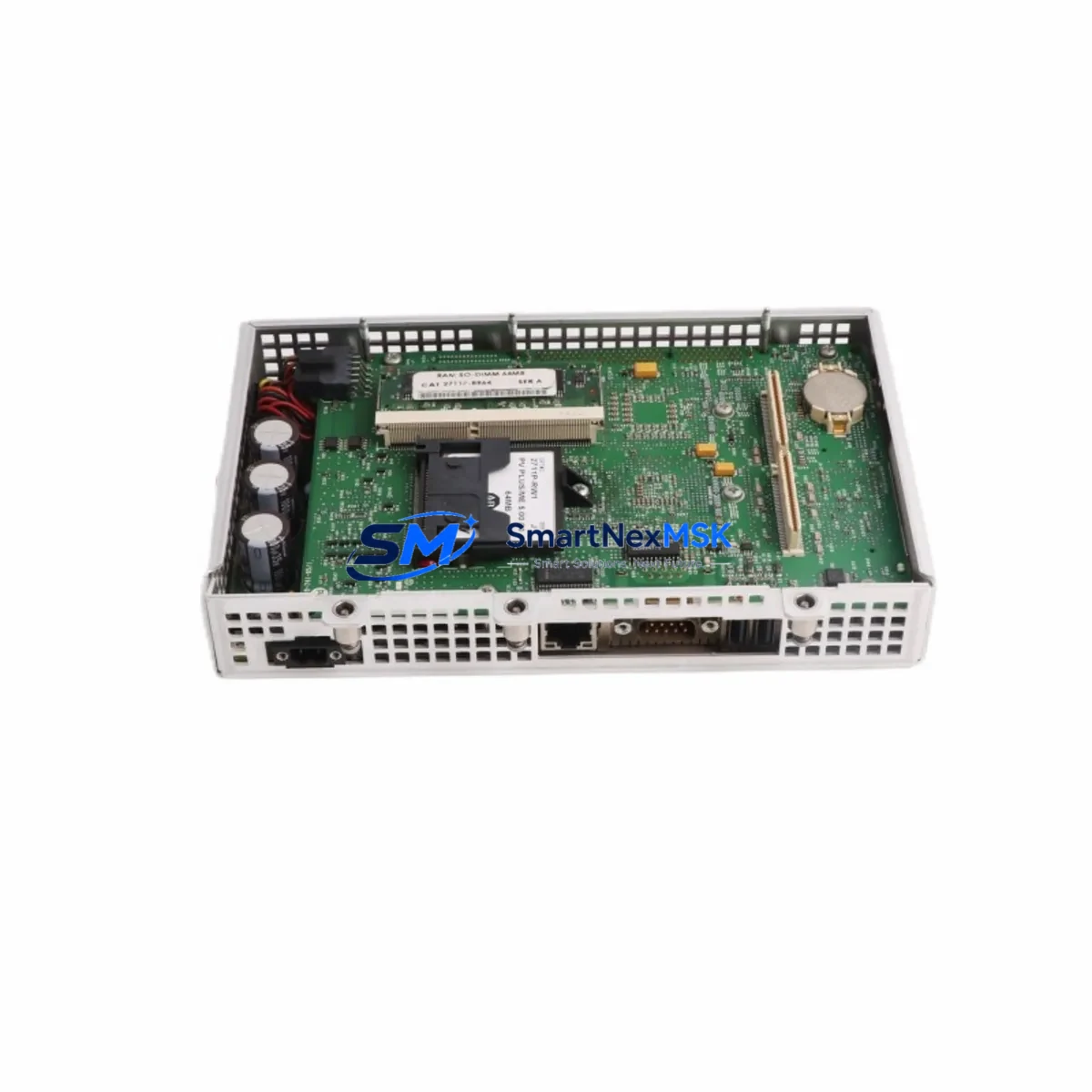
Allen-Bradley 2711P-RP1 Retrofit-Ready Logic Module for PanelView Plus Control Systems
The Allen-Bradley 2711P-RP1 is a replacement logic module designed for the PanelView Plus and PanelView Plus 6 family of human-machine interface terminals. As legacy HMI platforms age and original logic modules reach end-of-life, the 2711P-RP1 provides a direct, retrofit-ready upgrade path that preserves existing terminal hardware, minimizes panel rework, and restores full HMI functionality without requiring a complete system replacement.
This module is engineered to slot directly into compatible PanelView Plus terminals — including the 2711P-T7C4D8, 2711P-T10C4D8, and 2711P-T12W4D8 display units — restoring the processing core while retaining the existing display assembly, bezel, and mounting hardware. With 64MB Flash RAM and full compatibility with FactoryTalk View ME application software, the 2711P-RP1 supports seamless program restoration from backup, eliminating the need to rebuild HMI screens from scratch.
Upgrade Compatibility Table
| Parameter | Details |
|---|---|
| Compatible Terminal Series | PanelView Plus, PanelView Plus 6 (2711P series) |
| Module Type | Logic/Runtime Module (replaceable internal component) |
| Flash Memory | 64MB |
| Interface Connection | Internal board-to-board connector (tool-free swap on most models) |
| Software Compatibility | FactoryTalk View ME v5.0 and above |
| Communication Support | EtherNet/IP, DH-485, DF1 (via terminal’s communication ports) |
| Replacement Scope | Drop-in logic module; display, bezel, and power supply retained |
| Program Restore | Restore from CompactFlash card or USB backup |
| Commissioning Requirement | FactoryTalk View ME Studio for application download and verification |
| Warranty | 12 Months from date of shipment |
Retrofit Planning for Existing Automation Systems
When planning a retrofit around the 2711P-RP1, the scope of work extends well beyond the module swap itself. In most legacy panel environments, the HMI terminal is tightly integrated with a ControlLogix or CompactLogix controller — such as the 1756-L71 or 1769-L33ER — communicating over EtherNet/IP or legacy DH-485 links. Before removing the failed logic module, engineers should document the existing communication path, confirm the controller IP address or node number, and verify that the RSLinx Classic or FactoryTalk Linx driver configuration is backed up.
Power supply integrity is a critical pre-check. The PanelView Plus terminal draws regulated 24VDC from the control cabinet power supply — typically a 1606-XLP95E or equivalent Bulletin 1606 unit. Verify that supply voltage is within tolerance (21.6–26.4VDC) before installing the replacement module, as undervoltage conditions are a common root cause of logic module failure in the first place.
Terminal block wiring and I/O mapping should be reviewed against the original panel drawings. If the failed terminal was connected to a 1734 POINT I/O adapter or a 1756-EN2T EtherNet/IP bridge module, confirm that device IP addresses and EDS file registrations remain intact in the controller project. For systems using 1747-SDN DeviceNet scanner cards or 1756-DNB DeviceNet bridge modules, verify that the network node map is preserved before powering down.
Backplane and rack integrity should also be assessed. In multi-slot ControlLogix chassis — such as the 1756-A7 or 1756-A13 — confirm that adjacent modules including analog I/O cards, motion modules, and communication bridges are not affected by the HMI fault. The 2711P-RP1 replacement is isolated to the HMI terminal and does not require controller rack removal, but any shared Ethernet switch ports or managed switch configurations (e.g., Stratix 5700) should be documented.
For sites running FactoryTalk View ME applications with alarm history logging or recipe management, ensure that the application .MER file is available on a CompactFlash card or USB drive before the swap. After installing the 2711P-RP1, the application can be downloaded directly from the storage media without requiring a PC connection, significantly reducing commissioning time on the plant floor.
Downtime Control During System Migration
Minimizing unplanned downtime is the primary operational concern when replacing a failed HMI logic module in a live production environment. The 2711P-RP1 swap procedure is designed to be completed within a planned maintenance window — typically 30 to 90 minutes — provided that all pre-conditions are met before the line is stopped.
The recommended sequence is: (1) back up the existing .MER application file to CompactFlash or USB before shutdown; (2) power down the terminal and remove the failed logic module using the manufacturer’s extraction procedure; (3) install the 2711P-RP1 and restore power; (4) load the application from backup media; (5) verify communication links to the controller and confirm all tag bindings are active; (6) perform a functional check of all HMI screens, alarm displays, and operator inputs before releasing the line.
Controller logic does not need to be modified during this process. The PLC program running on the CompactLogix or ControlLogix controller continues to execute independently of the HMI terminal state. This means the production process can remain in a safe hold state — with outputs controlled by the controller’s last-state logic — while the HMI is being serviced, protecting both personnel and process continuity.
For critical applications where even a brief HMI outage is unacceptable, a pre-configured spare terminal with the 2711P-RP1 already installed and the application pre-loaded can be staged in advance, reducing the swap time to under 15 minutes. All units shipped by SMARTNEXMSK are pre-tested and verified against factory specifications prior to dispatch, ensuring that the replacement module is ready for immediate installation upon arrival.
Retrofit Support FAQ
Q1: Is the 2711P-RP1 a direct replacement for the original Allen-Bradley logic module in my PanelView Plus terminal?
Yes. The 2711P-RP1 is a form-fit-function replacement for the original logic module in compatible PanelView Plus and PanelView Plus 6 terminals. No hardware modification to the terminal housing, display assembly, or wiring is required. Confirm your terminal model number against the compatibility table above before ordering.
Q2: Do I need to reprogram my HMI application after installing the 2711P-RP1?
No reprogramming is required if a backup of the .MER application file exists. The application can be restored directly from a CompactFlash card or USB drive after the module is installed. If no backup is available, the application will need to be re-downloaded from FactoryTalk View ME Studio via USB or Ethernet connection.
Q3: Will the replacement module affect my PLC program or controller communication?
No. The 2711P-RP1 is an HMI-side component only. The controller program running on your CompactLogix or ControlLogix PLC is unaffected by the HMI module replacement. Communication links will be re-established automatically once the application is loaded and the terminal reconnects to the controller over EtherNet/IP or DH-485.
Q4: What warranty and pre-shipment testing does SMARTNEXMSK provide?
All 2711P-RP1 units supplied by SMARTNEXMSK carry a 12-month warranty from the date of shipment. Each unit undergoes functional verification testing prior to dispatch, including power-on self-test and communication interface checks. In the event of a warranty claim, SMARTNEXMSK provides advance replacement support to minimize production downtime.
© 2026 SMARTNEXMSK. All rights reserved.
Original Source: https://smartnexmsk.com
Contact: [email protected] | +86 18259474341



