
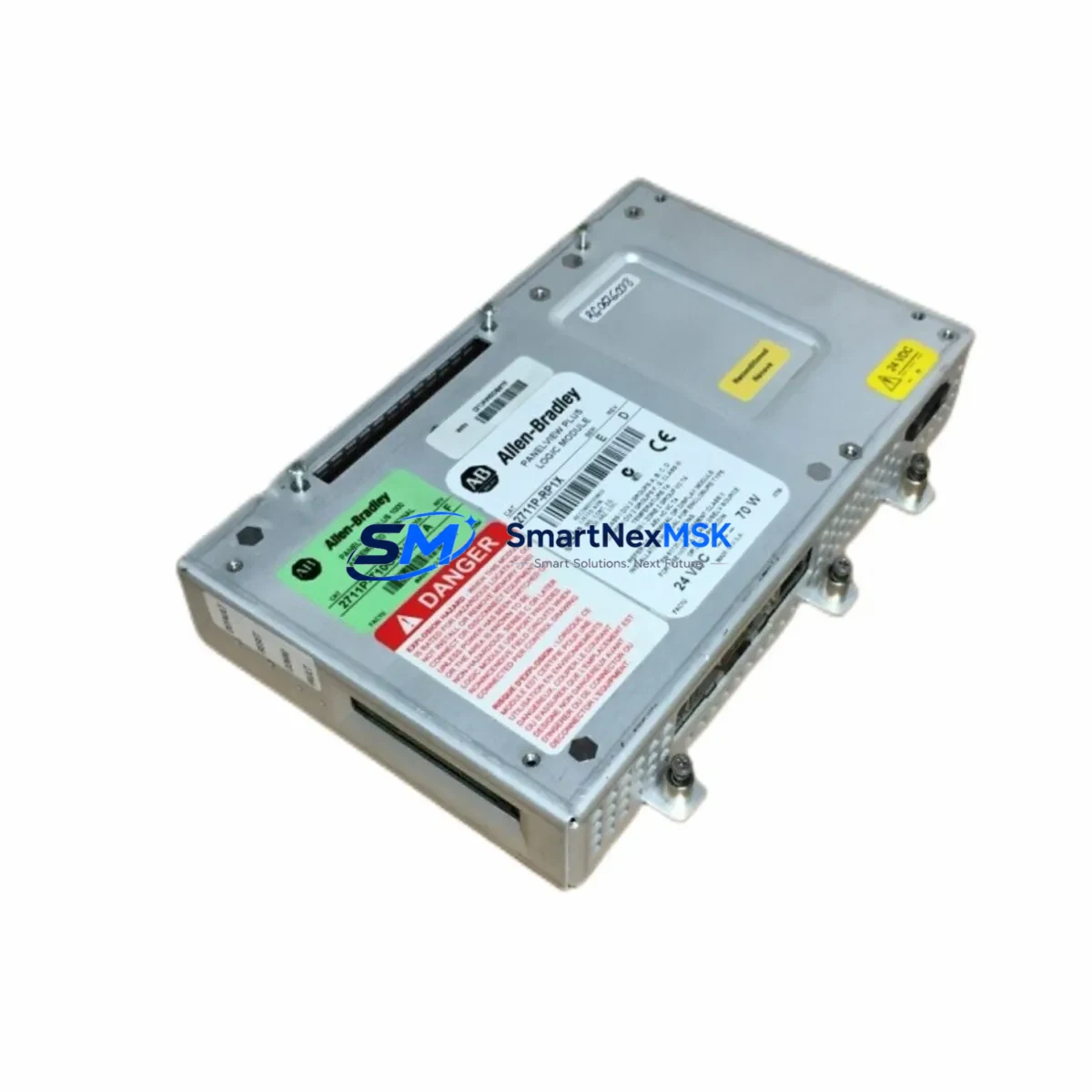
Allen-Bradley 2711P-RP1X Maintenance-Ready Spare for PanelView Plus 6: Spare Replacement & Industrial Downtime Risk Control
The Allen-Bradley 2711P-RP1X is the original logic module for the PanelView Plus 6 HMI series — a critical component in Rockwell Automation control architectures deployed across manufacturing, oil & gas, water treatment, and discrete automation facilities worldwide. When this module fails, the entire operator interface goes dark, halting production visibility and control. Maintaining a verified spare of the 2711P-RP1X in your parts inventory is one of the most cost-effective strategies for minimizing unplanned downtime in PanelView Plus 6-based systems.
This listing provides a maintenance-ready, original-specification 2711P-RP1X logic module — sourced, inspected, and dispatched with a 12-month warranty. Each unit undergoes functional verification prior to shipment to ensure it meets Rockwell Automation’s original performance standards. Whether you are executing a planned replacement during a scheduled maintenance window or responding to an emergency HMI failure on the production floor, this spare is ready to deploy.
Spare Maintenance Table
| Parameter | Specification |
|---|---|
| Part Number / SKU | 2711P-RP1X |
| Brand | Allen-Bradley (Rockwell Automation) |
| Series | PanelView Plus 6 |
| Module Type | HMI Logic / Runtime Module |
| Compatible Terminals | 2711P-T7Cxx, 2711P-T10Cxx, 2711P-T12Wxx, 2711P-T15Cxx series |
| Communication | EtherNet/IP (primary); supports RSLinx Classic / FactoryTalk |
| Operating Voltage | 24 VDC (supplied via terminal backplane) |
| Operating Temperature | 0°C to 55°C (32°F to 131°F) |
| Storage Temperature | -40°C to 85°C |
| Mounting | Internal module — tool-free slide-and-lock installation |
| Application Environment | Industrial panel, control cabinet, SCADA/DCS integration |
| Firmware Compatibility | FactoryTalk View ME v6.x and above |
| Maintenance Recommendation | Replace at first sign of boot failure, display freeze, or comm loss |
| Warranty | 12 Months — functional guarantee from dispatch date |
| Pre-shipment Testing | Power-on, communication handshake, and runtime verification |
| Origin | USA (Rockwell Automation OEM) |
Maintenance Planning for Continuous Operation
For maintenance engineers managing PanelView Plus 6 installations, the 2711P-RP1X rarely fails in isolation. A logic module fault is often preceded or accompanied by related component stress in the same control cabinet. When replacing the 2711P-RP1X, a thorough site inspection should include the following associated components:
Begin with the 24 VDC power supply feeding the HMI terminal — voltage sag or ripple is a leading cause of premature logic module failure. Inspect the 2711P-RN15S EtherNet/IP communication module if your terminal uses a separate network card, and verify that the Ethernet switch port and patch cable connecting the HMI to the PLC or DCS backbone are functioning correctly. A faulty cable or misconfigured managed switch can mimic logic module failure symptoms.
Check the CompactLogix or ControlLogix PLC (e.g., 1769-L33ER or 1756-L75) that the HMI communicates with — if the controller has faulted or lost its program, the HMI will appear unresponsive even with a healthy logic module. Review the 1756-EN2T or 1756-EN3TR EtherNet/IP bridge module in the ControlLogix chassis for communication integrity.
During the same maintenance window, inspect terminal block assemblies and DIN rail-mounted relay modules in the control cabinet for signs of heat damage or loose wiring — these are common sources of intermittent faults that operators often misattribute to the HMI. If the system includes signal isolators on analog I/O loops feeding the HMI display, verify their output ranges are within calibration. For older installations, check the condition of the 2711P-RY2032 battery backup module to ensure application data and clock settings are retained across power cycles.
If the PanelView Plus 6 terminal is integrated into a broader FactoryTalk View SE or ME architecture, confirm that the FactoryTalk Directory server and RSLinx Enterprise communication server are operational before concluding that the hardware module is at fault. A structured pre-replacement checklist covering power, network, PLC status, and firmware version alignment will prevent unnecessary module swaps and reduce mean time to repair.
Site Replacement Workflow
The 2711P-RP1X is designed for rapid field replacement without specialized tooling. Follow this workflow to minimize downtime and ensure system compatibility:
Step 1 — Isolate and document: Power down the PanelView Plus 6 terminal safely. Record the current firmware version, application file name, and FactoryTalk View ME project version from the existing module if it is still partially functional. Back up the application to a USB drive or network share before removal.
Step 2 — Remove the failed module: Slide the 2711P-RP1X out of the terminal housing using the module release tab. No screws are required. Inspect the connector pins and housing for physical damage or corrosion.
Step 3 — Install the replacement: Insert the new 2711P-RP1X until it clicks into the locked position. Restore power and allow the terminal to complete its boot sequence. The module will initialize with factory firmware.
Step 4 — Restore application and firmware: Load the backed-up FactoryTalk View ME application via USB or network transfer. If the replacement module ships with an older firmware revision, update to the required version using FactoryTalk View ME Studio before going live. Verify EtherNet/IP communication with the host PLC and confirm all tag bindings are active.
Step 5 — Functional verification: Cycle through all HMI screens, confirm alarm displays, trend views, and control faceplate responses. Log the replacement in your CMMS with the new module serial number and warranty start date.
This workflow is compatible with all PanelView Plus 6 terminal sizes and replaces legacy 2711P-RP1 (non-X) modules in most installations with no hardware modification required. Compatibility with specific terminal models should be confirmed against the Rockwell Automation product compatibility matrix prior to installation.
Spare Parts Support FAQ
Q1: Is the 2711P-RP1X backward compatible with older PanelView Plus (non-Plus 6) terminals?
The 2711P-RP1X is specifically designed for the PanelView Plus 6 series. It is not directly interchangeable with the original PanelView Plus (2711P-RP1) in all configurations. While physical form factor is similar, firmware and runtime differences may affect compatibility. Always verify against your terminal’s catalog number before ordering. Our technical team can assist with compatibility confirmation prior to dispatch.
Q2: What pre-shipment testing does each 2711P-RP1X unit undergo?
Every unit is powered on, subjected to a communication handshake test via EtherNet/IP, and verified for runtime initialization before packaging. Units that do not pass all test stages are not dispatched. A test report summary is available upon request for quality-critical procurement processes.
Q3: How should I manage 2711P-RP1X inventory for a multi-site operation?
For facilities running three or more PanelView Plus 6 terminals, we recommend maintaining a minimum of one 2711P-RP1X spare per site, with a centralized regional buffer stock for rapid inter-site deployment. Logic module MTBF in typical industrial environments exceeds 50,000 hours, but age, thermal cycling, and power quality significantly affect real-world lifespan. Annual inspection of installed modules during planned shutdowns is recommended.
Q4: What does the 12-month warranty cover, and how is a warranty claim processed?
The 12-month warranty covers functional failure under normal operating conditions — including communication faults, boot failures, and runtime errors attributable to the module itself. Physical damage caused by incorrect installation, overvoltage, or environmental exposure outside the rated specification is excluded. To initiate a warranty claim, contact our support team with your order number, a description of the fault, and any available diagnostic logs. Replacement or repair is processed within 5 business days of fault confirmation.
© 2026 SMARTNEXMSK. All rights reserved.
Original Source: https://smartnexmsk.com
Contact: [email protected] | +86 18259474341



