
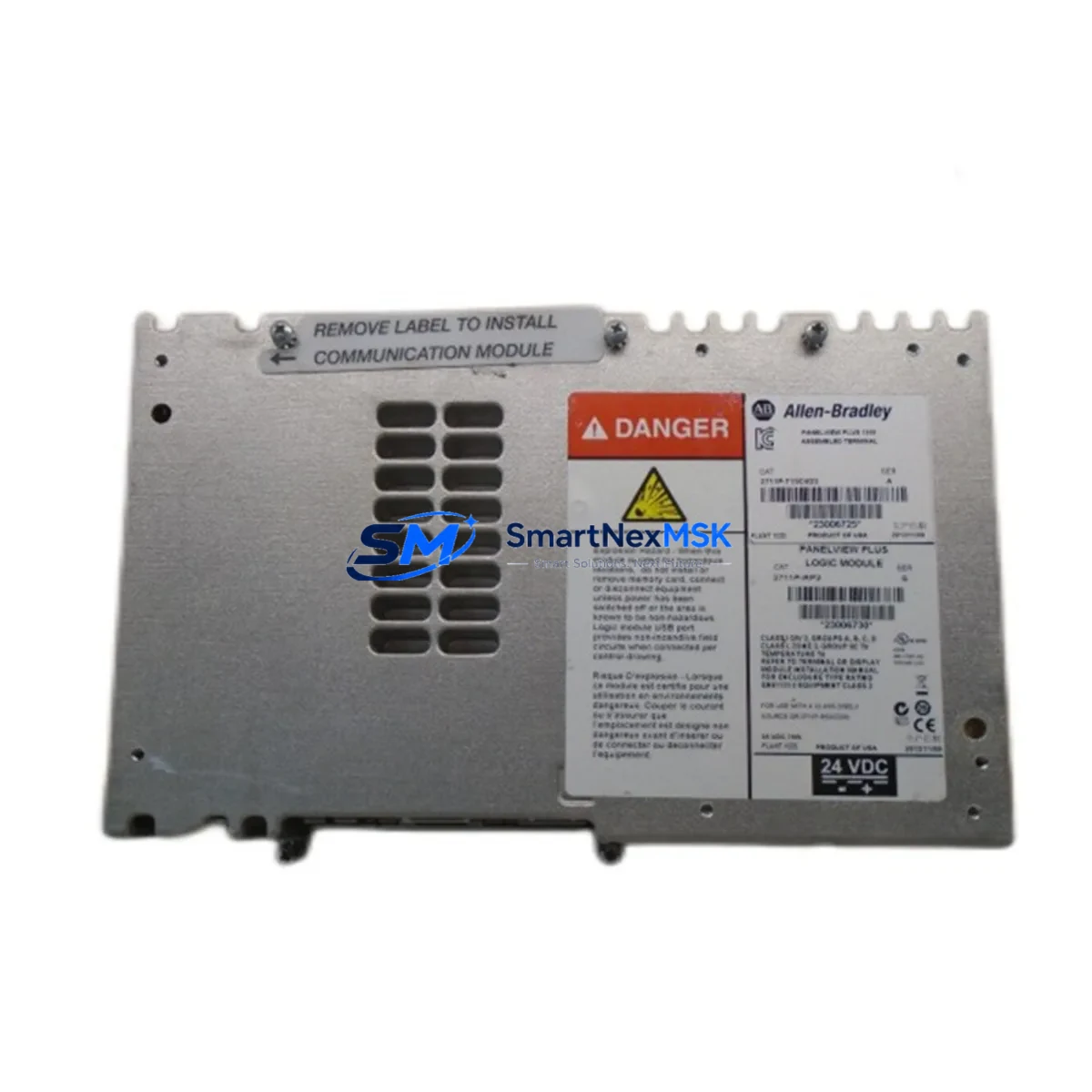
Allen-Bradley 2711P-RP2 Maintenance-Ready Spare PanelView Plus 6: Spare Replacement & Industrial Downtime Risk Control
The Allen-Bradley 2711P-RP2 is the core logic module for the PanelView Plus 6 HMI terminal series, a widely deployed operator interface platform across discrete manufacturing, process control, and utility automation systems. When this module fails, the entire HMI terminal loses operator visibility — halting production lines, disabling alarm acknowledgment, and preventing manual override of critical control sequences. Stocking a verified replacement 2711P-RP2 is not optional for facilities running Rockwell Automation architectures; it is a fundamental element of any credible maintenance strategy.
This listing provides an original Allen-Bradley 2711P-RP2 logic module, sourced from authorized supply channels, individually tested prior to shipment, and backed by a 12-month warranty. It is compatible with PanelView Plus 6 terminals across the 400, 600, 700, 1000, 1250, and 1500 series, making it a versatile spare for multi-terminal facilities. Whether you are managing a planned shutdown, responding to an unscheduled fault, or building a preventive spare parts inventory, this module ships ready for immediate installation.
Spare Maintenance Table
| Parameter | Specification / Detail |
|---|---|
| Part Number / SKU | 2711P-RP2 |
| Brand | Allen-Bradley (Rockwell Automation) |
| Series | PanelView Plus 6 |
| Module Type | HMI Logic / Runtime Module |
| Compatible Terminals | PanelView Plus 6 400, 600, 700, 1000, 1250, 1500 |
| Communication Interface | EtherNet/IP, DH-485, DF1 (terminal-dependent) |
| Operating Voltage | 24 VDC (supplied via terminal backplane) |
| Operating Temperature | 0 °C to 55 °C (32 °F to 131 °F) |
| Storage Temperature | -40 °C to 85 °C |
| Ingress Protection | IP65 (front face, panel-mounted) |
| Firmware Compatibility | FactoryTalk View ME runtime environment |
| Installation Method | Slide-in module replacement, no tools required |
| Origin | USA |
| Condition | Original, new or refurbished-to-spec |
| Pre-shipment Testing | Yes — functional verification before dispatch |
| Warranty | 12 Months |
| Lead Time | In stock — ships within 1–3 business days |
Maintenance Planning for Continuous Operation
When a 2711P-RP2 logic module is flagged for replacement during a scheduled inspection or emergency fault response, experienced maintenance engineers know that the HMI module is rarely the only component that requires attention. A thorough site assessment should accompany every logic module swap to prevent repeat failures and maximize uptime between maintenance windows.
Begin by inspecting the 24 VDC power supply feeding the PanelView Plus 6 terminal — voltage sags or ripple exceeding specification are a leading cause of premature logic module failure. If the terminal is powered through a 1606-XLP or 1606-XLS series power supply, verify output stability under load before reinstalling the replacement module. Next, check the EtherNet/IP communication cable and managed switch port connected to the terminal; a degraded Cat5e/Cat6 cable or a faulty switch port can cause intermittent communication faults that are often misdiagnosed as logic module failures.
For terminals integrated into a ControlLogix or CompactLogix PLC system — such as those using a 1756-L7x or 1769-L3x processor — confirm that the FactoryTalk View ME project file version on the replacement module is compatible with the current PLC program revision. A mismatch here will cause the terminal to boot but fail to establish a valid tag connection, resulting in blank screens or persistent communication error banners.
During the same maintenance window, inspect the terminal’s display assembly and touch screen digitizer. On high-cycle terminals, the digitizer can degrade independently of the logic module, and replacing only the 2711P-RP2 without checking the display will leave a latent fault in the system. Also verify the condition of the CompactFlash or SD card used for application storage — corrupted storage media is a common cause of logic module boot failures that are incorrectly attributed to the module itself.
For control cabinets housing multiple HMI terminals or mixed I/O architectures, this is also an appropriate time to inspect 1492-series terminal blocks and wiring harnesses, check 1783-series managed Ethernet switches for port errors, and verify that any signal isolators or surge protection devices on the communication lines are functioning correctly. Facilities running legacy PanelView Plus (non-6) terminals alongside PanelView Plus 6 units should also audit their spare parts inventory to ensure both logic module variants — the 2711P-RP2 for Plus 6 and the 2711P-RP1 for earlier Plus terminals — are stocked separately, as they are not interchangeable.
Finally, if the facility operates Kinetix servo drives or PowerFlex variable frequency drives on the same EtherNet/IP network segment as the HMI terminal, confirm that network load and IP address assignments have not changed since the last maintenance cycle. Excessive broadcast traffic from drive status polling can degrade HMI communication performance even after a successful logic module replacement.
Site Replacement Workflow
Step 1 — Isolate and document. Before removing the existing 2711P-RP2, record the terminal’s IP address, subnet mask, gateway, and FactoryTalk View ME project version from the terminal’s configuration menu. Photograph the wiring connections at the rear of the terminal if any field-wired I/O or communication ports are present.
Step 2 — Power down safely. De-energize the terminal using the appropriate lockout/tagout procedure. Do not hot-swap the logic module — the 2711P-RP2 is not designed for live insertion and doing so risks damaging the backplane connector.
Step 3 — Remove and inspect. Slide out the existing logic module and inspect the backplane connector for bent pins, corrosion, or debris. Clean the connector area with dry compressed air before installing the replacement.
Step 4 — Install the replacement 2711P-RP2. Slide the new module firmly into the terminal chassis until the retention latch engages. Restore power and allow the terminal to complete its boot sequence — typically 45–90 seconds for FactoryTalk View ME initialization.
Step 5 — Verify communication and application. Confirm that the terminal establishes a valid EtherNet/IP connection to the PLC, that all configured tags are resolving correctly, and that alarm history and trend data are accessible. If the application was stored on a CompactFlash card, verify that the card is recognized and the project loads without errors.
Step 6 — Document and close. Update the maintenance log with the replacement date, module serial number, and any observations from the inspection. Return the removed module for evaluation — if it is repairable, it can serve as a secondary spare after refurbishment and re-testing.
This workflow applies equally to planned replacement during scheduled shutdowns and emergency replacement during unscheduled downtime events. The 2711P-RP2’s tool-free slide-in design means that a trained technician can complete the physical swap in under five minutes, making rapid restoration of operator visibility achievable even in high-pressure fault scenarios.
Spare Parts Support FAQ
Q1: Is this 2711P-RP2 compatible with all PanelView Plus 6 terminal sizes?
Yes. The 2711P-RP2 logic module is the standard runtime module for the PanelView Plus 6 product family and is compatible with 400, 600, 700, 1000, 1250, and 1500 series terminals. It is not compatible with PanelView Plus (non-6) terminals, which use a different module form factor. Always verify the terminal model number on the nameplate before ordering.
Q2: How is the module tested before shipment?
Each 2711P-RP2 unit undergoes functional verification prior to dispatch, including power-on boot testing and communication interface checks. Units that do not pass testing are not shipped. A 12-month warranty covers defects in materials and workmanship from the date of receipt.
Q3: What is the recommended spare parts inventory strategy for facilities with multiple PanelView Plus 6 terminals?
For facilities operating three or more PanelView Plus 6 terminals, maintaining at least one 2711P-RP2 on-site as a hot spare is strongly recommended. For critical production lines where HMI downtime directly halts output, a two-unit buffer provides additional protection against back-to-back failures or extended lead times during supply disruptions. Spare modules should be stored in anti-static packaging in a climate-controlled environment.
Q4: Can the replacement module be used with an existing FactoryTalk View ME application without reprogramming?
Yes, provided the application is stored on the terminal’s CompactFlash or SD card rather than in the module’s internal memory. In that case, the replacement 2711P-RP2 will load the existing application automatically on first boot. If the application was stored in the original module’s internal memory, the project file will need to be transferred from a backup using FactoryTalk View ME Studio before the terminal can resume normal operation. Always maintain an off-terminal backup of all HMI application files as part of standard change management practice.
© 2026 SMARTNEXMSK. All rights reserved.
Original Source: https://smartnexmsk.com
Contact: [email protected] | +86 18259474341



