
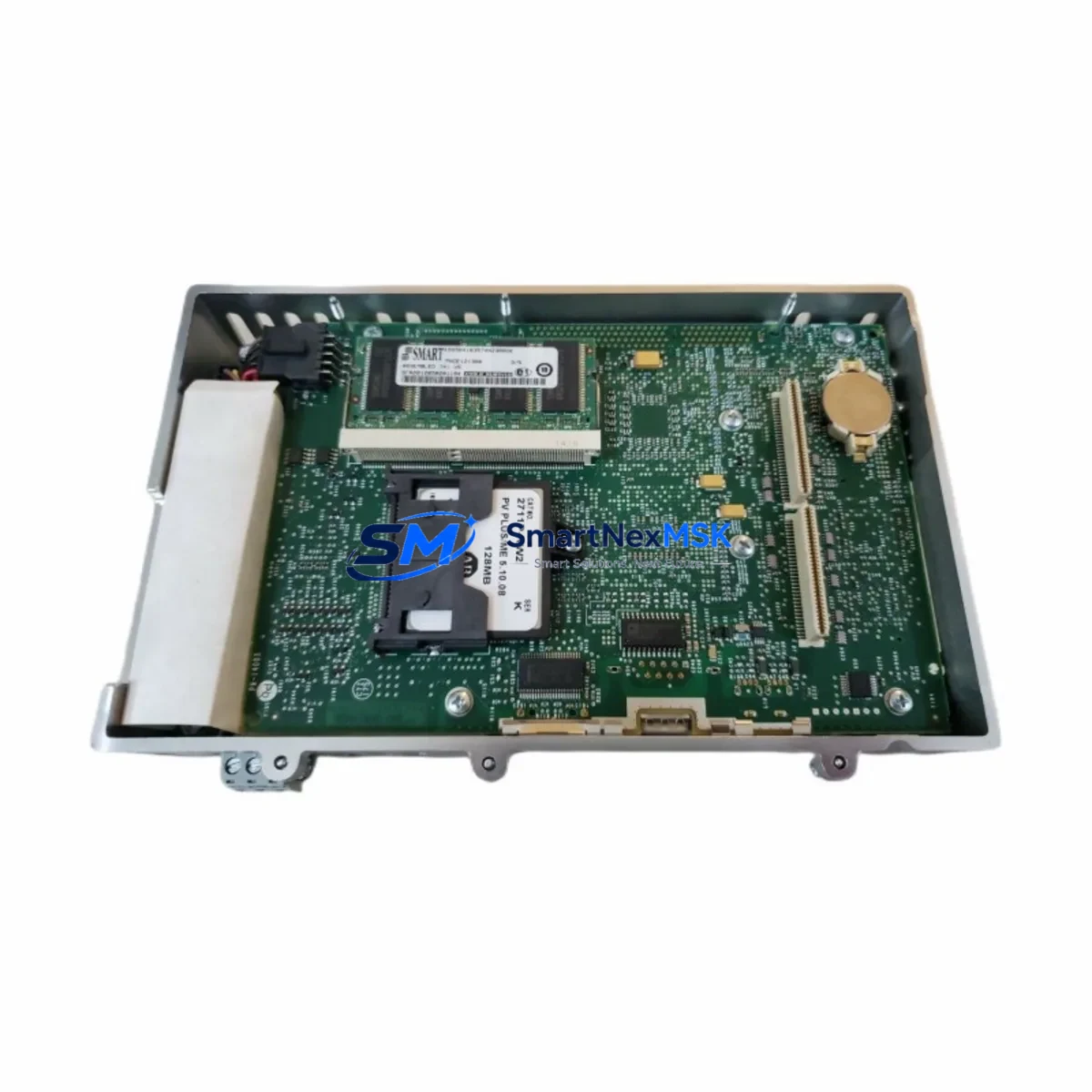
Allen-Bradley 2711P-RP2A Retrofit-Ready Logic Module for PanelView Plus Control Systems
The Allen-Bradley 2711P-RP2A is a high-performance replacement logic module engineered for PanelView Plus HMI terminals operating within Rockwell Automation control architectures. As legacy PanelView Plus units age out of Rockwell’s active support lifecycle, the 2711P-RP2A has become the go-to retrofit solution for system integrators and maintenance engineers tasked with extending the operational life of existing control panels without full HMI replacement. With 128MB of onboard Flash memory and full compatibility with the PanelView Plus 6 and PanelView Plus 7 terminal families, this module delivers a seamless drop-in upgrade path that preserves existing application logic, screen layouts, and communication configurations.
In retrofit and modernization projects, the 2711P-RP2A is typically deployed to replace failed or end-of-life logic boards in 2711P-series terminals such as the 2711P-T10C4D8, 2711P-T12C4D8, and 2711P-T15C4D9. Engineers replacing these units must verify that the terminal’s firmware version is compatible with the replacement module prior to installation. FactoryTalk View ME software, used to develop and transfer HMI application files, must be at a revision level that supports the target terminal’s runtime environment. Application files (.MER format) should be backed up from the original module before removal using a USB transfer or FactoryTalk View ME Station runtime export.
Power supply compatibility is a critical checkpoint during any 2711P-RP2A installation. The PanelView Plus terminal’s internal DC power rail must be verified against the module’s operating voltage specification. In control cabinets where the HMI is co-located with a CompactLogix L33ER or ControlLogix L75 controller, the panel power budget should be recalculated to confirm that the addition of the replacement module does not exceed the cabinet’s 24VDC supply capacity. Terminal block wiring for the HMI’s communication ports — including EtherNet/IP and RS-232 — should be documented and photographed before disconnection to ensure accurate reconnection after module swap.
Communication link continuity is another key concern. The 2711P-RP2A supports EtherNet/IP as its primary network interface, enabling direct integration with Allen-Bradley PLCs over a standard Ethernet backbone. In plants where legacy DH-485 or DF1 serial communication was used between the HMI and a MicroLogix 1400 or SLC 5/05 controller, a protocol migration step may be required. This typically involves reconfiguring the HMI’s communication driver within FactoryTalk View ME and updating the PLC’s Ethernet module — such as a 1761-NET-ENI or 1747-AENTR — to bridge the legacy serial network to EtherNet/IP. I/O tag addresses and controller path strings within the HMI application must be updated to reflect the new communication route.
For facilities running mixed Rockwell platforms, the 2711P-RP2A integrates cleanly alongside CompactLogix 5370 controllers, Point I/O 1734-AENT adapter modules, and FLEX I/O 1794-AENT communication adapters. In rack-based systems using a 1756 ControlLogix backplane with a 1756-EN2T EtherNet/IP bridge module, the HMI’s controller path configuration must reference the correct slot address and IP assignment to maintain tag-based communication after the module replacement. Backplane slot addressing and module keying should be verified against the original system documentation before commissioning the replacement unit.
On-site commissioning of the 2711P-RP2A follows a structured sequence: power-down the terminal, remove the existing logic module by releasing the retention clips, seat the replacement module firmly until the connector engages, restore power, and confirm that the terminal boots to the FactoryTalk View ME runtime environment. The application file should be reloaded via USB if it was not retained in the module’s Flash memory. Screen navigation, alarm displays, and trend views should be validated against the original HMI specification. Communication status indicators within the runtime environment confirm that the EtherNet/IP link to the host controller is active and that all tag subscriptions are resolving correctly.
SMARTNEXMSK maintains verified stock of the 2711P-RP2A with pre-shipment functional testing, ensuring that each unit is confirmed operational before dispatch. All units are covered by a 12-month warranty against manufacturing defects and are shipped with full documentation support. Lead times are typically 2–5 business days for in-stock units, with expedited options available for urgent production recovery scenarios.
Upgrade Compatibility Table
| Parameter | Details |
|---|---|
| Compatible Terminals | PanelView Plus 6 (2711P-T10C4D8, T12C4D8, T15C4D9), PanelView Plus 7 |
| Flash Memory | 128MB onboard |
| Communication Interface | EtherNet/IP (primary); RS-232 (secondary) |
| Software Compatibility | FactoryTalk View ME v6.0 and above |
| Installation Type | Drop-in module replacement (no chassis modification required) |
| Replaces | 2711P-RP1A, 2711P-RP2, legacy 2711P logic boards |
| Commissioning Tool | FactoryTalk View ME Station, USB transfer cable |
| Retrofit Requirement | Firmware version verification prior to installation |
| Warranty | 12 months from date of shipment |
| Pre-shipment Testing | Functional test performed on every unit |
Retrofit Planning for Existing Automation Systems
A successful 2711P-RP2A retrofit begins well before the module arrives on site. Engineers should audit the existing control cabinet to document all connected components: the host PLC (commonly a CompactLogix L33ER or MicroLogix 1400), the Ethernet switch or unmanaged hub feeding the HMI’s EtherNet/IP port, the 24VDC power supply unit, and any remote I/O adapters such as a 1734-AENT Point I/O adapter or 1794-AENT FLEX I/O adapter. The HMI’s terminal block connections — including the EtherNet/IP RJ45 port, the RS-232 programming port, and the DC power input terminals — should be labeled and photographed.
If the existing system uses a 1756-ENBT or 1756-EN2T EtherNet/IP bridge in a ControlLogix rack, the controller path string configured in the HMI application must be verified to ensure it correctly references the bridge module’s IP address and the target controller’s slot number. In systems where a 1747-AENTR SLC adapter bridges legacy SLC 5/04 or SLC 5/05 controllers to the Ethernet network, the HMI’s communication driver must be reconfigured from DF1 to EtherNet/IP after the module swap. Programming cables such as the 1761-CBL-PM02 or a standard USB-to-serial adapter may be required for initial controller configuration during the migration phase.
Spare components that should be staged before beginning the retrofit include a replacement 24VDC DIN-rail power supply, a set of terminal block jumpers matching the existing wiring gauge, and a USB flash drive pre-loaded with the current HMI application file. Having these items on hand eliminates delays caused by secondary component failures discovered during the maintenance window.
Downtime Control During System Migration
Minimizing production downtime during a 2711P-RP2A swap requires a structured pre-maintenance checklist. Before the maintenance window opens, the existing HMI application file must be exported and verified on a separate workstation running FactoryTalk View ME. The PLC program — whether residing in a CompactLogix L33ER or a ControlLogix L75 — should be placed in Remote Program mode to prevent unintended output activation during the HMI replacement. If the process allows, the controller can remain in Run mode with outputs inhibited, preserving the program’s runtime state and reducing restart time after the module swap is complete.
The physical module replacement takes approximately 10–15 minutes for a trained technician. After seating the 2711P-RP2A and restoring power, the terminal’s boot sequence should complete within 60–90 seconds. The HMI application is then reloaded via USB, and the EtherNet/IP communication link to the host controller is verified through the runtime’s diagnostic screen. Tag subscription status, alarm history continuity, and trend data logging should all be confirmed before returning the system to normal operation. Total planned downtime for a straightforward swap is typically under 30 minutes when all preparatory steps have been completed in advance.
Retrofit Support FAQ
Q: Is the 2711P-RP2A a direct drop-in replacement for the 2711P-RP1A?
A: Yes. The 2711P-RP2A is mechanically and electrically compatible with the same PanelView Plus terminal chassis that accepts the 2711P-RP1A. The primary difference is the increased Flash memory capacity (128MB vs. 64MB), which supports larger HMI application files and additional runtime logging. No chassis modification is required.
Q: Do I need to reconfigure my EtherNet/IP communication settings after installing the replacement module?
A: If the HMI application file is restored from a backup taken from the original module, all communication settings — including the controller IP address, controller path, and tag database — will be preserved. If the application file is not available, the communication driver must be reconfigured manually within FactoryTalk View ME using the original system documentation.
Q: What pre-shipment testing is performed on each 2711P-RP2A unit?
A: Every unit shipped by SMARTNEXMSK undergoes a functional power-on test to verify that the module initializes correctly and that the EtherNet/IP interface is active. Units that do not pass functional testing are not shipped. Each unit is covered by a 12-month warranty from the date of shipment.
Q: Can the 2711P-RP2A be used in a system where the host PLC communicates via DH-485?
A: The 2711P-RP2A’s primary communication interface is EtherNet/IP. For systems where the host controller uses DH-485 (such as a MicroLogix 1000 or SLC 5/03), a protocol converter such as the 1761-NET-ENI is required to bridge the DH-485 network to EtherNet/IP. The HMI’s communication driver must then be configured for EtherNet/IP rather than DH-485.
© 2026 SMARTNEXMSK. All rights reserved.
Original Source: https://smartnexmsk.com
Contact: [email protected] | +86 18259474341



