
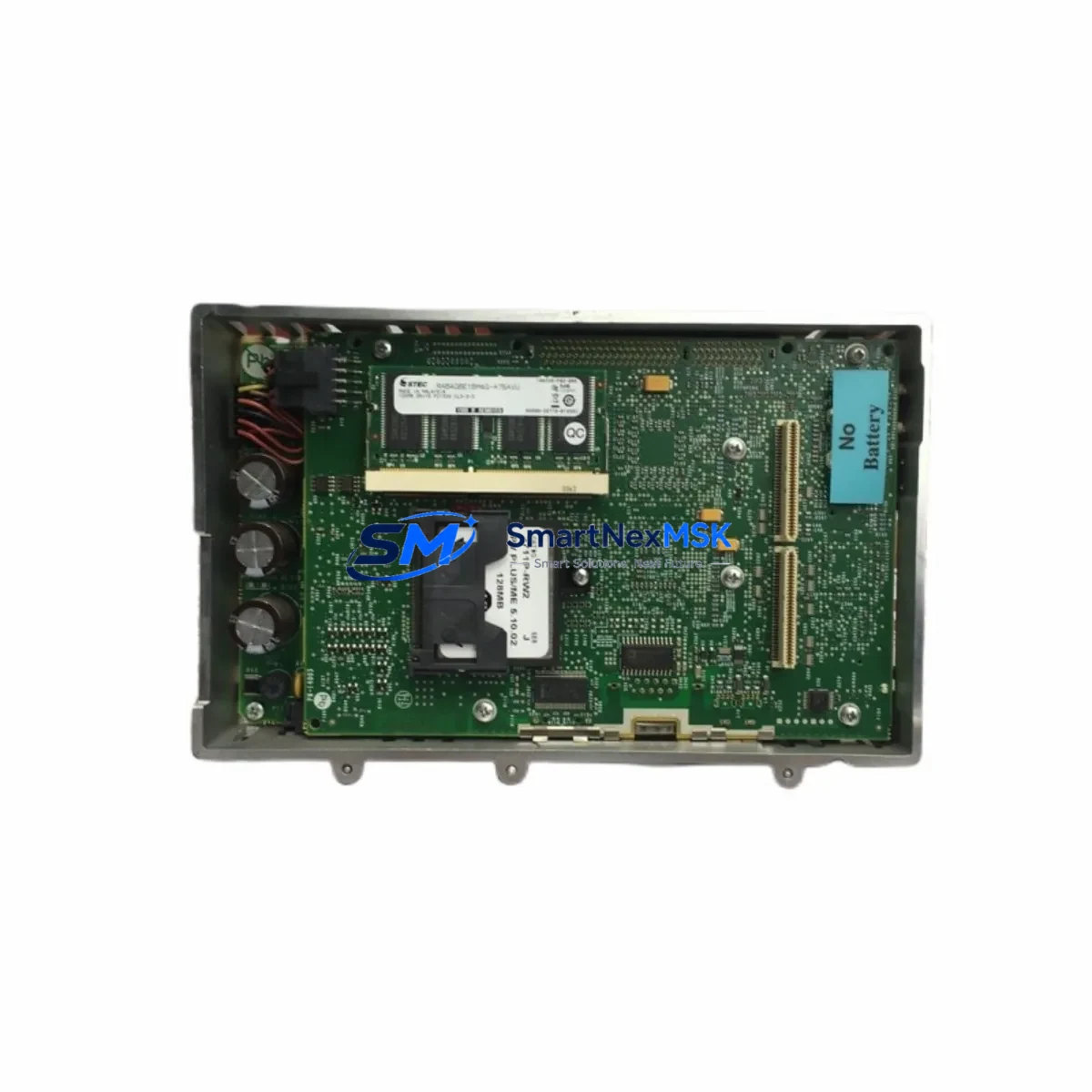
Allen-Bradley 2711P-RP2EX Retrofit-Ready HMI Logic Module for PanelView Plus 6 Control Systems
The Allen-Bradley 2711P-RP2EX is a high-performance replacement logic module engineered for seamless integration into existing PanelView Plus 6 HMI terminals. Designed to support legacy system modernization, this module enables industrial facilities to extend the operational life of their control infrastructure without requiring a full panel replacement. Whether you are managing a scheduled upgrade, responding to an end-of-life notification, or sourcing a critical spare for an unplanned failure, the 2711P-RP2EX delivers verified compatibility, reliable performance, and a 12-month warranty backed by in-stock availability.
This logic module is a direct retrofit candidate for aging PanelView Plus 6 terminals across a wide range of installed base configurations. It supports the same backplane interface, communication architecture, and application runtime environment as the original factory-installed module, allowing engineers to preserve existing FactoryTalk View ME application projects, screen layouts, tag databases, and alarm configurations without reprogramming from scratch.
Upgrade Compatibility Table
| Parameter | Details |
|---|---|
| Replacement SKU | 2711P-RP2EX |
| Compatible Terminal Series | PanelView Plus 6 (700, 1000, 1250, 1500 display sizes) |
| Backplane Interface | Direct plug-in; no adapter required for standard PanelView Plus 6 chassis |
| Communication Compatibility | EtherNet/IP, DH-485, DF1, DeviceNet (via 2711P-CBL series cables) |
| Application Runtime | FactoryTalk View ME — existing .MER application files transferable |
| Installation Requirement | Power-off terminal before module swap; retain original SD card for application restore |
| Replacement Recommendation | Direct drop-in for failed or end-of-life 2711P-RP2 and 2711P-RP2A modules |
| Commissioning Notes | Verify firmware version post-installation; update via FactoryTalk View Studio if required |
| Warranty | 12 months from date of shipment; covers manufacturing defects and functional failure |
Retrofit Planning for Existing Automation Systems
Successful integration of the 2711P-RP2EX into an existing control system requires a structured pre-installation assessment. Before removing the failed or aging module, engineers should document the current terminal firmware version, the installed FactoryTalk View ME runtime version, and the application file (.MER) stored on the onboard SD card or transferred to a backup location. The 2711P-RP2EX is compatible with the standard 2711P-series SD card slot, allowing direct application restore after module replacement.
In multi-panel installations where the PanelView Plus 6 terminal communicates with a ControlLogix or CompactLogix controller — such as a 1756-L71 or 1769-L33ER — engineers must verify that the EtherNet/IP communication path remains intact after the module swap. IP address assignments, subnet configurations, and RSLinx Classic or FactoryTalk Linx gateway settings should be recorded before the replacement and validated immediately after power-up. If the system uses a 1756-EN2T or 1756-EN3TR Ethernet communication module on the controller backplane, confirm that the HMI’s configured controller path matches the updated network topology.
For installations where the PanelView Plus 6 terminal connects to legacy SLC 500 or MicroLogix 1400 controllers via DF1 or DH-485 protocols, the 2711P-RP2EX supports these communication drivers natively. The 2711P-CBL-EX05 or equivalent serial cable should be inspected for continuity and connector integrity before reuse. Tag database mappings and data file addresses in the FactoryTalk View ME project should be cross-referenced against the controller program to confirm no address conflicts were introduced during any interim controller firmware updates.
Power supply integrity is a critical pre-check in any HMI retrofit. The PanelView Plus 6 terminal draws regulated 24 VDC from the panel power supply — typically a 1606-XLP or equivalent industrial DIN-rail power supply. Verify that the supply output voltage is within the 18–32 VDC operating range and that the current capacity is sufficient to support the terminal’s full load, including the logic module, display backlight, and any connected USB peripherals. Undersized or aging power supplies are a common root cause of intermittent HMI faults that are misdiagnosed as logic module failures.
In control cabinet upgrade projects where the PanelView Plus 6 is mounted alongside a 1756 ControlLogix rack, a 1492-IFM series interface module, or a 1734 POINT I/O adapter, the 2711P-RP2EX replacement can be completed without disturbing adjacent wiring or I/O terminations. The modular design of the PanelView Plus 6 platform allows the logic module to be extracted and replaced independently of the display assembly, minimizing the physical scope of the intervention and reducing the risk of collateral wiring disturbance.
Downtime Control During System Migration
Minimizing unplanned downtime is the primary operational objective in any HMI logic module replacement. A structured cold-swap procedure — performed during a scheduled maintenance window — is strongly recommended over emergency replacement under production pressure. Before initiating the swap, back up the FactoryTalk View ME application file to an external SD card or engineering workstation using FactoryTalk View Studio. This ensures that the application can be restored within minutes if the new module requires a firmware update before accepting the existing runtime version.
The physical replacement of the 2711P-RP2EX takes approximately 10–20 minutes under normal conditions: power down the terminal, release the module retention latch, extract the existing module, seat the replacement, and restore power. The terminal will boot into the FactoryTalk View ME runtime automatically if the SD card containing the application file is present. If the application does not load automatically, use the terminal’s configuration menu to navigate to the application file and initiate a manual load.
For systems where continuous monitoring is required during the replacement window, consider temporarily routing critical process values to a SCADA workstation running FactoryTalk View SE or a standalone 2711R PanelView 800 terminal as a bridge display. This approach preserves operator visibility of key process variables — such as motor run status, valve positions, and alarm states — while the primary HMI terminal is offline. Once the 2711P-RP2EX is installed and the application is confirmed running, the bridge display can be decommissioned and the primary terminal restored to full operational status.
Post-installation validation should include a full alarm acknowledgment cycle, a communication link status check via the terminal’s diagnostics screen, and a functional test of all configured pushbutton and numeric entry objects. If the system uses a 2711P-RN15S or 2711P-RN6 communication card in the terminal’s expansion slot, verify that the card is recognized by the new logic module and that the associated communication driver is active before returning the system to production.
Retrofit Support FAQ
Q1: Is the 2711P-RP2EX a direct replacement for the 2711P-RP2 and 2711P-RP2A modules?
Yes. The 2711P-RP2EX is the current production replacement for both the 2711P-RP2 and 2711P-RP2A logic modules. It uses the same backplane connector, supports the same FactoryTalk View ME runtime, and is compatible with all standard PanelView Plus 6 display assemblies. No mechanical adapters or wiring modifications are required for a direct swap.
Q2: Will my existing FactoryTalk View ME application run on the replacement module without modification?
In most cases, yes. The existing .MER application file stored on the SD card will load automatically after the module replacement. If the replacement module ships with a newer firmware version than the original, FactoryTalk View Studio may prompt a runtime compatibility check. In this scenario, the application can be re-compiled against the updated runtime version and reloaded to the SD card — a process that typically takes less than 30 minutes on a prepared engineering workstation.
Q3: What pre-shipment testing is performed on the 2711P-RP2EX before dispatch?
Each 2711P-RP2EX unit undergoes functional power-on verification, communication interface continuity testing, and firmware integrity validation prior to shipment. Units are packaged in anti-static protective enclosures with inspection documentation. The 12-month warranty covers all manufacturing defects and functional failures identified during normal operating conditions within the specified voltage and temperature ranges.
Q4: Can the 2711P-RP2EX be used in a PanelView Plus 6 terminal that communicates via EtherNet/IP to a ControlLogix system?
Yes. The 2711P-RP2EX fully supports EtherNet/IP communication to ControlLogix, CompactLogix, and other Logix-family controllers. After installation, verify the controller path configuration in the FactoryTalk View ME application matches the network settings of the replacement module. If the terminal’s IP address was stored in the original module’s non-volatile memory rather than the SD card, you will need to re-enter the IP configuration via the terminal’s startup configuration screen before the EtherNet/IP link will establish.
© 2026 SMARTNEXMSK. All rights reserved.
Original Source: https://smartnexmsk.com
Contact: [email protected] | +86 18259474341



