
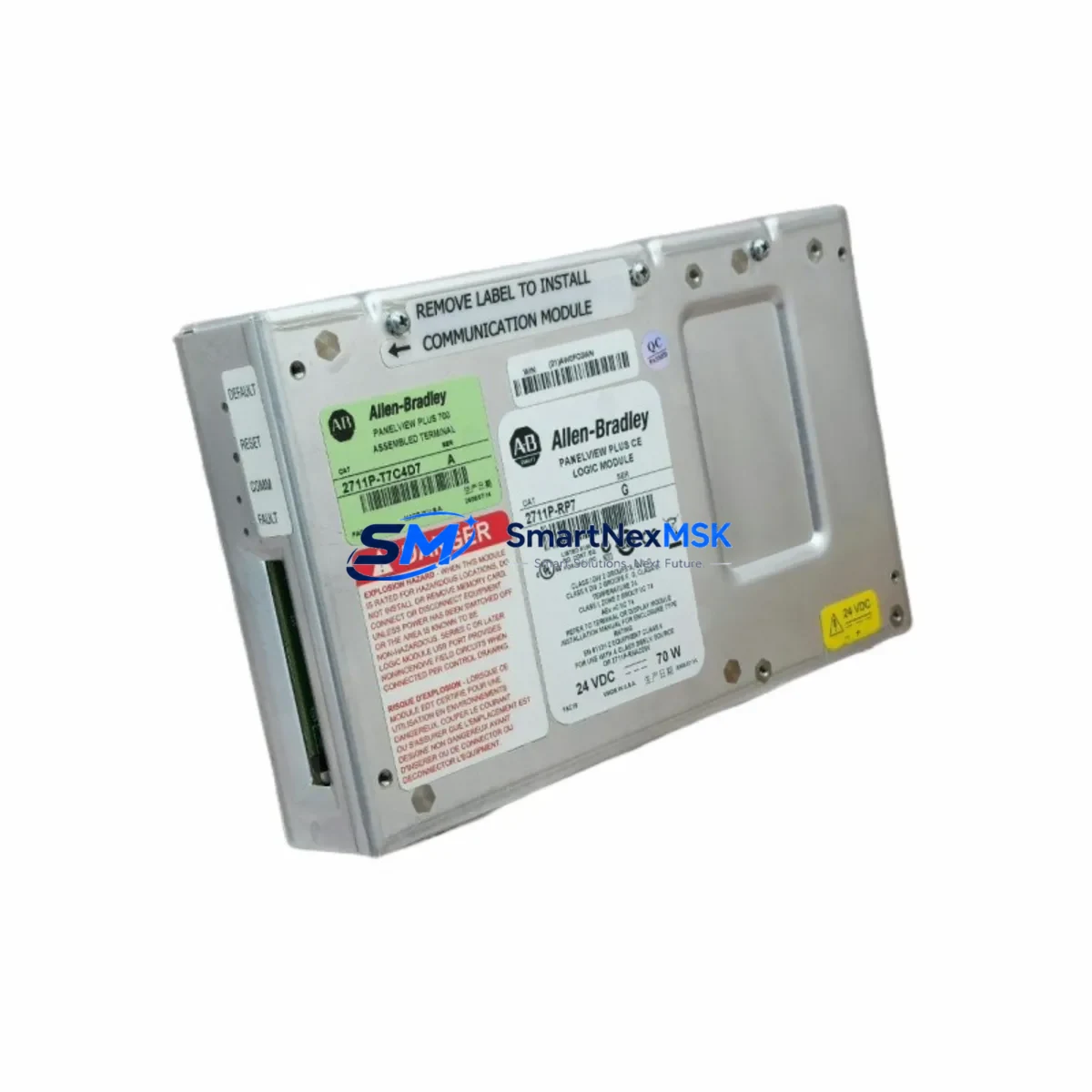
Allen-Bradley 2711P-RP7 Spare PanelView Plus 7 HMI Module: Spare Replacement & Industrial Downtime Risk Control
The Allen-Bradley 2711P-RP7 is the CE-based runtime logic module designed for the PanelView Plus 7 Standard and Performance terminal series. As the core processing unit governing HMI runtime execution, visualization rendering, and operator interface communication, this module is a critical spare for any facility running Rockwell Automation control architectures. When the 2711P-RP7 fails, the entire operator interface goes dark — halting production visibility, alarm acknowledgment, and manual override capability. Stocking a verified original replacement is the single most effective measure to contain unplanned downtime in PanelView Plus 7-equipped control panels.
This listing supplies an original, fully tested 2711P-RP7 logic module, sourced through established industrial distribution channels, inspected prior to dispatch, and backed by a 12-month warranty. Each unit is verified for firmware compatibility and physical integrity before shipment, ensuring maintenance teams can install with confidence during both planned turnarounds and emergency callouts.
Spare Maintenance Table
| Part Number | 2711P-RP7 |
| Brand / Manufacturer | Allen-Bradley / Rockwell Automation |
| Series | PanelView Plus 7 (2711P Series) |
| Module Type | CE Runtime Logic Module (HMI Processor) |
| Compatible Terminals | 2711P-T7Cxx, 2711P-T9Wxx, 2711P-T12Wxx, 2711P-T15Cxx and compatible 2711P-series displays |
| Operating System | Windows CE (Rockwell FactoryTalk View ME runtime) |
| Communication | EtherNet/IP, DH-485, DF1 (via integrated ports) |
| Power Supply Requirement | Supplied via terminal backplane (24 VDC nominal) |
| Installation Method | Slide-in module replacement; no tools required for module swap |
| Application Environment | Industrial control panels, SCADA operator stations, machine HMI enclosures |
| Operating Temperature | 0 °C to 55 °C (32 °F to 131 °F) |
| Maintenance Recommendation | Inspect annually; replace immediately on CE boot failure, blank screen, or persistent communication fault |
| Warranty | 12 Months — covers manufacturing defects; each unit tested before dispatch |
| Condition | Original / New — not refurbished |
Maintenance Planning for Continuous Operation
A 2711P-RP7 replacement rarely occurs in isolation. Maintenance engineers performing a logic module swap on a PanelView Plus 7 terminal should treat the event as a trigger for a broader control cabinet inspection. The terminal’s 24 VDC panel power supply — often a 2711P-RP or equivalent Rockwell power module — should be load-tested, as an unstable supply voltage is a leading cause of premature logic module failure. Simultaneously, inspect the 2711P-RN15S or 2711P-RN6 EtherNet/IP communication module for physical damage and verify network link integrity; a degraded network card can cause the replacement module to exhibit the same communication faults as the failed unit, leading to misdiagnosis.
The terminal display assembly (e.g., 2711P-T7C4D8 or equivalent screen/touch panel) should be checked for backlight condition and touch calibration drift, as display assemblies and logic modules share thermal stress in compact enclosures. If the panel communicates with a CompactLogix L3x or ControlLogix L7x PLC over EtherNet/IP, verify the controller’s I/O tree still recognizes the HMI node after module replacement — a firmware mismatch between the new 2711P-RP7 and the FactoryTalk View ME project file can prevent proper tag binding.
During the same maintenance window, inspect terminal block wiring and DIN rail-mounted I/O modules connected to the same control cabinet. Loose 24 VDC commons on Phoenix Contact or Weidmüller terminal strips are a frequent source of intermittent HMI communication faults that are incorrectly attributed to the logic module. Check 24 VDC fuse holders and miniature circuit breakers protecting the HMI power circuit — a marginally rated fuse that has not yet blown can cause brownout resets that corrupt the CE runtime. If the cabinet includes a 1783-US5T or similar Stratix managed switch, review port statistics for CRC errors or excessive retransmissions on the HMI port. Finally, if any signal isolators or analog input conditioners share the same cabinet, verify their power rails are stable, as ground loops introduced through shared 0 V references can inject noise that destabilizes the HMI communication stack.
Site Replacement Workflow
Replacing the 2711P-RP7 in the field is a straightforward procedure when the correct spare is on hand, but preparation determines whether the replacement takes 20 minutes or 4 hours. Before removing the failed module, document the current firmware revision displayed in the terminal’s System Information screen (if accessible) and confirm the FactoryTalk View ME project version stored on the terminal’s CompactFlash or internal memory. The replacement 2711P-RP7 should be loaded with a matching or higher firmware revision prior to installation — Rockwell Automation’s firmware upgrade utility (via ControlFLASH or the ME Transfer Utility) can be used at the bench before the module goes into the panel.
Power down the terminal at the panel disconnect, slide out the failed logic module, and insert the replacement. On power-up, the terminal will perform a CE boot sequence. If the ME application is stored on a 2711P-MC8 CompactFlash card, the runtime will load automatically. If the application resides in internal flash, use the ME Transfer Utility to push the project from an engineering workstation over Ethernet. Verify all configured PLC tags are communicating correctly before returning the panel to operator control. Log the replacement in the site maintenance record, noting the serial number of the removed module and the firmware version of the installed spare. This documentation supports warranty claims and future failure trend analysis.
For facilities managing legacy PanelView Plus 6 installations alongside PanelView Plus 7 systems, note that the 2711P-RP7 is not cross-compatible with 2711P-RP2 or 2711P-RP8 modules used in earlier terminal generations. Maintaining separate spare pools for each module generation prevents field errors during emergency callouts and reduces mean time to repair.
Spare Parts Support FAQ
Q1: Is the 2711P-RP7 supplied as a new original unit or a refurbished part?
Every 2711P-RP7 dispatched from our inventory is an original, non-refurbished unit. Each module undergoes functional testing and visual inspection before shipment. A 12-month warranty covering manufacturing defects is included with every order.
Q2: How do I confirm firmware compatibility before installing the replacement module?
Check the firmware revision of the failed module via the terminal’s System Information menu (if the terminal still partially boots) or review your site’s maintenance records. The replacement 2711P-RP7 can be updated to the required firmware revision using Rockwell’s ControlFLASH utility before installation. We recommend aligning the firmware to the version specified in your FactoryTalk View ME project to avoid runtime compatibility warnings.
Q3: What is the recommended spare inventory strategy for PanelView Plus 7 installations?
For facilities with three or more PanelView Plus 7 terminals, maintaining at least one 2711P-RP7 logic module as a cold spare is standard practice. Sites with 24/7 operations or where HMI downtime directly halts production should consider a hot-swap spare kept at the control room. Pair the logic module spare with a 2711P-MC8 CompactFlash card pre-loaded with the current ME project to minimize restoration time during emergency callouts.
Q4: Can you supply the 2711P-RP7 for long-term or blanket purchase orders?
Yes. We support long-term supply agreements for maintenance departments and MRO procurement teams. Lead times, pricing, and stocking arrangements can be confirmed via direct inquiry. All units supplied under blanket orders carry the same 12-month warranty and pre-shipment testing standard as single-unit orders.
© 2026 SMARTNEXMSK. All rights reserved.
Original Source: https://smartnexmsk.com
Contact: [email protected] | +86 18259474341



