
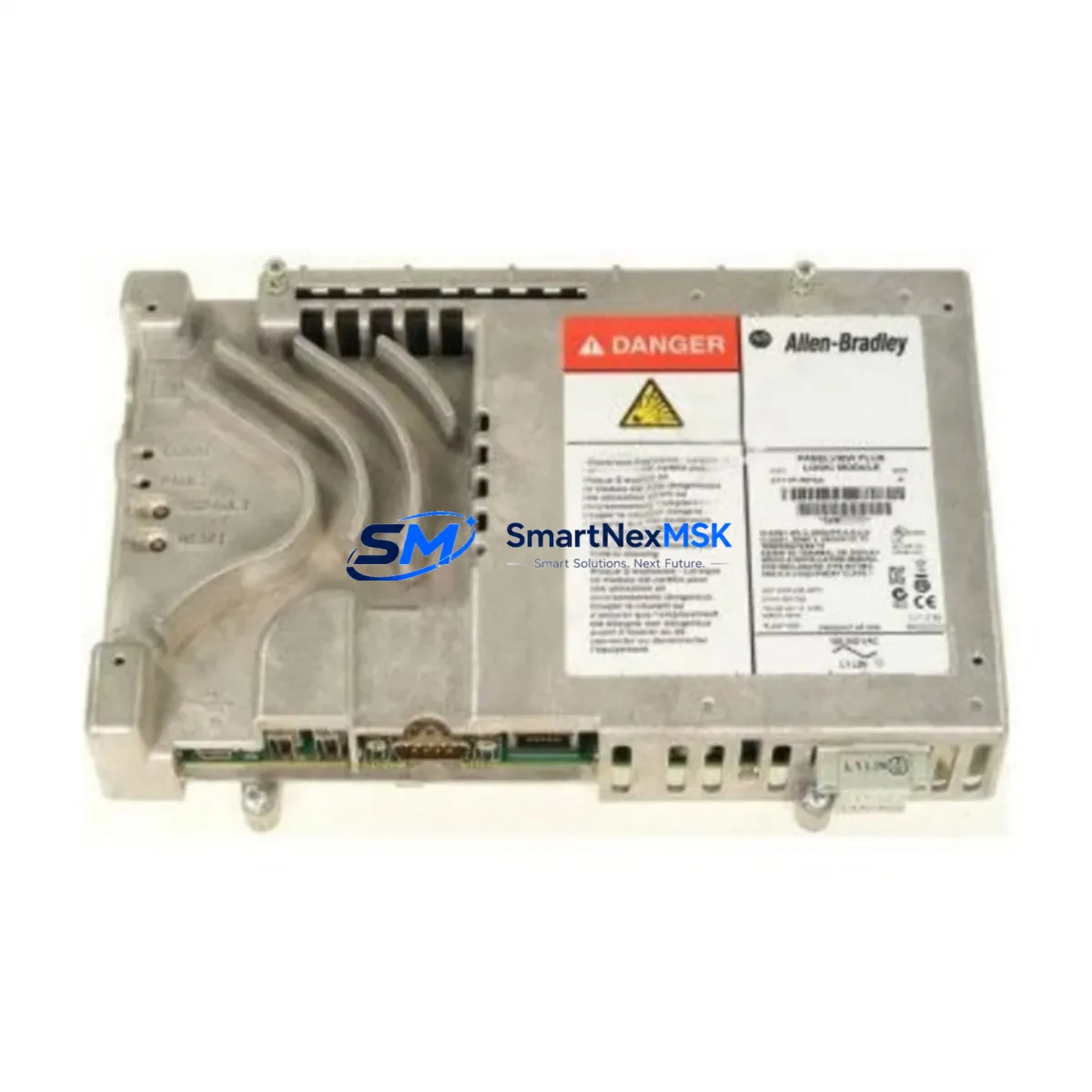
Allen-Bradley 2711P-RP8A Retrofit-Ready HMI Logic Module for PanelView Plus 6 Control Systems
The Allen-Bradley 2711P-RP8A is a high-performance HMI Logic Module engineered as a direct retrofit replacement for aging or failed runtime processors within the PanelView Plus 6 terminal family, covering display sizes from 700 to 1500. As legacy PanelView Plus 6 units approach end-of-service milestones, the 2711P-RP8A provides a validated, drop-in upgrade path that preserves existing panel cutouts, backplane connectors, and FactoryTalk View ME application files — eliminating the need for full terminal replacement and dramatically reducing unplanned downtime on the production floor.
Sourced directly from authorized distribution channels and subjected to pre-shipment functional verification, every 2711P-RP8A unit shipped by SMARTNEXMSK is backed by a 12-month warranty covering manufacturing defects and operational failures. Stock is maintained on-hand for immediate dispatch, supporting both emergency breakdown recovery and planned maintenance windows.
Upgrade Compatibility Table
| Parameter | Details |
|---|---|
| SKU / Part Number | 2711P-RP8A |
| Compatible Terminal Series | PanelView Plus 6 — 700, 1000, 1250, 1500 |
| Replaces / Supersedes | 2711P-RP6, 2711P-RP8, earlier 2711P-RP series logic modules |
| Backplane Interface | Internal PanelView Plus 6 logic module slot (non-rack-mount) |
| Communication Compatibility | EtherNet/IP, DH-485, DF1, DeviceNet (via 2711P-CBL series cables) |
| Programming / Configuration | FactoryTalk View ME Studio (v6.0 and above recommended) |
| Installation Requirement | ESD precautions; power-down terminal before module swap |
| Retrofit Recommendation | Verify FactoryTalk View ME application version compatibility before swap |
| Commissioning Focus | Re-establish EtherNet/IP node address; validate all screen navigation and alarm links |
| Warranty | 12 Months — covers manufacturing defects and operational failure |
Retrofit Planning for Existing Automation Systems
A successful 2711P-RP8A retrofit begins well before the module arrives on-site. Engineers should first audit the existing PanelView Plus 6 terminal’s installed FactoryTalk View ME application version and confirm that the replacement logic module supports the same runtime revision. In most cases, upgrading to the 2711P-RP8A also presents an opportunity to refresh the associated 2711P-CBL series communication cables — particularly the EtherNet/IP patch leads connecting the HMI to the upstream CompactLogix L3x or L4x controller, where cable degradation is a common but overlooked failure point.
For systems where the PanelView Plus 6 communicates with a MicroLogix 1100 or MicroLogix 1400 via DF1 serial, technicians must verify that the COM port configuration — baud rate, parity, and station address — is correctly restored after the module swap, as these parameters are stored on the logic module itself and will reset to factory defaults. Similarly, installations using 1756-ENBT or 1756-EN2T EtherNet/IP bridge modules in a ControlLogix rack should confirm that the HMI’s configured controller path and slot number remain valid after the replacement.
Panel builders integrating the 2711P-RP8A into a control cabinet retrofit should also account for the 2711P-RN15S or 2711P-RN6 network interface modules if wireless or extended network connectivity is required. Power supply integrity is equally critical: the internal power rail feeding the PanelView Plus 6 logic module should be verified against the terminal’s rated input voltage (24 VDC nominal), and any shared 1606-XLP or 1606-XLS series power supply should be load-tested to confirm it can sustain the combined draw of the refreshed HMI and any co-located I/O or relay modules in the same enclosure.
Where the retrofit scope extends to the controller tier, teams frequently pair the 2711P-RP8A HMI upgrade with a simultaneous migration from an older SLC 5/05 or PLC-5/40E to a CompactLogix 5370 L3 platform. In these scenarios, the HMI application must be re-mapped to reflect the new controller tag structure, and all PLC address references in the FactoryTalk View ME screens must be updated from legacy N, F, and B file addresses to Studio 5000 tag-based addressing before go-live.
Downtime Control During System Migration
Minimizing production interruption during a 2711P-RP8A swap requires a structured pre-outage preparation protocol. Before powering down the terminal, technicians should use FactoryTalk View ME Studio to perform a full application backup — exporting the .MER runtime file and all associated graphic, alarm, and data log configurations to a secure network location. This backup serves as both the restoration baseline and the source file for any tag remapping required by the new logic module.
The physical swap itself is straightforward: with the terminal de-energized and ESD precautions in place, the existing logic module is removed from the rear of the PanelView Plus 6 chassis, the 2711P-RP8A is seated and secured, and the terminal is powered back on. Initial boot time is typically under 90 seconds. The restored .MER application file is then transferred to the new module via USB or Ethernet, and the EtherNet/IP node address is reconfigured to match the original network settings documented during pre-outage preparation.
For facilities where even brief HMI outages carry significant operational risk, a parallel commissioning approach is recommended: configure and validate the replacement 2711P-RP8A on a bench test rig — connected to a spare CompactLogix L16ER or simulator — before the scheduled maintenance window. This allows the full application load, screen navigation test, and alarm acknowledgment sequence to be verified offline, reducing the live cutover to a simple module swap and network address assignment. Total planned downtime for a well-prepared 2711P-RP8A retrofit is typically 30 to 60 minutes, compared to several hours for an unplanned emergency replacement without prior preparation.
Throughout the migration, maintain a written commissioning log recording the original module firmware version, the application file checksum, the EtherNet/IP node address, and the results of each screen and alarm test. This log supports both internal quality assurance and any future warranty or service claims.
Retrofit Support FAQ
Q1: Is the 2711P-RP8A a direct drop-in replacement for the 2711P-RP8 and 2711P-RP6?
In the vast majority of PanelView Plus 6 installations, yes. The 2711P-RP8A uses the same physical form factor and internal connector as earlier 2711P-RP series logic modules. However, customers should confirm their terminal’s hardware revision and FactoryTalk View ME runtime version before ordering, as very early PanelView Plus 6 units may require a firmware update to the terminal display assembly before accepting the newer logic module.
Q2: Will my existing FactoryTalk View ME application run without modification after the swap?
In most cases, yes — provided the application was developed in FactoryTalk View ME Studio v6.0 or later and does not rely on hardware-specific features tied to the original module’s firmware. SMARTNEXMSK recommends performing a full application backup before the swap and conducting a complete screen-by-screen navigation and alarm test after the new module is commissioned. Any controller communication paths referencing specific EtherNet/IP node addresses should be verified and updated if necessary.
Q3: What pre-shipment testing does SMARTNEXMSK perform on the 2711P-RP8A?
Every unit undergoes a functional power-on verification and visual inspection before dispatch. Units are shipped in anti-static packaging with protective foam inserts. A test report is available upon request for customers requiring documented pre-shipment verification as part of their incoming inspection process.
Q4: What does the 12-month warranty cover, and how is a claim initiated?
The 12-month warranty covers confirmed manufacturing defects and operational failures under normal operating conditions. It does not cover damage resulting from incorrect installation, overvoltage, or physical impact. To initiate a warranty claim, contact SMARTNEXMSK with the order reference number, a description of the fault, and photographic evidence of the defect. Replacement units are dispatched upon fault confirmation, and return shipping of the defective module is arranged at no cost to the customer.
© 2026 SMARTNEXMSK. All rights reserved.
Original Source: https://smartnexmsk.com
Contact: [email protected] | +86 18259474341



