
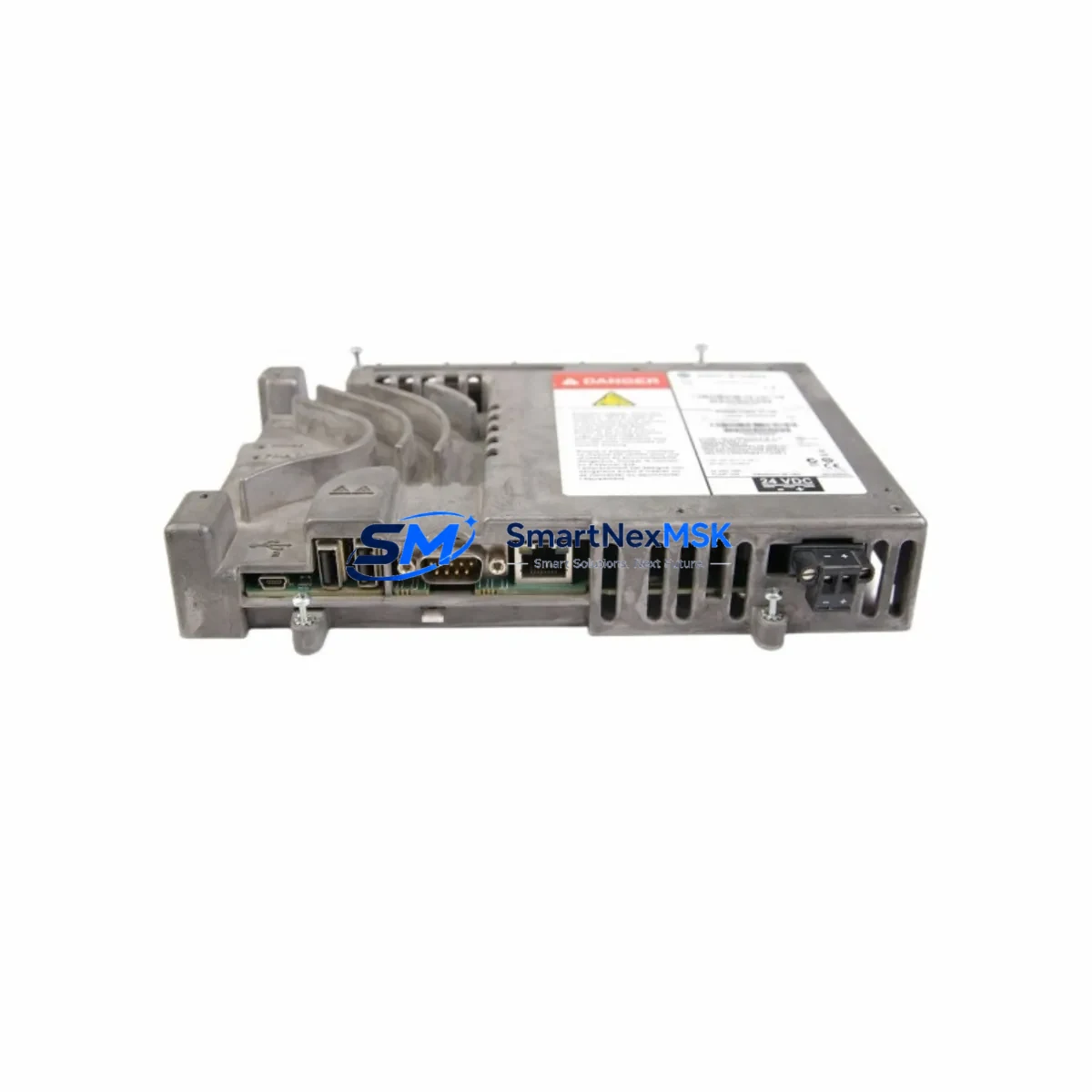
Allen-Bradley 2711P-RP8D Retrofit-Ready HMI Logic Module for PanelView Plus 6 Control Systems
The Allen-Bradley 2711P-RP8D is a runtime processor module designed for the PanelView Plus 6 series of human-machine interface terminals. As legacy PanelView Plus and PanelView Plus CE platforms reach end-of-life, the 2711P-RP8D has become a critical retrofit component for facilities seeking to extend the operational life of existing control panels without committing to a full HMI replacement. This module provides a direct upgrade path for aging runtime cores, restoring full FactoryTalk View ME application execution, tag-based communication, and Ethernet/IP connectivity to terminals that would otherwise require complete panel redesign.
For system integrators and maintenance engineers managing brownfield automation environments, the 2711P-RP8D offers a cost-effective alternative to retiring functional PanelView Plus 6 enclosures. The module slots directly into the rear of compatible 2711P-series terminals — including the 2711P-T7C21D8S, 2711P-T10C21D8S, and 2711P-T12W21D8S — and restores runtime performance without requiring new panel cutouts, new wiring harnesses, or changes to the existing control cabinet layout.
Upgrade Compatibility Table
| Parameter | Details |
|---|---|
| Compatible Terminal Series | PanelView Plus 6 (2711P-T7xx, 2711P-T10xx, 2711P-T12xx, 2711P-T15xx) |
| Replaces / Upgrades | 2711P-RP8, 2711P-RP6, 2711P-RP5 (earlier runtime processor revisions) |
| Communication Protocol | Ethernet/IP (CIP), DF1, DH-485 (via 2711P-CBL-EX04 or 2711-NC13 adapter) |
| Application Compatibility | FactoryTalk View ME v5.0 and above; existing .MER application files transferable |
| Installation Interface | Rear-mount module bay; no additional backplane or rack required |
| Power Requirement | Supplied by host terminal; no external power connection required |
| Retrofit Complexity | Low — module swap with firmware update; no panel rewiring required |
| Commissioning Tool | FactoryTalk View Studio ME; RSLinx Classic or FactoryTalk Linx for device discovery |
| Warranty | 12 Months — covers manufacturing defects and functional failure under normal operating conditions |
Retrofit Planning for Existing Automation Systems
A successful 2711P-RP8D retrofit begins well before the module arrives on-site. Engineers should first audit the existing PanelView Plus 6 terminal to confirm the installed runtime processor revision and the current FactoryTalk View ME application version. The .MER project file should be backed up from the terminal’s internal CompactFlash or SD storage using FactoryTalk View Studio ME before any hardware is disturbed.
In most control cabinet configurations, the PanelView Plus 6 terminal is powered through a 24VDC supply rail shared with other panel components — commonly a 1606-XLP or 1606-XLS series power supply module. Before removing the existing runtime processor, verify that the supply rail voltage is within the 20.4–28.8 VDC tolerance range and that the supply has sufficient current headroom for the replacement module. Inrush current during module initialization can briefly spike demand, and an undersized supply may cause nuisance resets in adjacent I/O modules or communication adapters.
The 2711P-RP8D interfaces with the host terminal through a proprietary rear connector. When removing the legacy processor, inspect the connector pins for corrosion or mechanical damage — particularly in environments with high humidity or airborne contaminants common in food processing, chemical, or heavy manufacturing facilities. If the terminal also uses a 2711P-RN15S EtherNet/IP communication module or a 2711P-RN6 DeviceNet communication card, these remain in place during the processor swap and do not require reconfiguration.
For systems where the PanelView Plus 6 communicates with a ControlLogix or CompactLogix controller — such as a 1756-L73 or 1769-L33ER — the Ethernet/IP tag subscription list embedded in the .MER application file will continue to function without modification, provided the controller IP address and tag structure have not changed. If the legacy system used a 1747-UIC USB-to-DH-485 adapter or a 1784-U2DHP USB-to-DH+ interface for programming, these communication paths remain unaffected by the runtime processor replacement.
In multi-panel installations where several PanelView Plus 6 terminals share a common FactoryTalk Directory server, the replacement module must be re-registered in the FactoryTalk Directory after installation. This is a straightforward process using RSLinx Classic or FactoryTalk Linx, but it must be completed before the terminal can resume tag-based communication with the controller. Facilities running redundant communication paths through a 1783-US8T or similar managed switch should verify that the terminal’s MAC address is updated in any static ARP or VLAN configuration tables.
Where the existing control system includes a 1734-AENT or 1734-AENTR POINT I/O EtherNet/IP adapter, or a 1756-EN2T ControlLogix EtherNet/IP bridge module, no changes to the I/O tree or controller program are required. The 2711P-RP8D replacement is transparent to the controller — the HMI application resumes communication using the same tag paths and device addresses as before.
Downtime Control During System Migration
Minimizing unplanned downtime is the primary concern for any brownfield HMI retrofit. The 2711P-RP8D swap can typically be completed within a planned maintenance window of 30–60 minutes, provided all preparatory steps are completed in advance. The critical path includes: backing up the .MER application file, documenting the terminal’s IP address and subnet configuration, photographing all wiring connections at the terminal rear, and staging the replacement module with the correct firmware revision pre-loaded.
Firmware pre-loading is strongly recommended. The 2711P-RP8D ships with a base firmware version that may not match the FactoryTalk View ME runtime version used by the existing application. Mismatched firmware will prevent the .MER file from loading and will generate a runtime version error on first boot. Use FactoryTalk View Studio ME to confirm the required runtime version before the maintenance window, and update the module firmware using a CompactFlash card or USB transfer prior to installation.
During the swap, the controller program continues to execute normally — the PLC logic in the ControlLogix or CompactLogix rack is unaffected by the HMI being offline. Field devices, including variable frequency drives, servo drives, and remote I/O racks, continue to operate under the controller’s last commanded state. This means that for most process applications, the production line can remain in a controlled hold state during the HMI replacement without triggering a full emergency stop or requiring manual override of field actuators.
After the module is installed and the terminal powers up, the .MER application file should be transferred from backup storage and the terminal should be placed in Run mode. Verify all tag subscriptions are active, confirm alarm history is accessible, and check that any trend displays are logging correctly before releasing the system back to operations. A brief functional test of all HMI-controlled setpoints and operator commands should be completed before the maintenance window is closed.
Retrofit Support FAQ
Q: Is the 2711P-RP8D a direct drop-in replacement for the 2711P-RP8 and earlier processor revisions?
A: Yes. The 2711P-RP8D is mechanically and electrically compatible with the same rear module bay used by the 2711P-RP8, 2711P-RP6, and 2711P-RP5. The existing .MER application file, tag subscriptions, and Ethernet/IP communication configuration are fully preserved after the swap, provided the firmware is updated to match the application’s required runtime version.
Q: Do I need to rewire the terminal or modify the control cabinet during the retrofit?
A: No rewiring is required. The 2711P-RP8D installs into the existing rear module bay without any changes to the terminal’s power input, communication ports, or I/O wiring. If the terminal uses a 2711P-RN15S EtherNet/IP module or other communication expansion card, those modules remain installed and functional throughout the replacement process.
Q: What commissioning steps are required after installing the 2711P-RP8D?
A: After installation, update the module firmware to match the required FactoryTalk View ME runtime version, transfer the backed-up .MER application file to the terminal, configure the terminal’s IP address to match the original network settings, and re-register the terminal in the FactoryTalk Directory if applicable. Use RSLinx Classic or FactoryTalk Linx to verify Ethernet/IP communication with the controller before placing the terminal in Run mode.
Q: What does the 12-month warranty cover?
A: The 12-month warranty covers manufacturing defects and functional failure under normal operating conditions from the date of shipment. Each unit undergoes pre-shipment functional testing to verify runtime execution, communication port operation, and module interface integrity. Warranty claims are supported by our technical team — contact [email protected] with your order reference and a description of the fault.
© 2026 SMARTNEXMSK. All rights reserved.
Original Source: https://smartnexmsk.com
Contact: [email protected] | +86 18259474341



