
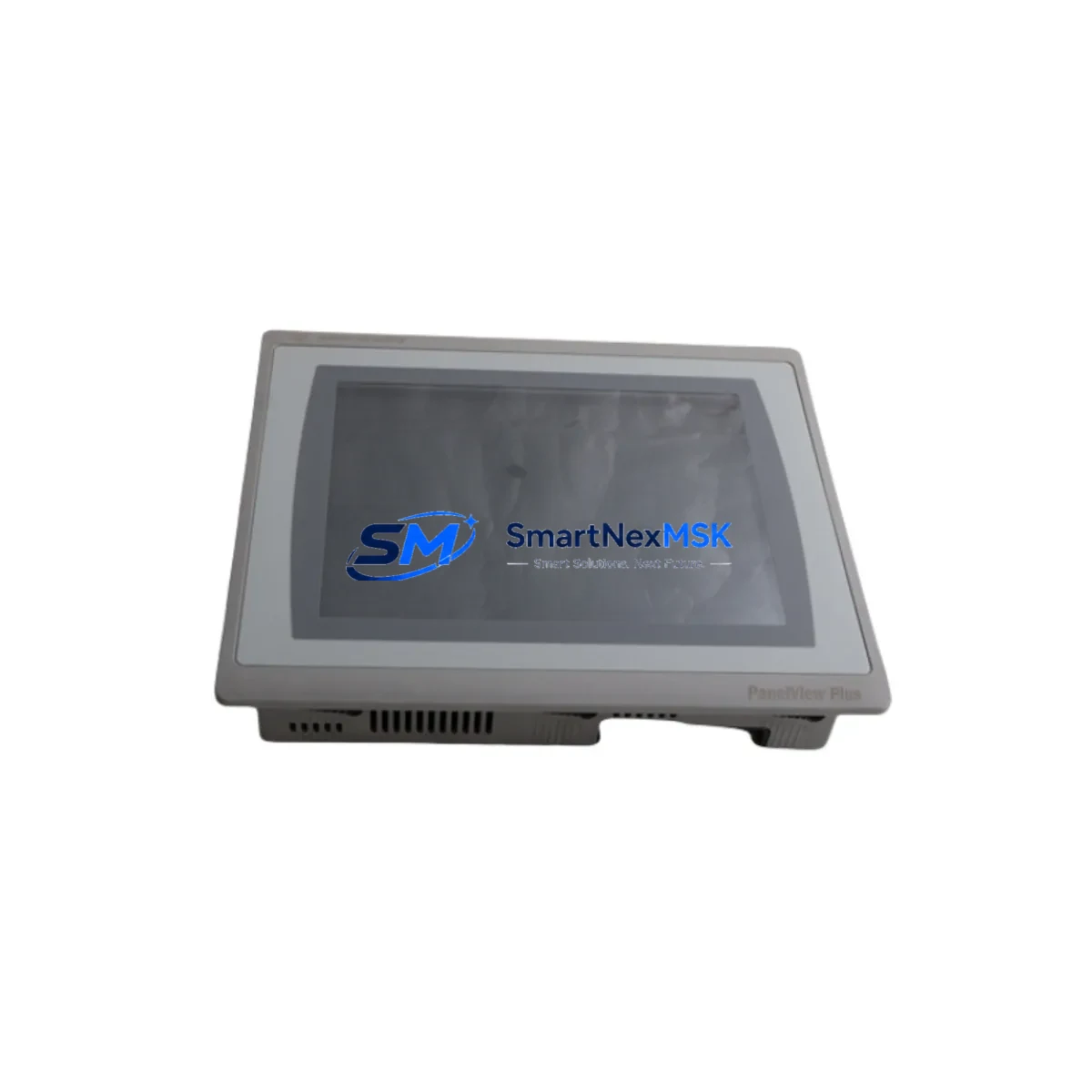
Allen-Bradley 2711P-T10C21D8S Maintenance-Ready Spare for PanelView Plus 7 Automation
The Allen-Bradley 2711P-T10C21D8S is a 10.4-inch color touchscreen HMI terminal from the PanelView Plus 7 Standard series, engineered for industrial environments where operator interface reliability directly impacts production uptime. As a verified maintenance spare for Rockwell Automation control systems, this unit enables direct replacement of failed or end-of-life PanelView terminals without requiring application software redesign or panel rewiring. For maintenance engineers managing aging production lines and procurement engineers building strategic spare inventories, the 2711P-T10C21D8S is a critical stocking item in any Rockwell-based control cabinet.
Operating on 24VDC input power and communicating natively over EtherNet/IP, this terminal is fully compatible with ControlLogix, CompactLogix, and MicroLogix controller platforms. Its NEMA 4/4X and IP65-rated front panel ensures reliable operation in wash-down, dusty, or chemically aggressive environments. Every unit ships pre-tested and verified against factory specifications, backed by a 12-month hardware warranty from the date of shipment.
Spare Maintenance Table
| Parameter | Specification |
|---|---|
| SKU / Catalog Number | 2711P-T10C21D8S |
| Brand | Allen-Bradley (Rockwell Automation) |
| Series | PanelView Plus 7 Standard |
| Display Size | 10.4″ Color TFT Touchscreen |
| Input Power | 24VDC (18–32 VDC operating range) |
| Communication | EtherNet/IP (dual-port switch) |
| Protection Rating | NEMA 4/4X, IP65 (front panel) |
| Operating Temperature | 0°C to 55°C |
| Memory | 512 MB RAM / 1 GB Flash |
| Compatibility | ControlLogix, CompactLogix, MicroLogix, SLC 500 (via RSLinx) |
| Replaces / Upgrades From | 2711P-T10C4D8, 2711P-T10C4D8K, 2711-T10C8 (PanelView Plus 6) |
| Installation Type | Panel cutout mount, standard 2711P series dimensions |
| Origin | United States |
| Warranty | 12-Month Hardware Warranty from shipment date |
Maintenance Planning for Continuous Operation
When responding to an unplanned HMI failure or scheduling a planned maintenance window, replacing the 2711P-T10C21D8S is rarely an isolated task. A failed operator terminal is often a symptom of broader electrical stress in the control cabinet, and experienced maintenance engineers treat the HMI swap as an opportunity to inspect the surrounding electrical infrastructure.
Begin with the 24VDC power supply feeding the HMI. Units such as the Allen-Bradley 1606-XLP72E or equivalent Bulletin 1606 power supplies should be checked for output voltage stability and ripple — undervoltage conditions are a leading cause of premature HMI failure and intermittent touchscreen faults. If the supply is more than five years old or shows signs of output drift, proactive replacement during the same maintenance window eliminates a common repeat-failure scenario.
The EtherNet/IP communication path deserves equal attention. Inspect the managed Ethernet switch port connected to the terminal — a 1783-US5T or Stratix 2000/5700 series switch should be checked for port errors, CRC faults, and link-speed mismatches. If the system uses a ControlLogix chassis, verify that the 1756-EN2T or 1756-EN2TR EtherNet/IP communication module is online and that the controller tag database is intact before powering up the replacement HMI. A corrupted or mismatched tag structure will cause display faults even on a fully functional new terminal.
Terminal block wiring on the 24VDC input circuit should be inspected for corrosion, loose crimps, or thermal discoloration — particularly on Phoenix Contact or Weidmuller-style terminal strips commonly used in Rockwell panel builds. If the cabinet also houses a 1756-L73 or 1756-L83E ControlLogix controller, confirm that the controller program and HMI application file versions are synchronized. A version mismatch between the FactoryTalk View ME application and the controller tag structure is a frequent source of post-replacement display faults that can be mistaken for hardware defects.
For facilities running older PanelView Plus 6 terminals such as the 2711P-T10C4D8, the 2711P-T10C21D8S is a validated upgrade path. Panel cutout dimensions are compatible, but the FactoryTalk View ME application project must be converted to the Plus 7 runtime using FactoryTalk View Studio. This conversion is typically completed in under two hours and does not require controller program changes. Signal isolation modules between analog I/O cards and field instruments — such as those used with 1756-IF16 or 1756-OF8 analog modules — should also be inspected during the same window to prevent secondary faults after the HMI is restored to service.
A recommended minimum spare kit for any Rockwell ControlLogix operator station includes one 2711P-T10C21D8S terminal, one 1756-EN2T EtherNet/IP communication module, and one 24VDC Bulletin 1606 power supply. This three-component inventory covers the most statistically common causes of operator station downtime and supports same-shift recovery from unplanned failures.
Site Replacement Workflow
Step 1 — Pre-Replacement Verification: Confirm the replacement unit catalog number matches the installed terminal exactly. Verify the FactoryTalk View ME application version stored on the new terminal or on the USB/SD backup matches the current production version. Document the existing IP address, subnet mask, gateway, and device name configured on the failed unit before removal.
Step 2 — Safe Isolation: Follow site LOTO (Lockout/Tagout) procedures. Disconnect the 24VDC power feed and the EtherNet/IP cable from the failed terminal. Confirm power is off before removing the panel cutout mounting hardware.
Step 3 — Physical Swap: Remove the failed 2711P-T10C21D8S from the panel cutout. Inspect the cutout gasket for compression damage and replace if necessary to maintain IP65 integrity. Install the replacement unit, torque mounting clamps to specification, and reconnect the 24VDC power and Ethernet cables.
Step 4 — Network Reconfiguration: Power up the terminal and use the configuration menu to assign the correct static IP address, subnet mask, and gateway. Confirm the device name matches the RSLinx or FactoryTalk Linx shortcut used by the application project.
Step 5 — Application Load and Validation: Load the FactoryTalk View ME application from USB or network path. Confirm all screen navigation, alarm displays, trend views, and controller tag communications are functioning correctly before releasing the line to production.
Step 6 — Post-Replacement Documentation: Record the replacement date, serial number of the failed unit, and the replacement unit serial number in the site maintenance log. Update the spare parts inventory and reorder to maintain minimum stock levels.
Spare Parts Support FAQ
Q1: Is the 2711P-T10C21D8S a direct drop-in replacement for the 2711P-T10C4D8 (PanelView Plus 6)?
The physical panel cutout dimensions are compatible and the EtherNet/IP communication protocol is the same. However, the FactoryTalk View ME application project must be converted from the Plus 6 runtime to the Plus 7 runtime using FactoryTalk View Studio. This is a one-time conversion that does not require any changes to the controller program or I/O configuration.
Q2: What pre-shipment testing is performed on each unit?
Each 2711P-T10C21D8S undergoes a power-on functional test confirming display operation, touchscreen calibration response, and EtherNet/IP communication port activity. Units ship with a test confirmation record noting the catalog number, firmware version, and hardware revision. The 12-month warranty covers all hardware defects identified after installation.
Q3: How should the IP address be configured on the replacement terminal?
The IP address can be assigned via the terminal’s built-in configuration menu at startup, via BOOTP/DHCP using Rockwell’s BOOTP-DHCP Server utility, or via RSLinx Classic. Static IP assignment is strongly recommended in production environments to prevent communication loss following a network restart or DHCP server interruption.
Q4: What are the lead time, stocking, and warranty terms?
In-stock units ship within 1–3 business days. All units carry a 12-month hardware warranty from the date of shipment. Warranty support is handled directly by SMARTNEXMSK — replacement or repair is arranged without requiring return to the original manufacturer, minimizing downtime for the end user.
© 2026 SMARTNEXMSK. All rights reserved.
Original Source: https://smartnexmsk.com
Contact: [email protected] | +86 18259474341



