
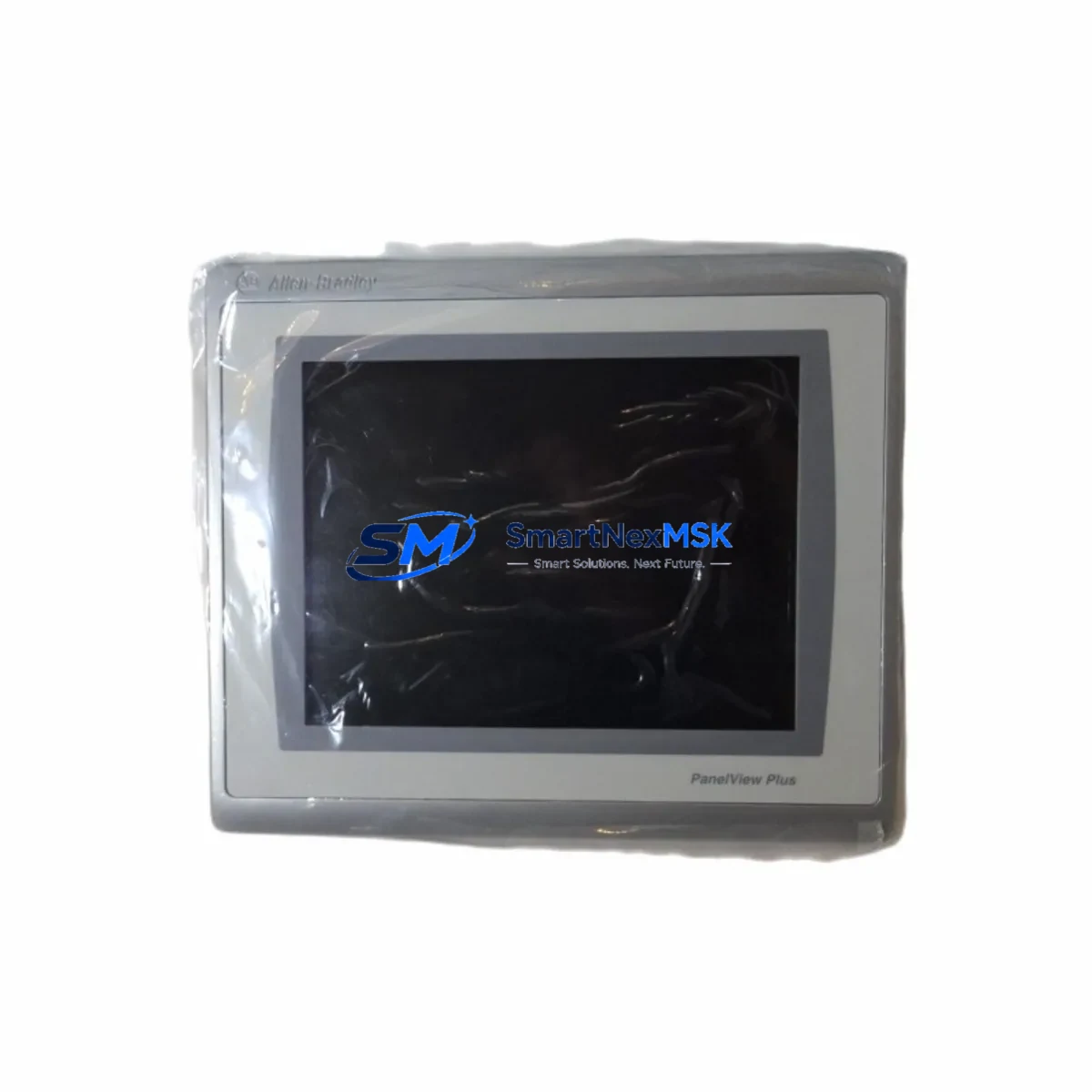
Allen-Bradley 2711P-T10C22D9P Retrofit-Ready HMI for PanelView Plus 7 Control Systems
The Allen-Bradley 2711P-T10C22D9P is a 10.4-inch color touch-screen HMI terminal from the PanelView Plus 7 Standard series, engineered for seamless integration into existing Rockwell Automation control architectures. As legacy PanelView Plus 6 and earlier PanelView Plus 7 units reach end-of-life or become increasingly difficult to source, the 2711P-T10C22D9P provides a validated, retrofit-ready upgrade path that preserves existing FactoryTalk View ME application logic, screen layouts, and communication configurations with minimal re-engineering effort.
This unit supports EtherNet/IP as its primary communication protocol, enabling direct connectivity to Allen-Bradley ControlLogix (1756 series), CompactLogix (1769 series), and MicroLogix controllers without gateway hardware or protocol conversion. For facilities running legacy DH+ or DH-485 networks, a 1761-NET-AIC or 1784-PKTX communication adapter can bridge the existing network to the 2711P-T10C22D9P’s Ethernet port, protecting the investment in existing field wiring and controller programs.
When planning a retrofit, engineers should verify the 24 VDC power supply capacity at the control panel. The 2711P-T10C22D9P draws up to 30 W at full backlight brightness; panels previously powering a smaller PanelView 550 or PanelView 900 may require a supplementary 1606-XLP power supply module to maintain stable voltage under combined load. Terminal block wiring for the DC input follows standard 24 VDC positive/negative conventions and is compatible with existing Phoenix Contact or Weidmüller terminal strips commonly found in Allen-Bradley control cabinets.
Backplane and mounting considerations are straightforward: the 2711P-T10C22D9P uses a NEMA 4/4X, IP65-rated panel-cut mounting with a standard 10.4-inch cutout. Facilities upgrading from a 2711P-T10C4D8 or 2711P-T10C21D8S will find the cutout dimensions identical, eliminating panel rework. The unit ships with a stainless-steel mounting collar and all required hardware. For installations inside a 1756 ControlLogix chassis environment, no additional backplane module is required — the HMI communicates exclusively over the plant Ethernet network via a 1783-US5T or similar unmanaged switch.
FactoryTalk View ME application migration is the most critical step in any PanelView retrofit. Existing .MER runtime files developed for PanelView Plus 6 (2711P-T10C6D7) can be converted using FactoryTalk View Studio ME version 10.0 or later. Engineers should audit all tag references, especially those linked to 1756-L7x or 1756-L8x Logix controllers, and verify that UDT (User-Defined Type) structures remain intact after conversion. Alarm configurations, trend displays, and recipe management screens typically require manual review but rarely require full reconstruction.
Communication link verification is essential before go-live. The 2711P-T10C22D9P supports RSLinx Classic and RSLinx Enterprise for device configuration and diagnostics. During commissioning, confirm that the HMI’s assigned IP address does not conflict with existing 1756-ENBT or 1756-EN2T Ethernet bridge modules on the same subnet. DHCP is supported but static IP assignment is strongly recommended for production environments to prevent address conflicts during controller restarts or network maintenance windows.
For facilities managing a phased migration — replacing one HMI at a time across a multi-panel line — the 2711P-T10C22D9P can operate in parallel with existing PanelView Plus 6 terminals on the same EtherNet/IP network, allowing operators to validate screen logic and alarm behavior before full cutover. This approach is particularly effective in food and beverage, automotive assembly, and water treatment applications where continuous process control is mandatory and unplanned downtime carries significant cost.
All units supplied by SMARTNEXMSK are sourced from authorized distribution channels or verified surplus inventory, function-tested prior to shipment, and covered by a 12-month replacement warranty. Each unit ships with original documentation where available, and our technical team can assist with FactoryTalk View ME file conversion, IP configuration, and on-site commissioning support upon request.
Upgrade Compatibility Table
| Parameter | Details |
|---|---|
| SKU / Part Number | 2711P-T10C22D9P |
| Series | PanelView Plus 7 Standard |
| Display Size | 10.4-inch Color TFT Touch Screen |
| Communication Protocol | EtherNet/IP (primary); DH+ / DH-485 via adapter |
| Power Supply | 24 VDC, max 30 W |
| Mounting Standard | NEMA 4/4X, IP65, standard 10.4″ panel cutout |
| Direct Replacement For | 2711P-T10C21D8S, 2711P-T10C6D7, 2711P-T10C4D8 |
| Compatible Controllers | ControlLogix 1756, CompactLogix 1769, MicroLogix |
| Software Compatibility | FactoryTalk View ME v6.0 and later |
| Installation Requirement | No backplane module required; Ethernet network connection |
| Commissioning Tool | RSLinx Classic / RSLinx Enterprise |
| Warranty | 12-Month Replacement Warranty (SMARTNEXMSK) |
Retrofit Planning for Existing Automation Systems
A successful PanelView Plus 7 retrofit begins with a thorough audit of the existing control cabinet. In most Allen-Bradley installations, the HMI shares a control enclosure with a 1756-L74 or 1756-L75 ControlLogix processor, one or more 1756-EN2T EtherNet/IP communication modules, and a combination of 1756-IB16 digital input and 1756-OB16 digital output modules. Before removing the legacy terminal, document all IP addresses, slot assignments, and tag database exports from the existing FactoryTalk View ME project.
Power distribution within the cabinet should be assessed carefully. If the existing 1606-XLP72E power supply is already running near capacity supplying the controller backplane, I/O modules, and field devices, adding the 2711P-T10C22D9P may require either a dedicated secondary supply or an upgrade to a higher-capacity 1606-XLP95E unit. Verify DC bus voltage under full load before finalizing the retrofit bill of materials.
For multi-axis motion control systems incorporating a Kinetix 5700 servo drive or PowerFlex 755 variable frequency drive, confirm that the HMI’s EtherNet/IP node count does not exceed the controller’s connection limit. Each 2711P-T10C22D9P consumes one CIP connection from the ControlLogix processor’s connection table. In high-density I/O systems using 1734 POINT I/O or 1794 FLEX I/O adapters, connection budget planning is critical to avoid controller faults during startup.
Wiring the 2711P-T10C22D9P into an existing cabinet typically requires only a standard Cat5e or Cat6 Ethernet patch cable to the nearest managed switch or 1783-US5T unmanaged switch. The 24 VDC power terminals accept 12–24 AWG wire. If the legacy HMI used a serial RS-232 programming cable (1761-CBL-PM02) for configuration, note that the 2711P-T10C22D9P is configured entirely over Ethernet using FactoryTalk View Studio ME — no serial programming cable is required for the new unit.
Downtime Control During System Migration
Minimizing production downtime during a PanelView retrofit requires a structured cutover plan. The recommended approach is to pre-configure the 2711P-T10C22D9P off-line using a laptop running FactoryTalk View Studio ME, loading the converted .MER application file and verifying all tag bindings against a controller emulator or a test ControlLogix rack before the scheduled maintenance window.
During the cutover window, the sequence should be: (1) export and back up the existing FactoryTalk View ME project and all associated tag databases; (2) power down the control panel and remove the legacy HMI; (3) install the 2711P-T10C22D9P using the existing panel cutout; (4) connect 24 VDC power and Ethernet; (5) power up and confirm IP address assignment; (6) transfer the pre-validated .MER file to the terminal; (7) launch the runtime application and verify all controller tags are communicating correctly before resuming production.
For critical continuous-process applications, a parallel run strategy is advisable: mount the new 2711P-T10C22D9P on a temporary panel adjacent to the existing HMI, connect it to the same EtherNet/IP network, and validate all screens and alarms in live-read mode before the final cutover. This approach has been used successfully in water treatment SCADA upgrades and pharmaceutical batch control systems where regulatory requirements mandate validated HMI changeover procedures. The 12-month warranty provided with each unit ensures that any post-installation hardware issues are resolved without additional cost to the facility.
Retrofit Support FAQ
Q: Is the 2711P-T10C22D9P a direct drop-in replacement for the 2711P-T10C21D8S?
A: Yes. Both units share the same 10.4-inch panel cutout dimensions and 24 VDC power input. The primary difference is the communication firmware revision and Windows CE operating system version. Existing FactoryTalk View ME .MER files developed for the 2711P-T10C21D8S are compatible after a version conversion step in FactoryTalk View Studio ME v10.0 or later. No panel rework or wiring changes are required.
Q: What commissioning steps are required after installation?
A: After physical installation and power-up, assign a static IP address via the terminal’s configuration menu, confirm EtherNet/IP connectivity to the ControlLogix or CompactLogix controller using RSLinx Enterprise, load the .MER runtime file, and verify all tag communications are active. Total commissioning time for a pre-validated application is typically 30–60 minutes.
Q: Can the 2711P-T10C22D9P communicate with legacy DH+ networks?
A: Not natively. The unit’s primary interface is EtherNet/IP. For DH+ or DH-485 connectivity, a 1761-NET-AIC or 1784-PKTX communication adapter is required to bridge the legacy network to the HMI’s Ethernet port. SMARTNEXMSK can advise on the appropriate adapter for your specific network topology.
Q: What does the 12-month warranty cover?
A: The 12-month replacement warranty covers hardware defects and functional failures under normal operating conditions. Each unit is function-tested prior to shipment. In the event of a warranty claim, SMARTNEXMSK will arrange a replacement unit shipment within 3–5 business days. The warranty does not cover damage resulting from incorrect wiring, overvoltage, or physical impact.
© 2026 SMARTNEXMSK. All rights reserved.
Original Source: https://smartnexmsk.com
Contact: [email protected] | +86 18259474341



