
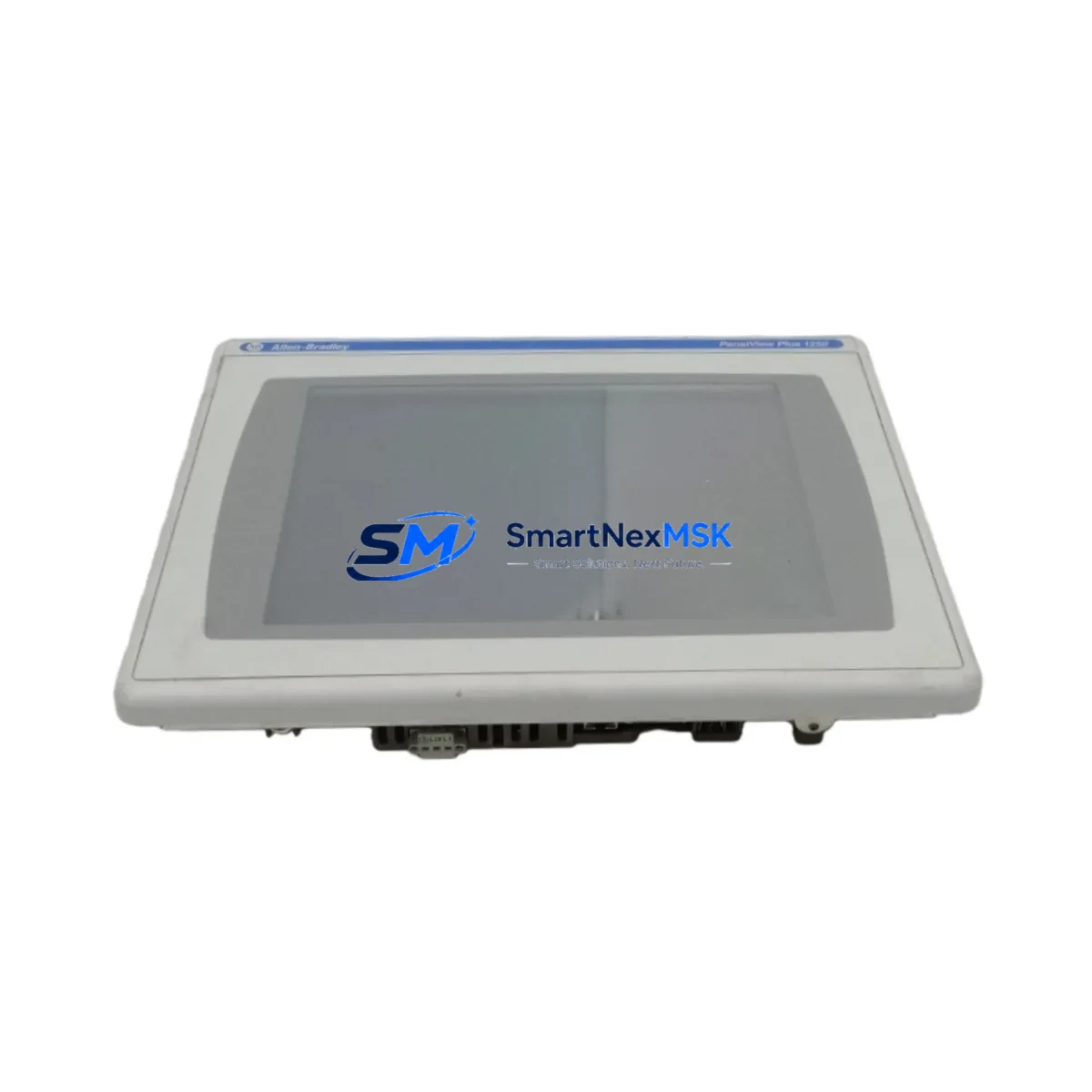
Allen-Bradley 2711P-T12C4A8 Spare PanelView Plus 6 Automation: Minimizing Downtime in Industrial Control Systems
The Allen-Bradley 2711P-T12C4A8 is a 12.1-inch TFT color touch-screen HMI terminal from the PanelView Plus 6 1250 series, designed for demanding industrial environments. As a maintenance-ready original spare, this unit supports rapid replacement in production lines, packaging systems, water treatment facilities, and process automation panels where HMI failure directly translates to unplanned downtime and production loss. Sourced as an original Allen-Bradley component, each unit undergoes functional verification prior to shipment, ensuring compatibility with existing ControlLogix, CompactLogix, and MicroLogix PLC architectures via EtherNet/IP and DF1 communication protocols.
For maintenance engineers managing aging control cabinets, the 2711P-T12C4A8 represents a critical node in the operator interface layer. When this terminal fails or degrades — whether through touchscreen delamination, backlight failure, firmware corruption, or communication faults — the entire operator control loop is compromised. Stocking this spare as part of a planned maintenance inventory strategy eliminates the risk of extended lead times from OEM channels and keeps your system operational through scheduled and emergency maintenance cycles.
Spare Maintenance Table
| Parameter | Specification |
|---|---|
| Part Number / SKU | 2711P-T12C4A8 |
| Series | PanelView Plus 6 1250 |
| Brand | Allen-Bradley (Rockwell Automation) |
| Display | 12.1″ TFT Color Touch Screen |
| Resolution | 800 × 600 (SVGA) |
| Input Voltage | 24V DC (18–32V DC operating range) |
| Communication Ports | EtherNet/IP (RJ45), USB Host & Device, RS-232 DF1 |
| Operating Temperature | 0°C to 55°C (32°F to 131°F) |
| Protection Rating | NEMA 4/4X, 12, 13; IP65 (front panel) |
| Memory | 512 MB Flash, 128 MB RAM |
| Compatibility | ControlLogix, CompactLogix, MicroLogix, SLC 500, PLC-5 |
| Mounting | Panel cutout mount, standard PanelView Plus 6 1250 footprint |
| Application Environment | Industrial automation, process control, SCADA operator stations |
| Maintenance Recommendation | Inspect touchscreen calibration, Ethernet connectivity, and DC power supply annually |
| Warranty | 12 Months — functional test verified before shipment |
Maintenance Planning for Continuous Operation
When replacing the 2711P-T12C4A8 in the field, a thorough maintenance inspection of the surrounding control cabinet components is essential to prevent repeat failures and ensure system stability. Begin by verifying the 24V DC power supply feeding the HMI — units such as the Allen-Bradley 1606-XLP power supply series are commonly paired with PanelView Plus 6 terminals and should be checked for output voltage stability and ripple under load. A degraded power supply is a frequent root cause of HMI reboot loops and communication dropouts.
Next, inspect the EtherNet/IP network infrastructure. The managed switch or unmanaged switch connecting the HMI to the ControlLogix or CompactLogix backplane should be verified for port status, cable integrity, and IP address conflicts. If the system uses a 1756-EN2T or 1756-EN3TR EtherNet/IP communication module in the ControlLogix chassis, confirm that the module firmware is compatible with the replacement HMI’s FactoryTalk View ME runtime version.
For systems using serial DF1 communication, inspect the RS-232 cable and the corresponding serial port on the PLC — particularly on older SLC 500 or MicroLogix 1400 installations. Cable shielding, connector pin integrity, and baud rate settings must be confirmed before commissioning the replacement terminal.
I/O integrity checks are equally important during planned HMI replacement windows. Review the 1756-IB16 or 1756-OB16 digital I/O modules in the ControlLogix rack for any latched faults or blown fuse indicators. Analog I/O modules such as the 1756-IF8 should be verified for signal drift, particularly in temperature-sensitive environments. Terminal blocks and wiring within the control cabinet — including Phoenix Contact or Weidmüller terminal strips — should be inspected for loose connections, corrosion, or insulation degradation.
If the system includes safety relay modules or safety I/O (such as the 1791DS-IB8XOBV4 or GuardLogix safety controller), verify that the HMI replacement does not inadvertently reset safety states or bypass interlocks during the commissioning process. Signal isolators used in 4–20mA analog loops should also be checked for drift, as HMI replacement is an ideal opportunity to recalibrate field instruments without additional production interruption.
For legacy systems where the 2711P-T12C4A8 is being used to extend the operational life of a PLC-5 or SLC 500 installation, consider stocking additional spare components including the 1747-L553 SLC 5/05 processor, 1746-P4 power supply module, and relevant I/O cards to support a comprehensive long-term maintenance strategy. Proactive spare parts inventory reduces mean time to repair (MTTR) and supports continuous operation beyond OEM end-of-life announcements.
Site Replacement Workflow
The 2711P-T12C4A8 is a direct form-fit-function replacement for earlier PanelView Plus 6 1250 variants including the 2711P-T12C4D8 and 2711P-T12C4A2, sharing the same panel cutout dimensions and mounting hardware. Before installation, confirm the FactoryTalk View ME application version stored on the replacement unit is compatible with the existing runtime project. If the application was developed on an older ME version, use FactoryTalk View Studio to verify and update the project file prior to transfer via USB or Ethernet download.
Power down the control cabinet and lock out/tag out (LOTO) per site safety procedures before removing the failed terminal. Disconnect the DC power connector, Ethernet cable, and any USB peripherals. Remove the mounting clamps from the rear of the panel cutout and extract the unit. Install the replacement 2711P-T12C4A8, reconnect all cables, and restore power. Perform a full touchscreen calibration, verify communication with the PLC, and confirm all screen navigation, alarm displays, and trend views are functioning correctly before returning the system to production.
This workflow minimizes downtime to under two hours for a prepared maintenance team with the spare unit on hand, compared to days or weeks of lead time for emergency OEM procurement. Maintaining one unit in local spare parts inventory is strongly recommended for any facility running PanelView Plus 6 1250 terminals in critical process or production roles.
Spare Parts Support FAQ
Q: Is the 2711P-T12C4A8 compatible with my existing FactoryTalk View ME application?
A: Yes, provided your application was developed in FactoryTalk View ME version 6.0 or later. The replacement unit supports all standard PanelView Plus 6 1250 runtime features. If your project was built on an earlier version, a minor version update in FactoryTalk View Studio is recommended before deployment.
Q: What is the warranty coverage and how is it validated?
A: Each unit carries a 12-month warranty from the date of shipment. Prior to dispatch, every 2711P-T12C4A8 undergoes a functional test covering power-on, display, touchscreen response, and communication port verification. Test records are available upon request.
Q: Can this unit replace older PanelView Plus 6 1250 models with different catalog suffixes?
A: The 2711P-T12C4A8 shares the same physical footprint and electrical interface as other PanelView Plus 6 1250 variants. Compatibility should be confirmed against your specific panel cutout dimensions and communication requirements. Our technical team can assist with cross-reference verification before order placement.
Q: What is your lead time and do you maintain ongoing stock?
A: We maintain ready stock of the 2711P-T12C4A8 to support emergency and planned maintenance requirements. Standard lead time is 3–7 business days for international shipments, with expedited options available. Long-term supply agreements are available for facilities requiring guaranteed inventory access.
© 2026 SMARTNEXMSK. All rights reserved.
Original Source: https://smartnexmsk.com
Contact: [email protected] | +86 18259474341



