
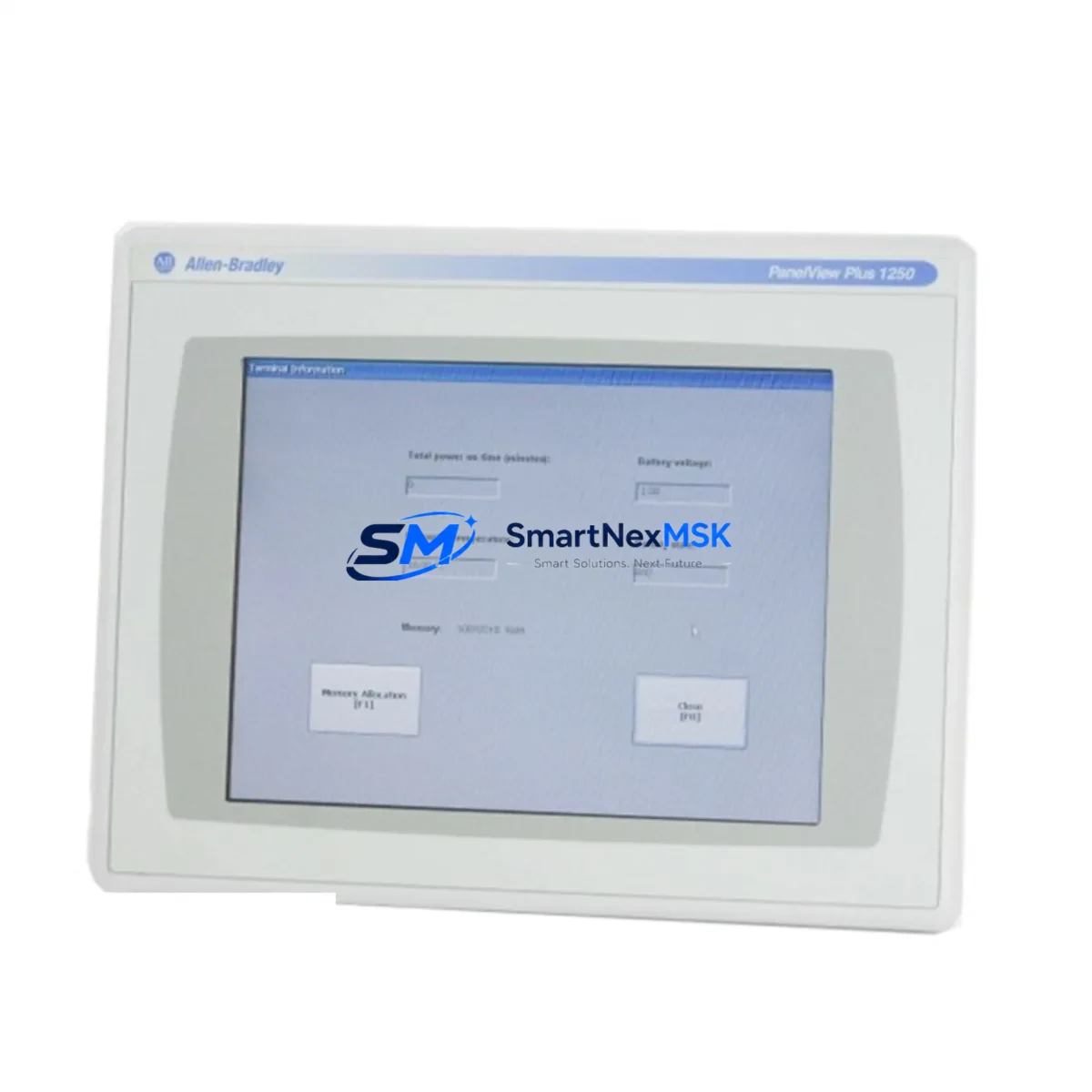
Allen-Bradley 2711P-T12C6D2 Maintenance-Ready Spare PanelView Plus 6
The Allen-Bradley 2711P-T12C6D2 is a 12.1-inch color touch-screen HMI terminal from the PanelView Plus 6 series, widely deployed across discrete manufacturing, process control, and utilities sectors. When this unit fails or reaches end-of-service life, unplanned downtime can cascade rapidly through the production line. Sourcing a verified, maintenance-ready spare is the single most effective action a maintenance or procurement engineer can take to protect operational continuity.
At SMARTNEXMSK, every 2711P-T12C6D2 unit is sourced from authorized supply channels, functionally tested prior to dispatch, and shipped with a 12-month warranty. Our inventory is maintained specifically to support emergency replacement, planned overhaul cycles, and long-term spare parts programs for aging ControlLogix and CompactLogix-based control architectures.
Whether you are responding to an unplanned HMI failure on the plant floor or building a preventive maintenance kit for a scheduled shutdown, the 2711P-T12C6D2 can be installed and commissioned with minimal disruption to your existing panel wiring, Ethernet network configuration, and FactoryTalk View ME application files.
Spare Maintenance Table
| Parameter | Specification |
|---|---|
| Part Number / SKU | 2711P-T12C6D2 |
| Brand | Allen-Bradley (Rockwell Automation) |
| Series | PanelView Plus 6 |
| Display Size | 12.1 inch color TFT LCD |
| Touch Technology | Analog resistive touch screen |
| Communication Ports | Dual Ethernet (EtherNet/IP), USB Host & Device, RS-232 |
| Operating Voltage | 24V DC nominal (18–32V DC range) |
| Operating Temperature | 0 °C to 55 °C (32 °F to 131 °F) |
| Protection Rating | NEMA 4/4X, 12, 13; IP65 (front panel) |
| Software Compatibility | FactoryTalk View ME v6.0 and above |
| PLC Compatibility | ControlLogix, CompactLogix, MicroLogix, SLC 500 (via EtherNet/IP or DH-485) |
| Application Transfer | USB flash drive or Ethernet network transfer |
| Weight | 2.9 kg (approx.) |
| Origin | USA |
| Condition | Original spare — new or refurbished-to-spec |
| Pre-shipment Test | Power-on, display, touch calibration, and communication port verification |
| Warranty | 12 months from date of shipment |
| Maintenance Recommendation | Inspect panel gasket, clean touch surface, verify Ethernet link status quarterly |
Maintenance Planning for Continuous Operation
A 2711P-T12C6D2 replacement should never be treated as an isolated swap. The HMI sits at the operator interface layer of a broader control architecture, and its failure often signals stress in adjacent components. Maintenance engineers should use any planned or emergency HMI replacement as an opportunity to audit the surrounding system.
Begin with the 24V DC power supply feeding the HMI panel — units such as the Allen-Bradley 1606-XLP or equivalent 24V DIN-rail power supply should be checked for output voltage stability and ripple. A degraded power supply is a common root cause of intermittent HMI lockups and display anomalies. Simultaneously, inspect the Ethernet switch or managed switch port to which the 2711P-T12C6D2 connects; verify link speed, duplex settings, and cable integrity, as EtherNet/IP communication faults frequently masquerade as HMI application errors.
If the HMI communicates with a ControlLogix chassis, check the 1756-EN2T or 1756-EN3TR Ethernet communication module for firmware currency and connection count headroom. For systems using a CompactLogix L3x or L4x controller, confirm that the controller’s EtherNet/IP connection table has not reached its configured limit, which can prevent the replacement HMI from establishing a stable session after power-up.
During the same maintenance window, inspect 1492-series terminal blocks and field wiring terminations in the control cabinet. Loose or corroded terminals are a leading cause of I/O signal faults that operators often misattribute to HMI software issues. If the panel includes 1734 POINT I/O or 1769 Compact I/O modules, verify module status LEDs and check for any logged faults in the controller’s I/O tree before returning the system to service.
For panels with safety circuits, inspect any 440C-CR30 safety relay or GuardLogix safety controller connections to ensure the HMI replacement has not inadvertently disrupted safety network topology. Where PowerFlex variable frequency drives (such as the 20F or 525 series) are supervised through the HMI, re-verify drive parameter visibility and fault acknowledgment functionality after commissioning the replacement terminal.
Finally, if the control cabinet includes a 1783-series Stratix managed Ethernet switch, use its diagnostic interface to confirm that the new 2711P-T12C6D2 has been assigned the correct IP address and that no duplicate address conflicts exist on the EtherNet/IP network segment.
Site Replacement Workflow
Step 1 — Backup existing application: Before removing the failed unit, attempt to extract the FactoryTalk View ME application (.MER file) via USB or network backup. If the display is non-functional, retrieve the application from the project archive on the engineering workstation.
Step 2 — Document panel cutout and wiring: Photograph the rear connector layout, Ethernet port assignments, and any RS-232 or USB peripheral connections. Note the IP address, subnet mask, and gateway configured on the outgoing unit.
Step 3 — Mechanical installation: The 2711P-T12C6D2 uses a standard PanelView Plus 6 12-inch panel cutout (approximately 310 × 248 mm). Verify gasket condition and torque mounting clamps to specification to maintain NEMA 4/4X sealing.
Step 4 — Network and power connection: Connect 24V DC power and Ethernet cables. Assign the same IP address as the replaced unit, or update the ControlLogix controller’s HMI connection path if the address has changed.
Step 5 — Application transfer and commissioning: Load the .MER application file via USB flash drive or FactoryTalk View ME Studio network download. Run a full screen navigation test, verify all tag connections, and confirm alarm display functionality before returning the panel to operator control.
Step 6 — System validation: Cycle the controlled process through a representative operating sequence under supervision. Confirm that all I/O status displays, trend screens, and alarm acknowledgment functions operate correctly. Log the replacement in the site maintenance record.
Spare Parts Support FAQ
Q1: Is the 2711P-T12C6D2 a direct drop-in replacement for older PanelView Plus 1000 or 1250 terminals?
The 2711P-T12C6D2 is part of the PanelView Plus 6 platform and is not a direct mechanical replacement for earlier PanelView Plus 1000/1250 (2711P-T12Cxx) units, though the application software (.MER files) created in FactoryTalk View ME is fully compatible. Panel cutout dimensions and mounting hardware are identical within the PanelView Plus 6 12-inch family, making it a straightforward upgrade path from earlier Plus 6 variants.
Q2: What pre-shipment testing does SMARTNEXMSK perform on each unit?
Every 2711P-T12C6D2 dispatched from our facility undergoes power-on verification, full display pixel test, touch screen calibration check, and Ethernet port link-up confirmation. Units that do not pass all test criteria are quarantined and not shipped. A test record is available upon request for quality-critical procurement programs.
Q3: How should I manage 2711P-T12C6D2 inventory for a multi-site operation?
For operations with three or more PanelView Plus 6 installations, we recommend maintaining at least one cold-spare unit per site, pre-loaded with the site-specific .MER application and configured with the correct IP address. This reduces mean time to repair (MTTR) to under 30 minutes for most HMI failures. SMARTNEXMSK can support blanket purchase orders and staged delivery schedules to align with your annual maintenance budget cycle.
Q4: What is covered under the 12-month warranty?
The 12-month warranty covers manufacturing defects, component failure under normal operating conditions, and any fault attributable to the unit itself as shipped. It does not cover damage resulting from incorrect installation voltage, physical impact, liquid ingress beyond the rated IP65 front-panel protection, or unauthorized modification. Warranty claims are processed with a target response time of 2 business days, and advance replacement units are available for critical-site customers upon request.
© 2026 SMARTNEXMSK. All rights reserved.
Original Source: https://smartnexmsk.com
Contact: [email protected] | +86 18259474341



