
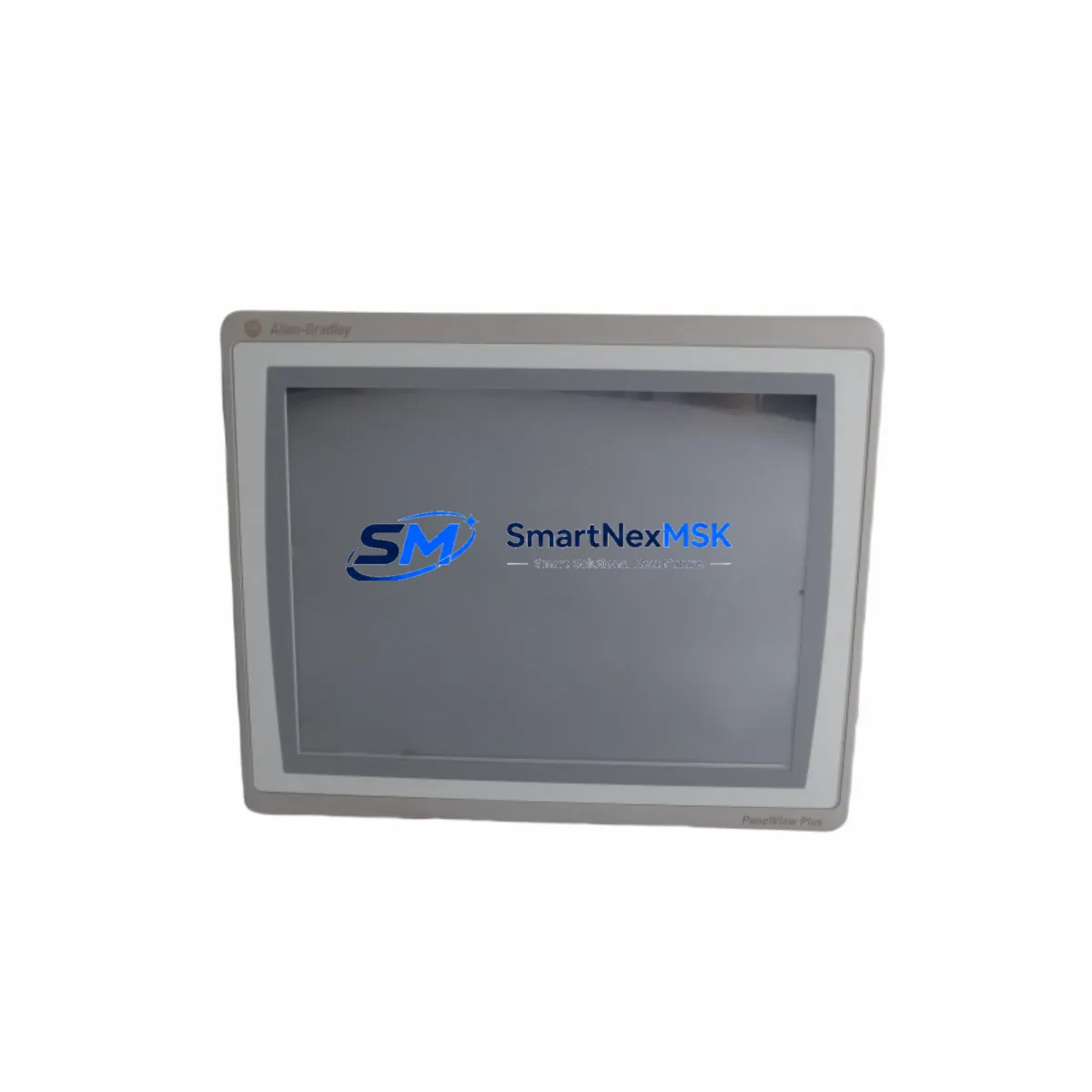
Allen-Bradley 2711P-T12W22D9P-B Maintenance-Ready Spare PanelView Plus 7
For maintenance engineers managing Allen-Bradley HMI infrastructure, unplanned downtime caused by a failed operator interface panel is one of the most disruptive events on the plant floor. The Allen-Bradley 2711P-T12W22D9P-B PanelView Plus 7 Standard 12.1″ HMI is a critical visualization and control node in ControlLogix, CompactLogix, and GuardLogix automation architectures. Sourced as an original spare, this unit is tested, verified, and ready for immediate site deployment — minimizing mean time to repair (MTTR) and restoring production continuity with confidence.
Whether you are executing a planned replacement during a scheduled shutdown, responding to an emergency panel failure, or building out a strategic spare parts inventory for aging PanelView Plus 7 installations, the 2711P-T12W22D9P-B delivers the compatibility, reliability, and long-term supply assurance that industrial maintenance teams require. Each unit ships with a 12-month warranty and undergoes pre-shipment functional testing to confirm display integrity, touch response, communication readiness, and power-up behavior.
Spare Maintenance Table
| Parameter | Specification |
|---|---|
| Part Number | 2711P-T12W22D9P-B |
| Series | PanelView Plus 7 Standard |
| Brand | Allen-Bradley (Rockwell Automation) |
| Display Size | 12.1″ Widescreen TFT Color LCD |
| Resolution | 1280 × 800 (WXGA) |
| Touch Technology | Analog Resistive Touch |
| Communication Ports | Dual Ethernet (EtherNet/IP), USB Host & Device |
| Power Supply Input | 24V DC (18–32V DC operating range) |
| Power Consumption | Approx. 30W typical |
| Operating Temperature | 0°C to 55°C (32°F to 131°F) |
| Protection Rating | NEMA 4/4X, 12, 13; IP65 (front panel) |
| Compatible Controllers | ControlLogix, CompactLogix, GuardLogix, MicroLogix, SLC 500 (via EtherNet/IP) |
| Software | FactoryTalk View ME (pre-loaded runtime) |
| Memory | 512 MB RAM / 1 GB Flash |
| Panel Cutout | Per Rockwell Automation installation drawing |
| Origin | USA |
| Warranty | 12 Months — Tested & Verified Before Shipment |
| Maintenance Recommendation | Inspect touch calibration, Ethernet port integrity, and backlight condition at each planned shutdown |
Maintenance Planning for Continuous Operation
When a 2711P-T12W22D9P-B is flagged for replacement during a control cabinet inspection or fault diagnosis, experienced maintenance engineers know that the HMI panel is rarely the only component that warrants attention. A thorough site replacement workflow should include a parallel review of the surrounding electrical and communication infrastructure to prevent repeat failures and ensure system stability after the panel is restored.
Begin with the 24V DC power supply feeding the HMI — units such as the Allen-Bradley 1606-XLP95E or equivalent 24V DIN-rail power supply should be checked for output voltage stability, ripple, and thermal condition. A degraded power supply is a common root cause of intermittent HMI faults and display anomalies. Inspect the terminal blocks and wiring harness at the panel rear connector — loose or corroded terminals on the power and ground conductors can cause erratic behavior that mimics a failed display unit.
Review the Ethernet communication path between the 2711P-T12W22D9P-B and the ControlLogix or CompactLogix controller. Check the managed switch port (such as a Stratix 5700 or 2960 series switch) for link errors, duplex mismatches, or CIP connection timeouts. If the HMI communicates with a 1756-EN2T or 1756-EN2TR EtherNet/IP communication module in the ControlLogix chassis, verify that the module’s connection table is not saturated and that the RPI (Requested Packet Interval) settings are appropriate for the application.
For installations where the PanelView Plus 7 interfaces with safety or process I/O, inspect the associated 1756-IB16 digital input modules or 1756-OB16E digital output modules for blown fuses, channel faults, or wiring degradation. If the control cabinet includes relay output modules or interposing relays (such as Allen-Bradley 700-HF series), verify coil continuity and contact condition — relay failures can produce misleading fault indications on the HMI screen that are misdiagnosed as panel hardware issues.
Where the system includes signal isolators or analog input conditioners between field transmitters and the PLC I/O rack, confirm that 4–20 mA loop integrity is maintained and that isolator output is within calibrated range. Faulty signal conditioning upstream of the controller can generate process alarms that appear on the HMI and are incorrectly attributed to the panel itself. Finally, if the installation uses a 1747-L553 SLC 5/05 processor or legacy controller communicating via DF1 or DH-485, verify the communication cable and port settings before commissioning the replacement HMI.
Site Replacement Workflow
Replacing a 2711P-T12W22D9P-B in a live production environment requires a structured approach to minimize downtime and avoid configuration loss. Before removing the existing panel, back up the FactoryTalk View ME application from the unit using a USB drive or FactoryTalk View Studio — this preserves all screen configurations, tag bindings, alarm setpoints, and communication settings that would otherwise need to be manually re-entered.
Power down the control cabinet following your site LOTO (Lockout/Tagout) procedure. Remove the panel mounting hardware and disconnect the Ethernet cables and 24V DC power connector. Install the replacement 2711P-T12W22D9P-B into the same panel cutout — the B-series revision maintains dimensional and electrical compatibility with earlier 2711P-T12W22D9P revisions, allowing direct substitution without panel modification. Reconnect power and Ethernet, then restore the FactoryTalk View ME application from the backup. Perform a touch screen calibration, verify all communication paths are online, and confirm that all process tags are updating correctly before returning the system to production.
This workflow typically achieves a complete HMI replacement in under two hours for a prepared maintenance team, compared to multi-day lead times for repair or factory replacement through standard channels. Maintaining one or two 2711P-T12W22D9P-B units in your on-site spare parts inventory is the most effective strategy for eliminating HMI-related production stoppages in PanelView Plus 7 installations.
Spare Parts Support FAQ
Q: Is the 2711P-T12W22D9P-B compatible with my existing FactoryTalk View ME application?
A: Yes. The 2711P-T12W22D9P-B runs FactoryTalk View ME and is compatible with applications developed for PanelView Plus 7 Standard terminals. Applications created in FactoryTalk View Studio can be transferred directly via USB or network without modification, provided the runtime version matches.
Q: What does the 12-month warranty cover, and how is it validated?
A: Each unit undergoes pre-shipment functional testing covering display output, touch response, Ethernet communication, USB port operation, and power-up sequence. The 12-month warranty covers hardware defects and functional failures under normal operating conditions. Warranty claims are supported with documented test records provided at time of shipment.
Q: How quickly can a replacement unit be shipped for an emergency downtime situation?
A: Units in stock are available for same-day or next-business-day dispatch. Contact our team directly at [email protected] or +86 18259474341 to confirm availability and arrange expedited shipping. We support both standard and emergency procurement timelines.
Q: Can this unit replace older 2711P-T12W22D9P (non-B revision) panels without hardware modification?
A: In most cases, yes. The B-series revision maintains the same panel cutout dimensions, power requirements, and communication interface as the original revision. We recommend confirming your existing mounting hardware and cable connector types before installation. Our technical team can assist with compatibility verification prior to shipment.
—
© 2026 SMARTNEXMSK. All rights reserved.
Original Source: https://smartnexmsk.com
Contact: [email protected] | +86 18259474341



