
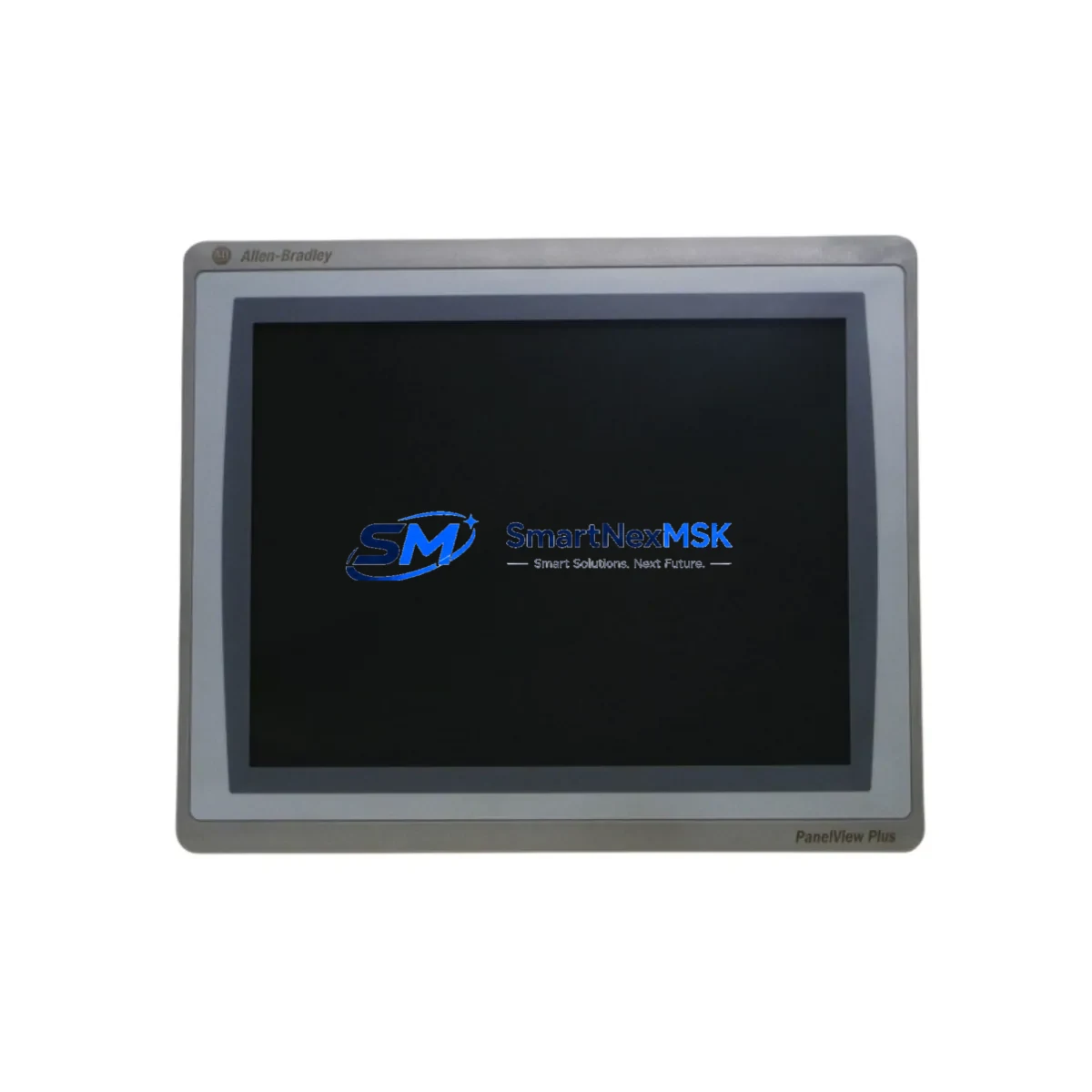
Allen-Bradley 2711P-T15C22D8S Retrofit-Ready HMI for PanelView Plus 7 Control Systems
The Allen-Bradley 2711P-T15C22D8S is a 15-inch color touch-screen HMI terminal from Rockwell Automation’s PanelView Plus 7 Standard series, engineered for seamless integration into existing Allen-Bradley control architectures. As legacy PanelView Plus 6 and PanelView 1000/1400e installations reach end-of-life, the 2711P-T15C22D8S provides a validated, drop-in upgrade path that preserves existing FactoryTalk View ME application logic, minimizes re-engineering effort, and restores full operator interface functionality with modern display performance.
This unit operates on 24V DC power and communicates natively over EtherNet/IP, making it directly compatible with ControlLogix L7x and L8x series controllers, CompactLogix L3x platforms, and MicroLogix 1400 systems already deployed in the field. Engineers migrating from older 2711P-T12C4D8 or 2711P-T10C4D8 terminals will find the 2711P-T15C22D8S fully backward-compatible at the FactoryTalk View ME project level, requiring only a display resolution adjustment in the application file before download.
For control cabinets currently housing a 1756 ControlLogix chassis with 1756-L71 or 1756-L73 processors, the 2711P-T15C22D8S mounts directly to standard panel cutouts using the existing 2711P-RKFL10 or 2711P-RKFL6 remote mounting kits. Power wiring connects to the 24V DC terminal block on the rear of the unit; no additional 1606-XLP power supply upgrade is required in most retrofit scenarios, though engineers should verify total panel load against the existing power budget before commissioning.
Upgrade Compatibility Table
| Parameter | Detail |
|---|---|
| SKU / Part Number | 2711P-T15C22D8S |
| Series | PanelView Plus 7 Standard |
| Display Size | 15″ Color TFT Touch Screen |
| Power Supply | 24V DC (18–32V DC range) |
| Communication Interface | EtherNet/IP (dual-port), USB Host & Device |
| Replaces / Compatible With | 2711P-T12C4D8, 2711P-T10C4D8, 2711P-T15C4D8, PanelView Plus 6 1500 |
| Controller Compatibility | ControlLogix, CompactLogix, MicroLogix 1400, SLC 500 (via DH+ gateway) |
| Software | FactoryTalk View ME v8.0 and above |
| Panel Cutout | Standard 2711P series cutout; compatible with 2711P-RKFL10 remote kit |
| Installation | Panel-mount; IP65 front face rating |
| Commissioning Note | Adjust display resolution in FT View ME project; re-download to terminal |
| Communication Protocol Migration | EtherNet/IP replaces DH-485 / DH+ on legacy panels (gateway required for SLC) |
| Warranty | 12-Month Warranty — tested and verified before shipment |
Retrofit Planning for Existing Automation Systems
A successful retrofit begins with a thorough audit of the existing control cabinet. Before removing the legacy HMI, engineers should document all terminal wiring on the 24V DC power terminals, confirm the Ethernet switch port assignment for the HMI node, and back up the current FactoryTalk View ME application from the old terminal using a USB drive or FT View ME Studio project archive. If the existing panel uses a 1747-KE DH-485 to EtherNet/IP gateway to bridge an SLC 5/04 processor, verify that the gateway firmware is current and that the IP address scheme is consistent with the new terminal’s network configuration.
For panels running a 1756-L71 ControlLogix processor with a 1756-EN2T EtherNet/IP communication module, the 2711P-T15C22D8S connects directly to the plant Ethernet segment. Engineers should confirm that the 1756-EN2T module firmware is at v10.006 or later to ensure full CIP messaging compatibility. In systems where the HMI communicates with a CompactLogix L33ER controller, the dual-port Ethernet feature of the 2711P-T15C22D8S can be used to create a device-level ring topology, eliminating the need for an additional unmanaged switch in the cabinet.
I/O mapping should be verified against the existing 1756-IB16 digital input modules and 1756-OB16E digital output modules to confirm that all tag addresses referenced in the HMI screens remain valid after the upgrade. If the legacy application references obsolete tag structures from a 1747-SLC 5/03 program, a tag import and remap procedure in FactoryTalk View ME Studio will be required before the new terminal can be commissioned. Similarly, any 1769-L24ER CompactLogix controllers in the same control network should have their EtherNet/IP node count verified to ensure the new HMI node does not exceed the controller’s connection limit.
Panels that include a 1783-US5T unmanaged Ethernet switch should be checked for available ports. If the cabinet also houses a 1734-AENT POINT I/O EtherNet/IP adapter or a 1738-AENT ArmorPOINT adapter, these devices share the same EtherNet/IP network segment and their connection counts must be factored into the overall system design. A 2711P-CBL-EX04 Ethernet cable is recommended for the panel-internal connection between the switch and the new HMI terminal.
Downtime Control During System Migration
Minimizing production downtime during an HMI retrofit requires a structured changeover plan. The recommended approach is to pre-configure the 2711P-T15C22D8S offline using FactoryTalk View ME Studio before the scheduled maintenance window. Load the converted application project onto the terminal via USB, verify all screen navigation and tag bindings in simulation mode, and confirm that alarm configurations match the existing FactoryTalk Alarms and Events setup.
During the physical swap, the legacy terminal should be powered down only after the controller has been placed in a safe, known state — typically with outputs inhibited via the 1756-L7x controller’s inhibit function or by placing the system in manual mode at the field level. The new 2711P-T15C22D8S can be mechanically installed and powered up within the same maintenance window, with the Ethernet cable reconnected to the existing switch port. Because the IP address is pre-configured offline, the terminal will establish its EtherNet/IP connection to the controller immediately upon power-up, and the operator interface will be live within minutes of completing the physical installation.
For critical continuous-process applications where even a brief HMI outage is unacceptable, a parallel commissioning approach is recommended: install the new terminal on a temporary panel mount adjacent to the existing unit, connect it to the same EtherNet/IP network, and run both terminals simultaneously during a validation period before decommissioning the legacy unit. This approach preserves full operator visibility and control continuity throughout the migration and allows the maintenance team to verify all screen functions, alarm responses, and data logging behavior before the final cutover.
All units supplied by SMARTNEXMSK are tested under power prior to shipment, with EtherNet/IP communication verified and display calibration confirmed. Each 2711P-T15C22D8S ships with a 12-month warranty covering hardware defects and communication failures identified under normal operating conditions.
Retrofit Support FAQ
Q1: Is the 2711P-T15C22D8S a direct drop-in replacement for the 2711P-T15C4D8?
A: Yes. The 2711P-T15C22D8S uses the same panel cutout dimensions and 24V DC power wiring as the 2711P-T15C4D8. The primary difference is the updated processor and expanded USB/Ethernet port configuration. Your existing FactoryTalk View ME application will require a resolution check and re-download, but no hardware wiring changes are needed in most installations.
Q2: Can this terminal communicate with an SLC 5/04 controller over DH+?
A: The 2711P-T15C22D8S communicates natively over EtherNet/IP and does not include a built-in DH+ port. For SLC 5/04 systems, a 1761-NET-ENI or 1747-KE gateway module is required to bridge the DH+ network to EtherNet/IP. SMARTNEXMSK can supply compatible gateway modules as part of a complete retrofit package.
Q3: What pre-shipment testing is performed on each unit?
A: Every 2711P-T15C22D8S supplied by SMARTNEXMSK undergoes a full power-on test, display calibration verification, EtherNet/IP communication check, and USB port function test before shipment. Units are shipped with a test report and are covered by a 12-month warranty from the date of delivery.
Q4: How long does a typical HMI retrofit take, and what support is available?
A: A straightforward swap from a compatible PanelView Plus 6 or earlier 2711P terminal typically takes 2–4 hours including application download and commissioning. SMARTNEXMSK’s technical team is available to assist with application conversion, tag remapping, and network configuration guidance via email at [email protected] or by phone at +86 18259474341.
© 2026 SMARTNEXMSK. All rights reserved.
Original Source: https://smartnexmsk.com
Contact: [email protected] | +86 18259474341



