
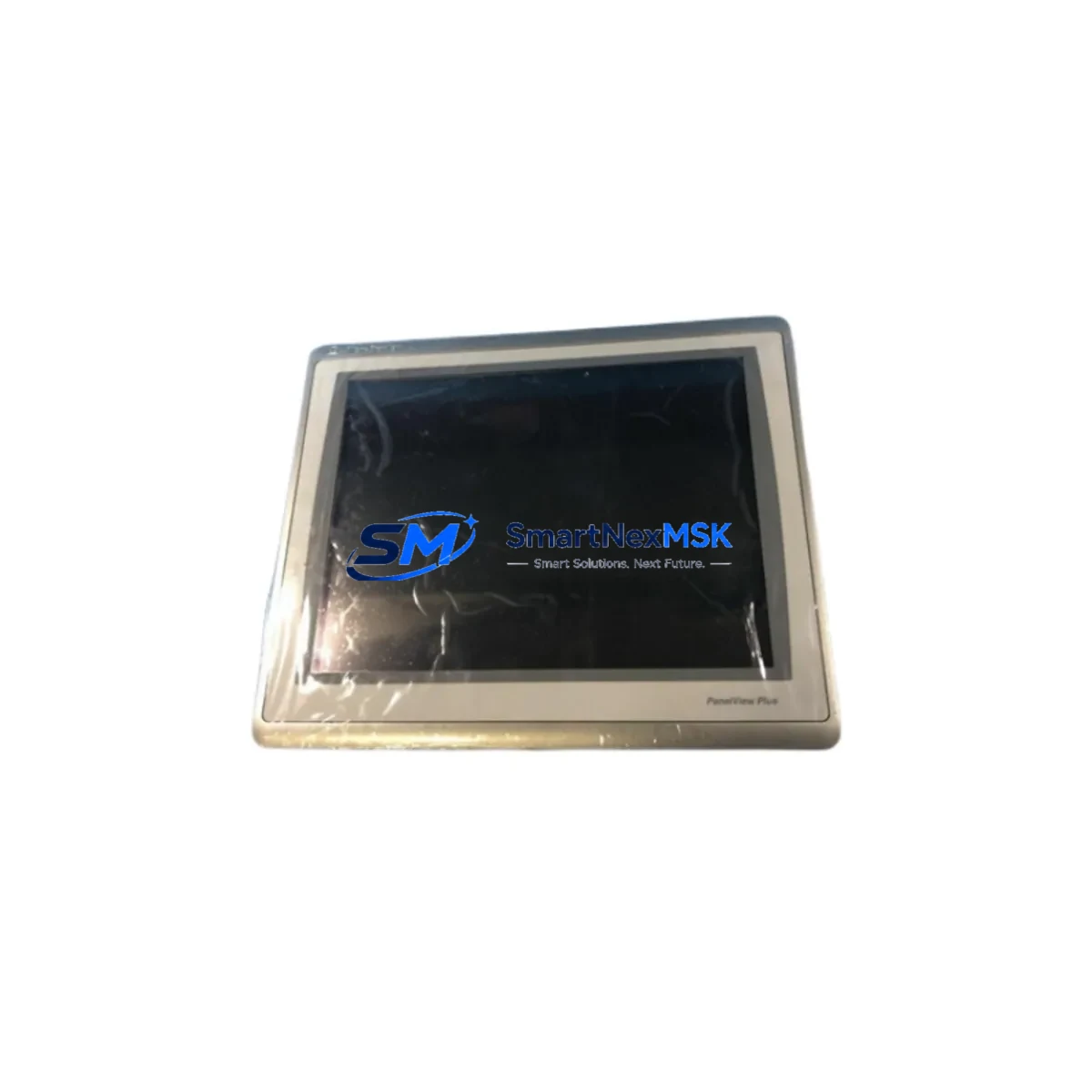
Allen-Bradley 2711P-T15C22D9P Retrofit-Ready HMI for PanelView Plus 7 Control Systems
The Allen-Bradley 2711P-T15C22D9P is a 15-inch widescreen HMI terminal from the PanelView Plus 7 series, engineered to serve as a direct retrofit replacement for legacy PanelView Plus 6 and PanelView Plus 1000/1250/1500 operator panels. As industrial facilities face increasing pressure to modernize aging control infrastructure without full system overhauls, the 2711P-T15C22D9P offers a proven migration path that preserves existing FactoryTalk View ME application logic, minimizes panel cutout modifications, and maintains compatibility with existing EtherNet/IP and DH-485 communication architectures.
This terminal is designed for engineers and maintenance teams executing control cabinet upgrades, production line modernization projects, and HMI-layer replacements within Rockwell Automation ecosystems. Whether you are replacing a failed 2711P-T15C4D8 unit, upgrading from a 2711-T10C8 PanelView 1000 terminal, or standardizing your facility’s HMI fleet to the PanelView Plus 7 platform, the 2711P-T15C22D9P delivers the display resolution, processing performance, and communication flexibility required for modern SCADA and machine-level control applications.
Upgrade Compatibility Table
| Parameter | Legacy Unit (PanelView Plus 6 / PV1000–1500) | 2711P-T15C22D9P (PanelView Plus 7) |
|---|---|---|
| Display Size | 10″–15″ (varies by model) | 15″ Widescreen TFT LCD |
| Resolution | 800×600 / 1024×768 | 1024×768 XGA |
| Communication Ports | EtherNet/IP, DH-485, RS-232 | Dual EtherNet/IP, USB Host/Device, SD Card |
| Panel Cutout Compatibility | Model-specific | Compatible with PV Plus 6 15″ cutout |
| Power Supply | 24V DC | 24V DC (18–32V DC range) |
| Application Software | FactoryTalk View ME (older versions) | FactoryTalk View ME v8.0+ |
| Communication Protocol | EtherNet/IP, DH-485 | EtherNet/IP (primary), USB programming |
| Replacement Recommendation | Direct swap for 2711P-T15C4D8, 2711P-T15C6D7 | Verify cutout dimensions and power wiring |
| Commissioning Focus | IP address reassignment, tag mapping | FactoryTalk ME application transfer via USB/SD |
| Warranty | Expired / OEM discontinued | 12-Month Warranty Included |
Retrofit Planning for Existing Automation Systems
Successful integration of the 2711P-T15C22D9P into an existing control system begins with a thorough pre-replacement audit. Before removing the legacy terminal, engineers should document the existing IP address configuration, subnet mask, gateway settings, and any static ARP entries used by the upstream 1756-L85E ControlLogix controller or 1769-L33ER CompactLogix controller communicating with the HMI. The EtherNet/IP connection path, including any managed switch port assignments on a Stratix 5700 or Stratix 2000 industrial Ethernet switch, must be preserved or updated in the new terminal’s RSLinx Enterprise or FactoryTalk Linx configuration.
Terminal block wiring for the 24V DC power supply should be verified against the 2711P-T15C22D9P’s power input specification (18–32V DC, 40W maximum). If the existing control cabinet uses a 1606-XLP power supply or equivalent 24V DC rail, confirm that the available current capacity is sufficient before energizing the new terminal. Inadequate power supply headroom is one of the most common causes of intermittent HMI faults during retrofit commissioning.
For facilities running legacy DH-485 networks alongside EtherNet/IP, the 2711P-T15C22D9P’s primary communication path is EtherNet/IP. If the existing application communicates with a SLC 5/05 processor or a MicroLogix 1400 controller via DH-485, a 1761-NET-AIC or 1761-NET-ENI interface converter may be required to bridge the legacy serial network to the new terminal’s Ethernet port. This is a critical planning step that is frequently overlooked during rapid replacement projects.
The FactoryTalk View ME application file (.MER) from the legacy 2711P-T15C4D8 or 2711P-T15C6D7 terminal can typically be transferred directly to the 2711P-T15C22D9P using a USB drive or SD card, provided the application was developed in FactoryTalk View ME v6.0 or later. Applications built on earlier versions may require a version conversion step in FactoryTalk View Studio before transfer. Alarm configurations, tag databases, and graphic display libraries are generally preserved during this process, but all alarm setpoints and tag cross-references should be validated against the live PLC program after transfer.
If the control system includes a 1756-EN2T EtherNet/IP communication module or a 1756-ENBT bridge module in the ControlLogix backplane, verify that the module firmware is compatible with the CIP connection requirements of the PanelView Plus 7 platform. Outdated bridge module firmware is a known source of intermittent connection drops during the first 48–72 hours of operation after an HMI replacement.
Downtime Control During System Migration
Minimizing unplanned downtime during an HMI replacement requires a structured pre-staging approach. Before the scheduled maintenance window, the replacement 2711P-T15C22D9P should be fully pre-configured off-line: IP address assigned, FactoryTalk ME application loaded and verified in simulation mode, and all communication paths tested against a bench-top 1769-L33ER CompactLogix or equivalent controller if available.
During the physical swap, the existing terminal’s configuration export — including IP settings, display brightness calibration, and any local alarm log files — should be backed up to a USB drive before power-down. The panel cutout gasket and mounting hardware from the legacy 2711P-T15C4D8 or 2711P-T15C6D7 unit are typically reusable, reducing mechanical installation time. Power-up sequence should follow the standard Rockwell Automation commissioning checklist: apply 24V DC, confirm boot sequence completes without fault codes, verify EtherNet/IP link status LEDs, and initiate the FactoryTalk ME application from the SD card or USB source.
Once the application is running, perform a full I/O status scan from the HMI’s diagnostic screen to confirm all PLC tags are resolving correctly. Pay particular attention to any analog input scaling blocks connected to field instruments — these are the most common source of display discrepancies after an HMI platform change. If the facility uses a FactoryTalk View SE supervisory layer in addition to the machine-level HMI, update the terminal’s network node entry in the FactoryTalk Directory to reflect the new terminal’s MAC address and confirm that historical data logging connections are re-established before returning the line to production.
With proper pre-staging, most 2711P-T15C22D9P retrofit installations can be completed within a standard 4-hour planned maintenance window, preserving production continuity and eliminating the extended downtime associated with full control system replacements.
Retrofit Support FAQ
Q1: Is the 2711P-T15C22D9P a direct drop-in replacement for the 2711P-T15C4D8 or 2711P-T15C6D7?
In most cases, yes. The panel cutout dimensions are compatible with other 15″ PanelView Plus 6 and Plus 7 models. You should verify the power wiring terminal positions and confirm that your FactoryTalk View ME application version is v6.0 or later before transfer. Physical mounting hardware and the 24V DC power connection are generally interchangeable.
Q2: Can I transfer my existing FactoryTalk View ME application without rewriting it?
Yes, provided the application was developed in FactoryTalk View ME v6.0 or later. Copy the .MER file to a USB drive or SD card from the legacy terminal, load it onto the 2711P-T15C22D9P, and run a full tag validation before going live. Applications from earlier FactoryTalk ME versions require a version upgrade step in FactoryTalk View Studio.
Q3: What communication protocols does the 2711P-T15C22D9P support, and is DH-485 still accessible?
The 2711P-T15C22D9P communicates natively via EtherNet/IP through its dual RJ-45 ports. Native DH-485 is not supported on this model. For legacy DH-485 networks connecting to SLC 500 or MicroLogix controllers, a 1761-NET-ENI or 1761-NET-AIC interface converter is required to bridge the serial network to EtherNet/IP.
Q4: What does the 12-month warranty cover, and is pre-shipment testing performed?
Every 2711P-T15C22D9P unit is function-tested prior to shipment, covering power-on boot sequence, display integrity, touch calibration, and communication port status. The 12-month warranty covers hardware defects and operational failures under normal industrial use conditions. Warranty support includes direct technical assistance for commissioning issues identified within the warranty period. Contact [email protected] for warranty claims and RMA processing.
© 2026 SMARTNEXMSK. All rights reserved.
Original Source: https://smartnexmsk.com
Contact: [email protected] | +86 18259474341



