
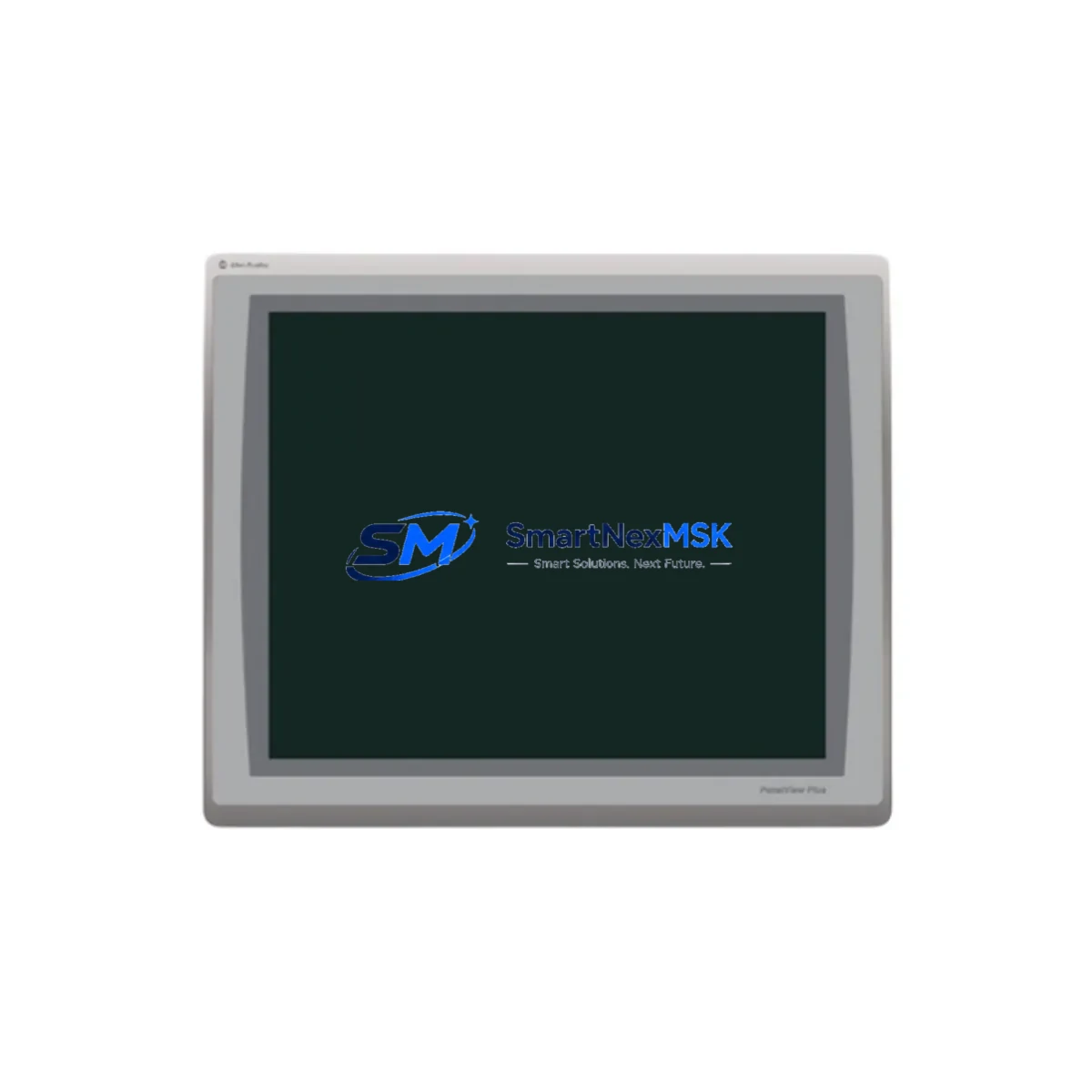
Allen-Bradley 2711P-T19C22A9P PanelView Plus 7 Spare: Backup Replacement for Industrial HMI Downtime Control
The Allen-Bradley 2711P-T19C22A9P is a 19-inch widescreen TFT color resistive touch terminal from the PanelView Plus 7 Standard series, engineered for continuous-duty industrial operator interface applications. In ControlLogix, CompactLogix, and GuardLogix control architectures, this HMI serves as the primary operator window — and its unplanned failure directly halts production. Sourcing a verified original spare before a fault occurs is the most cost-effective downtime mitigation strategy available to maintenance and procurement engineers managing critical automation assets.
At SMARTNEXMSK, every 2711P-T19C22A9P unit is sourced from authorized supply channels, inspected against factory specifications, and bench-tested for display integrity, touch calibration, EtherNet/IP port function, USB interface operation, and firmware compatibility prior to shipment. Each unit ships in ESD-safe packaging with a 12-month warranty covering hardware defects under normal operating conditions — giving your maintenance team the confidence to execute a rapid, verified replacement without procurement risk.
Spare Maintenance Table
| Parameter | Specification |
|---|---|
| Part Number / SKU | 2711P-T19C22A9P |
| Series | PanelView Plus 7 Standard |
| Brand | Allen-Bradley (Rockwell Automation) |
| Display Size | 19-inch Widescreen TFT Color |
| Touch Technology | Resistive Touch Screen |
| Communication Ports | EtherNet/IP (2×), USB Host, USB Device, RS-232 |
| Compatible Controllers | ControlLogix, CompactLogix, GuardLogix, SoftLogix |
| Operating Voltage | 24 VDC (18–32 VDC range) |
| Operating Temperature | 0°C to 55°C (32°F to 131°F) |
| Protection Rating | NEMA 4/4X, 13; IP65 (front panel) |
| Memory | 512 MB RAM / 512 MB Flash |
| Runtime Software | FactoryTalk View ME |
| Mounting | Panel cutout, rear-mount hardware included |
| Origin | USA |
| Compatibility | PanelView Plus 7 Standard series; replaces 2711P-T19C22D9P and prior revisions |
| Warranty | 12 Months — hardware defects under normal operating conditions |
| Condition | Original New / New Surplus / Tested Refurbished (specify on order) |
| Pre-Shipment Testing | Display, touch, EtherNet/IP, USB, firmware version verified |
| Packaging | ESD-safe anti-static bag, foam-lined carton |
Maintenance Planning for Continuous Operation
Replacing a 2711P-T19C22A9P in the field is rarely an isolated task. A disciplined maintenance engineer treats the HMI swap as a full operator-station audit. Begin by verifying the 24 VDC power supply feeding the terminal — a 1606-XLP or 1606-XLS series power supply is common in PanelView Plus 7 installations. Measure output voltage under load and check for ripple; a marginal power supply is one of the leading causes of premature HMI failure and display artifacts. Replacing the HMI without addressing an upstream power fault risks a repeat failure within months.
Inspect the EtherNet/IP cabling and the managed switch port the terminal connects to. In most ControlLogix architectures, the 2711P-T19C22A9P shares a network segment with a 1756-EN2T or 1756-EN3TR Ethernet communication module. Document the terminal’s IP address, subnet mask, gateway, and CIP connection parameters before the swap — these must be re-entered or restored from backup on the replacement unit. Confirm that the network switch port is configured for the correct VLAN and that no MAC address conflicts exist.
While the control cabinet is open, audit the 1756-L8x or 1769-L3x series processor module for any pre-existing faults logged before the HMI failure. HMI communication errors frequently mask underlying I/O faults on 1756-IB16 digital input modules or 1756-OB16 digital output modules. Check all field wiring terminal blocks for tightness and inspect signal cables for insulation damage near heat sources or cable trays with sharp edges.
For safety-rated installations, verify that any 1791DS or 1734-IB8S safety I/O modules in the same cabinet are unaffected and that all safety function tests are re-executed after the HMI replacement, per your site’s functional safety maintenance plan. If the system includes a 1756-RM2 redundancy module, confirm redundancy health status before returning the line to production.
Procurement engineers building a spare parts inventory for PanelView Plus 7 installations should also consider stocking a 2711P-RP9 replacement processor module and a 2711P-RN15S remote I/O adapter as secondary spares — these components share the same service lifecycle as the 2711P-T19C22A9P and are subject to the same obsolescence timeline. Maintaining at least one cold spare per production line in facilities running 24/7 operations reduces mean time to repair (MTTR) from days to under two hours.
Site Replacement Workflow
Step 1 — Pre-Replacement Documentation: Before removing the faulty 2711P-T19C22A9P, record the terminal’s IP address, FactoryTalk View ME application file name, firmware version, and all custom configuration settings. If the unit is partially functional, export the application file via USB to a service laptop. Photograph all cable connections and label each connector before disconnection.
Step 2 — Power Isolation: Isolate the 24 VDC supply at the dedicated circuit breaker or fuse terminal block. Confirm isolation with a calibrated multimeter before disconnecting any cables. Follow your site’s lockout/tagout (LOTO) procedure throughout.
Step 3 — Physical Swap: Remove the rear-mount hardware, disconnect EtherNet/IP cables, USB connections, and the power connector. Extract the unit from the panel cutout. Install the replacement 2711P-T19C22A9P, reconnect all cables in the documented order, and torque the mounting hardware to specification. Verify the panel gasket is seated correctly to maintain IP65 front-panel protection.
Step 4 — Firmware and Application Restore: Power up the replacement unit and confirm the FactoryTalk View ME firmware version matches the project requirements. Load the application file from USB or via FactoryTalk View Studio over the EtherNet/IP network. Verify all screen navigation, alarm displays, and tag communications are functioning correctly before releasing the line.
Step 5 — System Verification and CMMS Update: Perform a full I/O check from the HMI operator screens, confirm EtherNet/IP connection status to the controller, and log the replacement event in your site’s computerized maintenance management system (CMMS). Update the spare parts inventory record and reorder a replacement cold spare to restore buffer stock. This workflow supports direct replacement of identical 2711P-T19C22A9P units and cross-series upgrades from older 2711P-T15C4D8 or 2711P-T12W21D8S terminals, provided the FactoryTalk View ME application is re-validated for the new hardware revision.
Spare Parts Support FAQ
Q1: What does the 12-month warranty cover for the 2711P-T19C22A9P?
All units carry a 12-month warranty against hardware defects under normal operating conditions from the date of shipment. Coverage includes display failure, touch screen malfunction, EtherNet/IP port faults, USB interface failure, and power input defects attributable to manufacturing. Physical damage, incorrect wiring, overvoltage, or operation outside specified temperature and humidity ranges are excluded. Warranty claims are processed with return shipment and bench verification.
Q2: How is compatibility verified before shipment?
Each 2711P-T19C22A9P is bench-tested for display function, touch calibration, EtherNet/IP port activity, and USB interface operation. Hardware revision and firmware version are confirmed against the order specification. If your application requires a specific FactoryTalk View ME firmware version or a particular hardware revision suffix, advise at the time of order so we can pre-confirm or pre-load accordingly.
Q3: Can the 2711P-T19C22A9P replace older PanelView Plus 6 or PanelView Plus terminals?
The 2711P-T19C22A9P is a PanelView Plus 7 Standard series terminal and is not a direct drop-in replacement for PanelView Plus 6 (2711P-T19C6) or earlier PanelView Plus models due to differences in panel cutout dimensions, firmware architecture, and application file format. Application migration from FactoryTalk View ME projects developed on earlier hardware is possible but requires re-validation. Contact our technical team for migration guidance before ordering.
Q4: What are your lead times and long-term supply options?
We maintain buffer stock of high-demand PanelView Plus 7 terminals to support urgent replacement requirements. Standard orders ship within 1–3 business days after payment confirmation. For facilities requiring long-term supply agreements, annual blanket orders, or dedicated inventory allocation to support multi-site maintenance programs, contact our sales team to discuss a tailored spare parts support plan.
© 2026 SMARTNEXMSK. All rights reserved.
Original Source: https://smartnexmsk.com
Contact: [email protected] | +86 18259474341



